


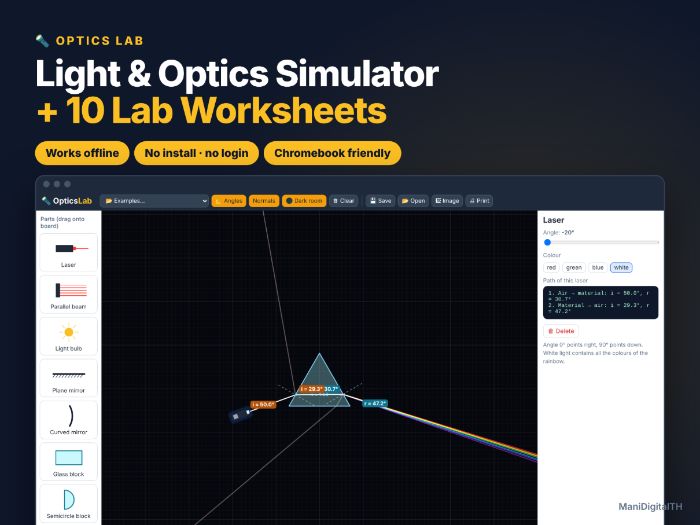

Light up your optics lessons! Optics Lab is an interactive ray simulator that runs in any web browser — plus 10 ready-to-print lab worksheets with a full answer key.
Students place lasers, light beams, mirrors, glass blocks, prisms and lenses on the board and instantly see rays reflect, refract and focus — with live angle readings.
WHAT’S INCLUDED (zip file)
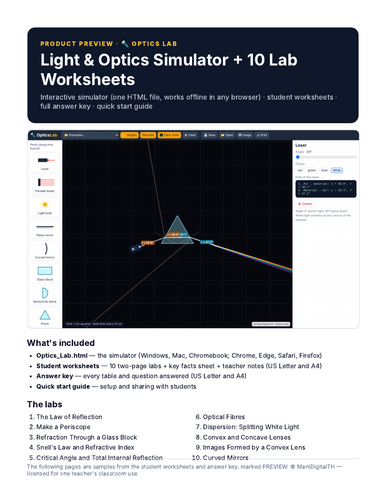
- Optics_Lab.html — the interactive simulator. One HTML file that works offline in Chrome, Edge, Safari or Firefox on Windows, Mac and Chromebook. No install, no login, no ads, no data collected.
- Student worksheets PDF — 10 two-page labs (goal, key idea, method, results tables, questions), a key facts reference sheet and teacher notes. US Letter + A4.
- Answer key PDF — every table filled in with the simulator’s values and model answers to every question. US Letter + A4.
- Quick start guide PDF — setting up on each device and sharing with students through Google Classroom / Teams.
SIMULATOR FEATURES
- Live angles of incidence, reflection and refraction, with normals drawn
- Glass blocks, semicircular blocks and prisms in water, acrylic, glass or diamond
- Total internal reflection and partial reflection shown realistically
- White light splits into a rainbow through a prism (dispersion)
- Convex and concave lenses with focal points, and real / virtual images that form live
- Plane and curved (concave / convex) mirrors · dark room mode for projectors
THE LABS
- The Law of Reflection
- Make a Periscope
- Refraction Through a Glass Block
- Snell’s Law and Refractive Index
- Critical Angle and Total Internal Reflection
- Optical Fibres
- Dispersion: Splitting White Light
- Convex and Concave Lenses
- Images Formed by a Convex Lens
- Curved Mirrors
GREAT FOR
KS2–KS4 / middle and high school science (roughly ages 10–16), homeschool, tutoring, science clubs, cover lessons and remote learning.
HOW TO OPEN
Download and unzip, then double-click Optics_Lab.html. It opens in your web browser. Best on a laptop, desktop or Chromebook (iPads and phones are limited in opening downloaded HTML files). To share with students, upload the file to your class platform; students download it and open it from their Downloads folder.
TERMS OF USE
One purchase = one teacher, for use with their own students (classroom, homeschool or tutoring). Please purchase additional licences for colleagues. Do not post the files on public websites.
© ManiDigitalTH
Something went wrong, please try again later.
This resource hasn't been reviewed yet
To ensure quality for our reviews, only customers who have purchased this resource can review it
Report this resourceto let us know if it violates our terms and conditions.
Our customer service team will review your report and will be in touch.
£6.00