


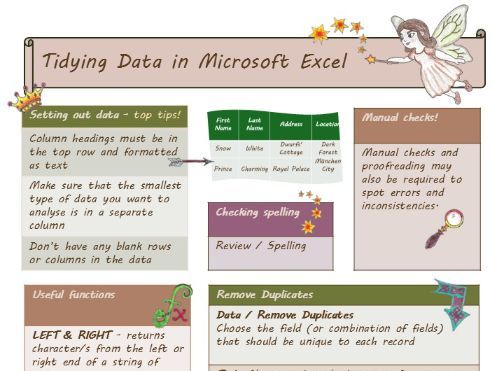
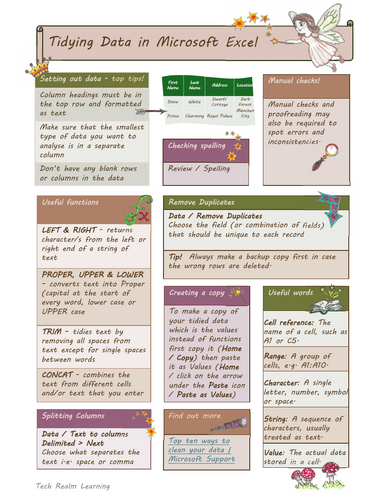
A handy Microsoft Excel data-cleansing reference sheet covering key techniques, functions and keyboard shortcuts, with a fun hand-drawn fairy-tale theme.
This reference sheet is designed to support learners when working with data, spreadsheets and Microsoft Excel. It covers useful techniques and terminology including:
- Setting out data effectively
- Checking spelling
- Removing duplicates
- Splitting columns using Text to Columns
- Creating a copy of tidied data using Paste as Values
- Useful Excel functions including LEFT, RIGHT, PROPER, UPPER, LOWER, TRIM and CONCAT
- Key data terminology including cell reference, range, character, string and value
- Manual checking and proofreading
The resource uses a fairy-tale theme with hand-drawn icons and illustrations, making a potentially technical topic more engaging and memorable. It can be used alongside a lesson or as a standalone reference sheet for learners working with Excel and data.
The resource is suitable for young people and adults, including GCSE, post-16, vocational IT and adult digital-skills learners. It can also be used as a quick-reference resource for anyone developing their spreadsheet and data-handling skills.
Accessibility
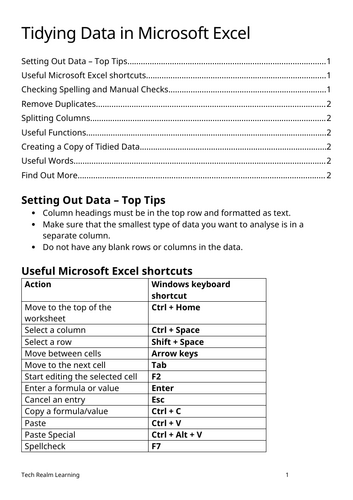
A text-only Word version is also included, providing an accessible alternative to the illustrated PDF. The reference sheet includes Windows keyboard shortcuts to support learners who prefer or require keyboard navigation rather than mouse-based interaction.
Licence
This resource is provided under a Creative Commons ShareAlike (CC BY-SA) licence.
Something went wrong, please try again later.
This resource hasn't been reviewed yet
To ensure quality for our reviews, only customers who have downloaded this resource can review it
Report this resourceto let us know if it violates our terms and conditions.
Our customer service team will review your report and will be in touch.
£0.00