



Interactive CPU Simulator – OCR GCSE Computer Science
Bring the fetch–decode–execute cycle to life with this visual, teacher-led CPU simulator, designed to support OCR GCSE Computer Science J277, section 1.1.1.
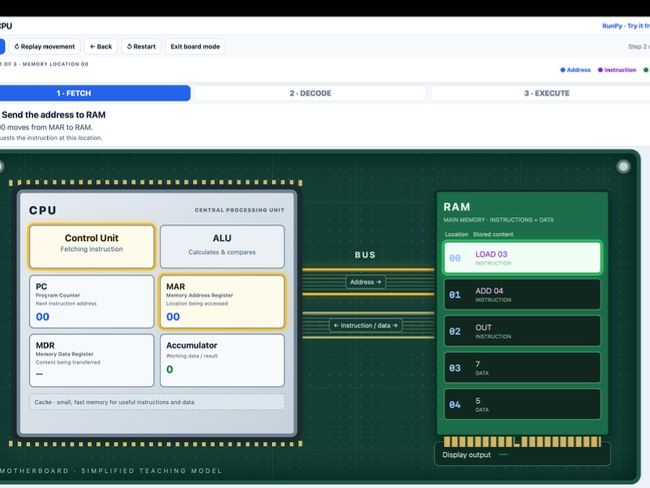
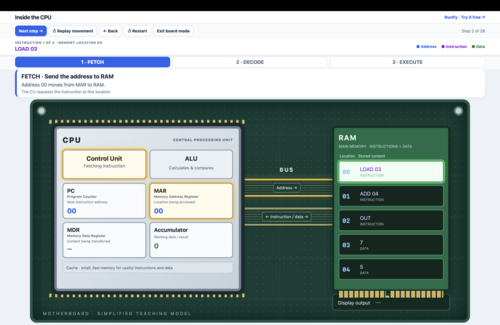
The CPU and RAM appear on a motherboard, connected by a visible bus. Step through a simple program and watch addresses, instructions and data move between components.
Full-screen Board mode for classroom demonstrations: display the simulator on an interactive whiteboard or projector. The layout automatically scales to keep the controls, explanations, CPU, bus and RAM visible together.
Features include:
- PC, MAR, MDR and accumulator, with full names and purpose labels.
- Control Unit, ALU, RAM and an identified cache.
- Assembly-style instructions in RAM, explained in plain English during decode.
- Colour-coded transfers and clear explanations at each stage.
- An animated PC increment and ALU calculation.
- Next, Back, Restart and Replay controls.
- Full-screen Board mode that scales the demonstration to fit your display.
Ideal for whole-class explanations, questioning and revision. Teachers control the pace, with clear transitions between fetch, decode and execute.
Easy to use: download the HTML file and open it in a modern browser. No installation, internet connection or account is needed for the simulator.
This is a simplified teaching model. The assembly-style instructions and register transfers illustrate how processing works; they are not an additional instruction set students need to memorise.
Something went wrong, please try again later.
This resource hasn't been reviewed yet
To ensure quality for our reviews, only customers who have downloaded this resource can review it
Report this resourceto let us know if it violates our terms and conditions.
Our customer service team will review your report and will be in touch.
£0.00