



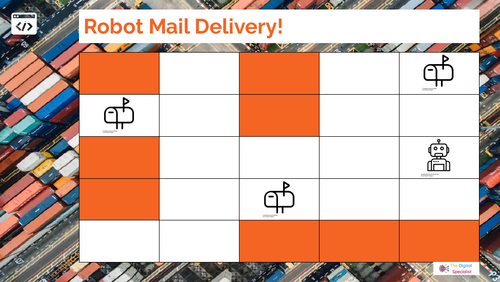

Unplugged Year 4 Computing carousel with 4 offline activities: coding with loops, internet safety, game making, and digital literacy.
This Year 4 Computing carousel includes 4 engaging offline (unplugged) activities designed to teach key KS2 computing concepts while supporting partner talk, group collaboration, and classroom expectations. Perfect for the first computing lesson of the year or for revisiting computing basics without needing devices.
What’s included (PDF format):
- Station 1: Coding with Loops (Robot Delivery Game) – pupils use arrow and loop cards to program routes across a grid, developing sequencing, repetition, and debugging skills.
- Station 2: Design a Game – creative hands-on activity where pupils design their own games.
- Station 3: Internet Safety Features – thinking about ways to promote safe choices and responsible behaviour while playing games.
- Station 4: Digital Literacy – Tools Detectives – pupils match tasks (e.g. “make a poster,” “record sound”) with the correct digital tools, exploring real-world uses of technology. ****
Specification links:
- Follows the UK KS2 Computing curriculum (Year 4): covering algorithms, data, digital literacy, and creative content.
- Can also be used internationally for Grade 3–4 computer science, ICT, or digital citizenship lessons.
Why teachers love this resource:
- No devices needed — fully offline computing carousel.
- Encourages partner talk and collaborative problem-solving.
- Designed with accessibility in mind – visuals and text work together to reduce cognitive load, with simple layouts that support EAL learners and pupils with SEND. Resources follow classroom-friendly design principles for readability, consistency, and ease of use.
- Clear station cards, printable templates, and easy setup.
- Cross-curricular links with PSHE (online safety), maths (problem solving), and art (design).
File type:
- PDF (ready-to-print station cards, activity sheets, and templates).
- Editable Powerpoint and Google Slides versions are available to purchase.
Keywords: Year 4 Computing, KS2 Computing, Unplugged Computing, Offline Coding Activity, Internet Safety KS2, Digital Literacy, Computing Carousel, Primary Computing, Partner Talk Activities, Debugging and Loops, Digital Literacy KS2.
Something went wrong, please try again later.
This resource hasn't been reviewed yet
To ensure quality for our reviews, only customers who have downloaded this resource can review it
Report this resourceto let us know if it violates our terms and conditions.
Our customer service team will review your report and will be in touch.
£0.00