


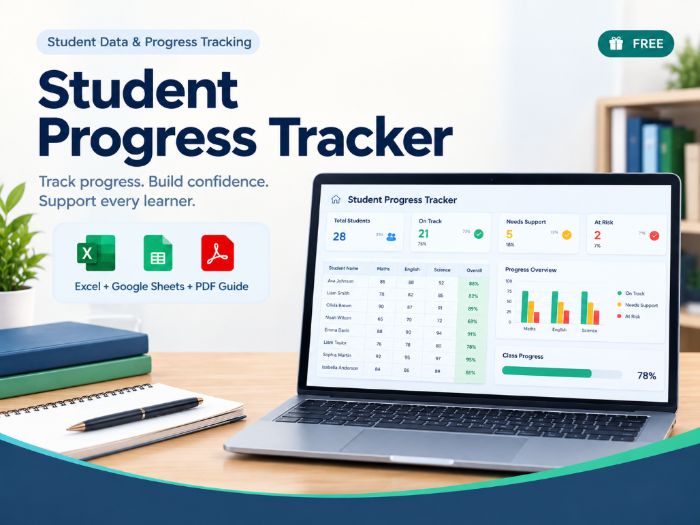

Student Progress Tracker for Excel: enter one assessment’s results and automatically calculate performance, compare students with a target, and identify who needs attention.
A simple, teacher-friendly Excel assessment tracker for reviewing student performance against a target.
Enter your assessment information and student results once, and the workbook automatically calculates performance percentages and student status.
WHAT’S INCLUDED
START HERE
A quick guide explaining:
What the tracker is for
The simple workflow
What to edit
Which areas calculate automatically
STUDENT TRACKER
Student names
Assessment name
Points possible
Target percentage
Points earned
Automatic performance %
Automatic student status
Meeting Target / Below Target / No Data
Input validation
Conditional formatting
Protected calculation cells
SUMMARY
Class average
Target
Meeting Target count
Below Target count
No Data count
Student-level status overview
Simple visual status comparison
HOW IT WORKS
Set up the assessment.
Enter your students.
Enter points earned.
Performance and status calculate automatically.
Review the Summary.
WHY IT’S USEFUL
The tracker makes it easy to see which students met the target, which students are below target, and which students still have no result.
Missing data is kept separate from below-target performance, so a student without a result is not automatically treated as a low performer.
SUITABLE FOR
This resource can be used across subjects and grade levels for quizzes, tests, benchmarks, intervention checks, and other assessments where results are compared with a target.
IMPORTANT
This is a focused single-assessment tracker. It is not a comprehensive gradebook or longitudinal progress-monitoring system.
It does not include multiple-assessment history, standards/skills mastery, intervention management, attendance, behaviour tracking, parent reports, predictive analytics, or advanced reporting.
FILE & COMPATIBILITY
You receive an Excel .xlsx workbook.
The workbook does not use macros or VBA. It can also be opened or imported into Google Sheets.
Basic spreadsheet knowledge is recommended.
Digital resource — no physical product will be shipped.
Something went wrong, please try again later.
This resource hasn't been reviewed yet
To ensure quality for our reviews, only customers who have downloaded this resource can review it
Report this resourceto let us know if it violates our terms and conditions.
Our customer service team will review your report and will be in touch.
£0.00