


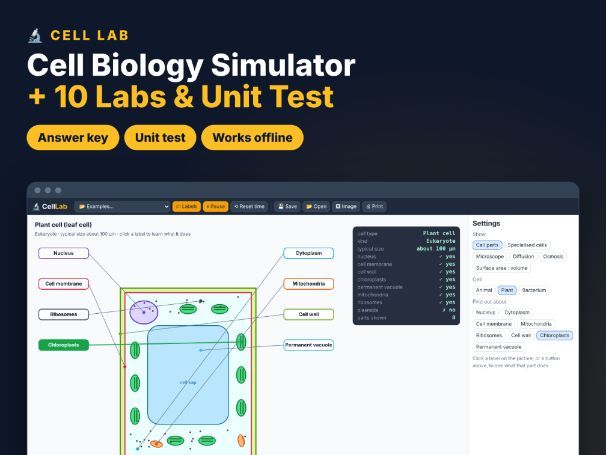

Cells, microscopes, diffusion and osmosis — all in one simulator! Cell Lab works offline in supported desktop browsers and comes with 10 ready-to-print lab worksheets, a 20-question unit test and a full answer key.
Students click through labelled animal, plant and bacterial cells, explore specialised cells, use a virtual microscope to calculate magnification and actual size, watch molecules diffuse through a membrane, measure osmosis in potato cylinders and compare surface area to volume ratios.
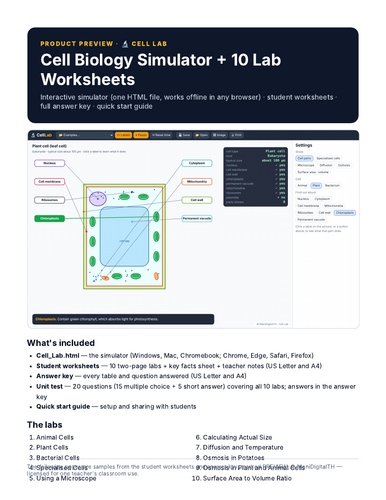
WHAT’S INCLUDED (zip file)
- Cell_Lab.html — the interactive simulator. One HTML file that works offline in Chrome, Edge, Safari or Firefox on Windows, Mac and Chromebook. No install, no login, no ads, no data collected.
- Student worksheets PDF — 10 two-page labs (goal, key idea, method, results tables, questions), a key facts reference sheet and teacher notes. US Letter + A4.
- Unit test PDF — 20 questions (15 multiple choice + 5 short answer) covering all 10 labs. US Letter + A4.
- Answer key PDF — every table filled in with the simulator’s values, model answers to every question and the unit test answers. US Letter + A4.
- Quick start guide PDF — setting up on each device and sharing with students through Google Classroom / Teams.
SIMULATOR FEATURES
- Animal, plant and bacterial cells with clickable labels
- 5 specialised cells and their adaptations
- Virtual microscope: eyepiece, objective, image size, field of view
- Diffusion with temperature, molecule size and concentration
- Osmosis in potatoes, plant cells and red blood cells
- Surface area : volume with agar cubes
THE LABS
- Animal Cells
- Plant Cells
- Bacterial Cells
- Specialised Cells
- Using a Microscope
- Calculating Actual Size
- Diffusion and Temperature
- Osmosis in Potatoes
- Osmosis in Plant and Animal Cells
- Surface Area to Volume Ratio
GREAT FOR
KS3–KS4 / GCSE biology (roughly ages 11–16), homeschool, tutoring, science clubs, cover lessons and remote learning.
HOW TO OPEN
Download and unzip, then double-click Cell_Lab.html. It opens in your web browser. Best on a laptop, desktop or Chromebook (iPads and phones are limited in opening downloaded HTML files). To share with students, upload the file to your class platform; students download it and open it from their Downloads folder.
TERMS OF USE
One purchase = one teacher, for use with their own students (classroom, homeschool or tutoring). Please purchase additional licences for colleagues. Do not post the files on public websites.
© ManiDigitalTH
Something went wrong, please try again later.
This resource hasn't been reviewed yet
To ensure quality for our reviews, only customers who have purchased this resource can review it
Report this resourceto let us know if it violates our terms and conditions.
Our customer service team will review your report and will be in touch.
£6.00