Collecting & Recording Data (KS3 Science Skills): Investigate Like a ScientistQuick View
Scientific_Skills_in_Action

Collecting & Recording Data (KS3 Science Skills): Investigate Like a Scientist

(0)
Help students develop the practical skills needed to collect and organise scientific data accurately. This Investigate Like a Scientist bundle develops students’ ability to collect, record, and organise scientific data, an essential skill for carrying out meaningful investigations. Designed for KS3 students (Years 7-8), these lessons help students understand how scientists gather observations, measure results, and organise data so it can be analysed effectively. Students learn how to: • Make careful observations and measurements during investigations • Record results clearly and accurately in tables or structured formats • Use appropriate units and headings when collecting data • Organise results so they can be analysed and interpreted later Through structured examples and scaffolded practice, students begin to understand that accurate data collection is essential for drawing reliable scientific conclusions. What’s Included This bundle provides complete ready-to-teach resources designed to make teaching scientific investigation skills clear and effective: • Teacher Guide: clear explanation of data collection and recording methods with teaching notes and questioning prompts • Classroom Slides: structured lessons that demonstrate how scientists record data during investigations • Student Notes & Worksheets: scaffolded tasks that help students practise recording results using tables and structured formats • Additional Resources: investigation scenarios and visual examples to support deeper scientific thinking Why Teachers Love It Ready-to-teach lessons that save valuable planning time Designed so non-specialist teachers can confidently teach practical investigation skills Develops essential Working Scientifically skills used across KS3 science Builds the data-handling skills students need for science investigations
OCR J836 IT R050 Unit 3: Data and TestingQuick View
MrBond_

OCR J836 IT R050 Unit 3: Data and Testing

(0)
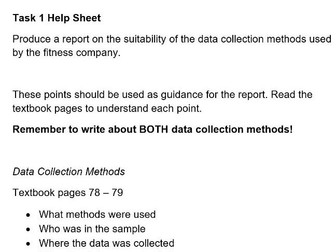
Download the complete scheme of work for J836 Cambridge National in IT, R050 Unit 3: Data and Testing. Includes fully editable student workbooks, end of topic test, PowerPoints, and all answers. This full scheme of work includes: 3.1 Information and data 3.2.1 Use of data types in different contexts 3.2.2-4 Data Verification 3.2.3-4 Data Validation + example Excel file 3.3 Data collection methods + printable scenario cards 3.4 Storage of collected data + printable Top Trump style game cards 3.5 Importance of testing 3.6 Revision and assessment lesson Revision and assessment lesson includes test paper and mark scheme. Printable student workbook (PDF and editable Word documents) Engaging lessons, packed with dual-coding illustrations for your students, with ease of planning and flexibility for you! All R050 units of work are now available
Data Collection and GraphsQuick View
gpmtiggs

Data Collection and Graphs

(0)
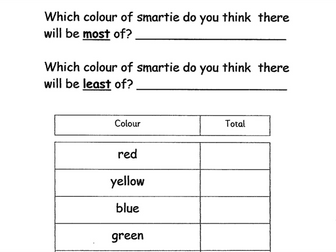
I used these worksheets with Year 2 and Year 3 classes. Pupils gained experience of using tally marks to collect information and then represent this data in the form of a graph. Depending on pupil abilities, I encouraged them to work individually, with a partner or in a guided group to complete these activities. There are also differentiated versions of some of these activities. The worksheets included are; Bag of cubes – used as an easy introduction to data collection and graphing, it requires pupils to be provided with a bag of mixed cubes to systematically tally according to colour and then complete the prepared graph. Smarties easy – Always popular and creating great enthusiasm as sweets are involved! Two sheets, largely pre-prepared where pupils in pairs or small groups are given boxes (or 2 tubes) of Smarties, to predict what the most and least colour represented will be before collecting data and completing a graph of results. Smarties mid – as above but the data collection grid and graph are in a minimal form requiring pupils to fill in the required details. Smarties top – as above but data collection requires the use and interpretation of tally marks and the graphing sheet is purely a squared grid allowing more able to compile their graph from scratch. Birthdays – Pupils use tally marks to record the birthdays of their peers (this needs to be done systematically and requires organising to avoid missing anyone or counting people twice!). Once collected they use either 5a. Birthdays Graph filled – a prelabelled graph format sheet or 5b. Birthdays Graph to fill – a basic, unlabelled graph format sheet to compile their graphs.
apt4Stats: Powerpoint for GCSE Statistics (Collecting Data) on QUESTIONNAIRES AND SURVEYSQuick View
APTInitiatives

apt4Stats: Powerpoint for GCSE Statistics (Collecting Data) on QUESTIONNAIRES AND SURVEYS

(0)
PowerPoint Presentation on Questionnaires and Surveys (30 slides): Explains the dos and don’ts when designing questionnaires or surveys, reviews grouping data, explains random response techniques and what to do with unexpected responses. It has been written by a highly experienced teacher (of 25+ years), senior examiner and reviser for Maths and Stats examinations. It includes: Lesson objectives Step-by-step explanations of the subject matter Examples to aid understanding Questions to check understanding Answers to questions, with explanations Suggestions regarding which topic(s) should be moved on to next. It is 1 of a set of 5 PowerPoint Presentations on ‘Collecting Data’ that APT Initiatives has published for GCSE Statistics. The content of this PowerPoint is also relevant to the ‘Statistics’ section of the GCSE Maths specifications and included in APT’s PowerPoints for GCSE Maths. The full set of set of 5 PowerPoints for GCSE Statistics on ‘Collecting Data’ (110 slides excluding Title Pages) covers the following topics: 01 Types of Data (24 slides): Explains the different types of data and how data can be classified according to who collected it. 02 Methods of Collecting Data (31 slides): Reviews the data handling cycle and explains the main methods of collecting data and how to avoid bias, as well as how to record and clean data. 03 Questionnaires and Surveys (30 slides): Explains the dos and don’ts when designing questionnaires or surveys, reviews grouping data, explains random response techniques and what to do with unexpected responses. 04 Sampling and Bias 1 (25 slides): Defines key statistical terms, outlines how to avoid bias, and explains the main methods of sampling. 05 Sampling and Bias 2 (Application) (20 slides): Reviews and applies different sampling techniques and explains the Petersen capture-recapture method. This set of 5 PowerPoints are one of 4 sets of PowerPoints that APT Initiatives Ltd has published to support teachers and students of GCSE Statistics. Other sets concern: Representing Data Analysing Data Probability The purchase of this resource comes with a licence to make the resource available in digital and / or in print form (including photocopying) to the staff and students attending the purchasing institution, ie the individual school / college on a single site. The resource may be distributed via a secure virtual learning environment. It must not be made available on any public or insecure website or other platform. The resource must not be distributed to other institutions that are members of the same academy chain or similar organisation; each individual institution must purchase their own copy of the resource.
IGCSE 0580 Mathematics worksheet 0580 Collecting, organising and displaying dataQuick View
jxy9566

IGCSE 0580 Mathematics worksheet 0580 Collecting, organising and displaying data

(0)
Topical Past Papers are an essential tool for any student looking to succeed in their exams. These questions are regular past paper questions, but instead of covering all topics, they focus on a specific topic or theme. This allows students to test their knowledge in a more targeted way and identify any areas they may need to improve on. By practicing with Topical Past Papers, students have the opportunity to enhance their understanding of a subject and build their confidence ahead of the exam.
Organisation of data (Economics and Statistics)Quick View
joicepanathur

Organisation of data (Economics and Statistics)

(0)
This is the complete module on the topic of organization of data in statistics and economics. It is an exclusive resource where the topics are arranged in a very informative and interesting manner. All the topics are supported by examples and animations. The animated presentation will help you to understand the concept in a very simple and easy way. Each concept is explained with the help of illustrations, images, and outstanding animations. All the concepts are self-explanatory and narrative. This resource will be an added help for your studies nd exam preparations. The presentation is equally important to the students who are studying accountancy and the teachers who instruct the subject. Total Slides : 47. It's not just a ppt. It's a Complete interactive module with animation and background sound. This will give you an ultimate learning experience for sure. Contents: Collection of data Classification of data Basis of classification Variables Raw data Statistical Series Individual series Continuous series Frequency Distribution Types of frequency distribution Glossary _ Class limits, Frequency, Tally marks, Magnitude etc...
apt4Stats: PowerPoint for GCSE Statistics on METHODS OF COLLECTING DATA (2 of 5 on Collecting Data)Quick View
APTInitiatives

apt4Stats: PowerPoint for GCSE Statistics on METHODS OF COLLECTING DATA (2 of 5 on Collecting Data)

(0)
PowerPoint Presentation on Methods of Collecting Data (31 slides): Reviews the data handling cycle and explains the main methods of collecting data and how to avoid bias, as well as how to record and clean data. It has been written by a highly experienced teacher (of 25+ years), senior examiner and reviser for Maths and Stats examinations. It includes: Lesson objectives Step-by-step explanations of the subject matter Examples to aid understanding Questions to check understanding Answers to questions, with explanations Suggestions regarding which topic(s) should be moved on to next. It is 1 of a set of 5 PowerPoint Presentations on ‘Collecting Data’ that APT Initiatives has published for GCSE Statistics. The content of this PowerPoint is also relevant to the ‘Statistics’ section of the GCSE Maths specifications and included in APT’s PowerPoints for GCSE Maths. The full set of set of 5 PowerPoints for GCSE Statistics on ‘Collecting Data’ (110 slides excluding Title Pages) covers the following topics: 01 Types of Data (24 slides): Explains the different types of data and how data can be classified according to who collected it. 02 Methods of Collecting Data (31 slides): Reviews the data handling cycle and explains the main methods of collecting data and how to avoid bias, as well as how to record and clean data. 03 Questionnaires and Surveys (30 slides): Explains the dos and don’ts when designing questionnaires or surveys, reviews grouping data, explains random response techniques and what to do with unexpected responses. 04 Sampling and Bias 1 (25 slides): Defines key statistical terms, outlines how to avoid bias, and explains the main methods of sampling. 05 Sampling and Bias 2 (Application) (20 slides): Reviews and applies different sampling techniques and explains the Petersen capture-recapture method. This set of 5 PowerPoints are one of 4 sets of PowerPoints that APT Initiatives Ltd has published to support teachers and students of GCSE Statistics. Other sets concern: Representing Data Analysing Data Probability The purchase of this resource comes with a licence to make the resource available in digital and / or in print form (including photocopying) to the staff and students attending the purchasing institution, ie the individual school / college on a single site. The resource may be distributed via a secure virtual learning environment. It must not be made available on any public or insecure website or other platform. The resource must not be distributed to other institutions that are members of the same academy chain or similar organisation; each individual institution must purchase their own copy of the resource.
Data + Information  Is generated, collected, shared | Online Safety | GDPRQuick View
Cre8tiveHumanities

Data + Information Is generated, collected, shared | Online Safety | GDPR

(0)
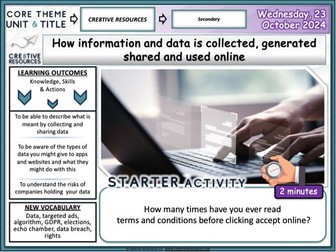
Data + Information Is generated, collected, shared | Online Safety . A fully-resourced editable PSHE PowerPoint lesson (1 hour +) which can be used by teachers to deliver a detailed workshop / session /lesson on the importance of this topic. This is a topic that comes up under the new PSHE Statutory Guidance for RSHE. Learning Outcomes: To be able to describe what is meant by collecting and sharing data To be aware of the types of data you might give to apps and websites and what they might do with this To understand the risks of companies holding your data Key terms Data, targeted ads, algorithm, GDPR, elections, echo chamber, data breach, rights Each Lesson Pack Contains: 1 Fully Editable Careers PowerPoint (Learning Outcomes, Confidence Checkers, Assessment of Learning, Variety of Tasks, Video Embedded URL Clips, Engaging Premium Quality Slides, Extra Support Websites, Challenging & Thoughtful Questioning) Assessment Opportunity (Confidence Checker) The lesson includes a detailed PowerPoint, variety of student facing tasks and comprehension tasks These resources have been designed to be engaging, informative and pick up and teach. Why not check out some of our latest super bundles below: Young Adults and Choices Online Safety + Staying Safe Personal Safety Unit Equality & Protected Characteristics British Values Explored Bundle Society, Body Image + Peer Pressure Diversity & Equality If you need any support with this lesson or would like to find out more about the FULL PSHE Currriculum email: thecre8tiveresources@gmail.com or google “Cre8tive resources”
Data Handling Cycle Knowledge OrganiserQuick View
fiona_sheridan

Data Handling Cycle Knowledge Organiser

(0)
Editable Revision Guide for KS3 Maths to Improve Independent Learning of the Data Handling Cycle. Content Includes: Population and Sample Definitions, Sampling Size, Reducing Bias in a Sample, Random Sampling, Primary and Secondary Data, Discrete and Continuous Data, Data Collection Sheets, Questionnaires, Presenting and Analyzing Data.
Smarties Data Handling: Count, Sort, Create a Bar ChartQuick View
alphabetlearning

Smarties Data Handling: Count, Sort, Create a Bar Chart

(0)
This resource is available for less Smarties Data Handling Investigation: Count, Sort, and Create a Bar Chart or for free downloads (including this resource) sign up at Alphabet Learning What’s included? This download includes x7 A4, portrait pdf sheets. What’s it for? This three-step investigation uses Smarties to teach essential data handling skills: Sorting & Counting: Practise counting accurately up to 30 and sorting by colour. Organising Data: Transferring collected information onto a simple, clear bar chart. Interpreting Data: Answering questions to analyse and draw conclusions from the results. Your learners should be data handling experts at the end of this activity and may be allowed to eat their Smarties as a reward. Alternatively paper Smarties are provided! Who’s it for? This resource has been designed for early years children, pupils in years one and two as well as older students needing additional learning support. Resource Details Total Sheets: 7 printable sheets. Full colour and black and white versions (3 sheets for each), plus a sheet of paper Smarties to cut out. Printable Smarties are provided as an alternative to using real sweets (as pictured on the cover). Designed to be used with one standard tube of Smarties (typically containing around 30 sweets). The included bar chart has capacity to record a maximum of 12 Smarties for any single colour group. This investigation guides learners through three distinct steps: Page 1: Data Collection Learners actively investigate the data by: sorting their Smarties into 8 specified colour groups (Red, Orange, Yellow, Green, Blue, Purple, Pink, Brown). counting the number in each group and record the totals. Page 2: Recording Data Learners transfer the collected totals onto a simple bar chart, colouring the appropriate number of boxes for each colour group. (The chart accommodates a maximum of 12 Smarties per colour.) Page 3: Interpreting Data This page features questions based on the data collected. Questions cover key concepts like ‘most’, ‘least’, ‘the same’, ‘the difference between’, ‘odd’, and ‘even’ numbers. Colour names are pre-printed at the top to assist with spelling. Important message Any issues with this resource please let us know - we are happy to make changes. REMEMBER… FREE downloads (including this resource!) available - Sign up for instant free credits to use at Alphabet Learning
apt4Maths: COLLECTING DATA PowerPoint for GCSE Maths (2 of 14 on Collecting and Presenting Data)Quick View
APTInitiatives

apt4Maths: COLLECTING DATA PowerPoint for GCSE Maths (2 of 14 on Collecting and Presenting Data)

(0)
PowerPoint Presentation on Collecting Data (31 slides): Reviews the data handling cycle and explains the main methods of collecting data and how to avoid bias, as well as how to record and clean data. It has been written by a highly experienced teacher (of 25+ years), senior examiner and reviser for Maths and Stats examinations. It includes: Lesson objectives Step-by-step explanations of the subject matter Examples to aid understanding Questions to check understanding Answers to questions, with explanations Suggestions regarding which topic(s) should be moved on to next. This is 1 of a set of 14 PowerPoints on ‘Collecting and Presenting Data’ that APT Initiatives has published for GCSE (and Key Stage 3) Mathematics. The full set of 14 PowerPoints (299 slides, excluding Title Pages) covers the following topics relating to 'Collecting and Presenting Data’: 01 Types of Data (24 slides). 02 Collecting Data (31 slides). 03 Questionnaires and Surveys (30 slides). 04 Sampling and Bias (25 slides). 05 Block Diagrams and Dot Plots (12 slides). 06 Pictograms (16 slides). 07 Bar Charts, Bar Line Graphs and Frequency Diagrams – Polygons (26 slides). 08 Line Graphs (9 slides). 09 Stepped Tables and Two-way Tables (18 slides). 10 Pie Charts (18 slides). 11 Scatter Diagrams (40 slides). 12 Stem and Leaf Diagrams (17 slides). 13 Histograms (14 slides). 14 Misleading Graphs and other Data Representations (19 slides). These PowerPoints relate to the ‘Statistics’ sections of the Maths specifications. Other sets relating to Statistics concern: Analysing Data. Note: Work on frequency tables, cumulative frequency tables and graphs, box (and whisker) plots and time series is included in APT’s set of PowerPoints on ‘Analysing Data’. Work on conversion graphs and distance-time graphs is included in APT’s set of PowerPoints on ‘Graphs’. There are also additional PowerPoints available that cover the additional GCSE Statistics parts of this module of statistical work – covering sampling in more depth, comparative pie charts, population pyramids and choropleths. The purchase of this resource comes with a licence to make the resource available in digital and / or in print form (including photocopying) to the staff and students attending the purchasing institution, ie the individual school / college on a single site. The resource may be distributed via a secure virtual learning environment. It must not be made available on any public or insecure website or other platform. The resource must not be distributed to other institutions that are members of the same academy chain or similar organisation; each individual institution must purchase their own copy of the resource.
Year 4 Computing - Data and Information - Data Logging - Knowledge Organiser!Quick View
TandLGuru

Year 4 Computing - Data and Information - Data Logging - Knowledge Organiser!

(0)
This clear, detailed and visually-appealing resource offers a complete reference point for Year 4 children, teachers and parents covering knowledge relating to ‘Data and Information’ as a part of their computing learning. The organiser has a particular focus on introducing children to data logging, including using data loggers to collect, log and interpret data. It contains comprehensive sections on: -Overview; -Data Collection; -Data Recording; -Analysing Data; -Answering Questions; -Key Vocabulary. The content is fully aligned with the age-related expectations for Year 4 children in computing. The resource is designed to be printed onto A3, and is provided as both a PDF and a Word version (so that you can edit if you want to). All images used are licensed for commercial use and are cited on a separate document (included).
OCR A and AS Level Computer Science Revision Mats / Knowledge Organisers (H046 and H446)Quick View
TheITWizard

OCR A and AS Level Computer Science Revision Mats / Knowledge Organisers (H046 and H446)

16 Resources
A pack of 16 Knowledge Organisers covering all areas of Both OCR AS Level Computer Science H046 and A Level Computer Science H446 Covers all units of the specification for both courses including: 1.1 The Characteristics of Contemporary Processors, Input, Output and Storage Devices 1.2 Software and Software Development 1.3 Exchanging Data 1.4 Data Types, Data Structures and Algorithms 1.5 Legal, Moral, Ethical and Cultural Issues 2.1 Elements Of Computational Thinking 2.2 Problem Solving and Programming 2.3 Algorithms Can be used as a revision tool, as part of a lesson, or as a differentiated resource. Suitable for printing or use online with Teams, Google Classroom and VLEs. Please consider adding a school license when purchasing to allow you to share these resources with colleagues. Please click here to visit my shop for more revision and teaching resources for AQA, OCR and Pearson Edexcel at both GCSE and A-Level.
Skittles Data Handling: Count, Sort, Create a Bar ChartQuick View
alphabetlearning

Skittles Data Handling: Count, Sort, Create a Bar Chart

(0)
This resource is available for less Skittles Data Handling Investigation: Count, Sort, and Create a Bar Chart or for free downloads (including this resource) sign up at Alphabet Learning What’s included? This download includes seven A4, portrait orientation pdf sheets. Both Colour and Black & White versions of the 3 main activity sheets (6 pages). 1 Sheet of Printable Paper Skittles (for cutting and sorting/counting). What’s it for? This three-step investigation uses Skittles to teach learners to become data experts by: Sorting and Counting the coloured Skittles (data collection). Organising and Recording the data onto a clear, simple bar chart. Analysing the results by answering questions about the data. Once this activity is complete your learners may be allowed to eat their Skittles as a reward, alternatively paper Skittles are provided. Who’s it for? This resource has been designed for early years children, pupils in years one and two as well as older students needing additional learning support. Resource Details The activity is structured for individual learners, using one ‘portion’ of Skittles (real or paper). Page 1 (Data Collection): Learners sort Skittles into 5 colour groups (red, orange, yellow, green, purple) and record the totals for each group. Page 2 (Data Organising): The recorded totals are then transferred onto a simple, clear bar chart. Capacity Note: The bar chart can accommodate up to 16 Skittles of any single colour group. Page 3 (Data Analysis): Learners answer questions based on the bar chart, covering concepts like most/least, difference, odd/even, and ‘the same’. All colour-names are printed clearly at the top of page 3 so that learners don’t need to think about colour-word spellings. Important message Any issues with this resource please let us know - we are happy to make changes. REMEMBER… FREE downloads (including this resource!) available - Sign up for instant free credits to use at Alphabet Learning
Digital Functional Skills - Level 1 - Mod 1 - Using Devices- Unit 1-7 - Understanding Data StorageQuick View
Smartbooks

Digital Functional Skills - Level 1 - Mod 1 - Using Devices- Unit 1-7 - Understanding Data Storage

(1)
These resources have been created for those delivering the Digital Functional Skills Qualification at Level 1, which replaces the current Functional Skills ICT Qualification. The DFS qualification’s main purpose is to provide reliable evidence of a learner’s achievements against content that is relevant to the workplace and real life. These resources provide a structured assessment in workbook form to evidence learner knowledge and skills, as well as their ability to apply these in different contexts and demonstrate that all learning outcomes have been met. The qualification itself is made up of five main skill areas (Modules), each with its own series of units. The unit workbooks include various challenges, activities and tasks to prove learners’ understanding. Each page has a header that includes the individual outcomes covered and can be assessed easily and signed off. This resource covers: Module 1 – Using Devices and Handling Information Unit 1.7. Know and be able to appropriately use terminology (including bytes, kilobytes, megabytes, gigabytes, terabytes) describing data storage requirements. This resource includes: Task 1 – A matching activity where learners connect storage units (Bytes, Kilobytes, Megabytes, Gigabytes, Terabytes) with their abbreviations and descriptions. Task 2 – A real-world scenario activity where learners fill in gaps in student conversations to apply storage terminology in everyday digital contexts. Task 3 – A workbook-based task where learners match example file names, extensions, and sizes in a table, before adding the correct file type. Task 4 – A device-based practical task where learners check the properties of 6 provided files to record file name, extension, type, and size, developing confidence in managing real files. Task5 - Recap quiz to reinforce learning. Guided tutor answers for relevant tasks are also included. Also included in this resource is a Skills and Knowledge checklist and a Glossary for learners to complete before, throughout and after delivery of this unit. All Workbooks in this DFSQ series are available on TES. This resource is currently in a PDF file format. Word versions are available upon purchase of the PDF, please message me directly for these at SmartbooksEd@outlook.com.