Lights, Camera, English!
Entry Level English (E1–E3)
An engaging 17-page Entry Level English workbook using film and cinema to build essential literacy skills in a clear, age-appropriate way.
Perfect for 16–19 learners and adult students, this resource supports Functional Skills / Entry Level English without feeling childish.
✔ Includes:
• Capital letters & punctuation
• Conjunctions, plurals & homophones
• Sentence structure & grammar
• Film genre activity
• Reading comprehension (film review)
• Writing tasks: email invitation & short film review
This resource has been designed for Entry Level 3 students working towards Functional Skills English qualifications at Level 1 (Edexcel-Pearson, NCFE, City and Guilds, AQA, Highfield Qualifications, NOCN, Open Awards). It contains an 84-page workbook on reading.
This resource will help pupils to achieve these outcomes:
identify and understand the main points, ideas and details in texts
compare information, ideas and opinions in texts
identify meanings in texts and distinguish between fact and opinion
recognise that language and other textual features can be varied to suit different audiences and purposes
use reference materials and appropriate strategies for a range of purposes, including to find the meaning of words
understand organisational and structural features and use them to locate relevant information in a range of texts
infer from images meanings not explicit in the text
recognise vocabulary associated with specific types and purposes of texts - formal, informal, instructional, descriptive, explanatory and persuasive
read
understand a range of specialist words in context
The workbook includes 37 information pages, 31 reading tasks (44 worksheets) and two progress checks. The workbook is provided in PDF and an editable PowerPoint version. It can be used for classwork, homework, revision or as an independent learning pack.
Please note, the watermark on the preview images is not present on the resource itself.
You may also be interested in:
Level 1 Reading - 175 Slide PowerPoint Lesson
Save money and buy both resources at a discounted rate:
Level 1 Reading -PowerPoint Lesson and Workbook
Entry Level 1 English Resources
Entry 2 English Resources
Entry 3 English Resources
Level 1 Functional Skills English Resources
Entry Level Maths Resources
This resource has been designed for Entry Level 3 students working towards Functional Skills English qualifications at Level 1 (Edexcel-Pearson, NCFE, City and Guilds, AQA, Highfield Qualifications, NOCN, Open Awards). It contains a 65-page workbook on writing.
This resource will help students to achieve these outcomes:
communicate information, ideas and opinions clearly, coherently and accurately
communicate with appropriate detail to suit the purpose/audience
use appropriate format, structure and language for purpose/audience
write consistently and accurately in complex sentences
use paragraphs correctly
use correct spelling, punctuation, grammar
The workbook includes 41 information pages, 20 writing tasks and 2 progress checks. The workbook is provided in PDF and an editable PowerPoint version. It can be used for classwork, homework, revision or as an independent learning pack.
Please note, the watermark on the preview images is not present on the resource itself.
You may also be interested in:
Level 1 - Writing - 55 Slide PowerPoint Lesson
The editable PowerPoint lesson explains the type of writing tasks at Level 1. It contains many examples and opportunities for pupils to develop their writing skills. The PowerPoint has links to videos on writing and example exam questions. It is ideal for introducing the writing component of the specification and for revision purposes.
Save money and buy both resources at a discounted rate:
Level 1 - Writing - PowerPoint Lesson and Workbook
The bundles below contain workbooks and PowerPoint lessons that cover the entire specification at each level.
Entry Level 1 Functional Skills English Workbook and PowerPoint Bundle
Entry Level 2 Functional Skills English Workbook and PowerPoint Bundle
Entry Level 3 Functional Skills English Workbook and PowerPoint Bundle
Level 1 Functional Skills English Workbook and PowerPoint Bundle
Level 2 Functional Skills English Resources
Functional Skills Maths Resources
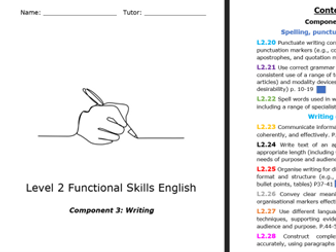
Component 3: Writing
Spelling, punctuation, and grammar
L2.20 Punctuate writing correctly using a wide range of punctuation markers (e.g., colons, commas, inverted commas, apostrophes, and quotation marks)
L2.21 Use correct grammar (e.g., subject-verb agreement, consistent use of a range of tenses, definite and indefinite articles) and modality devices (e.g., to express probability or desirability) p. 10-19
L2.22 Spell words used in work, study, and daily life, including a range of specialist words. P.19-23
Writing composition
L2.23 Communicate information, ideas, and opinions clearly, coherently, and effectively. P.24-30
L2.24 Write text of an appropriate level of detail and of appropriate length (including where this is specified) to meet the needs of purpose and audience. P31-36
L2.25 Organise writing for different purposes using appropriate format and structure (e.g., standard templates, paragraphs, bullet points, tables) P37-41
L2.26 Convey clear meaning and establish cohesion using organisational markers effectively. P42-44
L2.27 Use different language and register (e.g., persuasive techniques, supporting evidence, specialist words), suited to audience and purpose. P.44-57
L2.28 Construct complex sentences consistently and accurately, using paragraphs where appropriate
This resource has been designed for students working towards Functional Skills English qualifications at Level 2 (Edexcel-Pearson, NCFE, City and Guilds, AQA, Highfield Qualifications, NOCN, Open Awards). It contains an 97-page workbook on reading.
This resource will help students to achieve these outcomes:
identify the main points and specific details in texts
compare information, ideas and opinions in texts
identify implicit and inferred meaning
understand the relationship between textual features/devices and how they are used for different audiences/purposes
use a range of reference materials
understand organisational features/use them to locate information
analyse texts and vocabulary
identify levels of formality/bias
follow an argument, identify different points of view
distinguish between fact and opinion
identify different styles of writing/the writer’s voice
The 97-page workbook includes 54 information pages, 24 reading tasks and 3 progress checks. The workbook is provided in PDF and an editable PowerPoint version. It can be used for classwork, homework, revision or as an independent learning pack.
Please note, the watermark on the preview images is not present on the resource itself.
You may also be interested in:
Level 2 Reading - 200 Slide PowerPoint Lesson
The editable PowerPoint outlines the reading skills needed at Level 2 and provides many examples. It contains links to several videos on reading and example exam questions. It is ideal for introducing the reading component of the specification and for revision purposes.
Save money and buy both resources at a discounted rate:
Level 2 - Reading - PowerPoint Lesson and Workbook
The bundles below contain resources for all the learning outcomes for English Functional Skills at each level:
Entry Level 1 English Bundle
Entry Level 2 English Bundle
Entry Level 3 English Bundle
Level 1 English Bundle
Entry Level Maths Resources
This lesson has been designed for anyone studying Functional Skills English Level One and Level Two. The lesson goes through two different texts and helps learners to understand how to use quotations to make comparisons and respond to the higher value questions on the reading exam paper.
If you enjoyed this lesson, then please check out our shop for more lessons and resources uploaded each week.
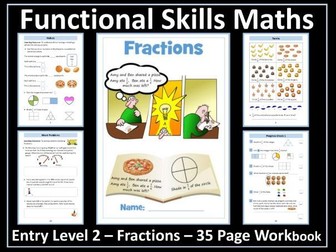
This resource has been designed for students working towards Functional Skills Maths qualifications at Entry Level 2 (Edexcel-Pearson, NCFE, City and Guilds, NOCN and Open Awards). It contains an age-appropriate, 35-page workbook on Outcome 10: Recognise simple fractions (halves, quarters and tenths) of whole numbers and shapes.
The 35-page workbook contains 5 information pages, 22 worksheets, 2 progress checks and a certificate of achievement. This resource will help pupils to achieve these outcomes:
identify 1/2 of whole numbers and shapes
identify 1/4 of whole numbers and shapes
identify 1/10 of whole numbers and shapes
use fractions to solve real-life problems
The resource is available in PDF and an editable PowerPoint version to enable editing of the resource. It can be used for classwork, homework, revision or as an independent learning pack.
Please note, the watermark on the preview images is not present on the resource itself.
You may also be interested in:
Fractions - Entry Level 2 - 100 Slide PowerPoint Lesson
Many opportunities are provided in the PowerPoint for pupils to develop their understanding of fractions and to use this knowledge to solve real-life number problems. It is ideal for introducing the fraction component of the Entry Level 2 specification and for revision purposes.
Save money and buy both resources at a discounted rate:
Fractions - Entry Level 2 - PowerPoint Lesson and Workbook
Level 1 - Numbers and The Number System Bundle
Level 1 - Measures, Shape, Space Bundle
Level 1 - Handling Information and Data Bundle
Entry Level 3 Bundle
Entry Level 2 Bundle
Entry Level 1 Bundle
Entry Level English Resources
This resource has been designed for students working towards Level 1 Functional Skills English certification (Edexcel-Pearson, NCFE, City and Guilds and Open Awards). It contains age-appropriate, materials and resources to deliver the reading, writing, spelling and speaking and listening components of English Functional Skills. The bundle contains six workbooks and six PowerPoint lessons. All the workbooks and PowerPoint lessons are editable. The workbooks can be used for classwork, homework, for independent work and for revision. The PowerPoint lessons are ideal for introducing all the components of the Level 1 English Functional Skills specification and for revision purposes.
Level 1 – Reading Workbook
Level 1 – Reading PowerPoint Lesson
Level 1 - Writing Composition Workbook
Level 1 - Writing Composition PowerPoint Lesson
Level 1 - Grammar Workbook
Level 1 - Grammar PowerPoint lesson
Level 1 - Punctuation Workbook
Level 1 - Punctuation PowerPoint Lesson
Level 1 - Spelling Workbook
Level 1 - Spelling PowerPoint lesson
Level 1 - Speaking and Listening Task Book
Level 1 - Speaking and Listening PowerPoint Lesson
Click on the individual links for further details.
You may also be interested in the bundles below contain workbooks and PowerPoint lessons that cover the entire specification at each level.
Entry Level 3 Functional Skills English Workbook and PowerPoint Bundle
Entry Level 2 Functional Skills Workbook and PowerPoint Bundle
Entry Level 1 Functional Skills Workbook and PowerPoint Bundle
Entry Level Maths Resources
This resource has been designed for students working towards Entry Level 3 Functional Skills English certification (Edexcel-Pearson, NCFE, City and Guilds, NOCN and Open Awards). It contains an age-appropriate, 34-page workbook with 20 speaking and listening tasks on the Entry Level 3 speaking and listening component. The workbook will help students to achieve these outcomes:
identify and extract relevant information and detail in straightforward explanations
make requests and ask questions using appropriate language in different contexts
communicate information and opinions clearly on a range of topics
respond appropriately to questions on a range of topics
follow and understand the main points of discussions
make relevant contributions to group discussions about topics
listen to and respond appropriately to other points of view, respecting the convention of turn-taking
The workbook contains 20 engaging speaking and listening tasks. It is provided in PDF format and an editable PowerPoint version to enable personalisation of the resource.
Please note, the watermark on the preview images is not present on the resource itself.
You may also be interested in:
English Entry Level 1 - Speaking and Listening - 65 Slide PowerPoint Lesson
Save money and buy both resources at a discounted rate:
English Entry Level 1 - Speaking and Listening - PowerPoint Lesson and Workbook
English Entry Level 1 Bundle - 10 Workbooks - 7 PowerPoint Lessons
English Entry Level 2 Bundle - 13 Workbooks - 9 PowerPoint Lessons
English Entry Level 3 Bundle -9 Workbooks - 6 PowerPoint Lessons
Level 1 Functional Skills English Workbook and PowerPoint Bundle
More Entry Level English Resources
Entry Level Maths Resources
This resource has been designed for students working towards Entry Level 3 Functional Skills English qualifications (Edexcel, City and Guilds, NCFE, NOCN). It contains an age-appropriate, 69-page workbook on the Entry Level 3 writing composition component.
The workbook contains 22 information pages, 43 worksheets, two progress checks and a certificate of achievement. Tasks include:
writing compound sentences
writing paragraphs
deciding when to use formal/ informal language
writing in Standard English
using appropriate format and structure for the audience
using titles, headings, subheadings
using bullet points and numbered lists
The workbook is provided in PDF format and an editable PowerPoint version to enable personalisation of the resource. It can be used for classwork, homework, revision or as an independent learning pack.
Please note, the watermark on the preview images is not present on the resource itself.
You may also be interested in:
Entry Level 3 - Writing Composition - 170 Slide PowerPoint Lesson
The editable PowerPoint lesson clearly explains the writing skills that pupils will need in order to gain a pass in writing for Entry Level 3. It is ideal for introducing the writing components of the Entry Level Functional Skills specification and for revision purposes.
Save money and buy both resources at a discounted rate:
Entry Level 3 - Writing Composition - PowerPoint Lesson and Workbook
You may also be interested in:
Entry Level 1 Functional Skills English Resources
Entry Level 2 Functional Skills English Resources
Entry Level 3 Functional Skills English Resources
Level 1 Functional Skills English Resources
Level 2 Functional Skills English Resources
Functional Skills Maths Resources
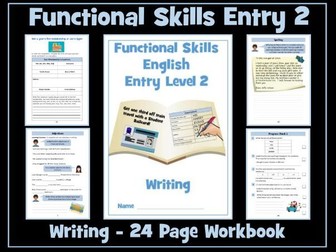
This resource has been designed for students working towards Entry Level 2 Functional Skills English certification (Edexcel-Pearson, NCFE, City and Guilds, NOCN and Open Awards). It contains an age-appropriate, 24-page workbook on the Entry Level 2 writing composition component - compose short, straightforward texts such as letters, e-mails and simple narratives.
The 24-page workbook contains 18 writing tasks and 2 progress checks. It will help pupils to achieve these outcomes:
use basic punctuation correctly - full stops, capital letters, question and
exclamation marks
use the first and second letters to sequence words in alphabetical order
spell correctly words designated for Entry Level 2
communicate information using words and phrases appropriate to audience
and purpose
complete a form asking for personal information
write in compound sentences, using common conjunctions (e.g. or, and, but)
use adjectives and simple linking words in the appropriate way
The workbook is provided in PDF and an editable PowerPoint version to enable personalisation of the resource. It can be used for classwork, homework, revision or as an independent learning pack.
Please note, the watermark on the preview images is not present on the resource itself.
You may also be interested in:
Entry Level 2 English - Writing - 125 Slide PowerPoint Lesson
The PowerPoint clearly explains the writing skills that pupils will need in order to gain a pass in Entry Level 2 English Functional Skills.
Save money and buy both resources at a discounted rate:
Entry Level 2 English - Writing - PowerPoint Lesson and Workbook
English Entry Level 1 Bundle - 12 Workbooks - 8 PowerPoint Lessons
English Entry Level 2 Bundle - 10 Workbooks - 5 PowerPoint Lessons
English Entry Level 3 Bundle -9 Workbooks - 6 PowerPoint Lessons
English Functional Skills Level 1 Bundle - 6 Workbooks - 6 PowerPoint Lessons
Entry Level Maths Resources
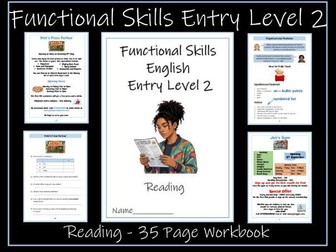
This resource has been designed for students working towards Entry Level 2 Functional Skills English certification (Edexcel-Pearson, NCFE, City and Guilds, NOCN and Open Awards). It contains an age-appropriate, 36-page workbook with answers on the Entry Level 2 reading component.
The workbook will help students to achieve these outcomes:
read correctly words designated for Entry Level 2
read and understand sentences with more than one clause
understand the main points in texts
recognise and use organisational markers in texts such as headings, bullet points and numbered lists
use a dictionary/contextual clues to find the meaning of words
There are 10 texts and tasks:
Holly Farm
Joe’s Gym
16-25 Student Railcard
TV License and the Law
How to Make Pancakes
Bank Accounts
Pete’s Pizza Parlour
Pete’s Pizza Parlour - Staff Wanted
Pete’s Pizza Parlour Trip
Gone Wild Festival
The workbook is provided in PDF format and an editable PowerPoint version. It can be used for classwork, homework, revision or as an independent learning pack.
You may also be interested in:
Entry Level 2 - Reading - 125 Slide PowerPoint Lesson
The editable, 125-slide PowerPoint lesson is ideal for introducing the reading component of the Entry Level 2 Functional Skills specification and for revision purposes.
Save money and buy both resources at a discounted rate:
Entry Level 2 - Reading - PowerPoint Lesson and Workbook
The bundles below contain workbooks and PowerPoint lessons that cover the entire specification at each level.
Entry Level 1 Functional Skills English Resources
Entry Level 2 Functional Skills English Resources
Entry Level 3 Functional Skills English Resources
Level 1 Functional Skills English Resources
Level 2 Functional Skills English Resources
Functional Skills Maths Resources
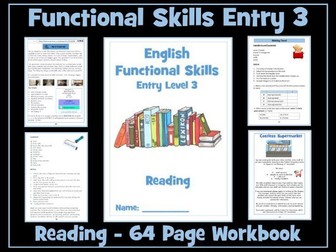
This resource has been designed for students working towards Entry Level 3 Functional Skills English qualifications (Edexcel, NCFE, City and Guilds and Open Awards). It contains an age-appropriate, 64-page workbook on the Entry Level 3 reading component. The workbook includes 27 information pages, 19 reading tasks (26 worksheets) and a progress check.
The workbook will help pupils to:
Read correctly words designated for Entry Level 3
Identify, understand and extract the main points and ideas in and from texts Identify different purposes of texts
Use strategies to find the meaning of words (a dictionary, working out meaning from context; using knowledge of different word types)
Understand organisational features and use them to locate information (contents, index, menus, tabs, links)
The workbook is provided in PDF and an editable PowerPoint version. It can be used for classwork, homework, revision or as an independent learning pack.
Please note, the watermark on the preview images is not present on the resource itself.
You may also be interested in:
English Functional Skills - Entry Level 3 - Reading - 175 Slide PowerPoint Lesson
The presentation explains and provides examples of the purpose of texts,
main points and ideas, organisational features, how to find the meaning of unknown words and sample reading test questions. Many opportunities are provided for pupils to develop the reading skills required at Entry Level 3. It is ideal for introducing the reading component of the specification and for revision purposes.
Save money and buy both resources at a discounted rate:
Entry Level 3 - Reading - PowerPoint Lesson and Workbook
You may also be interested in the bundles below that cover all of the learning outcomes at each level:
Entry Level 1 Functional Skills English Bundle
Entry Level 2 Functional Skills English Bundle
Entry Level 3 Functional Skills English Bundle
Level 1 Functional Skills Bundle
Functional Skills Maths Resources
These worksheets have been designed and proven to educate learners on a variety of subjects that will enhance knowledge, creativity, individuality and embed valuable functional skills.
The resource can be used effectively in English/Tutorials sessions. It is suitable for Entry Level 3/Level 1 (although lots of scopes to differentiate within the tasks and an Editable Word Doc is Available).
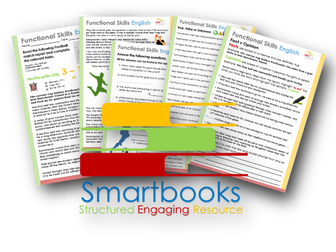
This particular workbook focuses on reading comprehension and includes a fictional football match report. The Learners are set tasks to confirm understanding by answering open questions, determining true, false or unknown information and differentiating between the facts and opinions within the article.
Extension Activity - Learners can re write segments of the report using their own words and terminology and including both fact and opinion. They could also write a report on an actual game that could include their favourite football team.
It requires learners to demonstrate various skills and subtly embeds many of the Functional skills as are necessary for assessment.
Feedback is Key; we value your positive comments and constructive criticism. Post a review and we will send you another singular resource at the same value of your choice for FREE!
This resource is available to download as a PDF file. Word versions are available; feel free to message me directly for these formats at SmartbooksED@outlook.com
Functional Skills Level 1- English
Theme Park Theme
Throughout this topic, students will be introduced to Functional skills with a focus on Reading. They will develop their understanding of why writers write and explore how writers use language and structural features to engage the reader, considering both purpose and audience. They will begin to recognise vocabulary typically associated with specific types and purposes of texts alongside comparing information, writers’ ideas and opinions within different texts. Students will further enhance their reading skills by learning how to make inferences from a range of text, using evidence to support their ideas. These skills will be consolidated through a variety of worksheets, guided discussions, and collaborative activities, enabling students to build confidence and apply their learning independently.
Please note that due to copyright some resources you can download yourself!
These resources have been created for those delivering the Digital Functional Skills Qualification at Entry Level which replaces the current Functional Skills ICT Qualification from 31st of July 2023.
The DFS qualification’s main purpose is to provide reliable evidence of a learner’s achievements against content that is relevant to the workplace and real life.
These resources provide a structured assessment in workbook form to evidence learner’s knowledge and skills as well as their ability to apply these in different contexts and demonstrate that all learning outcomes have been met.
The qualification itself is made up of many 5 main skill areas (Modules) each with its own series of units.
Each workbook includes various challenges, activities and tasks to prove learners understanding. Each page has a header that includes the individual outcomes covered and can be assessed easily and signed off.
This Bundle of resource covers:
Module 1 - Using devices and handling information
1.1 Know the main features and uses of different types of device.
Task 1 - Learners to identify 9 key digital devices using images.
Task 2 - Using their existing knowledge coupled with some online research, learners will record below 5 key features for each digital device.
Task 3 – Learner will then collate data on how much each device is used by themselves and their peers.
Task 4 – Using questioning, learners will identify pros and cons of each device and their overall popularity. They will investigate other devices available on the market and give their opinions of the future of technology as a whole.
Also included in this resource is a Skills and Knowledge checklist to be completed before and after delivery of this unit. It also includes a glossary with key words associated with this module to be completed by the learner in their own time.
Module 1 - Using devices and handling information
1.2 Know what an application is and the main types of application software
Task 1 - Demonstrate knowledge on the difference between Hardware and Software and give examples for both.
Task 2 - Understand the function of an operating system and know where to find details of an OS on various devices.
Task 3 - Become familiar with the different types of applications available and how they all have a different purpose.
Task 4 - Know how to locate ‘screen time’ on mobile devices and analyse application usage and trends. Discuss the pro and cons and how screen time could be limited.
Task 5 – Write a review for a favourite application using the template provided or leave an actual review on your mobile phone.
Also included in this resource is a Skills and Knowledge checklist to be completed before and after delivery of this unit. It also includes a glossary with key words associated with this module to be completed by the learner in their own time.
Module 1 - Using devices and handling information
1.3 Apply system settings (including display, sound, Wi-Fi, time, language, accessibility).
Task 1 – Learners to become familiar with the system settings menu using Microsoft windows and identify specific settings found in each category i.e. Personalisation, Network etc.
Task 2 – Learners will navigate System settings, locate particular icons and give reasons why they may need to be accessed and applied.
Task 3 – Learners to read 3 scenarios and find a solution for each. They will also show clearly where to locate the setting required.
Task 4 – Learners to create 2 of their own scenarios and challenge their peers to fins a solution using an appropriate system setting.
Task 5 – Includes a selection of Flashcards that can be cut out, printed on cardboard or laminated and used to reinforce knowledge of system settings.
Learners can also be given a card randomly and then demonstrate, using a device, how to apply that particular system setting.
Also included in this resource is a Skills and Knowledge checklist to be completed before and after delivery of this unit. It also includes a glossary with key words associated with this module to be completed by the learner in their own time.
Module 1 - Using devices and handling information
1.4 Navigate online content to locate required information.
Task 1 - Learners will correctly type 2 URL examples into a browser and record details about the different websites. Learner can continue this task by entering their own URLs to help familiarise themselves further with this practice.
Task 2 - Learners will understand the difference between a browser and a search engine and show this by ticking the correct box next to each example logo.
Task 3 - Learners to unscramble some of the various reasons why we all use the internet. They will also give some examples of their own.
Task 4 - Learners will give examples of effective keywords to use when searching for relevant information online.
Task 5 - Learners will show an understanding of how to check the validity of information found online and will choose 6 example websites to demonstrate this.
Task 6 - Learners will follow step by step instructions on how to save websites into a browser and then bookmark 3 of their own for easier access.
Task 7 - Learners to become familiar with the navigation tools found in browser (chrome) and match the correct name and function of 14 examples.
Module 1 - Using devices and handling information
1.5 Carry Out Searches online
Task 1 - Learners are required to find the answers to find the answers to 18 general knowledge questions using the World Wide Web. This can be an individual or group timed challenge. All answers will be officially checked with any incorrect answers incurring a 10 second penalty.
Task 2 - Learners will become familiar with the most commonly asked online questions. They will guess using ‘first word’ criteria and then carry out a search to find the ‘most popular’ based on the most current data.
Task 3 - Learners will learn how to take a screenshot using different digital devices, put this into practice and attach the evidence.
Task 4 - Learners will demonstrate how to carry out a variety of searches online. They are required to plan a fictional holiday following specific guidelines and meeting certain criteria.
Extension Activity – Learners to continue with Task 4 and carry out two further searches based around the weather and reviews of their chosen destination and accommodation.
Also included in this resource is a Skills and Knowledge checklist to be completed before and after delivery of this unit. It also includes a glossary with key words associated with this module to be completed by the learner in their own time.
Module 1 - Using devices and handling information
Unit 1.6. Use files to read and store information (including creating a file, opening a file, reading information from a file, editing a file, saving a file).
Task 1 - Learners to gain an understanding of digital files, how they work, what are their main functions and the benefits and advantages of compared to traditional physical documents. (Answers to Task included)
Task 2 - Learners will become familiar with 7 of the most common digital file types and are asked to break each down with a clear description and research reasons we may need to use them. (guidance to Task included)
Task 3 - Learners will look at the impact of the digital age and how we operate now in comparison with only a few years back. They will also become familiar with new and older forms of technology.
Task 4 & 5 - Is a basic introduction into some of the skills they will be required to demonstrate in Module 2 (resources will be available in 2024).
In ‘Task4’ they will use Microsoft WORD to open an existing Text Document, edit it following a series of instructions, save the document and print off as evidence. Learners will need to access Word Doc – ‘SB Football Rules - WORD File - To be Edited’. Both this and a completed example are included with download.
In ‘Task 5’Learners will access a JPEG File and use Microsoft Photo Viewer or Paint 3D to edit it however they want using the tools available within the software. They will need to save the amended image, print it off and attach to the workbook as evidence. Learners will need to access ‘SB Sunrise - JPEG File - To be Edited’. Both this and a completed example are included with download.
Task 6 – Learners can now demonstrate their new knowledge to open, create, edit and save a digital file. They can use any off the 7 file types looked at in the unit. They will need to print off their work as evidence and could also share with the group.
Also includes a Skills and Knowledge Checklist and Glossary with key words for learners to complete.
Module 1 - Using devices and handling information
Unit - 1.7 - Use files and folders to organise and retrieve information (including local and remote storage).
Task 1 – An introductory discussion where learners are to identify areas of their life they like to keep organised and share opinions on the benefits mirroring this good practice in their digital world.
Task 2 - Learners will become familiar folder hierarchy and the importance of categorising and naming main folders as part of this process.
Task 3 - Learners will demonstrate they can structure folders sub folders and files correctly using cut out templates. The challenge can be undertaken, individually, in pairs or groups and even timed for an element of competition. (Tutor Answers included)
Task 4 - Learners will determine 5 authentic and 5 misleading tips for Digital Housekeeping. (Tutor Answers included)
Task 5 - Learner will follow 6 mini tasks to demonstrate their ability of knowledge gained so far. The tutor will observe and using a witness checklist, sign off each one completed task.
Task 6 – Learners to read/discuss the statements that describe remote and local storage and match the correct benefits and considerations from the list.
They will also need to recognise 3 main cloud serve providers.
Task 7 - The last task requires learners to put the knowledge gained from this unit into practice and implement a thorough and efficient tidy up on their digital devices i.e. phone tablet, pc laptop etc.
Also included in this resource is a Skills and Knowledge checklist to be completed before and after delivery of this unit. It also includes a glossary with key words associated with this module to be completed by the learner in their own time.
Module 1 - Using devices and handling information
Unit - 1.8 - Know when there is a problem with a device or software and know the difference between system errors.
Task 1 – An introductory discussion where learners are to share experiences of things that have gone wrong, and frustrations caused when using any type of digital device. Learner will then uncover other common malfunction using images.
Task 2 - Learners will become familiar the difference between User and System errors and give 2 examples for each.
Task 3 – Learners will demonstrate their understanding by looking at 10 scenarios that all portray real life problems and identifying whether it is a system error, user error or a combination of both.
Task 4 & 5 - Learners will determine 5 common viruses from the images and Research the characteristics, functions and how each virus operates. They will add this information to the table.
A Guided answer sheet is included for Tasks 1,4 &5
Also included in this resource is a Skills and Knowledge checklist to be completed before and after delivery of this unit. It also includes a glossary with key words associated with this module to be completed by the learner in their own time.
Module 1 - Using devices and handling information
Unit - 1.9 Apply a solution to solve a simple technical problem.
Task 1 – An introductory to how troubleshooting can help resolve digital device issues without immediately seeking professional help. Learners will reorder 9 potential fixes (troubleshooting steps) in a logical order.
Task 2 – Revisiting 4 of the real-life dilemmas from Unit 8, learners will research and record a series of suitable troubleshooting steps for each. An example has been given.
Task 3 - Learners will become familiar with 10 common error messages that appear on-screen when there is a problem. They will fill in the missing words while gaining an understanding of what each of them mean.
Task 4 - Learners to take part in a multiple-choice quiz in pairs or independently, followed by a group discussion based on everyone’s answers.
Extension Activity – Learners have the opportunity to continue Task 2 and find solutions for the remaining 4 dilemmas form Unit 8.
Tutor Answers are included for all 4 tasks.
Module 2 - Creating and Editing - 2.1 - Use a suitable application to enter, edit and format text
This resource includes:
Task 1 - Learners to identify 3 of the main Word processing software applications and then give 3 examples of editing and 3 examples of formatting text. This will confirm they know the difference.
They will then move into an activity that requires them to label the basic formatting tools found in Microsoft WORD (The application that will be used throughout this unit)
Task 2 - Using their existing knowledge coupled with some online research, learners will complete a table that showcases the functionality and application of the previously identified formatting tools.(Tutor Guided Answers are included)
Task 3 (a) – Learners will open an email and download the attached document (This is included and will have been sent prior by the tutor). Learners will then format the text by following a series of instructions. They will then save the new version ready for the next task. (Guided Tutor example included)
Task 3 (b) – This is a continuation of Task 3(a) with 8 more instructions, some of which will stretch and challenge. Learners will save and print work as evidence. (Guided Tutor example included)
Task 4 – Learners will take part in a ‘true’ & ‘false’ quiz based on the dos and don’ts of formatting text. Tutors can then recap on the unit, encourage discussion and go through answers as a group (Guided Answers included)
Also included in this resource is a Skills and Knowledge checklist to be completed before and after delivery of this unit. It also includes a glossary with key words associated with this module to be completed by the learner in their own time.
**Module 2 - Creating and Editing - 2.2 - Use a suitable application to enter, edit and format text.
**
This resource includes:
Task 1 - Learners to identify 3 commonly used Graphic Editing software and then discuss as a group their own experiences of using these applications. They are then required to brainstorm 6 picture formatting tools that can be found in Microsoft WORD. (The application that will be used throughout this unit)
Task 2 - They will then move into an activity that requires them to label the basic picture formatting tools found within the picture formatting tab.
Task 3 – Learners are given 9 images, adjacent to each image are 9 duplicates of the same image, each formatted using one of the previously mentioned tools. Their objective is to identify the formatting tool used and discuss the function for each.
Pages 6-9 demonstrate how to use 6 other picture formatting tools that are regularly used when editing images. These are instructional tasks and learners can practice using them before putting them in to practice in the next task.
Task 4 & 5 – Learners will be emailed 2 Digital Image Files - ‘Image A - Donkey’ & ‘Image B - Highland’.
Learners are required to insert the pictures into a blank WORD Document (Extra Tutor guidance is included on Page 19) and then implement the 6 formatting instructions provided for each. They can then save and print the new images off as evidence.
Task 6 - Learners have the chance to select an image from the 6 provided (included in resource Image C-H) or use their own if they prefer. They will then edit the image using 6 different formatting tools recording them on the Page 12. They can invite/challenge peers to edit the image in the same manner.
Task 7 – Learner will finish the unit by completing a 12-question multiple-choice recap quiz
Module 2 - Creating and Editing - 2.3 - Combine different types of information (including text, graphics, images) for a given purpose.
Task 1 - Learners to understand why and when it is appropriate to combine Text, graphics and images and identify 9 examples of when documents integrate different types of information.
The next 3 pages offer basic tutorials on how to effectively use Text boxes, shapes, and icons.
Task 2 - Learners will produce a document that will practically demonstrate their competence using the ‘Text box’, ‘Shape’ an ‘Icon’ formatting tools. (An example has been provided)
Task 3– Learners will be challenged is to produce a ‘Lost Dog’ poster using Word. It will include an image sent by the tutor as well as other graphics and include the information provided.
Task 4 – The objective of this task is for learners to demonstrate even further confidence when combining graphics and text. They will showcase this by designing a fictional restaurant menu. (Example Provided)
Task 5 – Learners will take part in recap questionnaire (Guided answers provided)
Task 6 - As a group learners will come up with 6 benefits combining text, graphics and images. Your tutor will give you some (provided) guidance.
Also included in this resource is a Skills and Knowledge checklist to be completed before and after delivery of this unit. It also includes a glossary with key words associated with this module to be completed by the learner in their own time.
Module 2 - Creating and Editing - 2.4 Capture digital media (including image, video) and view in a suitable application.
This resource includes:
Task 1-– Learners to read descriptions and identify 3 of the most common digital devices used to capture digital media today. This leads into a group discussion.
Task 2 - Learners to fill in the blanks of a piece of text that describes the importance of digital media in today’s digital age.
Task 3 - Learners will be challenged in a matching the description game that will help them gain and understanding of specific file types in digital media.
Tasks 4-6 include basic tutorials on 3 ways to transfer/download digital media on a PC from another digital device. Learners will be signed of for each task based on competency.
Task 7 - Learners will identify different digital file viewing applications from their individual logos.
Task 8 - Learners will have the opportunity to effectively demonstrate their ability to capture digital media in a presentation that they can deliver to peers. A structure of content is included.
Also included in this resource is a Skills and Knowledge checklist to be completed before and after delivery of this unit. It also includes a glossary with key words associated with this module to be completed by the learner in their own time. Guided answers are also included for specific units.
These resources have been created for those delivering the Digital Functional Skills Qualification at Entry Level which replaces the current Functional Skills ICT Qualification from 31st of July 2023.
The DFS qualification’s main purpose is to provide reliable evidence of a learner’s achievements against content that is relevant to the workplace and real life.
These resources provide a structured assessment in workbook form to evidence learner’s knowledge and skills as well as their ability to apply these in different contexts and demonstrate that all learning outcomes have been met.
The qualification itself is made up of many 5 main skill areas (Modules) each with its own series of units.
Each workbook includes various challenges, activities and tasks to prove learners understanding. Each page has a header that includes the individual outcomes covered and can be assessed easily and signed off.
This Bundle of resource covers:
Module 3 - Communicating
3.1 - Create and edit details in a contacts list.
It should help students understand the practical aspects of managing a digital contacts list while engaging them with hands-on activities to reinforce learning.
This resource includes:
Tutorial 1 – Learners will follow the steps that show you how to create contacts in Outlook and input key details such as name, number, email, address etc.
Tutorial 2 – They will continue the tutorial that on how to edit contacts details. This could include changing or adding extra information.
Tutorial 3 - Finally, they will; learn how to organise contacts by adding them to favourites and placing them into lists.
Task 1- Creating Contacts
Learners will be provided with a handout containing information for 6 new fictional contacts. They will need to add these to outlook contacts.
Task 2 - Editing Contacts
Learners will be given a list of changes to make to these contacts i.e. update a phone number, add an email.
Task 3 - Organise Contacts
Finally they will need to add 2 contacts to ‘favourites’ and assign the others to at least two different lists i.e. Family, Friends etc.
Independent Practice Task and Quiz (Answers included)
Final Task - Personal Contacts List
Learners will independently create their own contacts list using real contact and then write a brief 150–200-word summary explaining how to create, edit, and organise contacts. (Guided Example included)
Also included in this resource is a Glossary for learners to fill out and a Skills and Knowledge checklist to be completed before and after delivery of this unit.
**3.2 - Compose and reply to online communications comprising text and other digital content to individual and multiple recipients.
**
This resource includes:
Tutorial 1 – Learners will follow the steps that show you how to compose and send an email to an individual and to multiple recipients.
Tutorial 2 – They will Continue the tutorial on how to attach digital content such as images & videos.
Tutorial 3 - Finally, they will; learn how to ‘reply to’ and 'forward on’ an email from an individual and group recipients.
Scenario: Lunch Time Gaming Club
Task 1- Email an Individual and a Group.
Learners will be provided with a scenario where they will need to compose and send an email to their Tutor. They will then compose and send a ‘follow up’ email to a selection of their peers.
Task 2 - Attaching Digital Content
Learners will send another email to both their tutor and their peers; however,
this time it will include an image and link related to the set scenario.
Task 3 - Replying to an Email
Finally, each student will receive an email from their tutor of which they
will need to reply to with a suitable message.
Independent Practice Task - Movie Recommendation
Learners will demonstrate their ability to independently compose and reply to online
communications by recommending a Movie or TV Show.
Recap Quiz (Answers included)
Also included in this resource is a Glossary for learners to fill out and a Skills and Knowledge checklist to be completed before and after delivery of this unit.
3.3 - Initiate and participate in a video call.
This resource includes:
Task 1 – Learners will name 3 frequently used video call platforms and then identify 5 advantages to communicating in this way. (Guided Answers included)
Task 2 - Setting up Microsoft Teams
The objective of this task is for learners to understand the basics of setting up a video call in Microsoft Teams and demonstrate this in a series of steps.
Task 3 - Scheduling a Video Call
The objective of this task is for learners to know how to schedule a video call in Microsoft Teams and demonstrate this in a series of steps.
Task 4 - Joining a Video Call
The objective of this task is for learners to practice joining a video call in Microsoft Teams and demonstrate this in a series of steps.
Task 5 - Participate in a Video Call
The objective of this task is for learners to participate confidently and appropriately in a video call and demonstrate this in a series of steps.
For Tasks 2 - 5 learners will use a checklist and attach screen prints as evidence on separate sheets (Included)
Recap Quiz (Answers included)
Possible Extension Task Idea is included covering Troubleshooting common issues.
Also included in this resource is a Glossary for learners to fill out and a Skills and Knowledge checklist to be completed before and after delivery of this unit.
3.4. Know what is meant by a digital footprint, understand the implications of a digital footprint, and know the range of digital activities (including social media activity, web searches, emails), that leave a digital footprint.
This resource includes:
Task 1 - Learners to be able to Know what is meant by a digital footprint and identify various examples.
Task 2 - Learners will explore the difference between ‘Active’ and ‘Passive’ online activity.
Task 3 - Learners are required to create a digital footprint daily log based on their online activity. There is guidance on how they can find this data and information and a template log included.
Task 4 & 5 - Learners to study two fictional stories that both focus on the negative and positive implications of leaving a digital footprint.
Task 6 - Learners will reflect on to improve their online behaviour and then required to create a personal Action Plan. Template included
Recap Quiz (Answers included)
Module 4 – Transacting
4.1 Completing and Submitting an Online Form
This resource includes:
Task 1- What are Online Forms
Learners to become familiar with types of online forms and match up each category with is correct description.
Task 2 – Paper Based v Digital Online Forms
Learners will discuss as a group the key benefits of using online forms compared to traditional paper ones. They can make a list of the pros and cons of each.
Task 3 – Personal Details
This activity allows learners to identify information that is commonly asked for on forms and information less frequently required.
Task 4 – Data Validation
Learners to read 4 scenarios and establish why each fictional character cannot proceed with their online forms.
Task 5 – Learners will scan a (paper based) version of an online form created in Google Forms. They will make notes and identify different question formats and data validation rules.
Task 6 – Create & Complete an online form
Learners will create an account with Google and log into Google forms. They can follow the step-by-step instructions to build an online form which they will then send to their peers for completion and one to their tutor to evaluate and give feedback on. They can then collate responses in google forms and give feedback to one another.
Final Task - Recap Quiz
4.2 Comply with verification checks to complete an online application.
This resource includes:
Task 1- Different Verification Methods
Learners to participate in a card game that requires them to match different scenarios with the correct verification process. (16 Cards included)
Task 2 – Online verification – Why is it so important?
Learners will discuss as a group the importance of online verification covering three main areas. They can take notes and use them for Task 3
Task 3 – Online Verification Cont.
Learner to answer the 8 questions that consider the pros and cons of online verification. They can also reflect on their own experiences of the various methods.
Task 4 – Phishing and Fake Verification
Learners to read the five examples of fake verification emails or messages you and identify 3 red flags for each.
Task 5 – Understanding reCAPTCHA
Learner to reveal what CAPTCHA stands for and have ago at some common online security tests. They can also evaluate some pitfalls with this online verification process.
Task 6 – Create & Complete an online form
Learners to capture and compile evidence of real verification
processes. Ensuring they blank out any personal Information. See examples
Final Task - Recap Quiz
Also included in these resource is a Glossary for learners to fill out and a Skills and Knowledge checklist to be completed before and after delivery of this unit.
Guide answers are also included throughout
These resources are currently in a PDF file format. Word versions are available for free upon purchase of the PDF, please message me directly for these at SmartbooksEd@outlook.com.
Feedback is Key and we value your positive comments and constructive criticism. Post a review and we will send you another singular resource of your choice for FREE! Just contact us at SmartbooksEd@outlook.com.
These worksheets have been carefully designed to engage learners in a variety of subjects, fostering knowledge, creativity, individuality, and the development of essential functional skills. They are ideal for use in Tutorial, English or Digital Skills sessions.
Take on the ultimate travel challenge with this exciting and interactive workbook! Designed to engage learners in planning, budgeting, and researching real-world travel options, this activity pushes participants to see how far they can go on a limited budget. With only £750 to cover transport and accommodation, learners will need to make strategic choices, compare travel options, and create a detailed itinerary—including tickets, routes, and expenses.
This workbook is packed with practical skills, encouraging critical thinking, problem-solving, and digital literacy. Learners will use tools like Google Maps to visualize their journey, budget sheets to track spending, and online resources to find the best travel deals. The challenge adds a competitive edge, as the winner is the one who can reach the furthest destination while staying within budget and following all the rules.
Extension Ideas - For higher-level learners, additional challenges can take the experience even further! Whether it’s exploring the most culturally diverse locations, stretching the budget for the longest trip, or prioritizing eco-friendly travel, these extension activities encourage deeper research and creative problem-solving. Bonus points can also be earned for finding unexpected destinations, securing the cheapest flights, or using multiple forms of transport. Mystery travel cards introduce an extra layer of excitement, throwing in surprises that test adaptability and decision-making skills along the way!
Ideal for classrooms, group activities, or independent learners, this workbook makes financial planning and travel research an exciting adventure!
This resource is available as a PDF download and is designed for learners working at Entry Level 3 to Level 1. It can be adapted to suit individual learning needs—if you require a Word document version, please contact SmartbooksED@outlook.com.
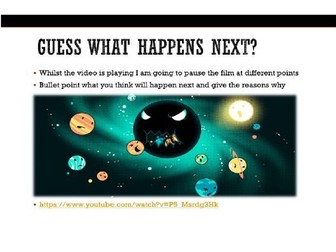
This resource is aimed at students who are studying Level 1 Functional Skills English. The lesson involves playing a video whereby the students have to use their inference skills to guess what will happen next. The final task involves them continuing the story using first person narrative which will prep them for their writing exam. For a starter the students could list real life scenarios where they use their inference skills and for a plenary the students could share their stories and give peer feedback. Enjoy and please leave a review!
This is a free resource created for learners of Functional Skill English. The mock reading test can be used with any level of the functional skills qualification as well as a comprehension activity for GCSE students.
The resources help learners to use skimming and scanning to identify key details in two texts and works well to assess their understanding of language techniques.
If you liked this resource, then please check out my shop for new content which is uploaded on a weekly basis.