All criteria listed in the specification has been covered in the PowerPoints.
Starter activity
Objectives
Big picture
Description slides
A main task
Integrated questions
A plenary
Assignment help PowerPoint with template.
CONTENT:
Specification for the unit has been used to identify and include all individual criteria to be covered in lessons.
Each criteria has a lesson PowerPoint and a matching student worksheet:
A1 – A3, A2.1 – A2.4, A3.1 – A3.7, A4.1 – A4.3, A5.1
B1, B2.1 - B2.4, B3.1 - B3.6
C1.1 - C1.4, C2.1 - C2.2
D1.1 - D1.3, D2.1 - D2.4
E1.1 - E1.2, E2.1 - E2.6
F1, F2
36 full teaching lessons in total.
Designed specifically for the new BTEC Tech Award in Digital Information Technology, these resources cover the content directly linked to the syllabus.
Personalised Learning Checklists for monitoring pupil progress.
Activity shees for C1 & C2 & C3.
Developing resources throughout 2018, and will upload as created.
Pearson BTEC Tech Award in Digital Information Technology Ultimate Resource Bundle (Components 1, 2 & 3)
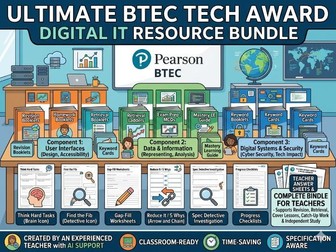
A comprehensive resource bundle with matching answer keys designed for KS4 students studying the Pearson BTEC Tech Award in Digital IT. Created by an experienced ICT/Computing teacher with AI support, this extensive masterpack combines foundational recall, project-based UI/UX scaffolding, and exam-focused technical literacy strategies across the full specification.
Package Components Included
Core Workbooks: Cover Booklets, Homework Booklets, Revision Packs, and Mastery Learning Modules.
Exam & Literacy Boosters: Exam Help/Prep Booklets, Mock Question Practice, and Keyword Synthesis sheets.
Rapid Recall Tools: Retrieval Ladders, Retrieval Grids, Multiple-Choice Question (MCQ) banks, and Vocabulary Gap-fills.
Deep Thinking Resources: “Thinking Hard” challenge matrices, “Find the Fib” troubleshooting drills, Categorisation Tasks, and “5 Whys” root-cause analysis activities.
Teacher Support: Comprehensive teacher answer sheets and high-quality model answers for all units.
Specifications and Units Covered
Component 1: Exploring User Interface Design Principles and Project Planning
UI/UX Fundamentals: Identifying user needs, accessibility requirements, and audience profiling.
Design Principles: Applying core UI design principles to create functional, intuitive interfaces.
Development Cycle: Planning, creating, reviewing, and iterating interface designs to meet project specifications.
Component 2: Collecting, Presenting and Interpreting Data
Data Literacy: Understanding the characteristics of data vs. information and various forms of representation.
Data Collection & Quality: Methods of collecting data, ensuring data quality, and understanding how data presentation impacts user understanding and interpretation.
Component 3: Effective Digital Working Practices (Exam Unit)
Modern Technology: The impact of modern digital technologies on individuals and organizations.
Cyber Security: Identifying threats to data, implementing prevention/management strategies, and ensuring responsible use of systems.
Legal & Ethical: Navigating the legal/ethical landscape of digital data (GDPR, Computer Misuse Act, etc.) and understanding formal notation and systemic processes.
This ultimate resource bundle is the perfect time-saving solution for delivering the full BTEC Digital IT curriculum, providing everything needed for intervention, non-specialist cover, and comprehensive assessment preparation.
All criteria listed in the specification has been covered in the PowerPoints.
Starter activity
Objectives
Big picture
Description slides
A main task
Integrated questions
A plenary
Assignment help PowerPoint with template.
CONTENT:
Specification for the unit has been used to identify and include all individual criteria to be covered in lessons.
Each criteria has a lesson PowerPoint and a matching student worksheet:
A1.1 – A1.4, A2.1 – 2.7, A3.1 – A3.2, A3.3, A4.1 – A4.3.
B1.1 – B1.4, B2.1 – B2.3, B3.1 – B3.5.
C1.1 – C1.7.
D1.1 – D1.4, D2.1 – D2.3.
39 full teaching lessons in total.
All criteria listed in the specification has been covered in the PowerPoints.
Starter activity
Objectives
Big picture
Description slides
A main task
Integrated questions
A plenary
Assignment help PowerPoint with template.
This resource pack contains a complete set of lessons and student workbooks for Pearson Level 3 AAQ BTEC National in Information Technology.
Unit 3: Website Development
Included are fully resourced lessons covering Learning Aims A, B and C of the specification. All content has been broken down into individual PowerPoints and matching student worksheets.
40 lessons
Each lesson includes:
• Starter activity
• Learning objectives
• Detailed teaching content
• Real-world website case studies
• Group and discussion activities
• Assessment-focused tasks
• Plenary activities
• Independent study tasks
• Preparation for the Pearson Set Assignment
Each lesson is accompanied by a matching student workbook containing:
• Guided note-taking
• Research and analysis activities
• Case study questions
• Group task templates
• Website planning tasks
• Practical development activities
• Testing and evaluation activities
• Independent study tasks
All lessons follow the ongoing Urban Pulse eCommerce website scenario, allowing students to apply theory and practical skills to a realistic client brief while preparing for the Pearson Set Assignment.
Topics covered include website purpose and audience, website design principles, accessibility, SEO, client requirements, competitor research, legal and ethical considerations, site maps, wireframes, visual designs, asset management, website development, testing and website refinement.
Designed to save teachers significant planning time while providing engaging, assessment-focused resources for Unit 3 Website Development.
Scaffolding to support students prepare for the Component 1 assignments for the BTEC Tech Award in Digital Information Technology.
Includes scaffolding for Learning Aims A, B and C.
BTEC Tech Award in Digital Information Technology
Common Tricky Word Flashcards
a) Print out and laminate for peer-to-peer knowledge testing.
b) Use at home or in class for revision, keyword appears, define, definition appears.
Written in simple terms, based on areas Year 11 2020 struggled on in preparation for the February exam.
FREE TASTER (A1 SECTION ONLY) HERE: https://www.tes.com/teaching-resource/free-taster-unit-1-a1-section-only-pearson-level-3-aaq-information-technology-13362354
This resource covers all parts of Unit 1 for the 2025 AAQ in IT. This is an externally assessed unit. This zip file contains all Word documents and Powerpoints. It’s in a zip file to preserve the folder structure, as it is broken into Sections (A through to F), with some section having separate subfolders (e.g. ‘A1’, ‘A2’, ‘A3’, and ‘A4 & A5’).
These resources cover this new 2025 spec in detail. I will teach Unit 1 starting in January 2026 and plan to update this zip file with changes I make.
This is a resource for Pearson Level 3 Alternative Academic Qualification BTEC National in Information Technology (Extended Certificate) (Qualification number: 610/3960/3). This AAQ has a first teaching date of September 2025. You can find details about this qualification, and the specification, here: https://qualifications.pearson.com/en/qualifications/btec-nationals/information-technology-aaq.html
There have been invented a lot of information technologies. Which of them can be used in teaching foreign languages? Which of them have you tried when teaching or learning?
Set of teaching resources for the new AAQ BTEC National in Information Technology (Ext Cert) - Unit 4 RDBMS.
PowerPoints include:
Starter activity
Big picture slide
Information slides
Step by step Guides
Main task
Case study
Plenary
Homework task
CONTENT:
Specification for the unit has been used to identify and include all individual criteria to be covered in lessons.
Each criteria has a lesson PowerPoint and a matching student worksheet:
A1 – A4
B1, B2 (L1 – L5), B3
C1 – C4
16 full teaching lessons in total.
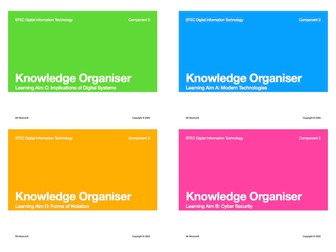
This is a revision resource for BTEC Digital Information Technology: Component 3.
These knowledge organisers contain key facts and information that your students need to know for their Component 3 exam.
One sheet versions are included, which can be given as a student handout.
This resource can be used to ease marking of NEA for Design and Technology. The specific language is taken directly from the AQA mark scheme, but it has been put in chart form with areas identified, so that different mark bands can be easily seen for each section of the NEA. This is a new resource this year for my department, this type of format has helped a lot in Food for several years. It can also be shared with students so they can see how to progress to higher marks using simplified terms. Simply tick the box that you think the students work fits into for that section and the use that information to make your judgement about each section, information can then be transfered easily to the AQA official paperwork.
Example of Assignment A - for Unit 4 (Programming) for the BTEC Extended Diploma in Information Technology Level 3 - Distinction Grade.
This assignment can be useful to show students as an example of what is expected / required for a distinction grade.
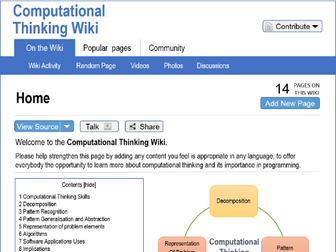
The assignment scenario was to create a Wiki page discussing computational thinking skills and its use within programming. The assignment also had to include software design principles and the different programming languages used to create applications.
As per all BTEC assignments to achieve distinction level, the assignment must include:
Explanation - Pass criteria
Analysis - Merit criteria
Evaluation - Distinction criteria.
The purpose of this study is to analyse what is happening at schools regarding the integration and use of information and communication technologies (ICT) and to examine teachers’ perceptions about what teaching and learning processes can be improved through the use of ICT. A multiple-case-study research methodology was applied. From a previous exploratory research, four different types of schools were determined. Data show there is a widespread view that ICT in teaching favours several teaching and learning processes.
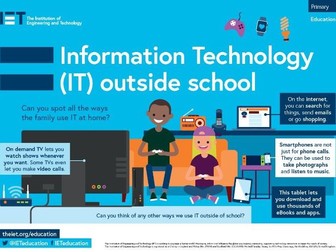
Primary classroom poster exploring how information technology is used outside school.
Download the single poster or order a full set of posters for free form the IET Education website.


 Quick View