20 practice projects to help students prepare for the NEA project on the Music Technology course.
Projects Include:
Sunset Drive: Hip-Hop Beats
Soulful Drive: Music for a Timeless Car Ad
Trending Now: 21st Century Pop Anthem
Echoes of the Earth: A Folk Journey
Whispers in the Dark: Horror Soundscape
Power Moves: A Hip-Hop Beat for Sports
Enchanted Worlds: Game Soundtrack
Island Vibes: Reggae Rhythms for Travel
Echoes of Change: A Score for Our Planet
Rebel Riffs: Rock and Roll Revival
Lost in Sound: Ambient Music for Mindfulness
Beyond the Stars: Electronica for Sci-Fi
Festival Fever: A Dance Anthem
Funky Fresh: A TV Comedy Groove
Temple of Echoes: Immersive VR Soundscape
Bassline Bounce: Funk Revival
Runway Groove: Disco Chic
Medieval Majesty: A Period Drama Score
Enchanting Soundscapes: World of Fantasy
Adrenaline Rush: High Energy Workout
Designed to support students to be successful in the NCFE Level 1/2 Technical Award in Music Technology Non-Examined Assessment.
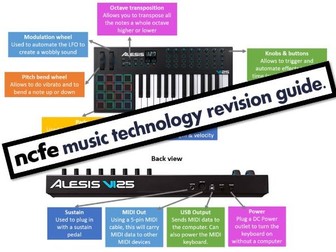
This is a more detailed and student-friendly revision guide for the Level 2 NCFE Music Technology course. Full of clear and colourful diagrams & explanations, it will help students prepare for the written exam.
Table of contents:
The DAW 2
Signal Flow 3
MIDI Controllers 4
Audio tracks VS software instruments 5
Synthesisers VS Samplers 5
Effects (FX) 6
Hardware 7
Audio Interface 7
Styles of music 8
Chords & Melody 9
Song Structure 10
Recording 11
Recording techniques 12
Accessories for mic’ing vocals 12
Mic’ing the drum kit 12
Monitoring 13
Types of audio tracks 13
Health & Safety 14
Sound Creation 15
Listening Questions 16
Exam Advice 16
Music Technology Escape Room Knowledge Escape Room Quiz - End of term fun for the whole class. No printing required! Just project the Powerpoint and off you go. Built in timers, Video clips and answer reveals after every slide. This is an educational fun immersive ‘Bank Heist themed Escape room’ experience.
Have the students compete individually, in teams or as a whole class the choice is yours! This resource is a great team-building activity to keep your students engaged during the last few days (or week) leading up to the end of term.
There are seven different challenging puzzles and you have the choice of setting the timer at easy, medium or high difficult level for each escape. Students will complete a variety of tasks using different skills including: problem-solving, critical thinking, reading comprehension, literacy challenges and some clever deduction.
The puzzles, bonus questions and challenges are a fun way to assess a topic or subject area. This resource covers a variety of different elements including: vocabulary, key terms. key themes, general subject knowledge, literacy and much more…
Music Technology Escape Quiz Escape Room is fully editable and takes less than 1 Minute to set up.
Music Technology Escape Quiz Bank Heist Escape Room Contents
☞ Interactive 26 slide Powerpoint Escape Room Challenge
☞ Optional Escape Certificates
☞ Optional Team Sheet (Print it or use scrap paper instead)
Common FAQ’s
★Group sizes: 1-30 students per team - (Participants up to 180)
★Time: Approximately 50-60 minutes (Provide hints along the way if time is a factor!)
★Materials: Aside from Powerpoint - all students need is a pen / pencil.
How to run this escape challenge
This escape room can be done without any printing we have however still included a team sheet (Slide 2) should you wish to use it, if not plain paper will more than suffice.
The escape room is story driven by a YouTube video which is split into 9 sections.
Introduction - Puzzle 1 – Puzzle 2 - Puzzle 3 – Puzzle 4 – Puzzle 5 – Puzzle 6 – Puzzle 7 - Success
At various points you will be instructed to pause the video at these points you can go to the next slide in the presentation.
Each video section (excluding Introduction and Success) will be followed by a puzzle.
Every puzzle has three built in timers in the lower right hand corner to put the teams on a time limit of your choice if you so wish.
Once the timer has expired or everyone has completed the puzzle teams can check their answers on the next slide using the CLICK TO REVEAL boxes.
Once all answers for the current puzzle have been revealed move on to the next video section and subsequent puzzle until all 7 puzzles have been completed and everyone has escaped successfully
(Optional) Give out winning certificates to the highest scorers.
Performance Techniques, Articulation, Technology Questions
For GCSE Music, there are many terms that students need to know, and be able to identify aurally, but which aren’t regularly covered by many of the styles of music studied.
This revision resource brings together many of the key musical terms from three areas of GCSE Music:
Performance Techniques (eg pizzicato, arco, distortion, glissando)
Articulation (eg staccato, legato)
Technology (eg reverb, panning, sample)
There are 17 questions, totalling 50 marks.
The assessment comes with a link to FREE audio, running for 37 minutes: perfect for a revision lesson, or as homework.
The extracts are (almost!) all from Popular Music, and feature a range of music by Buddy Holly, Primus, Maria Muldaur, Extreme, Nitro, Queen and Bon Jovi, plus more.
The bundle includes the full paper and mark scheme, plus the questions and mark scheme separately, in case you want to set it remotely.
Please have a look at my shop for a wide variety of resources to support the GCSE course.
www.tes.com/teaching-resources/shop/NPTJ
NB This resource was originally written to support the Eduqas GCSE course, and is the same as the one with “Eduqas” in the title in the TES shop.
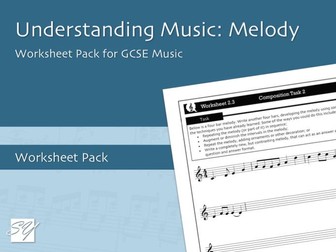
All GCSE music specifications require students to have a comprehensive knowledge of a variety of different melodic devices, with many courses requiring students to be able to demonstrate this knowledge in both composition coursework and in the appraising exam.
This pack of 8 worksheets introduces a wide range of these devices, and includes two short composition tasks that give students an opportunity to practice using these devices before beginning their composition coursework or while preparing for the exam. Each of the worksheets that introduce new keywords come in two variants: one that has the definitions already provided, giving a useful reference or revision sheet; and one that provides a blank space for the student to write a definition for themselves. Where appropriate, each keyword is accompanied by a short musical example.
Here is a breakdown of each worksheet:
– Worksheet 1.1: An introduction to a range of melodic devices with definitions provided;
– Worksheet 1.2: An introduction to a range of melodic devices with space for students to research and write their own definition;
– Worksheet 1.3: A follow-up composition task, using the melodic devices covered in Worksheets 1.1 and 1.2;
– Worksheet 2.1: An introduction to a range of melodic devices with specific focus on devices that can be used in motivic development;
– Worksheet 2.1: An introduction to a range of melodic devices with specific focus on devices that can be used in motivic development, with definitions provided;
– Worksheet 2.2: An introduction to a range of melodic devices with specific focus on devices that can be used in motivic development, with space for students to research and write their own definition;
– Worksheet 2.3: A follow-up composition task, using the melodic devices covered in Worksheets 2.1 and 2.2;
– Worksheet 3.1: Introduction to a range of additional melodic keywords not previously covered, with definitions provided;
– Worksheet 3.2: Introduction to a range of additional melodic keywords not previously covered, with space for students to research and write their own definition.
Previews of the first page of each worksheet are available from the files list.
Throughout the worksheets, the following keywords are covered: Conjunct, disjunct, scalic, triadic, passing note, broken chord, ornament, trill, acciaccatura, appoggiatura, sequence, augmentation, diminution, retrograde, glissando, melisma, blue notes, diatonic, chromatic, riff, ostinato, inversion, hook, articulation, improvisation, legato, staccato, and marcato.
It is the responsibility of the teacher to check this coverage of keywords against the exam board specification, this worksheet pack does not intend to offer complete coverage for all specifications.
Please leave a review if you like this resource!
Music Technology - Music Escape Room for a class. This is a print and play digital escape room. Every student loves to solve a mystery. This brand new escape room activity will not only improve students knowledge of the Music Technology but will hone their problem solving skills, build up their teamwork and leadership skills and allow opportunities to show creativity and resilience.
** Escape Room Contents**
☞Interactive Tracker PowerPoint - Keeps the competitive nature on display
☞ Escape Room Keys (Six Sets for up to Six Teams)
☞ Escape Room Puzzles (7 Rooms = 7 Different styles of Puzzles)
☞ Teacher Answer Sheet - We do the hard work for you!
☞ Teacher instructions to run the escape
☞ Successful Escape Certificates for those that complete the entire challenge (There is a difficult bonus escape for any quick finishing teams :)
☞ The 7 Rooms each have subject specific Puzzles that have been adapted to suit the topic of this Escape Room and are suitable for a variety of students. Each Escape Puzzle is designed by our amazing subject specialist!
☞ Optional Escape Room Script you can use!
☞ Professionally made optional Video to introduce the Escape Room Plot - With Voice overs and alternate endings.
✰✰✰✰✰✰✰✰✰✰✰✰✰✰✰✰✰✰✰✰✰✰✰✰✰✰✰✰✰✰✰✰✰✰✰✰✰
As well as solving 7 different subject themed puzzles they will have to answer a series of bonus questions (12 in total) testing their subject knowledge to the max!
As students complete each puzzle they will be one step closer to solving the mystery. Teams must be careful as they are racing against up to 5 or 10 other teams via an interactive PowerPoint displayed on the board to see who will escape first!!
This Escape Room is a great way to have an education treat lesson for your students and make learning new topics / or consolidating old ones fun!
The Escape Room is fully editable so you can chose to adapt the vocabulary and questions if you wanted.
Search ‘Cre8tive Resources’ for support with our library of resources or send us an email.
Leave a review and email TheCre8tiveResources@gmail.com for a free resource as a thank you!!
Explore all our resources on TES
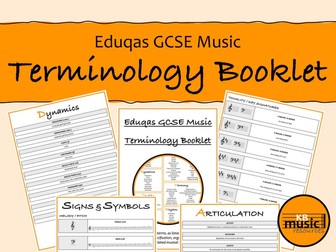
Eduqas GCSE Music Terminology Booklet - All Keywords & Definitions
A 40-page glossary of keywords to support students in preparing for the Eduqas GCSE Music Appraising exam. This keyword booklet includes all musical terms listed in Appendix C of the Eduqas GCSE Music specification, organised by the elements of music, plus all related musical signs and symbols.
Having a secure knowledge and understanding of these musical terms is essential in achieving success in the Appraising exam. If they do not know what an ‘anacrusis’ is, for example, how will they know if one features in the music they are listening to?!
Contents of the booklet:
The Elements of Music
Terminology Mat (available as a free, individual download - link at the end of the description)
Melody
Articulation
Dynamics
Tonality
Structure & Form
Harmony
Instrumentation
Rhythm
Texture
Sonority (Performance Techniques & Technology)
Metre
Tempo
Notes Pages (lined & manuscript)
Ideas for using this resource:
A reference tool, on desks or in folders, for students to refer to in appraising lessons, tasks and discussions.
A set of shorter summary chapters to be handed out as each element of music is introduced.
A helpful revision tool, full of opportunities for individuals and groups of students to revise and review their knowledge of musical terminology ahead of assessments and exams.
If you have any questions or queries about this resource, please email kbmusicresources@gmail.com
Link to KBMusicResources TES shop: https://www.tes.com/teaching-resources/shop/kbmusicresources
40 pages and over 250 keywords and definitions organised into alphbetical order.
Ready to be printed as an A5 booklet or distributed to students as a PDF.
Designed to support student understanding of extensive key terminology needed to be successful in the NCFE Level 1/2 Technical Award in Music Technology.
This is a great way to introduce pupils to Music Technology through a Soundscape task. Pupils can use the free software Soundtrap on their computers or laptops (and on phones if needed!). I use this task for S1 pupils (aged 12) but this could be used for pupils aged 10-14.
Dive into the definitive guide of music technology with our extensive teaching resource ebook; a colossal glossary unravelling the complexities of music technology terms. From A to Z this digital compendium demystifies the jargon, offering clear and detailed explanations. Ideal for students, educators, and enthusiasts, it’s an indispensable tool for navigating the ever-evolving world of music technology. Expand your knowledge, enhance your understanding, and confidently embrace the language of innovation with this comprehensive ebook at your fingertips.
This Resource would be really useful for any student or teacher working within a Music or Music Technology department, but also extremely valuable and convenient for home/self-study revision. The e-book also comes in the form of a PowerPoint presentation, allowing it to be used alongside other resources within a lesson.
In this package:
eBOOK – Glossary-Music Technology-eBook-eBOOK (.pdf)
eBOOK – Glossary-Music Technology-eBook (.pptx PowerPoint - read-only)
GOOGLE SLIDES™ - Resource sheet with links to Digital Learning version of material (.pdf)
Single page guide to exam terminology for AS Music Technology. Includes pickup patterns, exam terminology, synth modules, compression, distortion, filtering and phase. I use this as the front page for workbooks for sixth form Music Technology.
A pack containing four questions to help students apply their practical knowledge to theoretical concepts.
Questions, indicative content model answers and PowerPoint slides are included for the following four topics:
Drum Machines
Compression
Modulation Effects
EQ
Please note that the model answers are meant only to provide exemplar information; teachers should always apply their practical and theoretical music technology knowledge in their assessment and for mark allocations.
Over 250 keywords and definitions as flashcards.
Ready to be printed doubled sided on A4 card. 8 flashcards per page.
Designed to support student understanding of extensive key terminology needed to be successful in the NCFE Level 1/2 Technical Award in Music Technology.
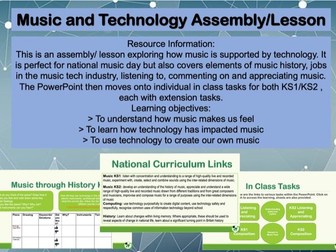
This is an assembly/ lesson exploring how music is supported by technology. It is perfect for national music day but also covers elements of music history, jobs in the music tech industry, listening to, commenting on and appreciating music. The PowerPoint then moves onto individual in class tasks for both KS1/KS2, each with extension tasks.
Learning objectives:
To understand how music makes us feel
To learn how technology has impacted music
To use technology to create our own music
This is my PowerPoint that walks learners through the third unit of the NCFE Music Technology course. I felt it helped having a count up on the lessons so the students knew how much time they had left.