This resource contains interactive tasks for Ks3 students
the contents of this resource includes.
video
worksheets
powerpoint presentation
The resource can be used to introduce students to the hazards that may arise within a workshop and rules they must follow.
A 10 lesson unit comprising a 68 slide PowerPoint, 9 different worksheets (including texts for analysis) exploring the topic of Language and Technology and a summary terminology and theory sheet.
Each lesson includes a starting discussion prompt which acts as a learning objective, detailed notes on the theories and concepts listed below, a worksheet (with the exception of lesson nine) and activities, and a homework task. The following theories and concepts are covered:
Hiltz and Turoff – CMC (1978)
Emmanuel Schegloff – Telephone conversation structure (1986)
David Crystal – Textspeak (2004)
Celia Klin – The role of full stops in text messages (2015)
David Crystal – Netspeak (2004 and 2008)
Eric Partridge – Dictionary of Abbreviations (1942)
Crispin Thurlow – Sociolinguistic functions of text messages (2003)
Tim Shortis – The Language of ICT (2000)
John McWhorter – Fingered speech and texting (2013)
Elizabeth Eisenstein – The Printing Press (1983)
Jeff Jarvis – the positive impact of the internet on language (2023)
Susan Herring – CMC and CMDA (2018)
Christopher Werry – IRC and Netiquette (1996)
Condon and Čech – E-mail discourse (2010)
Amanda Roig-Marin – Cyber-neologism blends (2016)
Evelyn Nien-Ming Ch’ien – The Democratization of English (2004)
Hyejeong Ahn and Jieun Kiaer – Korean Pop Culture Words (2021)
Philip Seargeant – The Emoji Revolution (2019)
Michele Zappavigna and Lorenzo Logi – Emoji and Social Media Paralanguage (2024)
danah boyd – It’s Complicated: The Social Lives of Networked Teens (2004)
Gretchen McCulloch – Because Internet (2022)
There are some references to AQA-style A Level specification questions, but you can adapt these if needs be. These can be found on slides 57-65. Lesson 9 is based on an AQA A Level question.
The final lesson is a consolidation activity complete with guided revision cards. Alternatively, you could use an app such as Quizlet so that the students could produce digital revision resources.
Check out my other English Language A Level resources!
Language and Gender
Language and Region
Language and Power and Occupation
Language and Global and World Englishes
Language Change
Language and Ethnicity
Language and Social Groups
Language Discourses
Language Discourses Opinion Writing
Language Investigation
AQA Paper 2 Revision
This resource can be used to ease marking of NEA for Design and Technology. The specific language is taken directly from the AQA mark scheme, but it has been put in chart form with areas identified, so that different mark bands can be easily seen for each section of the NEA. This is a new resource this year for my department, this type of format has helped a lot in Food for several years. It can also be shared with students so they can see how to progress to higher marks using simplified terms. Simply tick the box that you think the students work fits into for that section and the use that information to make your judgement about each section, information can then be transfered easily to the AQA official paperwork.
**If you have previously purchased my GCSE 2016 unit 2 resources, please get in touch if you would like to upgrade to this new version. **
In this digital product:
You will find everything you need to teach Topic 8: Media and Technology (second topic of Theme 3 of the new GCSE course (with AQA): Communication and the World around us.
The Presentation (approx. 165 slides including answer slides) covers the whole topic and is composed of 4 parts:
A: New technology
B: The Internet
C: Mobile Technology
D: The Digital world
There are 4 folders (A, B, C and D) containing the relevant files for that part.
It includes:
a range of Listening, Speaking, Reading, Writing and Translation activities
grammar points including: Direct and Indirect Object Pronouns, revision of the imperfect tense, Après avoir/ être + PP, Simple Future (Higher only)
elements of phonics: open and closed o, the letters I and y, liaisons
retrieval activities, cultural aspects and homework tasks
QR codes/ links for independent study
vocab lists (full topic list or 4 lists for the 4 parts) + link to online course
comments under the slides for notes and worksheet location
answers
audio files and transcripts
.pdf and editable versions of the worksheets
Activities are differentiated and exam style.
The first 15 files are a preview of what is included in the .zip folder: Topic8.zip.
After downloading, save the .zip file in your computer (in “documents” for example), then right-click and select “extract all” to access all the resources.
For the full overview, you can check the free SOW available for download here
If you have any questions or if you are interested in more resources like this one, you can check this Facebook page: @Frenchresources, where links to resources and freebies are posted regularly.
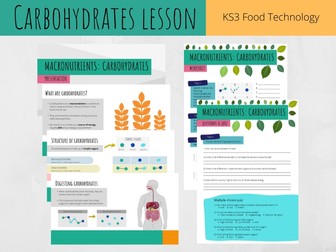
PowerPoint presentation on Carbohydrates. The presentation includes information and activities on:
what are carbohydrates?
short video on carbohydrates
structure of carbohydrates (monosaccharides, disaccharides and complex carbohydrates)
types of carbohydrate (sugars and complex carbohydrates e.g. starch)
digesting carbohydrates
High GI and Low GI foods
Tasks are included to help assess pupils. A worksheet is included which corresponds with the presentation.
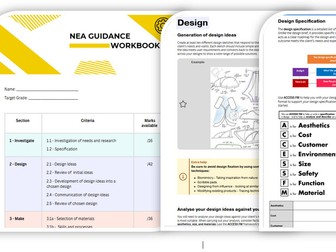
This document is designed to support and guide pupils through their Design and Technology (DT) coursework.
While it is tailored to the Edexcel GCSE in Design and Technology, it is also suitable for students following the AQA specification, as both follow a similar structure and approach.
The document outlines the marking criteria along with the available marks, helping students understand exactly what is required. It includes a clear checklist and detailed guidance for each section of the coursework. Colour-coded throughout, the workbook features real student examples, prompts, and additional hints and tips to support progress.
This resource encourages independent learning, allowing pupils to take ownership of their projects while reducing workload for teachers. Many pupils achieve strong outcomes when using this workbook as a structured guide.
D&T Theory AQA Lesson Bundle
NOW INCLUDES : D&T Exam Revision & Task Booklet- AQA
This bundle includes 14 engaging theory lessons linked to the Design Technology GCSE AQA Specification:
♦ Timbers and Metals
♦ Polymers
♦ Textiles & New Materials
♦ Research & Investigation
♦ Explore & Develop Ideas
♦ Design Strategies
♦ Eco, Environmental & Social
♦ Design Companies
♦ Work of Other Designers
♦ Electronic Systems
♦ Material Finishes
♦ Material Selection
♦ Mechanical Systems
♦ Standard Components
These theory lessons do not require the use of specialist equipment or computers. Allowing the work to be set remotely or to be taught in non-specialist classrooms.
A new range of materials aimed at supporting teachers of the AQA A Level in Business. This presentation is designed to cover the topic of managing organisational culture by businesses and has been adapted to meet the specific requirements of the AQA specification. The presentation considers the impact of the social and technological environment on strategic and functional decision making. It specifically examines demographic changes and population movements including urbanisation and migration, changes in consumer lifestyle and buying behaviour and the growth of online businesses. It also analyses Corporate Social Responsibility (CSR), including the difference between the stakeholder and shareholder approach and Carroll’s Corporate Social Responsibility pyramid. Technological changes are also considered and include an assessment of change upon the functional areas of a firm. The pack contains the Quick Fire Five knowledge questions, a short objective test and an essay question all complete with suggested answers. This pack also includes a FREE copy of the student revision notes for this section of the course.
The entire Design Technology Portal in one purchase: everything for the new IB Design Technology syllabus (first assessment May 2027), written and classroom-tested by a practising IB DT teacher. Worth £395 if bought separately.
What’s inside:
All three Teacher Packs: editable lesson PowerPoints for all 24 topics across Themes A, B and C, SL and HL
Lesson intent panels, end-of-unit assessments, mark schemes, worksheets and an original exam practice question bank
All three Student Revision Packs: 24 revision decks with quick-check questions and answers
216 printable key-term flashcards covering every topic
The Two-Year Curriculum Map: a week-by-week route through the whole course, with IA milestones built in
Everything is fully editable and school-branding free. Pay once, keep it forever, and use it across your classes.
This resource is independent of and not endorsed by the International Baccalaureate Organization. It contains no IB-copyrighted material.
A level economics PowerPoint slides covering technological change:
The difference between invention and innovation.
Technological change can affect methods of production, productivity, efficiency and firms’ costs of production.
Technological change can lead to the development of new products, the development of new markets and may destroy existing markets (creative destruction)
Technological change can influence the structure of markets.
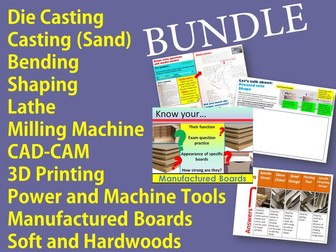
These Design Technology lessons focus on 3D Printing, Bending and Shaping, Die Casting, Lathe/Milling Machine/CAD-CAM, Manufactured Boards, Power and Machine tools and Soft and Hardwoods. The lessons are suitable for KS3 and GCSE students.
**Shaping Techniques: Die Casting and Sand Casting: Whole Lesson
This full lesson includes accurate information for your students to understand Die Casting and Sand Casting. Great to introduce students too - but also for revision.
What the PPT includes:
• The starter introduces them to an exam style question based on Die Casting - students will be given a hand out explaining the command words which will appear in their exam. They will them highlight the command words and key information in the mock question itself. (this will come in handy later on in the lesson)
• Information about the Die Casting and sand casting process - images and videos
• Two hand outs -
The first task asks students to answer an exam style question relating to Die Casting - They will be given time to answer the question. The second hand out shows a model answer to the question along with the mark scheme. They will be asked to mark the model answer using the mark scheme and reflect. They will they go back to their answer and mark in the same way reflecting after. Plenary - Students will identify the pro’s of each casting process.
**Shaping Techniques: Lathe/Milling Machine/CAD-CAM/his PPT is a whole lesson.
It’s great to introduce students to the topic of Shaping Techniques when using the Milling machine and Lathe (can also be used for the revision period) - It also explores CAD/CAM when used with these 2 machines/processes.
An exam question has also been included focusing on The Milling Machine. The answer for this question has been provided also with highlighted content showing where students will pick up the marks. This is all presented on 1 slide, so you could always show it to the class and run through it to encourage self assessment.
The PPT is full of reliable subject information. Videos and imagery are included for those more visual learners and to support understanding and learning
**Shaping Techniques: Bending and Shaping PPT is a whole lesson.
This PPT is a whole lesson - great for introducing students to the topic or for revision.
The lesson cover:
Bending Materials – naming 3 types
This is a task for students to complete. The task consists of students completing a detailed table by unscrambling the function of each bending type and example products. Answers have been provided on the next slide for the convenience of teacher and student.
Heated before being bent-
Subject specific information including reference to ‘annealing’
Pressed and Shaped
Subject specific information provided - images and video to help support learning. Diagram of the pressing process provided along with a task for students asking them to draw and label the metal sheet press process - great for exam prep.
**Shaping Techniques: 3D Printing PPT is a whole lesson.
Slides include reliable information from the CGP Revision booklet. You will find the following:
Clearly layed out task sheets to help structure the students’ work/lesson Information referring to - the 3d printing process, CAD/CAM, videos, prototypes and how 3D printing has helped in other industries - Health and Food. Students to answer a practice question - PPT includes model answer and encourages students to self reflect and improve their answer.
**Power and Machine tools - PPT and Comprehensive Task
Here you have a PPT displaying the key power tools and machine tools (which are featured in the CGP revision guide) all of the information which the students need to know for the exam are included, as the information has been used from the revision guide. The information is clear and includes images.
You will also receive a comprehensive sheet, which has been differentiated (low and high ability)
It has been advised for the teacher to print most of the ppt slides as flashcard (using the print 6 per page setting) and for the students to complete the comprehensive sheet. The teacher will then dedicate time to run through the questions and answers and the students to self mark.
There is a plenary at the end to encourage students to move around the room and answering/asking as many questions to a peer in 30 seconds.
**Manufactured Boards- PPT and Task Handout
Here you will find a full lesson teaching students about manufactured boards. The PPT contains reliable subject knowledge, images, task sheets (along with mock question & answer) and links to ‘how it’s made’ videos.
The PPT is divided into 3 parts -
Starter - Name that board!
Main - PPT slides clearly run through the 3 main manufactured boards - chipboard, MDF and Plywood. Task handouts encourage students to identify the wood by appearance and match them to their suited product. Students are provided with a mock exam question with answer.
Plenary - Speed Questioning! EXCITING!
**Softwoods and Hardwoods - PPT and task Handout
Here you will find a whole lesson. Resources include PPT and handout x4 sides! (oh not forgetting ALL of the ANSWERS!)
Students will be engaged throughout. The PPT is structured as -
Starter - Catagories and name the 8 soft and hardwoods (visuals shown)
Main - Information about each wood clearly presented, task for students to answer statements about each wood, design task for students to design a product fit for purpose, students collect customer feedback and an informative video showing students the process of how hardwood flooring is made.
Plenary - Referring back to the starter- students will answer and discuss.
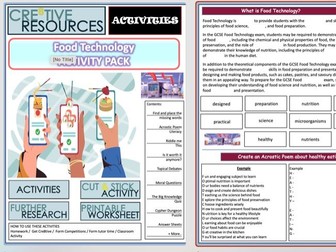
Food Technology Cover Lessons Student Activity Booklet This activity booklet contains 12+ pages. Within this activity pack is a wide range of student tasks to complete and we have included the answers to any puzzles.
Contents of this food technology activity pack include:
Reading Comprehension + Missing words task
Literacy Acrostic Poem Example + Task
Set of riddle to unravel
In depth ‘For’ and ‘Against’ argument matching sorting activity
Topical Debates
Big Moral + Ethical Questions
Fun Facts
The Big Knowledge Quiz
Cypher Dungeon Puzzle
Answer Sheets
More…
Activity packs can provide a variety of benefits for teenagers. Some potential benefits include:
Developing new skills: Activity packs can provide opportunities for teenagers to learn and practice new skills, such as problem-solving, teamwork, and communication.
Boosting mental health: Engaging in enjoyable activities can improve teenagers’ mood and overall well-being.
Promoting social interaction: Many activity packs can be completed as small group activities, which can provide opportunities for teenagers to interact and socialize with their peers.
Increasing creativity: Some activity packs may include creative challenges or projects that can help teenagers think outside the box and exercise their creativity to solve riddles and Cyphers
Providing a sense of accomplishment: Completing activities and challenges in an activity pack can give teenagers a sense of accomplishment and boost their confidence.
Search ‘Cre8tive Resources’ for support with our library of resources or send us an email.
Leave a review and email TheCre8tiveResources@gmail.com for a free resource as a thank you!!
Explore all our resources on TES
This Powerpoint includes the following:
A sentence builder including the advantages and disadvantages of the use of technology
A gap-fill whole class dictation with answers (teacher to read the paragraph aloud and students to fill in the gaps)
2x reading activity with answers
A paired speaking dictation (one partner turns away from the board and writes down the sentences that their partner reads aloud (brilliant way to practice all four skills).
Categorising statements into ‘Positive’ or ‘Negative’ with answers
A 90 word essay practice question
Grade 9 sentence starters
A success criteria
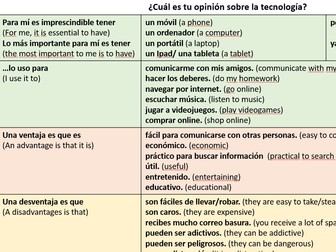
Two standalone resources for GCSE to introduce key language to enable pupils to talk and write about social media, apps and technology.
Resource 1: This double-sided resource focuses on infinitive expressions to talk about social networks we like to use with vocabulary, translation both ways, reading comprehension and a topic sentence builder.
Resource 2: Introduces ‘lo bueno/lo malo es que’ in the context of talking about technology and different apps.
Format: Word document and PDF with answers.
Design Technology Remote Learning and Cover Work; suitable for KS3 students. Tried and tested with year 7, year 8 and year 9 classes. The worksheets cover Illustration, Logo Design, Typography, Graffiti, Packaging Design, Scale & Proportion, Clothes Design, fabrics, DT Design Solutions, Structutal integrity (Textiles) Influence Design and Design Technology Interactive Quiz.
These DT resources may also come in handy
DT Project - 31 Template Pages - Understand the Design Process -
DT KS3 Mini project - Waterproof Overall
DT KS3 Mini Project - Collapsible Bin Store
DT KS3 Mini Project - Seat Belt Protector
DT KS3 Mini Project - Magnetic Wrist Band
DT Lesson Bundle
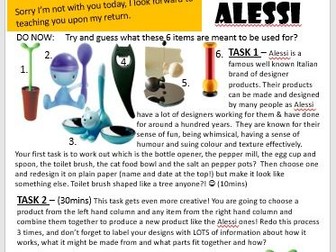
A stand alone lesson which is perfect for any KS3 or higher KS2 or lower KS4 Cover Lesson or the start of a new project. Based on the designer Alessi and designing new products for market, I based this one on unusual inspirations, but you can easily change the wording so that it mentions your own made up objects too.
All you need to do is print one sheet per student (or 1 between 2) and the only other resources needed are plain paper and pencils/crayons whatever you would like them to draw with!
My 2nd ever upload so I am hoping this is helpful to someone!
This Design Technology booklet consists of a range of tasks and covers skills that students will learn at KS3.
It includes:
Wordsearch
Ergonomics Comprehension
Identifying Ergonomics Tasks
Graphic Design - App Design
Textiles - Trainer Design
Health and safety drawing task
Tools and equipment in Product Design.
This booklet can be used as cover work for multiple lessons, used as a homework booklet or simply used in lesson to help extend the learning of pupils.
I use this for pupils who are in inclusion or who have not got ingredients for the practical session. It means I can get on with practical work rather than finding something for the pupils to do. It also helps improve knowledge of the subject and covers in more depth some of the work it is not possible for me to cover in a 10 week rotation.
A comprehensive series of multimedia materials to support the teaching of the GCSE Design and Technology Food Technology course. The materials can be downloaded as a complete Moodle course or as individual elements. The bilingual resources include video clips, animations, text and quizzes within Moodle and can be used on an interactive whiteboard for whole class teaching or by students on individual computers. The images included in this work, to the best of our knowledge, are from sources that their use do not breach any copyright rules. Please visit the NGfL site, linked below