Pencil to PrototypeQuick View
andypybus

Pencil to Prototype

(0)
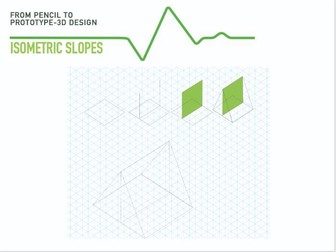
These worksheets guide students from foundational drawing skills through to beginner 3D CAD design. Students start by learning basic shading, rendering, and isometric grid drawing techniques, then progress to step‑by‑step isometric drawings such as simple geometric forms, a house, and a car. The worksheets then introduce 3D CAD using Tinkercad, covering core tools and concepts alongside an explanation of 3D printing. Through guided tutorials, students design a series of simple, 3D‑printable objects including a bookmark, a spinning top, and a snowman, building confidence in both design visualization and digital modelling.
CAD BoxQuick View
andypybus

CAD Box

(0)
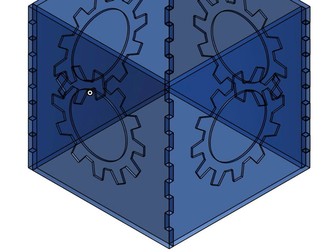
This is a tutorial that continues from the introduction to 3D CAD and builds upon basic 3D CAD skills such as use of the pattern tool, assembly and creating dimensioned drawings. It also includes instructions on how to export .dxf drawings for Laser Cutting
Charity RulerQuick View
andypybus

Charity Ruler

(0)
Synopsis of the Project: Many NGOs carry out vital work to support people, animals, and the environment but often have very limited budgets and cannot afford promotion. Your task is to design an everyday object, a ruler, as a promotional item for an NGO of your choice to help raise awareness and support for their cause.
3D CADQuick View
andypybus

3D CAD

(0)
This guide supports students in setting up an Onshape account and introduces a series of simple, structured tasks to build foundational 3D CAD skills. Through hands‑on activities, students become familiar with the Onshape interface, core modelling tools, and basic workflows such as sketching, extruding, and modifying parts. The unit provides a clear entry point into cloud‑based CAD, helping students develop confidence and accuracy in 3D design.
Design and make a toy trainQuick View
andypybus

Design and make a toy train

(0)
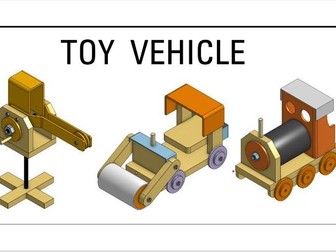
This 12‑hour unit of work focuses on precision design and making through 3D CAD. Students begin by creating accurately dimensioned 3D CAD drawings of a train, developing an understanding of scale, measurement, and technical accuracy. The digital design is then brought to life using a construction kit that incorporates wood, metal, and plastics, alongside a range of tools and manufacturing processes. The project is highly engaging, hands‑on, and consistently popular with students, combining technical drawing, CAD skills, and practical making into a rewarding design‑and‑build experience.
SIMS Reality HomeQuick View
andypybus

SIMS Reality Home

(0)
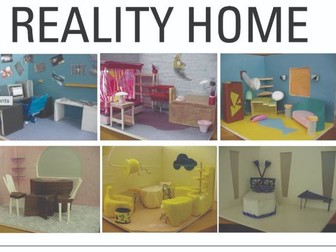
This 12‑hour unit of work is inspired by The Sims and challenges students to design and build a scale model of a room. The project integrates interior and architectural design skills with planometric and perspective drawing techniques. Working in groups, students delegate roles to develop leadership and teamwork while managing a tight budget. The unit encourages creativity, problem‑solving, and practical design thinking within realistic constraints.