


Emoji Code Breaking – Interactive Maths Game for KS2
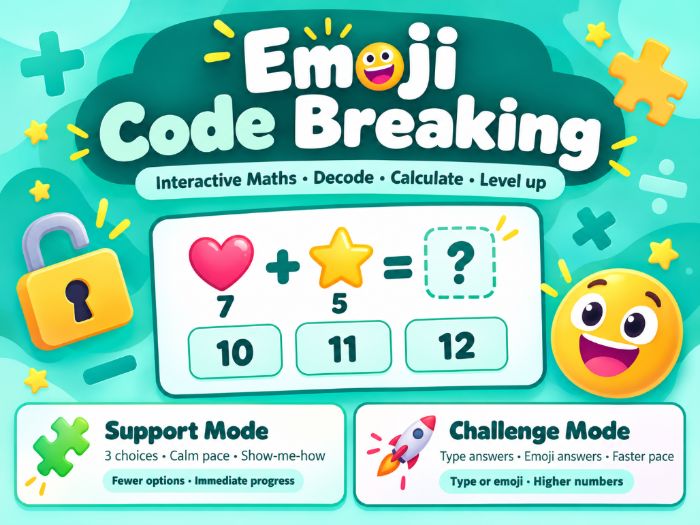
Turn arithmetic practice into a code-breaking challenge! In this free interactive maths activity, pupils use an emoji key to decode numbers and solve calculations involving addition, subtraction, multiplication and division.
With two modes and two levels to choose from, the resource can be used for independent practice, guided learning or one-to-one tuition. It also includes function machines and missing-number questions to encourage pupils to think about how calculations work.
What’s included?
- Two activity modes: Support Mode and Challenge Mode.
- Two levels: Easy, using a smaller emoji key and smaller numbers, and Standard, using a full emoji key and larger numbers.
- Four operations: addition, subtraction, multiplication and division.
- Different question types: emoji calculations, missing numbers and function machines.
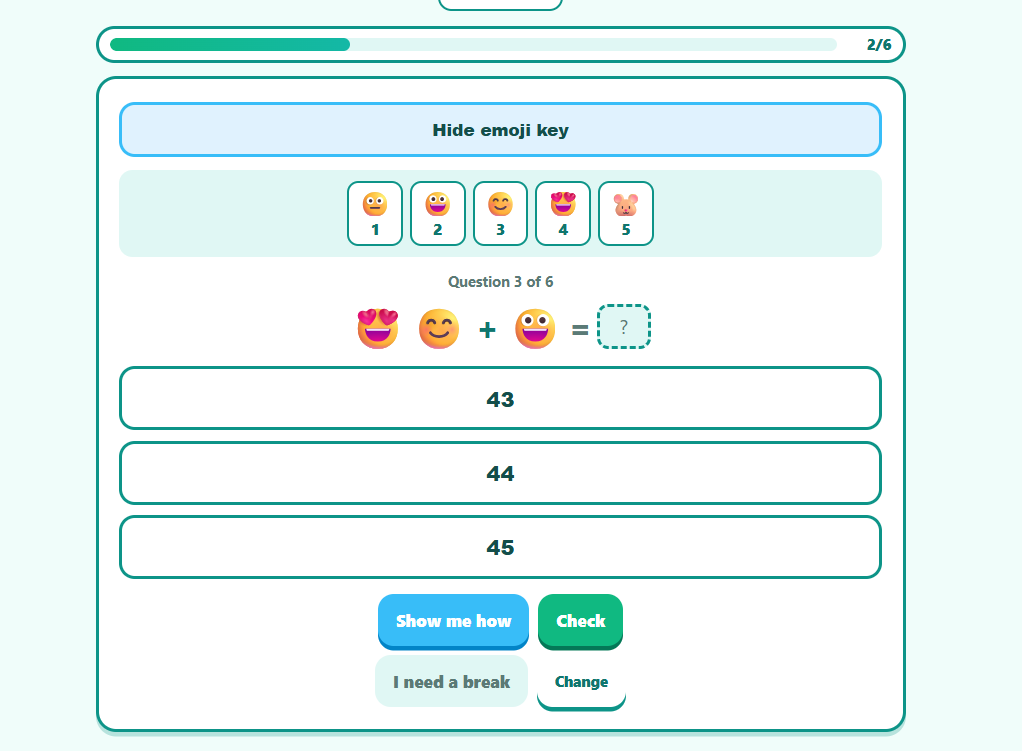
- Six questions per activity, with feedback and a results screen.
- An emoji key that can be shown or hidden during the activity.
- A break button so pupils can pause when needed.
- Optional sound effects that can be switched off.
Choose the right support
Support Mode presents one question at a time with three answer choices and a Show me how option.
Challenge Mode lets pupils type their answers or enter them using emojis.
These options make it easier to select an activity that suits the learner’s current confidence and level. The resource can be used with pupils who benefit from additional support, including some learners with SEND, with adult guidance where appropriate.
Ways to use it
This activity is suitable for KS2 maths practice, depending on the pupil’s current level. Use it for:
- Classroom warm-ups or arithmetic practice
- One-to-one or small-group tuition
- Guided practice and intervention
- Home learning
- Revisiting number skills through a puzzle-based activity
The interface is available in English (UK and US), Spanish, French, German and Portuguese.
Technical information
This is a self-contained interactive HTML resource.
- Works offline after download; no internet connection is required.
- No installation or account is needed to use the activity.
- No external websites, fonts, images or tracking services are used by the activity.
**How to use: **
Download the HTML file, save it to your computer and open it in a modern web browser such as Google Chrome, Microsoft Edge or Firefox. For the best experience, open the downloaded file directly in your browser rather than inside a document preview.
Free to download.
If you use the activity, I’d be grateful if you could leave a review and share how it worked for your learners.
Something went wrong, please try again later.
This resource hasn't been reviewed yet
To ensure quality for our reviews, only customers who have downloaded this resource can review it
Report this resourceto let us know if it violates our terms and conditions.
Our customer service team will review your report and will be in touch.
£0.00