


xlsx, 35.84 KB
xlsx, 35.84 KB
docx, 549.49 KB
docx, 549.49 KB
pptx, 41.3 MB
pptx, 41.3 MB
mp4, 5.14 MB
mp4, 5.14 MB
html, 20.75 KB
html, 20.75 KB

KS3 Excel Lesson 1 – Battleships Modelling Activity
Fully Dyslexia-Friendly | High Engagement | Updated for 2026 | Perfect Starter Lesson

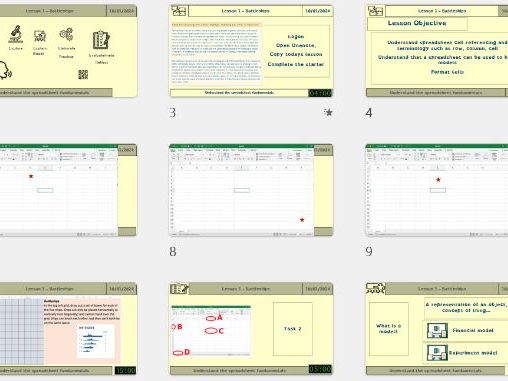
Give your KS3 students a genuinely accessible and engaging introduction to spreadsheets with this Battleships-themed Excel lesson. Designed with fully dyslexia-friendly formatting — accessible fonts, pastel colour palettes, spacious layout and clear visual structure — this resource ensures every learner can succeed, including SEND, EAL and lower-ability pupils.

What Students Will Learn

Cell Referencing Made Easy
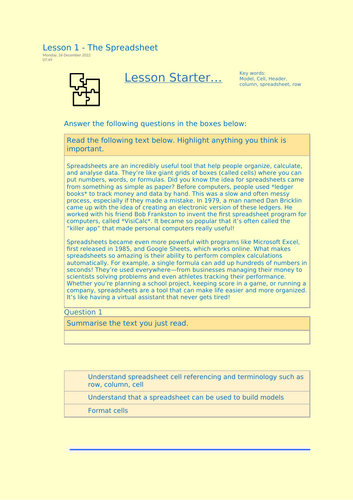
Students confidently use key terms: row, column, cell and cell reference (e.g. B6), reinforced with clear, scaffolded visuals.

Spreadsheets as Models
Pupils discover how a simple grid can represent a real-world system. Using the Battleships theme, they build a working model step-by-step.

Professional Cell Formatting
Learners apply borders, shading, alignment and colour in a structured way to create their own personalised game board.

Why This Resource Stands Out on TES

✔ Fully dyslexia-friendly design — OpenDyslexic (or similar) font, pastel backgrounds, high-contrast headings and clutter-free layout
✔ Instant engagement — The Battleships hook captures attention immediately
✔ Ideal for mixed-ability KS3 classes — Clear chunked steps and strong scaffolding
✔ Perfect for Computing, ICT or cover lessons — No prior spreadsheet knowledge required
✔ Works on Excel and Google Sheets
✔ Printable and fully editable versions included

By the End of the Lesson, Students Will Be Able To
  • Identify and use cell references confidently
  • Explain the structure of rows, columns and cells
  • Format a spreadsheet clearly and professionally
  • Understand how spreadsheets model real-world systems
  • Leave with a completed Battleships grid they are proud of
Creative Commons "Sharealike"

Get this resource as part of a bundle and save up to 20%

A bundle is a package of resources grouped together to teach a particular topic, or a series of lessons, in one place.

Bundle

KS3 Excel Mega-Bundle – 6 Fully-Dyslexia-Friendly Lessons (Battleships, Maths Modelling, Functions, Logic, Budgeting & Profit!)

KS3 Excel Mega-Bundle – 6 Fully Dyslexia-Friendly Lessons Battleships, Maths Modelling, Functions, Logic, Budgeting & Profit Updated for 2026 | Complete Half-Term Unit | Fully Editable Transform the way your KS3 students learn spreadsheets with this complete 6-lesson Excel unit. Fully resourced, highly engaging and designed with dyslexia-friendly fonts, pastel colours and clean layouts throughout, this bundle supports all learners, including SEND and lower-ability students. Each lesson includes teacher slides, structured worksheets and editable Excel files with step-by-step guidance. Students progress from complete beginners to confident spreadsheet users through practical, real-world modelling activities. --- Lesson Breakdown Lesson 1 – Battleships & Cell Referencing Students are introduced to spreadsheets through a fun Battleships activity. They learn about rows, columns, cell names, formatting and basic referencing using an accessible grid-based model. Lesson 2 – “Cheating at Maths!” Using = Calculations Students discover how the equals sign allows Excel to calculate answers automatically. They practise writing simple formulas using cell references and see how models update instantly when numbers change. Lesson 3 – Fun Into Functions Learners are introduced to key beginner functions: SUM, AVERAGE, MIN and MAX. Clear modelling and scaffolded tasks help students understand how functions save time and improve accuracy. Lesson 4 – IF Logic: Build a Self-Marking Quiz Students explore logical functions using IF statements. They create a simple self-marking quiz where Excel checks answers automatically, linking spreadsheet logic to computing concepts. Lesson 5 – Real-World Cost Modelling Students build a budgeting spreadsheet focused on everyday spending and cost comparison. They practise formula writing, totals and simple modelling to make financial decisions. Lesson 6 – Party Planner: Costs, Pricing & Profit Students design and plan an event. They calculate total costs, set ticket prices and determine profit or loss. This creative challenge consolidates all previous spreadsheet skills. --- Why Teachers Choose This Bundle * Fully dyslexia-friendly formatting throughout * High engagement activities that reduce behaviour issues * Strong scaffolding for mixed-ability classes * Real-world relevance that makes spreadsheets meaningful * Completely ready to teach with no extra preparation * Clear progression from basic referencing to logical modelling --- Skills Developed Across the Unit * Cell referencing and formatting * Writing formulas using = * Using functions (SUM, AVERAGE, MIN, MAX) * Applying IF logic * Budgeting and profit calculations * Spreadsheet modelling and decision-making * Problem solving using digital tools --- This KS3 Excel Mega-Bundle provides everything needed for a full half-term of structured, accessible and engaging spreadsheet teaching. Students build confidence step by step while developing practical digital skills they will use throughout school and beyond.

£9.99

Reviews

Something went wrong, please try again later.

This resource hasn't been reviewed yet

To ensure quality for our reviews, only customers who have downloaded this resource can review it

Report this resourceto let us know if it violates our terms and conditions.
Our customer service team will review your report and will be in touch.