


Onshape Keyboard Shortcuts Cheat Sheet | GCSE Engineering & Design Technology
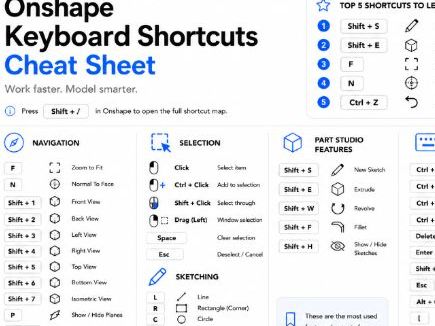
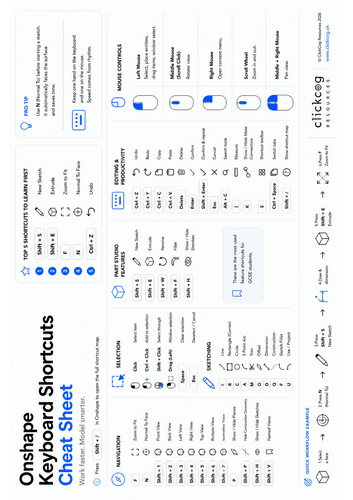
Help students work faster and more independently with this professionally designed Onshape Keyboard Shortcuts Cheat Sheet, created specifically for GCSE Engineering, Product Design and Design & Technology classrooms.
Designed using a clean, minimalist layout inspired by Apple’s design philosophy, this A4 landscape reference sheet reduces cognitive load by organising the most useful shortcuts into clear, easy-to-scan sections. It is ideal for classroom display, student desks or computer suites, helping learners spend less time searching menus and more time designing.
The resource includes:
• Essential Onshape keyboard shortcuts for beginners and intermediate users
• Navigation, Sketching, Selection, Part Studio Features and Productivity shortcuts
• Mouse controls with clear visual diagrams
• Top 5 shortcuts every student should learn first
• Workflow example to reinforce good CAD habits
• Helpful productivity tips to encourage independent learning
• High-quality vector-style graphics designed for excellent print quality
Perfect for:
GCSE Engineering
GCSE Design & Technology
KS4 Product Design
STEM and CAD clubs
Introduction to Onshape
Whether you’re introducing CAD for the first time or looking to improve workflow in the classroom, this resource provides students with a quick-reference guide they’ll actually use throughout their projects.
Format: High-quality PDF (A4 Landscape)
Designed by ClickCog Resources.
Something went wrong, please try again later.
This resource hasn't been reviewed yet
To ensure quality for our reviews, only customers who have downloaded this resource can review it
Report this resourceto let us know if it violates our terms and conditions.
Our customer service team will review your report and will be in touch.
£0.00