



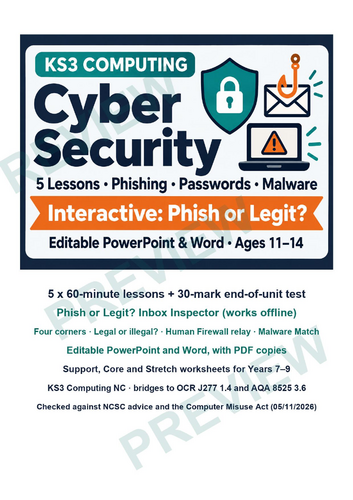
Cyber security KS3 Computing unit: five editable 60-minute lessons on cyber threats, the Computer Misuse Act, passwords and 2-step verification, phishing, social engineering and malware. Headline: an offline Phish or Legit? Inbox Inspector with an inbox red-flag sorter, a password tester and a branching scam-call game.
What is cyber security? Protecting devices, networks, accounts and data from attack, damage or theft. For pupils it means spotting scams, using strong passwords and knowing how to report.
Phish or Legit? Inbox Inspector (offline HTML): an inbox of 12 invented emails and texts (7 phish). Pupils flag red flags, hover or tab to links to see where they really go (no link ever opens) and sort each one Phish, Legit or Not sure, with feedback on every flag. Also a password tester (made-up examples only; nothing is saved or sent), a branching “Who’s calling?” scam call, a badge and five KS3-style questions. Works on Chromebooks, whiteboards and phones, and with a keyboard.
What’s included
- Lesson 1 – Cyber Threats and the Computer Misuse Act (60 min)
- Lesson 2 – Passwords, Passphrases and 2-Step Verification (60 min)
- Lesson 3 – Phishing and Social Engineering (60 min)
- Lesson 4 – Malware and How to Protect Against It (60 min)
- Lesson 5 – Review Game and End-of-Unit Test (60 min)
- 10 editable PowerPoint decks (Teacher with plan, answers and notes; Student)
- 15 Word worksheets at 3 levels: Support, Core, Stretch
- Attack or Defence? four corners, Legal or illegal? card sort, Human Firewall relay, Malware Match cards
- 30-mark test with mark scheme, knowledge organiser, answer key, teacher guide, cover lesson plan, START HERE page, PDF copies
Accurate and safe: advice checked on 05/11/2026 against NCSC Cyber Aware pages (three random words, 2-step verification, updates, backups, reporting to report@phishing.gov.uk and 7726) and the Computer Misuse Act 1990 on legislation.gov.uk. Awareness only: no hacking techniques, no real links, and every brand and address is invented.
Alignment: KS3 Computing programme of study (England): use technology safely, respectfully, responsibly and securely. Bridges to GCSE Computer Science OCR J277 1.4 and AQA 8525 3.6. Not endorsed by OCR or AQA.
Free taster: Phishing Worksheet KS3 Free: Spot the Phish + Mini Inbox Game, by the same author.
Not produced or endorsed by the DfE, the NCSC, the police or the Information Commission. Contains public sector information licensed under the Open Government Licence v3.0.
Licence: Supplied under the Tes licence you choose at checkout. Please do not post the files on a public website.
Last updated: 16/11/2026 (first release).
If this helped your class, an honest review on Tes helps other teachers find it. Thank you!
Something went wrong, please try again later.
This resource hasn't been reviewed yet
To ensure quality for our reviews, only customers who have purchased this resource can review it
Report this resourceto let us know if it violates our terms and conditions.
Our customer service team will review your report and will be in touch.
£6.00