


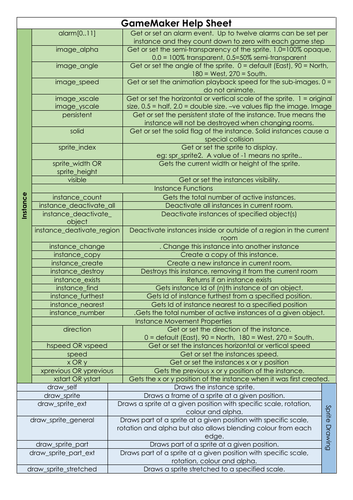
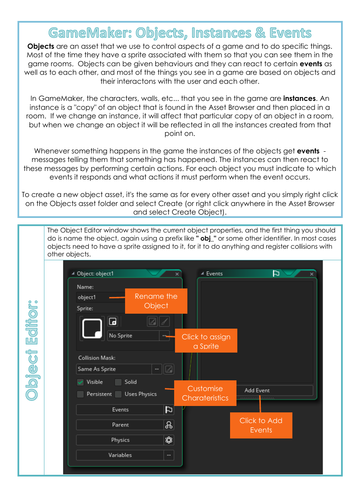
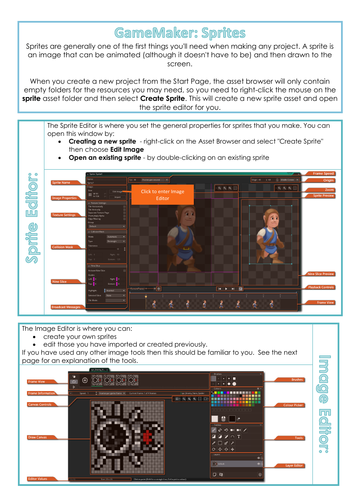
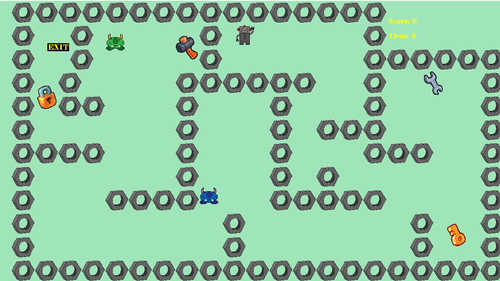

Designed as a walkthrough for a Maze game for the WJEC GCSE Digital Technology NEA using GML. GML helpsheet added as an option for the more able students who may want to improve their game. Other helpsheets for sprite editor and objects. Helpsheets are all PDF format. Main powerpoint has been left editable to be adapted as required.
Walkthrough covers:
- Sprites: modifying/importing/editing/creating
- Objects: creating, visibility, solidity, depth, rotation, scale, parent,
- Events: movement, collision, alarm, step, draw, keyboard, score, lives,
- Global and local variables
- Levels/rooms: settings and sizes
- Backgrounds
- Sounds & music
- Naming conventions
I have designed the PowerPoints with Teacher Demo Slides as a stop point to demonstrate a point. The slides that follow each of these Demo slides is a step by step. Teachers could remove these demo slides and offer the PowerPoint as a step by step for students to follow independently.
Updated: 26/8/2022 -link to game file and contact details
Something went wrong, please try again later.
Great resource, thank you very much. :) The author is also very responsive and helpful with my questions.
Report this resourceto let us know if it violates our terms and conditions.
Our customer service team will review your report and will be in touch.
£3.00