


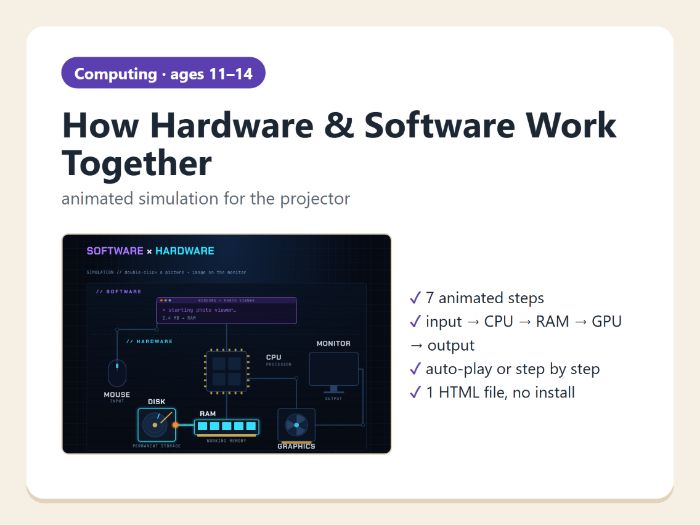

Animated step-by-step simulation for the projector: what happens inside a computer when you double-click a picture – from the mouse click to the image on the monitor. Perfect starter or plenary on hardware, software and input – process – output.
What the simulation shows (7 steps)
- System ready – software (programs) vs hardware (physical parts)
- Input – a double-click with the mouse
- Software → hardware – the program gives the processor an instruction
- Disk → RAM – the file is copied into working memory
- The processor (CPU) calculates
- The graphics card (GPU) draws the image
- Output – the image appears on the monitor
Features
- animated data packets travel between the components
- Next / Back buttons, arrow keys or automatic playback
- short explanation for every step, large text for the projector
- one HTML file – opens in any browser, nothing to install, no account, no data sent anywhere
What is included (ZIP file)
- Teacher guide with suggested questions (PDF)
- Simulation (HTML)
About 5–10 minutes. Suitable for ages 11–14 (KS3 computing).
Designed and classroom-tested by a computing teacher, created with the help of AI tools. All graphics are original.
Something went wrong, please try again later.
This resource hasn't been reviewed yet
To ensure quality for our reviews, only customers who have purchased this resource can review it
Report this resourceto let us know if it violates our terms and conditions.
Our customer service team will review your report and will be in touch.
£1.50