


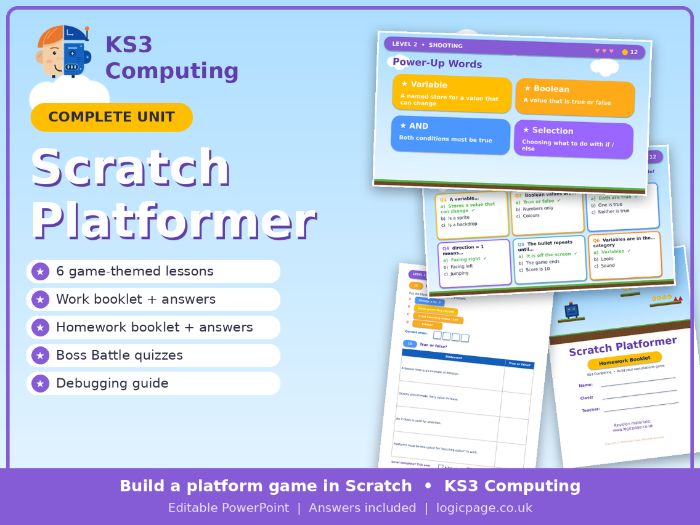
KS3 Computing Scratch unit: students build a platform game over 6 lessons, with work and homework booklets, a debugging guide and full answers.
Students build their own platform game in Scratch, one feature per lesson, learning key programming concepts as they go: sequence, events, iteration, selection, variables, Boolean logic and coordinates. Every lesson is game-themed, so it feels like levelling up a real game.
6 lessons (PowerPoint)
0. Getting Started with Scratch
- Movement and Gravity
- Shooting
- Enemies, Lives and Scoring
- Levels
- Collectables
Every lesson includes
- A “Your Mission” slide with two clear learning objectives
- A Warm-Up retrieval starter with answers
- Power-Up Words: key vocabulary in Scratch block colours
- Step-by-step slides with framed Scratch screenshots and a “Code goes on” label, so students always know which sprite to select
- Concept call-outs (event, iteration, selection, Boolean logic, collision detection, broadcast)
- A bonus challenge for students who finish early
- A Boss Battle quiz with answers, a Save Point reflection, and a Level Up! progress tracker linked to the assessment levels
- Teacher notes on every slide
Work booklet (24 pages, with answers)
Three pages per lesson: learn, practise, then build and debug. Scratch blocks are printed in their real colours. Activities include putting blocks in order, “What does this script do?”, tracing the score and lives variables, true or false, fill the gaps, level and test planning, and “Debug it” questions based on the bugs students really hit. Includes a debugging guide, a glossary and an end-of-unit checklist.
Homework booklet (16 pages, with answers)
Six 20-minute homeworks, mostly with no computer needed: coordinates, algorithms, loops and decisions, variables, designing baddies, planning levels and testing.
Also included
- Code reference handout showing every sprite’s finished code
All artwork is original. No copyrighted game characters are used.
What’s included: 7 PowerPoints, a work booklet and a homework booklet, each with an answer copy.
Want more? This unit pairs with our KS3 Website Design and KS3 HTML and CSS units. Search “Logic Page” on TES or visit www.logicpage.co.uk.
Something went wrong, please try again later.
This resource hasn't been reviewed yet
To ensure quality for our reviews, only customers who have purchased this resource can review it
Report this resourceto let us know if it violates our terms and conditions.
Our customer service team will review your report and will be in touch.
£5.00