








KS3 Excel Modelling Lesson – Business & Profit Challenge (Lesson 5 of 6)
A practical, engaging KS3 Computer Science / ICT lesson where students apply their spreadsheet knowledge to realistic business and modelling scenarios. This lesson moves beyond basic formulas and challenges learners to think logically, analyse data, and design working spreadsheet models.
Perfect for developing confidence with IF statements, formulas, and conditional formatting in meaningful, real-world contexts.
What Students Will DoStudents will:
-
Apply formulas to calculate totals, profit, and costs
-
Use IF functions to model decision-making
-
Apply conditional formatting to highlight key outcomes
-
Build a Penguin Selling Business spreadsheet to calculate profit and totals
-
Extend learning through creative modelling challenges including:
- Cinema seat pricing models
- Airline profit calculations
-
Interpret results and refine their spreadsheet models
The lesson focuses on problem-solving, independence, and logical thinking while reinforcing spreadsheet best practice.
What’s IncludedEditable Student Workbook / Worksheet
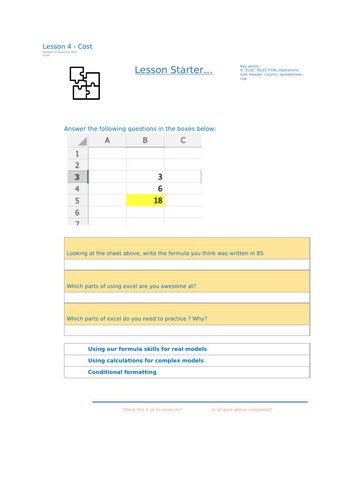
- Clear starter task
- Structured modelling activities
- Step-by-step task progression
- Extension challenges
- Plenary reflection
Linked Excel Files
- Penguins.xlsx
- Cinema.xlsx
- Format.xlsx
These provide ready-made data sets so students can focus on applying formulas and building logic rather than data entry.
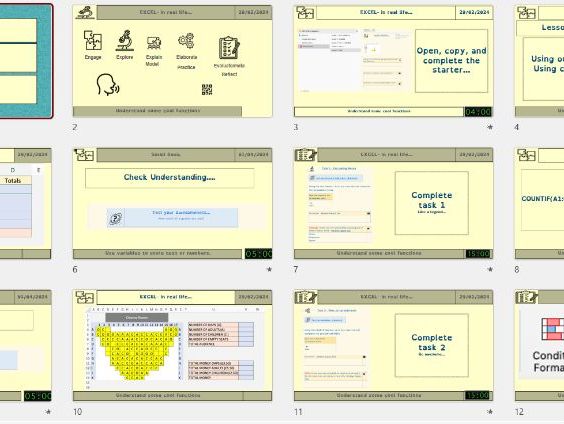
Lesson Structure
- Starter activity
- Core modelling task
- Guided IF function practice
- Conditional formatting challenge
- Extension & creative modelling tasks
- Plenary and reflection
- SUM, subtraction and multiplication formulas
- IF statements for logical outcomes
- Profit and cost modelling
- Conditional formatting rules
- Spreadsheet layout and presentation
- Data-driven decision making
- KS3 Computer Science
- ICT
- Digital Literacy
- Spreadsheet modelling units
- Cover lessons
- End-of-topic consolidation
- Real-world business context increases engagement
- Encourages independent thinking and creativity
- Differentiated challenge built in
- Ready-to-teach with linked Excel files included
- Bridges basic formulas and advanced spreadsheet projects
Builds directly on IF statements and prepares students for:
- Self-marking spreadsheets
- Advanced modelling
- Final project-based spreadsheet challenges
A strong penultimate lesson that deepens spreadsheet confidence and prepares learners for independent application.
Something went wrong, please try again later.
This resource hasn't been reviewed yet
To ensure quality for our reviews, only customers who have purchased this resource can review it
Report this resourceto let us know if it violates our terms and conditions.
Our customer service team will review your report and will be in touch.
£2.50