


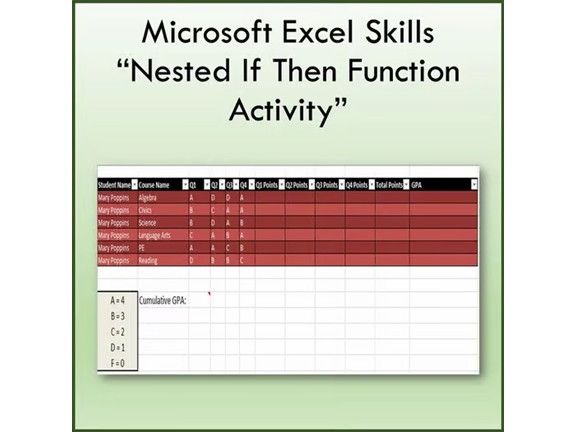



Students use the Insert Function tool to fill in the empty table cells. This lesson will teach you how to insert and edit charts and also teach you the following functions:
If Then
SUM
Average
Nested If
OK, the hardest part about this lesson is understanding If/Then Functions and Nesting more than one If/Then Function inside another If/Then Function.
**Files open in Microsoft Excel and are fully editable if you so choose…
Thanks for visiting my store! Don’t forget to FOLLOW ME for new product announcements, sales, promotions and updates!
-TechCheckLessons
TechCheckLessons is not affiliated with Microsoft Corp.
Product names, logos, brands, and other trademarks featured or referred to within this lesson are the property of their respective trademark holders.
These trademark holders are not affiliated with my store. They do not sponsor or endorse the contents, materials or processes discussed within this lesson.
Terms of Use:
This document is for personal use only and may only be used by the original purchaser. Copying for more than one teacher, classroom, department, school, or school district is prohibited. Additional licenses can be purchased at a discount for others to use in your department. You may not electronically distribute or post this product online where it can be accessed by the public (school INTRANET site that only students can access is fine like Google Classroom, Blackboard or Canvas). Failure to comply is a copyright infringement and a violation of the Digital Millennium Copyright Act (DMCA).
Something went wrong, please try again later.
This resource hasn't been reviewed yet
To ensure quality for our reviews, only customers who have purchased this resource can review it
Report this resourceto let us know if it violates our terms and conditions.
Our customer service team will review your report and will be in touch.
$1.50