


AQA AS Pure Maths past paper questions by topic with full mark schemes + Excel tracker. Specimen + 2018-2023 papers. Perfect for AS Pure revision, lessons & homework in differentiation, integration, trigonometry, quadratics, logs & more.
AQA AS Pure Maths Past Papers + Tracker Bundle
Two essential files for maximum teaching efficiency:
1. PowerPoint (.ppsx – 71 MB)
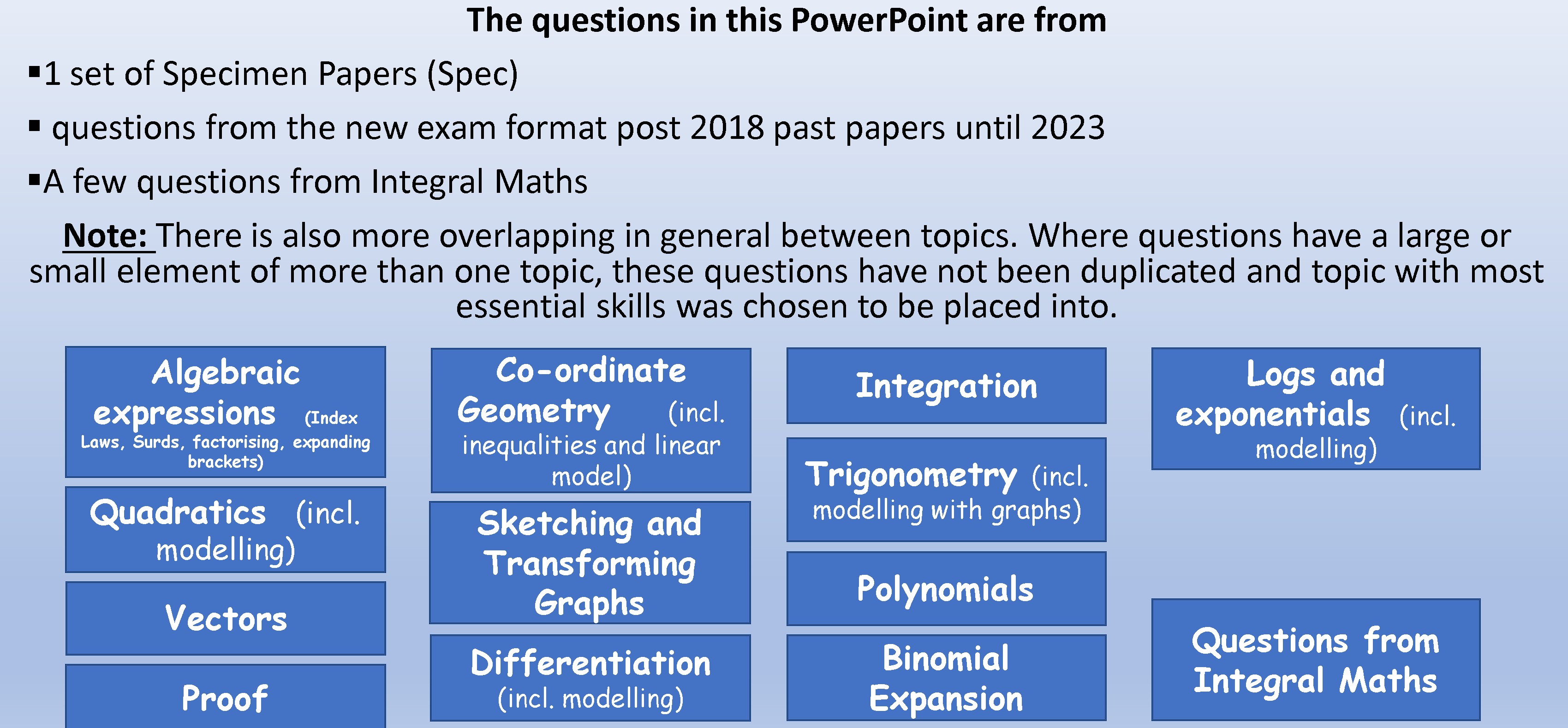
Huge ready-to-use slide deck with hundreds of real AQA AS Pure exam questions neatly organised by topic. Each question is followed immediately by its official mark scheme. Includes clear navigation menu.
2. Excel Tracker (.xlsx)
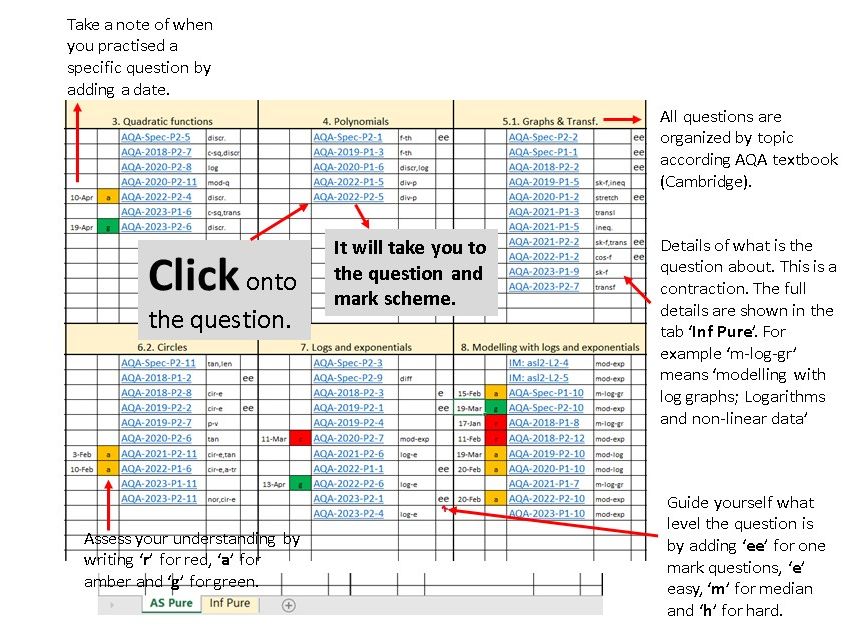
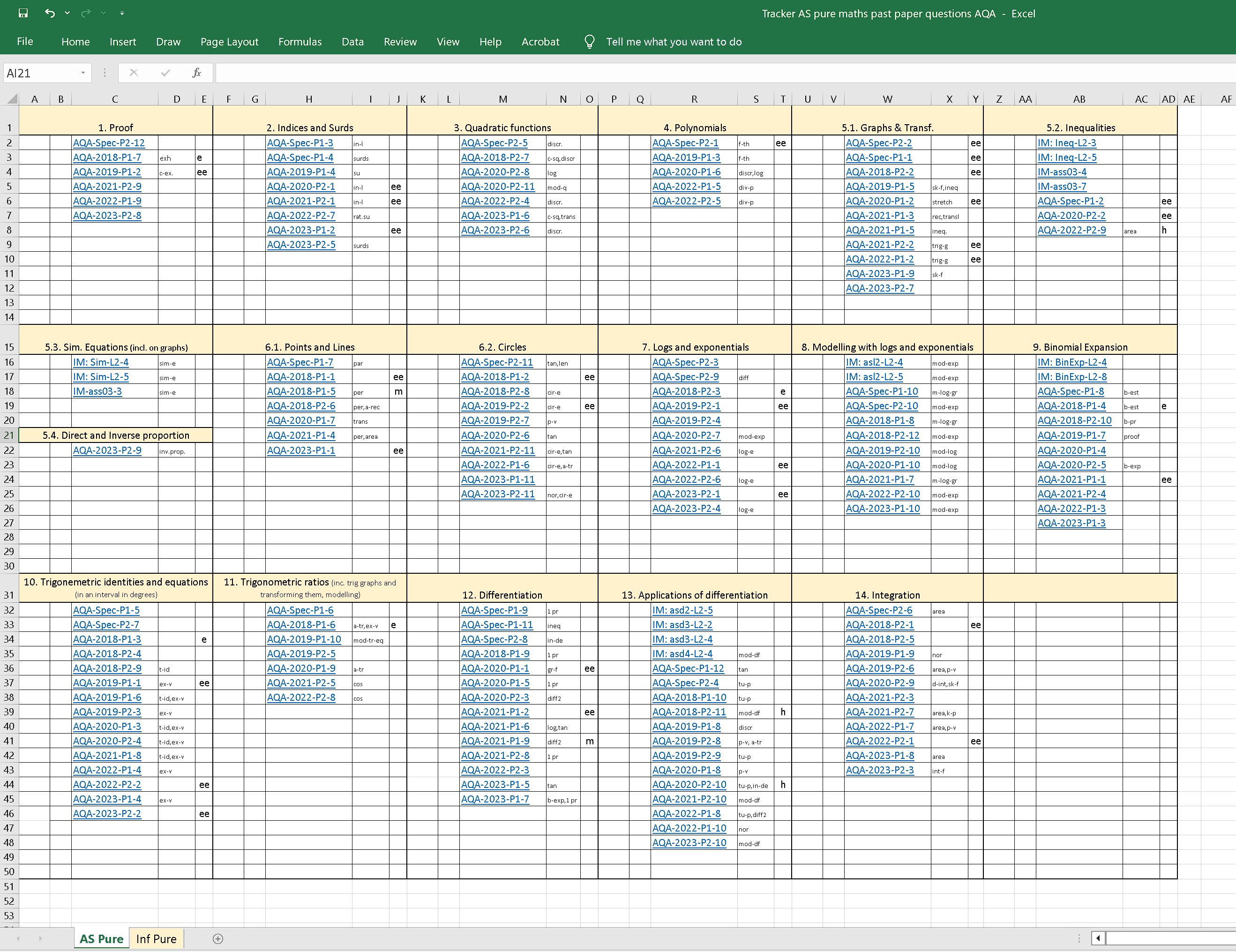
Professional spreadsheet listing every question with exact paper references (Specimen + 2018–2023), topic codes, and a full legend. Makes it easy to locate any question quickly by topic or paper.
Includes:
• All Specimen Papers + 2018, 2019, 2020, 2021, 2022 & 2023 papers (P1 & P2)
• Full official mark schemes for every single question
• Selected high-quality Integral Maths topic test questions
• No duplicated questions – placed under the most relevant topic
Topics covered:
Algebraic expressions (index laws, surds, factorising), Quadratics & modelling, Coordinate Geometry (lines, circles, inequalities), Sketching & Transforming Graphs, Vectors, Proof, Differentiation (first principles & modelling), Integration, Polynomials, Binomial Expansion, Logs & Exponentials (incl. modelling), Trigonometry (ratios, identities, equations & modelling).
Perfect for:
• Topic-based revision lessons
• Homework & independent practice
• Starters, plenaries & mock exams
• Planning and tracking student progress
Ideal for Year 12 teachers and tutors following the AQA AS Mathematics Pure specification (7356).
Format: PowerPoint Show (.ppsx) + Excel Spreadsheet (.xlsx) – both open instantly and ready to use.
Search tags: AQA AS Pure Maths, past paper questions, topic questions with mark schemes, AS Pure revision tracker, AQA AS differentiation integration, trigonometry binomial logs vectors, AS level maths question bank, AQA 7356
Important Notes:
- You must keep the two files together in the same folder. Do not place in different folders, as the links in the Excel file will not work.
- Do not change the name of the PowerPoint file or add or change the places of the slides because the links in the Excel file will not work.
Something went wrong, please try again later.
This resource hasn't been reviewed yet
To ensure quality for our reviews, only customers who have purchased this resource can review it
Report this resourceto let us know if it violates our terms and conditions.
Our customer service team will review your report and will be in touch.
£20.00