




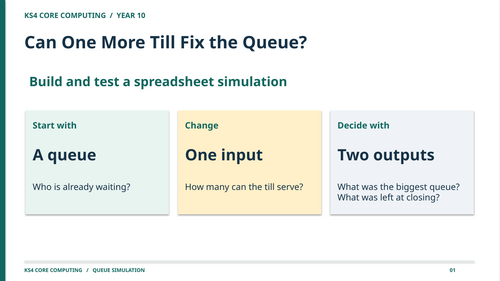


Can one more till fix the queue?
In this 60-minute lesson, pupils build a spreadsheet model to find out. They track how many people arrive, how many the till can serve and how many are still waiting. Then they change the till’s capacity, compare the results and use the evidence to recommend what the venue should do.
Statutory curriculum link: England’s KS4 Computing programme of study requires pupils to develop and apply analytical, problem-solving, design and computational thinking skills. This lesson puts those skills into practice. Pupils turn a real-world process into rules, implement them using spreadsheet formulas, change one input while keeping arrivals fixed, and use the results to justify a decision.
How the lesson works
Designed for KS4, the lesson teaches the queue rules through worked numerical examples before pupils open the spreadsheet. The PowerPoint then models how to read a cell reference, use MIN to work out how many people are served, and carry the remaining queue into the next row.
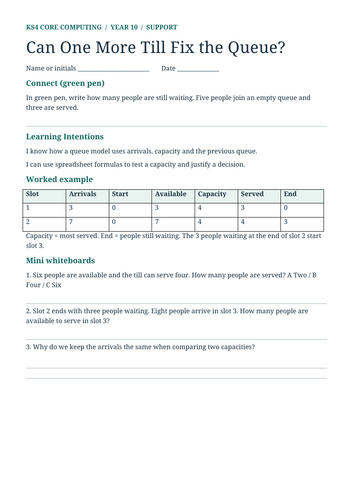
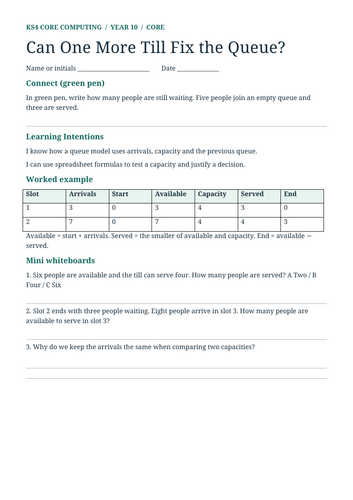
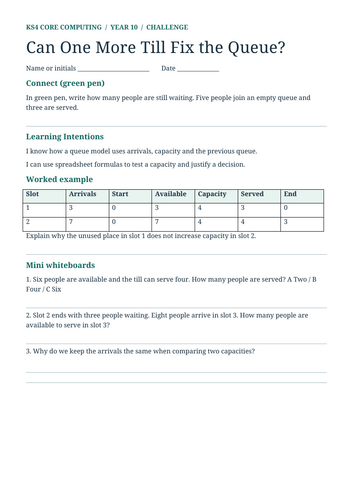
In guided practice, pupils predict what a row should show, build it with the teacher and check the result before filling the formulas down. In the independent assessment, they complete two rows on a fresh dataset, compare two capacities and explain why a venue can finish with an empty queue while still having a problem earlier.
What’s included?
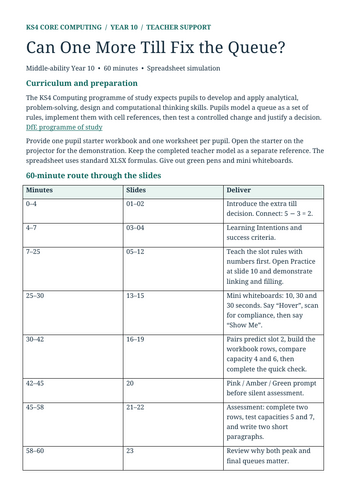
23-slide editable PowerPoint with worked examples, step-by-step formula modelling, three timed mini-whiteboard checks, guided practice and silent independent assessment.
Three editable Word worksheets at Support, Core and Challenge levels. All three follow the same core tasks so you can teach the class together. Support provides formula prompts and sentence starters. Challenge asks pupils to test a third capacity and evaluate the result.
Pupil starter workbook and completed teacher workbook in XLSX format, each with separate Practice and Assessment tabs.
Teacher support sheet with slide-by-slide timings, formula instructions, worked results, model paragraphs and a six-mark assessment guide.
Seven editable files in one ZIP. Open the pupil starter in Excel or another spreadsheet application that supports XLSX formulas. The starter supplies the arrival data and worked rows, so pupils can focus on building, testing and interpreting the model.
Something went wrong, please try again later.
This resource hasn't been reviewed yet
To ensure quality for our reviews, only customers who have purchased this resource can review it
Report this resourceto let us know if it violates our terms and conditions.
Our customer service team will review your report and will be in touch.
£2.50