







An engaging KS3 Computer Science / ICT Excel lesson introducing students to functions and data analysis using SUM, MIN, MAX and COUNTIF.
This lesson builds directly on spreadsheet skills from the previous “Cheating at Maths” lesson, helping learners move from simple formulas to more powerful functions that make spreadsheets dynamic and intelligent.
Students will:
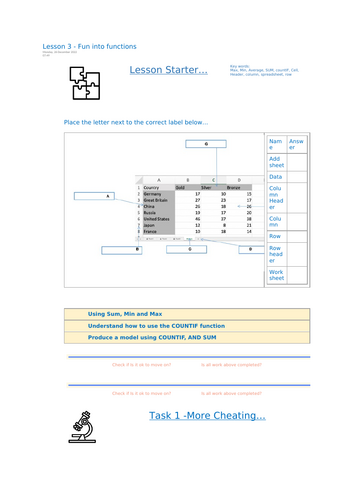
Understand how to use SUM, MIN, MAX, and COUNTIF functions
Apply cell referencing to create efficient spreadsheet models
Learn to automate calculations and analyse data
Use real-world examples (e.g. bus data, averages) to test their understanding
Included in this download:
Editable student worksheet / booklet
Linked Excel activity files (Av.xlsx, Countif.xlsx, Bus.xlsx)
Step-by-step lesson structure with starter, tasks, challenge & plenary
Built-in comprehension and reflection checks
Perfect for KS3 Computer Science, ICT, or Digital Literacy lessons focused on data handling, functions, and modelling.
Designed to build confidence through guided tasks and stretch learners with a progressive challenge section.
Part 3 of the 6-Lesson “Learning Excel” Series – following Lesson 1 (Introduction to Spreadsheets) and Lesson 2 (Cheating at Maths), preparing students for advanced spreadsheet modelling and automation.
Something went wrong, please try again later.
This resource hasn't been reviewed yet
To ensure quality for our reviews, only customers who have purchased this resource can review it
Report this resourceto let us know if it violates our terms and conditions.
Our customer service team will review your report and will be in touch.
£2.50