


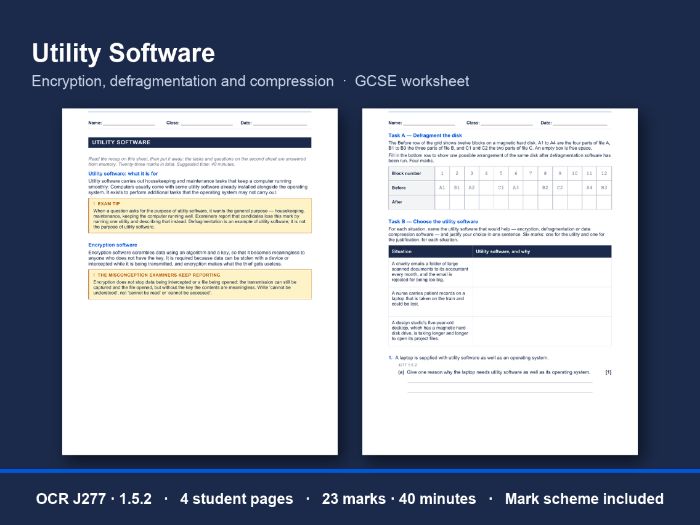
A GCSE worksheet on utility software for OCR J277 1.5.2: encryption, defragmentation and compression, 23 marks in 40 minutes, with a full mark scheme.
Students read a two-page recap, put it away, then answer a task sheet from memory. The recap covers what utility software is for and the three utilities OCR names, with a fragmented disk drawn before and after, and the misconception about encryption that examiners keep reporting.
What’s inside (6 pages, PDF and editable Word)
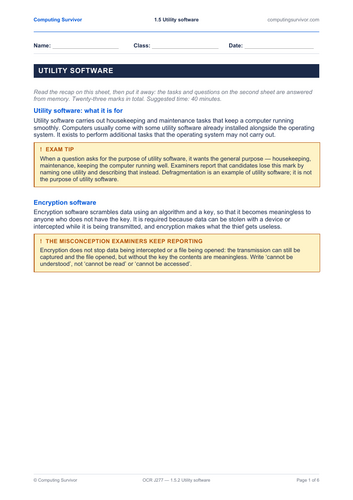
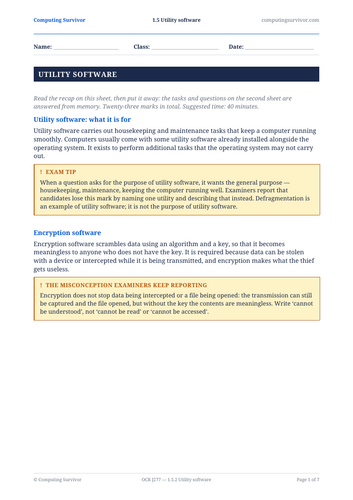
- A recap sheet (pages 1 and 2): what utility software is for, then encryption, defragmentation and data compression software, with two exam tips and the encryption misconception set out.
- A task sheet (pages 3 and 4), answered with the recap put away.
- A full mark scheme (pages 5 and 6), with what to accept and what not to accept. It starts on an odd page, so a double-sided print keeps it off the back of a student sheet.
The tasks
- Defragment the disk: twelve blocks holding three fragmented files. Students fill in one arrangement after defragmentation.
- Choose the utility software: three situations. Name the right utility for each and justify it in one sentence.
- Two exam-style questions: why a laptop needs utility software, how encryption protects a stolen laptop, how files become fragmented, why defragmenting helps, and why photographs are compressed before they are emailed.
Why it works in a real classroom
- Recall, not copying. The recap is on its own sheet, so it can be collected before the tasks start.
- It marks what examiners mark. The scheme rejects naming one utility as the purpose of all of them, and “it stops the data being read” for encryption: examiners report both.
- Editable. The Word version is included, so you can change a name, a number or a scenario to suit your class.
- Nothing to set up. Print, hand out, collect. There is nothing to install and nothing to log in to.
You need: a recap sheet and a task sheet per student, each printed double-sided and not stapled together. Keep pages 5 and 6 back; a cut line marks where the mark scheme starts.
Good for: a lesson on systems software, homework after teaching 1.5.2, a cover lesson, or Year 11 revision before Paper 1.
Made by a practising computing teacher. The answers are written out in full and checked. If you use it, a review helps other teachers find it.
Something went wrong, please try again later.
This resource hasn't been reviewed yet
To ensure quality for our reviews, only customers who have purchased this resource can review it
Report this resourceto let us know if it violates our terms and conditions.
Our customer service team will review your report and will be in touch.
£1.00