


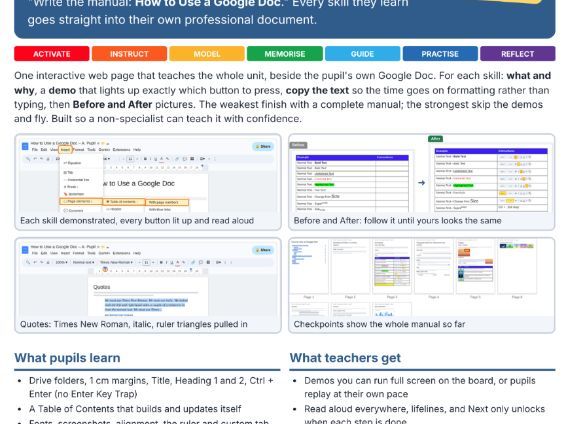

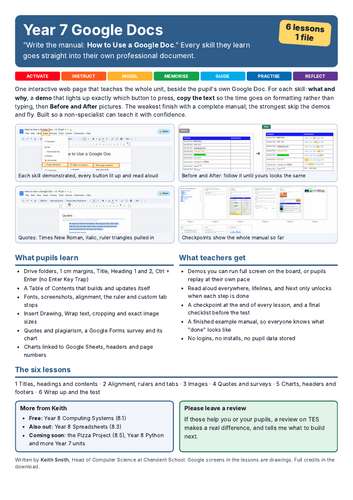
Year 7 pupils write their own manual, How to Use a Google Doc, learning every skill as they go. One interactive page teaches the whole unit beside the pupil’s own Google Doc, so a non-specialist can teach it with confidence.
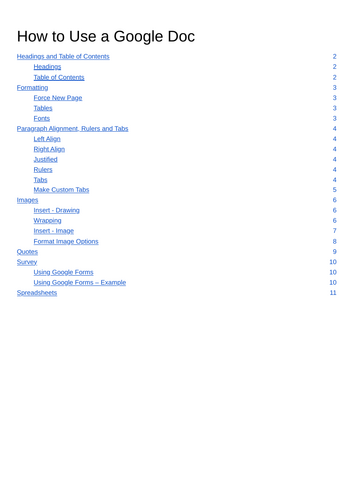
For every skill the page explains what it is and why it matters, then runs a demo that lights up exactly which button to press. Pupils copy the text in, so their time goes on formatting rather than typing. Then they check their work against Before and After pictures. The weakest finish with a complete, professional manual. The strongest skip the demos and fly.
The six lessons:
Titles, headings and a contents page
Alignment, the ruler and tab stops
Images
Quotes and surveys
Charts, headers and footers
Wrap up and the test
What pupils learn:
Google Drive folders, 1 cm margins, Title, Heading 1 and Heading 2
Page breaks with Ctrl + Enter instead of pressing Enter over and over
A Table of Contents that builds and updates itself
Fonts, screenshots, superscript and subscript, alignment, the ruler and custom tab stops
Insert Drawing, wrap text, cropping and exact image sizes
Quotes and plagiarism, a Google Forms survey and its chart
Charts linked to Google Sheets, headers and page numbers
What teachers get:
Demos you can run full screen on the board, or pupils can replay at their own pace
Read aloud everywhere, lifelines, and Next only unlocks when each step is done
A checkpoint at the end of every lesson, and a final checklist before the test
A finished example manual, so everyone knows what “done” looks like
Teacher Instructions and IT Instructions
Built for real classrooms:
No logins, no installs and no pupil data stored. Pupils work in their own Google Doc.
Works on shared computers. It is a single HTML file that opens in Chrome.
SEND is never a barrier: read aloud, voice typing, lifelines and prompts.
The Google screens in the lesson are drawings, so they work even when your school blocks things.
These lessons are not better than a good teacher. But they are better than no teacher.
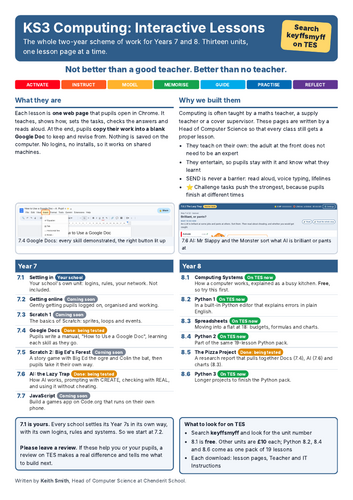
More from keyffsmyff: 8.1 Computing Systems (free), 8.3 Spreadsheets, 8.5 The Pizza Project (which uses these Google Docs skills), and Year 8 Python (19 lessons).
Written by Keith Smith, Head of Computer Science at Chenderit School. If it helps you, please leave a review.
Something went wrong, please try again later.
This resource hasn't been reviewed yet
To ensure quality for our reviews, only customers who have purchased this resource can review it
Report this resourceto let us know if it violates our terms and conditions.
Our customer service team will review your report and will be in touch.
£10.00