





Record an observation. See weekly progress. Bring a clear report to the next IEP meeting.
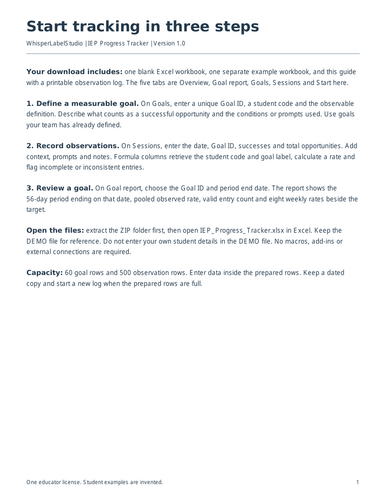
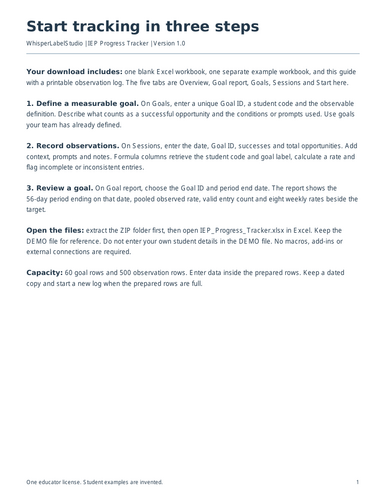
This Excel workbook is for special education teachers tracking goals measured as successful opportunities out of total opportunities. Enter the goal once, log observations, then choose a goal to see an eight-week report.
INCLUDED
• Blank Excel workbook: 60 goal rows and 500 observation rows.
• Separate demo workbook with fictional data, so you can see a completed example.
• Four-page quick-start guide with a printable observation log.
• One educator license.
HOW IT WORKS
-
Add the Goal ID, student code and the success criteria agreed by your team.
-
Enter the date, successes, opportunities and observation notes.
-
Choose the goal and report end date. Review weekly rates, the pooled rate and the target.
The workbook flags incomplete or inconsistent entries and excludes them from rates. Zero successes is valid when opportunities occurred. Weeks without valid observations stay blank.
FORMAT
Instant ZIP download with .xlsx files for Excel and a PDF guide. No macros, add-ins or external connections. Google Sheets behavior has not been verified. This tracker measures success/opportunity rates; it does not track duration, raw frequency or rating scales.
Use student codes and school-approved storage. A percentage alone does not establish mastery. One educator may adapt the workbook for their own students. Do not redistribute or resell the template. Digital product; no physical item. Created with AI assistance.
Something went wrong, please try again later.
This resource hasn't been reviewed yet
To ensure quality for our reviews, only customers who have purchased this resource can review it
Report this resourceto let us know if it violates our terms and conditions.
Our customer service team will review your report and will be in touch.
$6.90