




KS3 Computer Science – Subroutines, IF/ELSE & Calculator Builder in Small Basic (2026 Updated) | FREE Online Compiler | Dyslexia-Friendly
A fully resourced, dyslexia-friendly KS3 Computer Science lesson introducing Subroutines (Sub…EndSub), branching with IF/ELSE, and creating a fully functional calculator program.
Includes a complete PowerPoint, structured worksheet, worked examples and challenge tasks — all designed for use with the FREE online Small Basic compiler, meaning zero installation issues and full compatibility with school devices.
Designed with dyslexia-friendly formatting: pastel colour schemes, readable fonts, reduced text density and high-contrast code samples to support accessibility.
Students learn:
- How subroutines work and why programmers use them
- How Sub and EndSub create reusable blocks of code
- How to call subroutines in the correct order
- How IF/ELSE statements control program decisions
- How to build structured programs such as calculators and mini-games
Practical coding tasks:
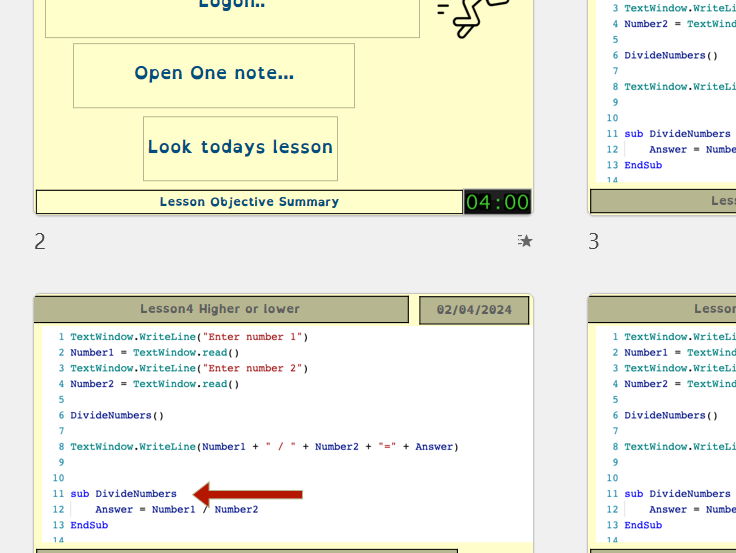
- Analyse example code to understand execution flow
- Complete a partially written calculator by creating AddNumbers(), SubtractNumbers() and MultiplyNumbers()
- Use IF/ELSE logic to choose which subroutine runs
- Integrate user input to customise calculations
- Extend the calculator with divide functionality and improved structure
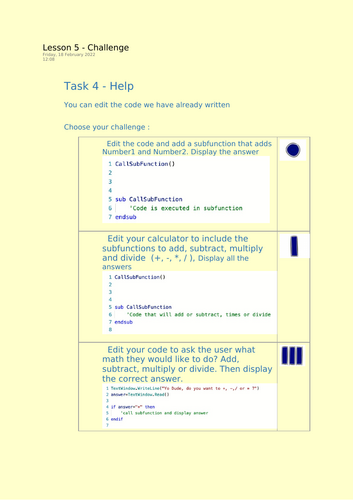
Challenge activities:
- Add subroutines that collect Number1 and Number2 directly from the user
- Create a command-driven calculator where the user selects add, subtract, multiply or divide
- Wrap the entire calculator in a WHILE loop so it repeats until the user types EXIT
- Build a maths game where random numbers are generated and the user must answer correctly to continue
Assessment and evidence:
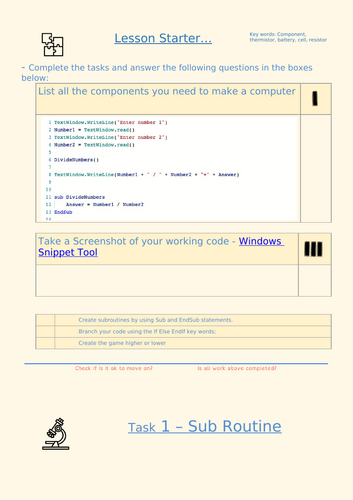
- Screenshot prompts using the Windows Snipping Tool (or equivalent)
- Written explanation boxes to check understanding of subroutines and branching
- Debugging and code-building tasks to demonstrate mastery
Lesson objectives:
- Create and call subroutines confidently
- Use IF/ELSE statements to control program flow
- Develop a working calculator using structured programming
- Apply logic, randomness and loops to create simple interactive programs
Perfect for:
- KS3 Computing
- Coding clubs and enrichment
- Introduction to structured programming
- Preparation for Python functions and selection
Classroom-ready, accessible and confidence-building — this lesson helps students think like real programmers while mastering structured code design.
Something went wrong, please try again later.
This resource hasn't been reviewed yet
To ensure quality for our reviews, only customers who have purchased this resource can review it
Report this resourceto let us know if it violates our terms and conditions.
Our customer service team will review your report and will be in touch.
£2.99