Digital Functional Skills - Level One - Module 1 - 1.1-1.9 - BUNDLE
These resources have been created for those delivering the Digital Functional Skills Qualification at Level 1, which replaces the current Functional Skills ICT Qualification.
The DFS qualification’s main purpose is to provide reliable evidence of a learner’s achievements against content that is relevant to the workplace and real life.
These resources provide a structured assessment in workbook form to evidence learner knowledge and skills, as well as their ability to apply these in different contexts and demonstrate that all learning outcomes have been met.
The qualification itself is made up of five main skill areas (Modules), each with its own series of units.
The unit workbooks include various challenges, activities and tasks to prove learners’ understanding. Each page has a header that includes the individual outcomes covered and can be assessed easily and signed off.
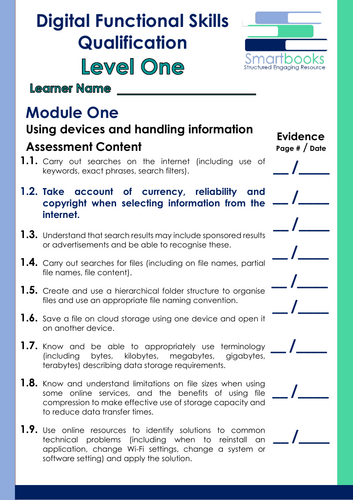
This Bundle of resources include **all 9 units** for **Module 1 – Using Devices and Handling Information**.
They are broken down as follows:
**Unit 1.1 – Carry out searches on the internet (including use of keywords, exact phrases, search filters)**
This resource includes:
Task 1 – Learners take on the role of an environmental journalist. They must carry out research into the effects of climate change on sea levels using three different keyword combinations. Results are discussed in small groups to evaluate which combinations were most effective and why.
Task 2 – Learners search for specific exact phrases using quotation marks and record the URLs of matching web pages. The task helps improve the accuracy and speed of online searches.
Task 3 – A tutorial section introduces three key search filters: by date, file type, and website domain. Learners then complete a practical filter search task requiring them to apply each technique to locate trustworthy and up-to-date information online.
Task 4 – In a real-world scenario, learners support a friend applying for college by searching for information, downloadable resources, and official websites to answer a set of queries using the most appropriate search method.
Task 5 – A fast-paced search challenge featuring 18 diverse questions. Learners decide which search strategy to use for each, combining all three techniques (keywords, exact phrases, filters) to find accurate and reliable answers quickly.
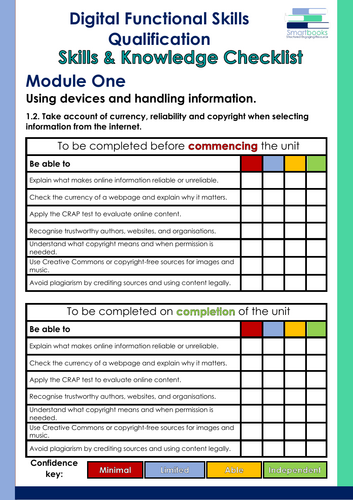
Also included is a Glossary for learners to fill out and a Skills and Knowledge checklist to be completed before and after delivery of this unit. Guided Tutor Answers for relevant tasks are also included.
**Unit 1.2 – Take account of currency, reliability and copyright when selecting information from the internet
**
This resource includes:
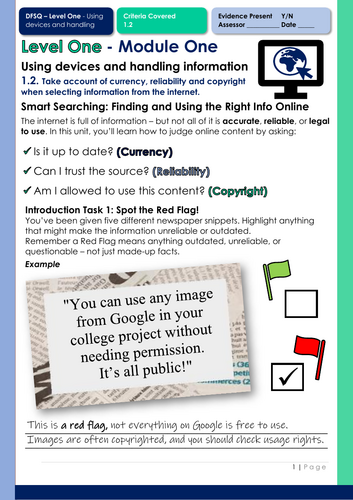
Task 1 – Learners are introduced to key vocabulary and concepts such as ‘reliable source’, ‘copyright’, and ‘currency of information’. They then complete a guided matching activity to build their confidence with key definitions.
Task 2 – Learners analyse a series of online articles and websites using a simple evaluation framework (the CRAP Test). They rate each one based on currency, reliability, accuracy, and purpose, and justify their scores.
Task 3 – A research-based activity where learners compare two websites that offer different advice on the same topic. They evaluate the credibility of each site based on authorship, tone, and date of publication.
Task 4 – Learners explore copyright and fair use. Through a mix of scenarios, they decide when permission is needed, what content can be used freely, and how to avoid plagiarism in practical situations.
Task 5 – A multiple-choice recap quiz covering key terms, copyright, and reliability. This task helps learners reinforce their understanding, check progress, and apply knowledge in a quick, confidence-building format.
Also included is a Glossary for learners to complete and a Skills and Knowledge Checklist to be filled in before and after delivery of this unit.
Guided Tutor Answers for relevant tasks are also included.
**Unit 1.3 – Understand that search results may include sponsored results or advertisements and be able to recognise these
**
This resource includes:
Task 1 – Learners are introduced to the difference between sponsored and organic results through a guided example. They complete a matching activity to identify and reinforce the key terms.
Task 2 – A practical “spot the ads” activity where learners examine a set of trainer search results. They must distinguish paid adverts from organic results and reflect on why adverts appear.
Task 3 – A whole-class interactive “True or False” game. Learners test their understanding of how ads work, how search engines benefit, and how adverts are displayed, using tutor-led statement cards.
Task 4 – Learners explore real-world scenarios (e.g., choosing a smartphone, revision website, or takeaway) and evaluate search results for trustworthiness, reliability, and bias. They record and justify their reasoning.
Task 5 – A final challenge where learners carry out their own online search, screenshot results, identify adverts vs. reliable sources, and present their findings in a short presentation.
This is followed by a multiple-choice recap quiz.
Also included is a Glossary for learners to complete and a Skills and Knowledge Checklist to be filled in before and after delivery of this unit.
Guided Tutor Answers for relevant tasks are also included.
**Unit 1.4 – Carry out searches for files (including on file names, partial file names, file content)
**
**This resource includes:**
Task 1 – Learners explore the difference between suitable and unsuitable file names through a guided activity. They evaluate examples and discuss why good naming conventions make searching easier.
Task 2 – Learners rewrite poorly named files using clear and consistent naming conventions. They practise applying rules to improve organisation and retrieval.
Task 3 – A workbook-based file search challenge. Learners are presented with screenshots of different folders containing 15–20 files each. Using a challenge sheet, they must identify which folder contains the correct file, write the keywords they would use in the search bar, and record the file name.
Task 4 – A digital practice activity where learners apply their skills on a real device. They create a new folder, search for a set of sample files provided by the tutor (Link for OneDrive files included in Workbook), and move them into their “Task 4 – Located Files Complete” folder. This reinforces searching, organising, and folder management in a practical way.
Task 5 – A final multiple-choice recap quiz covering key knowledge and skills from the unit.
Also included is a Glossary for learners to complete and a Skills and Knowledge Checklist to be filled in before and after delivery of this unit.
Guided Tutor Answers for relevant tasks are also included.
**Unit 1.5 – Create and use a hierarchical folder structure to organise files and use an appropriate file naming convention**
**
This resource includes:**
Task 1 – A guided activity where learners compare digital folder structures to the structure of a tree. They identify main folders, subfolders, and files, then label a diagram to reinforce understanding.
Task 2 – A workbook-based scenario (“Danny’s Dilemma”) where learners reorganise a messy desktop by creating three main folders and suitable subfolders. They then arrange files into the correct places to show how a structured system improves organisation.
Task 3 – A device-based activity (“Sam’s Stuff”) where learners tidy up a single disorganised folder. They create three main folders and subfolders, move files appropriately, and provide a screenshot as evidence of their new structure. (A link to files for this Task is included)
Task 4 – A practical “Folder Mix Up” challenge. Learners identify intruder files (saved in the wrong folders) and correct them by moving each one to its proper location. This reinforces accuracy and attention to detail. (A link to files for this Task is included)
Task 5 – A final multiple-choice recap quiz covering key knowledge and skills from the unit.
Also included is a Glossary for learners to complete and a Skills and Knowledge Checklist to be filled in before and after delivery of this unit.
Guided Tutor Answers for relevant tasks are also included.
**
**Unit 1.6 – Save a file on cloud storage using one device and open it on another device.**
This resource includes:
Task 1 – A pros and cons matching activity where learners compare storage options (USB sticks, external/internal hard drives, and cloud services) to understand their advantages and disadvantages.
Task 2 – A step-by-step tutorial challenge where learners identify the correct instructions for saving a file to Microsoft OneDrive by choosing between accurate and misleading options.
Task 3 – Two real-life style scenarios (Liam and Maya) where learners answer questions to compare the risks of physical storage with the reliability of cloud storage.
Task 4 – A device-based practical task where learners create a short document, save it to OneDrive, and then access it from another device, providing screenshots as evidence of their skills.
Task 5 – A multiple-choice recap quiz covering the key knowledge and skills developed throughout the unit.
Also included is a Glossary for learners to complete and a Skills and Knowledge Checklist to be filled in before and after delivery of this unit.
Guided Tutor Answers for relevant tasks are also included.
**Unit 1.7. Know and be able to appropriately use terminology (including bytes, kilobytes, megabytes, gigabytes, terabytes) describing data storage requirements.**
This resource includes:
Task 1 – A matching activity where learners connect storage units (Bytes, Kilobytes, Megabytes, Gigabytes, Terabytes) with their abbreviations and descriptions.
Task 2 – A real-world scenario activity where learners fill in gaps in student conversations to apply storage terminology in everyday digital contexts.
Task 3 – A workbook-based task where learners match example file names, extensions, and sizes in a table, before adding the correct file type.
Task 4 – A device-based practical task where learners check the properties of 6 provided files to record file name, extension, type, and size, developing confidence in managing real files.
Task 5 – A 9-question multiple-choice recap quiz that checks knowledge and understanding of storage units, file extensions, and practical applications.
Also included is a Glossary for learners to complete and a Skills and Knowledge Checklist to be filled in before and after delivery of this unit.
Guided Tutor Answers for relevant tasks are also included.
**Unit 1.8 – Know and understand limitations on file sizes when using some online services, and the benefits of using file compression to make effective use of storage capacity and to reduce data transfer times.**
This resource includes:
Task 1 – A ranking activity where learners order different online services (e.g. Gmail, Outlook, WhatsApp, Google Drive, OneDrive, Dropbox) by their file size or storage limits, developing awareness of restrictions when sharing files.
Task 2 – A real-world case study where a student named Paul tries to email a video that is too large. Learners explore the problem, suggest possible solutions, and reflect on how to share files effectively when size limits are reached.
Task 3 – A workbook-based practical task where learners compress images inside a Word/Docs file, record file sizes before and after, and reflect on the impact of large images in documents.
Task 4 – A hands-on device activity using a “Sports Day” folder. Learners create a zipped folder, compare original and compressed sizes, and discuss the broader benefits of ZIP files beyond reducing space (e.g. organisation, faster transfers, backups).
Task 5 – A flashcard quiz game where learners revise all key points from the unit, testing their knowledge of file size limits, compression, and the real-world advantages of using ZIP files.
Also included is a Glossary for learners to complete and a Skills and Knowledge Checklist to be filled in before and after delivery of this unit.
Guided Tutor Answers for relevant tasks are also included.
**Unit 1.9. Use online resources to identify solutions to common technical problems (including when to reinstall an application, change Wi-Fi settings, change a system or software setting) and apply the solution.**
This resource includes:
Task 1 – Searching for Solutions
Learners are introduced to five everyday technical problems and practise writing effective search queries using clear keywords to find possible solutions online.
Task 2 – Safe or Poor Advice
A realistic help-request scenario where learners identify which pieces of advice are safe and which are unreliable, developing their ability to assess online information.
Task 3 – Finding the Most Helpful Advice
Learners take on a short scenario where a student named Cassie needs help fixing her Wi-Fi connection. They visit several real websites, compare the advice offered, take a screenshot of the most helpful information, and explain why they would recommend that source.
Task 4 – Finding Your Own Reliable Source
A practical activity using “Tech Problem” and “Solution” cards. Learners independently research their allocated issue, record their solution, and then participate in reinforcement games such as Mix and Match or Memory Match.
Task 5 – Quick Recap Quiz
A nine-question multiple-choice quiz that checks learners’ understanding of safe searching, reliable sources, and troubleshooting common digital problems.
Also included is a Glossary for learners to complete and a Skills and Knowledge Checklist to be filled in before and after delivery of this unit.
Guided Tutor Answers for relevant tasks are also included.
All resources in this bundle are in a PDF file format.
Word versions are available upon purchase, please message me directly for these at SmartbooksEd@outlook.com.