



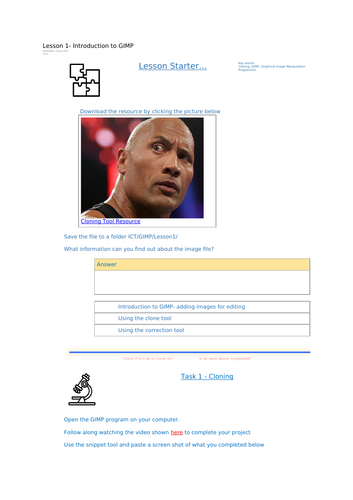




This complete lesson introduces students to GIMP (GNU Image Manipulation Program) and guides them step by step through using two essential image-editing features: the Clone Tool and the Healing Tool.
The lesson includes:
Starter activity – prompts students to explore and discuss what they can find out about image files.
Key vocabulary – ensures students understand terms such as Cloning and Healing.
Video tutorials – clear, teacher-made walkthroughs showing how to use the clone and healing tools in GIMP.
Guided tasks – pupils open GIMP, download sample resources, and follow the video demonstrations to practise cloning and healing.
Checkpoints – “Is it ok to move on?” moments for pupils to self-assess and confirm they’ve completed each stage.
Challenge activities – creative extension tasks that encourage experimentation, such as editing a celebrity photo, cloning landscapes, or making funny modifications with stubble and selfies.
Screenshots & reflection questions – students evidence their work by capturing what they’ve done and explaining the purpose of each new tool.
By the end of the lesson, students will:
✔ Know how to open and edit images in GIMP
✔ Be able to use the clone tool to copy and replicate areas of an image
✔ Be able to use the healing tool to remove or correct parts of an image
✔ Apply both tools creatively to solve image-editing challenges
Perfect for:
KS3 ICT / Computer Science / Creative iMedia
A practical, hands-on introduction to photo editing
Building digital creativity skills with free, open-source software
Includes teacher guidance, student worksheet, video demonstrations, and extension challenges.
Something went wrong, please try again later.
This resource hasn't been reviewed yet
To ensure quality for our reviews, only customers who have purchased this resource can review it
Report this resourceto let us know if it violates our terms and conditions.
Our customer service team will review your report and will be in touch.
£2.50