




GCSE Computer Science – Data Compression (Lossy & Lossless)
OCR J277 | KS4 | Fully Editable Lesson | Exam-Focused
A clear, engaging lesson introducing students to data compression in computer systems.
Learners explore why compression is needed, how different methods work, and how file size, quality and transmission time are affected.
Designed for OCR GCSE Computer Science (J277 – Data Representation) and fully compatible with AQA and Edexcel specifications.
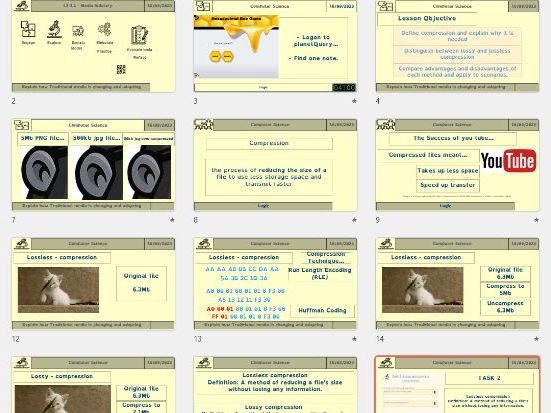
Lesson ObjectivesStudents will:
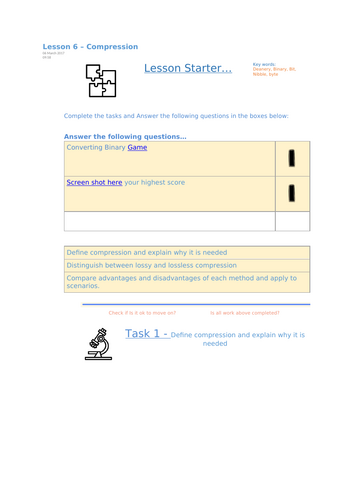
- Define compression and explain why it is needed
- Distinguish between lossy and lossless compression
- Compare advantages and disadvantages of each method
- Apply compression methods to real-world scenarios
This lesson develops a secure understanding of:
- Why large files create storage and bandwidth problems
- How compression reduces file size
- The difference between lossy and lossless techniques
- The impact of compression on image, sound and text files
Students explore practical examples including:
- Run Length Encoding (RLE)
- Perceptual compression (used in audio and image files)
- Real-world file formats and their uses
The lesson includes structured practice, application tasks, and exam-style questioning to build confidence for GCSE assessment.
What’s Included- Editable PowerPoint (clear explanations, diagrams and worked examples)
- Student worksheet / activity booklet
- Practical scenario tasks comparing lossy vs lossless uses
- Mix-and-match task on RLE and perceptual compression
- Multiple-choice quiz for quick assessment
- Teacher answer sheet for all activities
All resources are fully editable and ready to teach.
Learning OutcomesBy the end of the lesson, students will be able to:
- Explain why compression reduces storage requirements and transmission time
- Describe how lossy and lossless compression work
- Evaluate the advantages and disadvantages of each method
- Select the appropriate compression type for different situations
Students analyse and classify common formats, including:
- JPG
- PNG
- GIF
- MP3
- WAV
- ZIP
- TXT
- BMP
They discuss which use lossy or lossless compression and why.
Suitable For- OCR GCSE Computer Science (J277 – Data Representation)
- AQA GCSE Computer Science
- Edexcel GCSE Computer Science
- KS4 revision sessions
- Cover lessons
- Mixed-ability classes
Category: Secondary → Computer Science → GCSE → Data Representation
Tags: Data Compression, Lossy Compression, Lossless Compression, OCR J277, RLE, Perceptual Compression, GCSE Computer Science, Data Representation, KS4 Computing
Something went wrong, please try again later.
This resource hasn't been reviewed yet
To ensure quality for our reviews, only customers who have purchased this resource can review it
Report this resourceto let us know if it violates our terms and conditions.
Our customer service team will review your report and will be in touch.
£2.99