



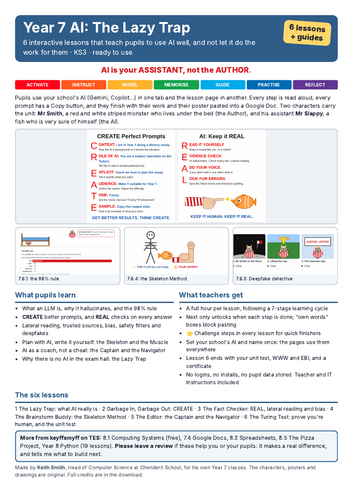
Year 7 pupils learn to use AI well: what it really is, how to ask it better (CREATE), how to check what it says (REAL), and how to use it without falling into the Lazy Trap of letting it do the work. Six interactive lesson pages, built so a non-specialist can teach the unit with confidence.
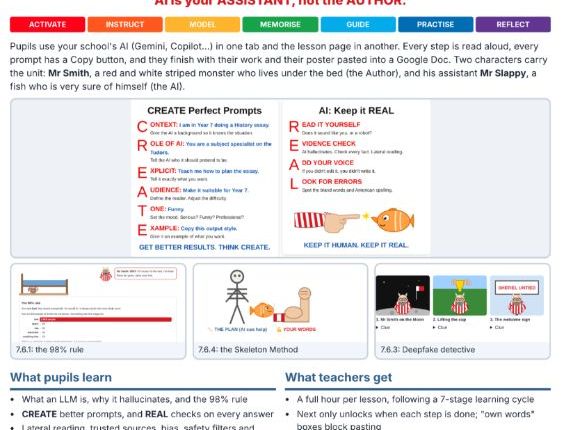
Pupils use your school’s AI (Gemini, Copilot or whichever you allow) in one tab and the lesson page in another. Every prompt has a Copy button, every step can be read aloud, and each lesson ends with their work and their poster pasted into their own Google Doc.
Two characters carry the unit: Mr Smith, a red and white striped monster who lives under the bed (the Author), and his assistant Mr Slappy, a fish who is very sure of himself (the AI). AI is your Assistant, not the Author.
The six lessons:
The Lazy Trap: what an LLM is, hallucinations (meet Professor Jargon McFluff), the 98% rule, and what AI is brilliant or pants at
Garbage In, Garbage Out: the CREATE formula, Prompt Golf, Pilot and Co-Pilot, and why there is no AI in the exam hall
The Fact Checker: lateral reading, trusted sources, bias, safety filters, deepfakes and the social media highlight reel
The Brainstorm Buddy: the Skeleton Method. AI helps you plan, you write the muscle in your own voice
The Editor: you are the Captain, AI is the Navigator. Find your own mistakes, use AI as a coach, not a cheat
The Turing Test: prove you are human, then your unit test, What Went Well and Even Better If, and a certificate
What is in it:
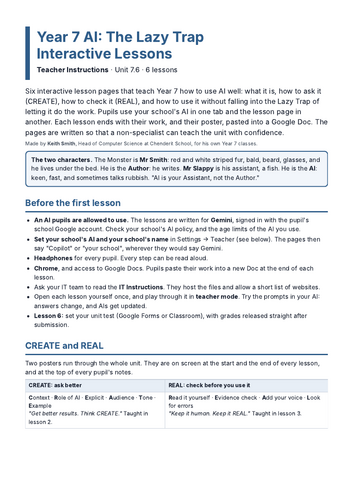
CREATE and REAL posters at the start and end of every lesson, and at the top of every pupil’s notes
Copy buttons for every prompt, so the time goes on thinking, not typing
Answer boxes that block pasting where pupils must use their own words, and spot when writing “could have been written by a robot”
Next only unlocks when each step is done
A Challenge step in every lesson to stretch the fastest
Set your school’s AI and your school’s name once: the pages use them everywhere
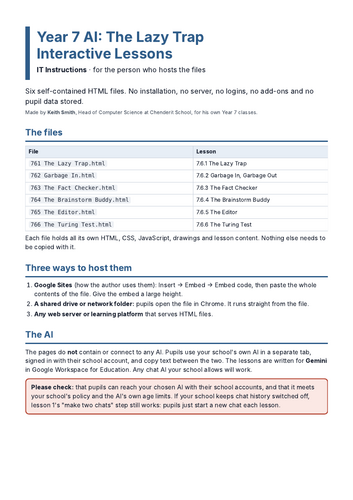
Teacher Instructions and IT Instructions included
Built for real classrooms:
No logins, no installs and no pupil data stored. The pages contain no AI themselves.
Works on shared computers. Each lesson is a single HTML file that opens in Chrome.
SEND is never a barrier: read aloud, voice typing, lifelines and prompts.
If the AI behaves differently on the day, the lesson shows what it said when Mr Smith tried it, so the lesson still works.
These lessons are not better than a good teacher. But they are better than no teacher.
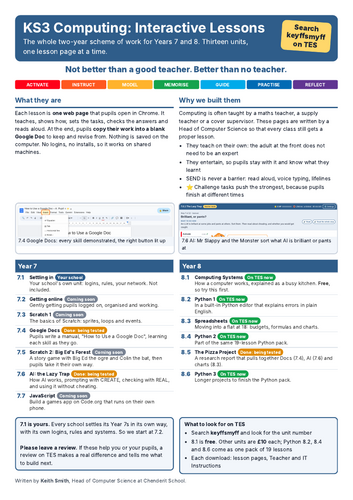
More from keyffsmyff: 8.1 Computing Systems (free), 7.4 Google Docs, 8.3 Spreadsheets, 8.5 The Pizza Project, and Year 8 Python (19 lessons).
Written by Keith Smith, Head of Computer Science at Chenderit School. If it helps you, please leave a review.
Something went wrong, please try again later.
This resource hasn't been reviewed yet
To ensure quality for our reviews, only customers who have purchased this resource can review it
Report this resourceto let us know if it violates our terms and conditions.
Our customer service team will review your report and will be in touch.
£10.00