


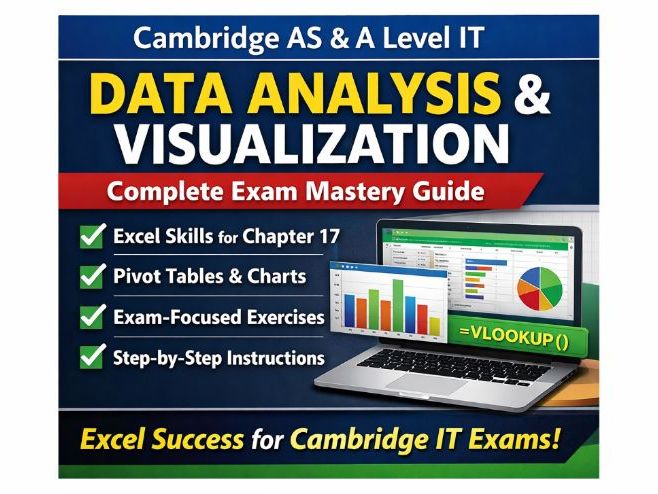

Cambridge AS & A Level IT – Data Analysis & Visualization (Complete Exam Mastery Guide)
Struggling to get students confident with Excel for the Cambridge IT practical exam? This all-in-one, exam-focused study guide is designed to take them from basic skills to top-grade performance.
Built specifically around Chapter 17 (Data Analysis & Visualization), this resource gives students everything they need to clean, transform, analyse, and present data exactly as examiners expect.
Why This Resource Stands Out
Exam-Focused & Student-Friendly
Every section is written with Cambridge exam requirements in mind, breaking down complex tasks into clear, step-by-step instructions.
Real Exam Skills (Not Just Theory)
Students don’t just learn what to do — they learn how to do it efficiently under exam conditions.
Complete Workbook + Revision Tool in One
No need for multiple resources — this guide covers teaching, practice, and revision all in one place.
What Students Will Master
- Data cleaning techniques (duplicates, missing data, formatting)
- Essential Excel functions (TRIM, LEFT, RIGHT, MID, FIND, CONCATENATE, TEXTJOIN)
- VLOOKUP and data consolidation (a key exam skill)
- Splitting and merging data effectively
- Creating powerful Pivot Tables for analysis
- Designing Pivot Charts to communicate insights clearly
- Packed with Practice That Actually Works
This isn’t just notes — it includes fully guided, exam-style exercises using realistic datasets:
- Sales data analysis (complete workflow)
- Student performance tracking
- Multi-store inventory management
- Customer database handling
- Dashboard creation tasks
- Perfect for building confidence, speed, and accuracy.
- Designed for Maximum Exam Impact
- Key formula reference sheet for quick revision
- Common mistakes students must avoid
- Step-by-step exam strategies
- Time management guidance
- Troubleshooting for common Excel errors
Perfect For:
- Cambridge AS & A Level IT teachers
- Students preparing for practical exams
- Revision lessons, homework, or intervention sessions
- Cover lessons or independent learning
- Save Hours of Planning
This is a ready-to-use, no-prep resource that allows you to:
- Teach more efficiently
- Revise more effectively
- Improve student outcomes
Something went wrong, please try again later.
This resource hasn't been reviewed yet
To ensure quality for our reviews, only customers who have purchased this resource can review it
Report this resourceto let us know if it violates our terms and conditions.
Our customer service team will review your report and will be in touch.
£10.00