


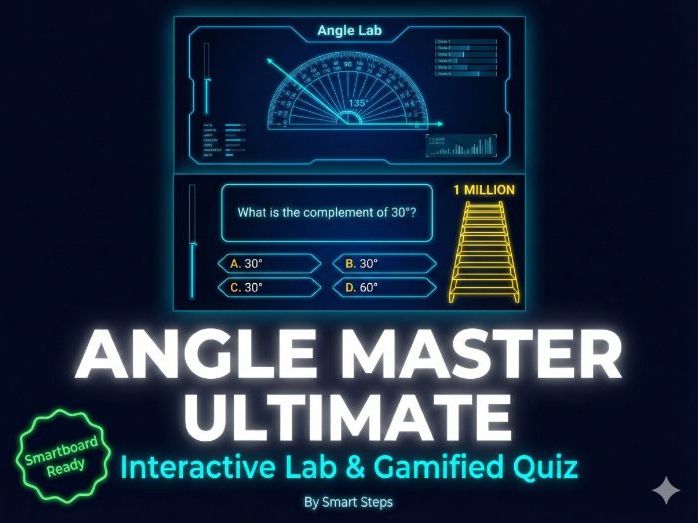

Transform your geometry lessons with this all-in-one interactive HTML5 application!
“Angle Master Ultimate” by Smart Steps is a dual-mode digital resource designed to make teaching angles visual, engaging, and competitive. Perfect for interactive whiteboards, Smartboards, or individual student devices (laptops/tablets), this tool requires no installation and works directly in any web browser.
Target Grade Level: Grades 5–8 (Key Stage 2 & 3) Topics Covered: Angle Types, Complementary & Supplementary Angles, Vertically Opposite Angles, Angles Around a Point.
TWO POWERFUL MODES IN ONE FILE
1- The Angle Lab (Exploration & Teaching Tool) Stop drawing static angles on the board! The Lab allows you to manipulate geometry in real-time.
Dynamic Visuals: Drag points to change angles instantly while measurements update automatically.
5 Interactive Tools:
Angle Types: Visualize Acute, Right, Obtuse, Straight, Reflex, and Full Rotation.
Complementary Angles: “L-Shape” visualization summing to 90°.
Supplementary Angles: Straight line visualization summing to 180°.
Vertical Angles: Prove visually that opposite angles are equal.
Angles Around a Point: Full 360° visualization.
Dark Mode Design: High-contrast neon aesthetics that capture student attention and are easy to read from the back of the classroom.
2- Millionaire Quiz (Gamified Assessment) Turn assessment into a game show!
“Who Wants to Be a Millionaire” Style: Complete with lifelines (50:50, Phone a Friend, Ask the Audience) and a money ladder.
Sound Effects: Integrated audio for correct/wrong answers and ticking timers (no external files needed).
Two Question Banks: Choose between “Angle Definitions” or “Angle Relationships” (calculating missing angles).
** EXCLUSIVE TEACHER FEATURES**
Question Manager: A built-in settings panel lets you toggle specific questions ON or OFF, allowing you to differentiate the game based on what you have taught so far.
Zero-Prep: Just double-click the HTML file to launch. No internet connection required after download.
Pause Function: Pause the game at any moment for “Teachable Moments” or class discussion.
** WHAT’S INCLUDED**
1 x HTML5 Application File (Angle_Master_Ultimate.html)
1 x README guide
How to Use: Simply download the file, unzip, and double-click the HTML file. It will open instantly in Chrome, Edge, Safari, or Firefox.
Ideal For:
Introduction to Geometry
End-of-unit Review Games
Whole-class Whiteboard Activities
Computer Lab Stations
Something went wrong, please try again later.
This resource hasn't been reviewed yet
To ensure quality for our reviews, only customers who have purchased this resource can review it
Report this resourceto let us know if it violates our terms and conditions.
Our customer service team will review your report and will be in touch.
£4.00