





KS3 Excel Lesson 2 – “Cheating at Maths!” Using Basic Calculations & Cell Referencing (Dyslexia-Friendly | High Engagement | Perfect Follow-On Lesson)
Keep the fun, accessible tone going with this second Excel lesson, where students learn how spreadsheets let you “cheat at maths” simply by typing = and using cell references. No functions yet — just clear, confidence-building calculations using Excel’s most essential skills.
All materials are fully dyslexia-friendly, using accessible fonts, soft colour palettes, clean spacing and high-contrast headings to support every learner.
What students will learn (Lesson 2):
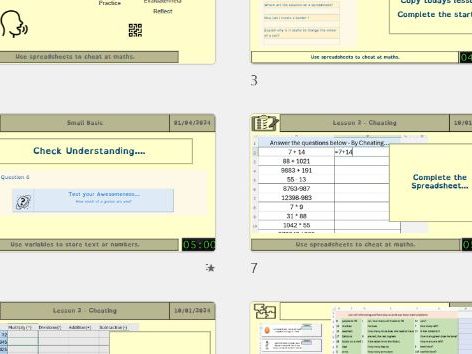
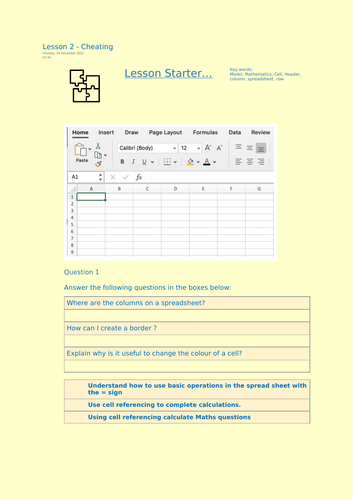
- Basic Spreadsheet Calculations — Students use =A1 + B1, =C3 - C2, =D4 * 10, and =E5 / 2 to perform instant calculations.
- Using Cell Referencing — Pupils understand how formulas change when values change, reinforcing the power of modelling.
- Applying Maths Questions in Excel — Students use cell references to solve simple maths questions automatically (addition, subtraction, multiplication, division).
- Why modelling matters — When one number changes, the entire calculation updates — demonstrating the “cheating at maths” idea in a fun and memorable way.
Why this resource stands out on TES:
- ✔ Fully dyslexia-friendly design — OpenDyslexic (or similar) font, pastel backgrounds, structured spacing, colour-coded examples, and clutter-free layout.
- ✔ High engagement angle — The “Excel is cheating at maths” theme gets instant buy-in, even from reluctant learners.
- ✔ Perfect for mixed ability KS3 groups — Highly scaffolded steps, example formulas, guided practice, and stretch challenges.
- ✔ Error-proof tasks — Students can’t “break” anything; they simply change numbers and see results update.
- ✔ Ready to teach — Teacher slides + worksheet + editable spreadsheet provided.
By the end of the lesson, students can:
- Confidently type = formulas to calculate answers
- Use cell referencing instead of typing numbers manually
- Understand why spreadsheets are modelling tools
- Apply these skills to real maths-style questions in Excel
A smooth, supportive follow-up to the Battleships lesson — giving KS3 learners the foundations they need before moving on to formulas and functions in Lesson 3.
Something went wrong, please try again later.
This resource hasn't been reviewed yet
To ensure quality for our reviews, only customers who have purchased this resource can review it
Report this resourceto let us know if it violates our terms and conditions.
Our customer service team will review your report and will be in touch.
£2.50