






KS3 Excel Lesson 4 – IF & ELSE Statements
Build Your Own Self-Marking Quiz
Fully Dyslexia-Friendly | High Engagement | Modelling & Logic | Updated for 2026
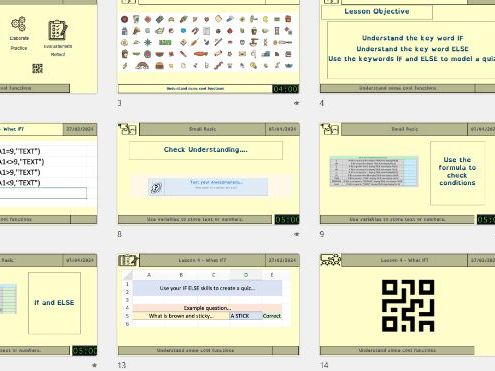
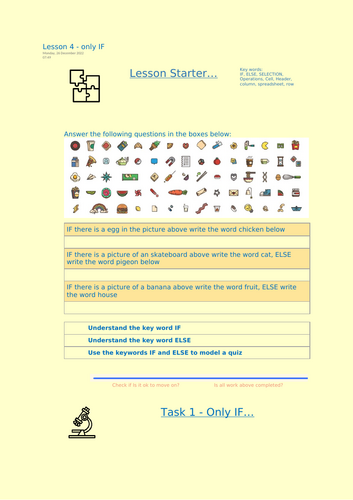
In this engaging fourth lesson, students take their spreadsheet skills further by learning how IF and ELSE logic works inside Excel. Through a fun self-marking quiz project, pupils create spreadsheets that automatically check answers, give feedback and calculate scores — just like real digital systems.
All materials are fully dyslexia-friendly, using accessible fonts, soft pastel backgrounds, clear layouts and colour-coded logic examples to support all learners, including SEND and lower-ability students.
What Students Will Learn
- What a logical test is and how IF statements work
- How ELSE provides an alternative outcome
- Writing simple IF formulas such as:
=IF(A1=B1,“Correct”,“Wrong”)
=IF(C2>10,“Pass”,“Try again”) - Using cell references inside logical formulas
- Creating dynamic feedback that updates automatically
- Understanding how spreadsheets “make decisions”
Lesson Activities
- Clear explanation of IF structure (logical test, true result, false result)
- Step-by-step modelling of simple IF statements
- Building a self-marking quiz with multiple questions
- Creating a score counter using additional formulas
- Testing and debugging incorrect logic
- Screenshot evidence tasks for assessment
- Extension challenge: add grading (e.g. Pass/Merit/Distinction)
Why Teachers Choose This Lesson
- Fully dyslexia-friendly formatting throughout
- High engagement – students enjoy seeing Excel mark their work
- Clear scaffolding for mixed-ability groups
- Strong links to computational thinking and programming logic
- Extension opportunities for confident learners
- Fully editable Excel template and teacher slides included
- Classroom-ready with no extra preparation required
By the End of the Lesson, Students Will Be Able To
- Write basic IF statements independently
- Use ELSE outcomes to create alternative responses
- Build a working self-marking quiz
- Understand how spreadsheets use conditions to make decisions
- Recognise the connection between Excel logic and programming concepts
This lesson is the ideal progression from basic functions into logical modelling, helping students see how spreadsheets can become intelligent, responsive systems.
Something went wrong, please try again later.
This resource hasn't been reviewed yet
To ensure quality for our reviews, only customers who have purchased this resource can review it
Report this resourceto let us know if it violates our terms and conditions.
Our customer service team will review your report and will be in touch.
£2.99