


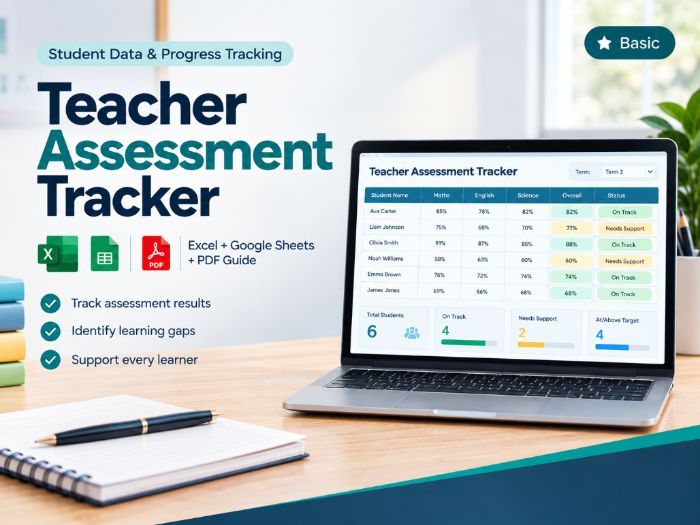


Teacher Assessment Data Tracker is a practical assessment data tracker for teachers in Grades 3–8 who want to record repeated assessment results, monitor student performance, and quickly identify students who may need attention or follow-up.
What is this resource?
This Google Sheets-ready assessment tracker helps teachers organise quiz, test, project, homework and other assessment results in one connected workbook. Enter your student and assessment information once, and the workbook automatically calculates percentages, performance status, summaries and progress indicators.
Who is it for?
Suitable for classroom teachers working across subjects including Maths, English/ELA, Science, Social Studies and other areas where student performance is measured using scores.
Designed for Grades 3–8 and adaptable to different assessment routines.
Key features
Student roster with a single authoritative student list
Repeated assessment data entry
Automatic percentage calculations
Automatic performance classification
Configurable target and support thresholds
Meeting/Exceeding, Approaching and Needs Support statuses
Missing-score detection without treating missing work as zero
Validation for assessment scores and maximum scores
Class average and performance distribution
Class attention list for students needing follow-up
Individual student performance summary
Assessment history and progress trend
Improving, Stable or Declining trend indicators
Dropdown selections and input validation
Conditional formatting for easier review
How it works
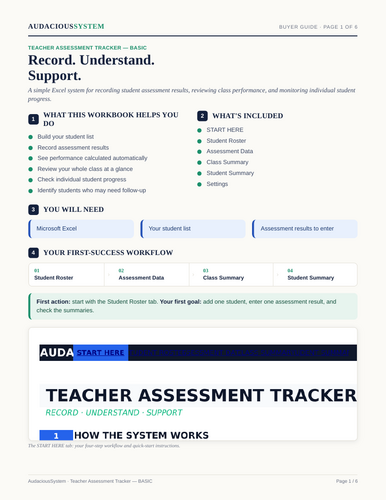
- Set up your class
Add students to the Student Roster. - Set your thresholds
Use Settings to adjust the target and support thresholds. The workbook starts with 80% and 60% defaults. - Enter assessments
Record assessment names, dates, categories, scores and maximum scores. - Review the class
Use Class Summary to review overall performance and identify records requiring attention. - Review individual progress
Select a student in Student Summary to review their assessment history, average, status and trend.
What’s included?
1 Google Sheets-ready Excel workbook (.xlsx)
START HERE
STUDENT ROSTER
ASSESSMENT DATA
CLASS SUMMARY
STUDENT SUMMARY
SETTINGS
File & compatibility
The resource is supplied as an .xlsx workbook designed for use with Google Sheets. Upload the file to Google Drive and open it with Google Sheets.
The workbook uses standard spreadsheet formulas, dropdowns, validation and conditional formatting. No macros or VBA are required.
Digital resource — no physical product will be shipped.
Please note
This is a focused assessment and student progress tracking system. It is not a full gradebook, standards/skills mastery system or intervention-management system.
Replace the sample data with your own class information before regular use.
Tes Teaching Resource Licence applies.
Something went wrong, please try again later.
This resource hasn't been reviewed yet
To ensure quality for our reviews, only customers who have purchased this resource can review it
Report this resourceto let us know if it violates our terms and conditions.
Our customer service team will review your report and will be in touch.
£4.49