The Life Cycle of a Butterfly - PowerPointQuick View
RyanNygrenRKN

The Life Cycle of a Butterfly - PowerPoint

(14)
The Life Cycle of a Butterfly: Butterfly Metamorphosis. This free and dynamic PowerPoint Presentation illustrates and explains all four stages of a butterfly's life cycle. Stage 1 - Egg Stage 2 - Larva Stage 3 - Pupa Stage 4 - Adult It begins with a riddle and a brief explanation of what a life cycle is. I've also included a PDF file with links to suggestions for further learning and fun that a class or individual could do on their own. Please feel free to email me directly at r_nyg@yahoo.com if you need any assistance. Photo credits are found at the end of the presentation. The cover photo's attribution link can be found by Dwight Sipler here - https://www.flickr.com/photos/photofarmer/2595802577/ *This presentation is meant to be viewed as a slideshow. There are many layers because of the high amount of photographs and text. This was created by Ryan Nygren.
Lions  - PowerPoint & ActivitiesQuick View
RyanNygrenRKN

Lions - PowerPoint & Activities

(0)
Lions PPT: Interesting and fun facts all about lions. Learn about the king of the jungle in this nonfiction resource for teachers, students, and parents! Challenge the kids with some higher level thinking activities designed to hone problem solving skills. This informative and dynamic PowerPoint presentation illustrates and explains the lions'... - Classification - Appearance - Senses - Habitats - Diet - Hunting strategies - Prey - Life cycle - Manes - Life style - Mating and reproduction habits - Prides - Pride Hierarchy - Cubs - Life of female lions vs. life of male lions - 3 video clips of lions; cubs playing, lion unsuccessfully hunting a buffalo, and a female lion flirting with a male. - 3 audio clips of lions roaring, playing, and a lion cub trying to sounds scary. - And much more. - The presentation begins with a riddle and ends with a few higher level thinking writing activities and much more! Please feel free to email me directly at r_nyg@yahoo.com if you need any assistance. This was created by Ryan Nygren. Photo credits are found at the end of the presentation. The cover photo's attribution link can be found by Sponchia here - https://pixabay.com/en/lion-portrait-animal-portrait-face-617365/
Cheetahs - PowerPoint & ActivitiesQuick View
RyanNygrenRKN

Cheetahs - PowerPoint & Activities

(0)
Cheetahs PPT: Interesting and fun facts all about cheetahs. Learn about cheetahs in this nonfiction resource for teachers, students, and parents! Challenge the kids with some higher level thinking activities designed to hone problem solving skills. This informative and dynamic PowerPoint presentation illustrates and explains the cheetahs'... - Appearance - Habitat - Diet and eating habits - Speed - Prey - Predators - Dangers and threats - Life cycle - Social life - Mating habits - Hunting strategies - Senses - Various species - A few interesting facts - 2 video clips of A) Cheetah running in extreme slow motion. B) A cheetah making a variety of chirps and calls as it searchers for its sibling. - And much more. - The presentation begins with a riddle and ends with a few higher level thinking activities. Be sure to view the PPT as a slide show to get the full effect (the slides are dynamic). It is meant to be watched as a presentation. Please feel free to email me directly at r_nyg@yahoo.com if you need any assistance. This was created by Ryan Nygren. Photo credits are found at the end of the presentation. The cover photo's attribution link can be found here by Sponchia - https://pixabay.com/en/cheetah-big-cat-wildlife-1123143/
The Panama Canal with Google Earth ToursQuick View
RyanNygrenRKN

The Panama Canal with Google Earth Tours

(0)
Tour the Panama Canal with Google Earth (03:02) Make a virtual field trip to one of North America’s most famous landmarks. You will be using Google Earth to watch a pre-recorded video tour of the Panama Canal, which connects the Atlantic and Pacific Oceans. The video lasts for 3 minutes and 2 seconds. The product includes a document of 27 talking points and interesting facts about one of the modern wonders of the world. It also provides a PDF that describes what you are seeing based on the corresponding minutes in the video. This is so you can pause the tour at the given time stamp and let the class know what they are looking at. • For example the document says at 1 minute and 5 seconds – “1:05 – Pause here to get a view of the Gatun Locks and the manmade Gatun Lake just beyond. At the time of its construction, the large body of water was the largest manmade lake in the world.” The tour begins with a view of North America from outer space. You are then zoomed to the Atlantic side’s entrance near the city of Colon. You will visit the three famous locks: Gatun Locks, Pedro Miguel Locks, and Miraflores Locks. You will fly above Gatun Lake, travel down the Chagres River towards the Bridge of the Americas as you enter the Pacific, and much more. Finally, you are taken back out to a long shot of North America. To watch, all you have to do is click on the file and you will be taken on the three-minute tour of the “big ditch”. * Your computer must have Google Earth to watch these tours. Feel free to visit some other famous landmarks in North America. 1. The Grand Canyon (1:37) 2. The Golden Gate Bridge (1:46) 3. Chichen Itza (1:36) 4. Niagara Falls (1:21) 5. Panama Canal (3:02) 6. Statue of Liberty (2:07) 7. Ole Faithful in Yellowstone National Park (1:26) 8. Gateway Arch in St. Louis, Missouri (1:06) These tours work great with social studies lessons about famous landmarks, maps, landforms, cardinal directions, etc. Here are a few links to some helpful tutorials on how to use Google Earth. How to Use Google Earth For Beginners – by Rick Castellini on YouTube Beginner Google Earth Tutorial Videos by Google Beginner’s Guide to Using Google Earth – by The Land Brothers Please feel free to email me directly at r_nyg@yahoo.com if you need any assistance. The cover photo is a Creative Commons Attribution 2.0 photo by Detroit Publishing Co. collection at the Library of Congress. Google Earth Tour Map Attribution Map Data: Google, Image Landsat / Copernicus Data SIO, NOAA, U.S. Navy, NGA, GEBCO Image IBCAO Image U.S. Geological Survey US DEPT of State Geographer Image © 2016 DigitalGlobe Image © 2016 CNES / Astrium © 2016 Google
Giant Panda Bears - PowerPoint and ActivitiesQuick View
RyanNygrenRKN

Giant Panda Bears - PowerPoint and Activities

(0)
Giant Panda Bears PowerPoint and Activities: Learn all about giant pandas in this PPT presentation. This nonfiction resource about panda bears is full of information, photos, illustrations, videos, and fun facts. It’s designed for teachers, students, and parents! When it's over, challenge the kids with some higher level thinking activities designed to hone problem solving skills. This informative and dynamic PowerPoint presentation illustrates and explains the giant panda's... * Classification * Appearance * Senses * Habitats * Diet * Predators * Life Cycle * Mating Habits * Cubs * Physical Adaptations * Family life * Migration * Threats * 3 video clips of giant panda bears. A Mother loving a new born cub, two adult pandas playing, and a panda eating bamboo. * An audio clip of a panda vocalization. * Many interesting facts And much more. The presentation begins with a riddle and ends with a few higher level thinking writing activities. Download my preview, and be sure to view it as a slide show to get the full effect (the slides are dynamic). * The preview is password protected to prevent editing. You will be prompted to put in a password. Just click on the “read only” option. The purchasable presentations are available to be edited. Please feel free to email me directly at r_nyg@yahoo.com if you need any assistance. This was created by Ryan Nygren. Photo credits are found at the end of the presentation. The cover photo's attribution link can be found by
Stonehenge with Google Earth ToursQuick View
RyanNygrenRKN

Stonehenge with Google Earth Tours

(0)
Tour Stonehenge with Google Earth (03:15) Make a virtual field trip to one of Europe’s most famous landmarks; Stonehenge. You will be using Google Earth to watch a pre-recorded tour of this ancient site. The trip lasts for 3 minutes and 15 seconds. The product also includes… 1. A PowerPoint that illustrates the names, locations, and information about the different stones that comprise Stonehenge. 2. A document of about 15 talking points and interesting facts about the mysterious landmark is also included. 3. A pdf that describes what you are seeing based on the corresponding minutes in the video. This is so you can pause the tour at the given time stamp and let the class know what they are looking at. For example, the document says at, “:52 – :1:05 – The camera gets even closer to Stonehenge pausing above the site. The stones are in the center. The dark circle that a manmade path crosses over is the original henge. The faded and light colored path that comes in from the northeast and enters the henge is the original Avenue. The Heel Stone is located along the avenue. It is the white dot that can be seen right near the highway.” The tour begins with a view of Europe from outer space. You are then zoomed in to the site’s location to see it from a few different viewpoints. The angles are chosen so the students can get a good idea of Stonehenge’s location and its physical relationship to the surroundings. Finally, you are taken back out to a long shot of Europe. To watch, all you have to do is click on the file, Google Earth will open and you will be taken on a short trip to the World Heritage site. * Your computer must have Google Earth to watch these tours. Feel free to visit some other famous landmarks in North America. 1. The Golden Gate Bridge (3:29) 2. Chichen Itza (5:38) 3. Niagara Falls (2:10) 4. Panama Canal (3:02) 5. Statue of Liberty (2:07) 6. Gateway Arch in St. Louis, Missouri (1:06) Here are some European landmarks 1. Stonehenge (3:29) 2. The Acropolis 3. The Colosseum 4. The Leaning Tower of Pisa 5. The Eiffel Tower These tours work great with social studies lessons about famous landmarks, maps, cardinal directions, etc. Please feel free to email me directly at r_nyg@yahoo.com if you need any assistance. The cover photo was taken by Walkerssk @ https://pixabay.com/en/stonehenge-architecture-history-1590047/ Google Earth Tour Map Attribution Map Data: Google, Image Landsat / Copernicus Data SIO, NOAA, U.S. Navy, NGA, GEBCO Image IBCAO Image U.S. Geological Survey US DEPT of State Geographer © 2016 Infoterra Ltd & Bluesky Image © 2016 Getmapping pic
Camouflage: Animal Adaptations - PowerPoint and ActivitiesQuick View
RyanNygrenRKN

Camouflage: Animal Adaptations - PowerPoint and Activities

(0)
Learn all about camouflage with this dynamic and animated PPT presentation. It’s a nonfiction resource full of information, photos, illustrations, videos, and fun facts. The presentation is designed for teachers, students, and parents. When it’s over, challenge the kids with some higher-level thinking activities devised to hone problem-solving skills. It works extremely well as an independent reading resource for iPads, iPhones, tablets, etc. The presentation can be read or viewed as an animated digital book. In this informative and engaging PowerPoint presentation you and your children will learn all about… What adaptations are Physical and behavioral adaptations with detailed examples of each Camouflage as a physical adaptation Two purposes of camouflage (to hide while searching for food; to hide to escape from becoming food). How camouflage evolved depending on the type of animal and its habitat Furry mammals employ different types of camouflage than aquatic ones. Four main types of camouflage adaptations Blending in or concealing Coloration – fur, scales, feathers, skin, etc. o Some animals change coloring depending on the seasons o Some can change their coloring quickly depending on their surroundings (chameleons, octopus, etc.) Disruptive coloration – stripes, spots, patterns, etc. Disguise, or appear like something else (walking stick, leafy sea dragon) Mimicry, some animals mimic different or more dangerous animals (some nonpoisonous snakes look like poisonous ones, some moths have designs on their backs that look like large eyes, etc.) Interesting facts and much more When the presentation is over have your kids expand on what they’ve learned with three higher-level thinking activities. Please feel free to email me directly at r_nyg@yahoo.com if you need any assistance. The original cover photo is by Free-Photos on Pixabay and is in the Public Domain under a CC0 Creative Commons - Free for commercial use - No attribution required license. It can be found on Pixabay here - https://pixabay.com/en/animal-reptile-chameleon-lizard-691223/ The modified photo used for the cover is by werner22brigitte and can also be found on Pixabay in the Public Domain under a CC0 Creative Commons - Free for commercial use - No attribution required license. It can be found on Pixabay here - https://pixabay.com/en/animal-reptile-chameleon-lizard-3249231/
The Egyptian Pyramids and Great Sphinx of Giza with Google Earth ToursQuick View
RyanNygrenRKN

The Egyptian Pyramids and Great Sphinx of Giza with Google Earth Tours

(0)
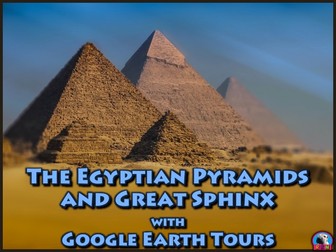
Tour The Egyptian Pyramids and Great Sphinx of Giza with Google Earth. Make a virtual field trip to one of Africa’s most famous landmarks; The Pyramids of Egypt and giant Sphinx. You will be using Google Earth to watch a pre-recorded tour of the Pyramids of Khufu, Khafre, Menkaure, as well as, the Great Sphinx. The trip lasts for 3 minutes and 15 seconds. The product includes a document of about 40 talking points and interesting facts about the ancient Egyptian site. The tour is also accompanied by a pdf that describes what you are seeing based on the corresponding minutes in the video. This is so you can pause the tour at the given time stamp and let the class know what they are looking at. For example the document says at, “:26 – :39 – The camera zooms all the way down and positions itself above the ancient necropolis. The three pyramids and their companion structures are all clearly in view. a. The western edge of Cairo is on the left of the screen. The river like line that meanders in between two of the pyramids is a walking path created for tourists. b. Khufu’s Pyramid is the on the northern side. Khafre’s is in the middle and Menkaure’s is the small one to the southwest of the other two. c. The Great Sphinx is located due east of Khafre’s Pyramid. Follow the white line (the causeway) heading east and you will see it.” Finally, a very brief PowerPoint can be found in the product that illustrates and describes the basic structures of a pyramid complex. The tour begins with a view of Africa from outer space. You are then zoomed in to the site’s locations to see it from a few different viewpoints. The angles are chosen so the students can get a good idea of the four structures’ locations, as well as, their physical relationships to each other in their setting. Finally, you are taken back out to a long shot of Africa. To watch, all you have to do is click on the file, Google Earth will open and you will be taken on a short trip to the World Heritage site. * Your computer must have Google Earth to watch these tours. Please feel free to email me directly at r_nyg@yahoo.com if you need any assistance. The cover photo is by Walkerssk and has a Creative Commons license. The photo can be found @ https://pixabay.com/en/giza-pyramid-pyramids-of-giza-egypt-1756946/ Google Earth Tour Map Attribution Map Data: Google, Image Landsat / Copernicus Data SIO, NOAA, U.S. Navy, NGA, GEBCO Image IBCAO Image U.S. Geological Survey US DEPT of State Geographer © 2016 Orion-Me © 2016 Google © 2016 Digital Globe
Bats - PowerPoint & ActivitiesQuick View
RyanNygrenRKN

Bats - PowerPoint & Activities

(0)
Bats PowerPoint and Activities: Learn all about bats in this PPT presentation. This nonfiction resource about the nocturnal creatures is full of information, photos, illustrations, videos, audio clips, and fun facts. It’s designed for teachers, students, and parents! When it's over, challenge the kids with some higher level thinking activities designed to hone problem solving skills. This informative and dynamic PowerPoint presentation illustrates and explains all about the bat's... * Classification * Categories – Megabats and Microbats * Appearance * Echolocation * Senses * Habitats * Diet * Predators * Life cycle * Colonies * Place in myths and popular culture * Roosts * Threats * Reasons for hanging upside down * Included in the presentation are 3 video clips of bats: An enormous colony of bats flying out from under a bridge, a fruit bat eating an orange, and a bat maneuvering in flight. * An audio clip of a bat making sounds used in echolocation. * Many interesting facts And much more. The presentation begins with a riddle and ends with a few activities. Download my preview, and be sure to view it as a slide show to get the full effect (the slides are dynamic). Please feel free to email me directly at r_nyg@yahoo.com if you need any assistance. This was created by Ryan Nygren. Photo credits are found at the end of the presentation. The cover photo's attribution link can be found by Stux here - https://pixabay.com/en/halloween-gloomy-full-moon-tree-1001676/
The Acropolis with Google Earth ToursQuick View
RyanNygrenRKN

The Acropolis with Google Earth Tours

(0)
Tour The Acropolis of Athens, Greece with Google Earth Tours Make a virtual field trip to one of the world’s most ancient landmarks; the Acropolis. You will be using Google Earth to watch a pre-recorded tour of the four famous structures that sit atop the Acropolis. Learn all about the Parthenon, the Temple of Athena Nike, the Erechtheum and the Propylaea. You will also visit four other edifices that have neighbored the Acropolis for millennia: the Theatre of Dionysus, the Odeon Herodes Atticus, the Temple of Olympian Zeus, and the Temple of Hephaestus. The product includes a document of about 55 talking points and interesting facts about the ancient Greek site and it’s buildings. The tour is also accompanied by a PDF file that describes what you are seeing based on the corresponding minutes in the video. This is so you can pause the tour at the given time stamp and let the class know what they are looking at. For example the document says at, “3:28 – 3:41 – The camera looks due West. The old museum is in the foreground. If you look to the right of the museum a little bit you can make out a flag rising up from the edge of the Acropolis. It is said that when the Nazis took over Athens during WWII, they ordered a Greek soldier who was guarding the flag to take it down. He took it down, wrapped himself in the flag, and jumped over the side of the precipice to his death in a personal protest.” The tour begins with a view of Europe from outer space. You are then zoomed in to the site’s locations to see it from a variety of different viewpoints. The angles are chosen so the students can get a good idea of the four structures’ locations, as well as, their physical relationships to each other in their setting. Finally, you are taken back out to a long shot of Europe. * Your computer must have Google Earth to watch these tours. Feel free to visit some other famous landmarks in North America. 1. The Golden Gate Bridge (3:29) 2. Chichen Itza (5:38) 3. Niagara Falls (2:10) 4. Panama Canal (3:02) 5. Statue of Liberty (2:07) 6. Gateway Arch in St. Louis, Missouri (1:06) Here are some European landmarks. 1. Stonehenge (3:29) 2. The Acropolis (5:38) 3. The Colosseum 4. The Leaning Tower of Pisa 5. The Eiffel Tower (3:15) Tour some African sites. 1. The Egyptian Pyramids and the Great Sphinx of Giza (3:15) The cover photo is by Salonica84 and has a Creative Commons license. The photo can be found @ https://commons.wikimedia.org/wiki/File:Acropolis-Athens34.jpg Google Earth Tour Map Attribution Map Data: Google, Image Landsat / Copernicus Data SIO, NOAA, U.S. Navy, NGA, GEBCO Image IBCAO Image U.S. Geological Survey Image © 2016 TerraMetrics Image © 2016 DigitalGlobe
The Roman Colosseum with Google Earth ToursQuick View
RyanNygrenRKN

The Roman Colosseum with Google Earth Tours

(0)
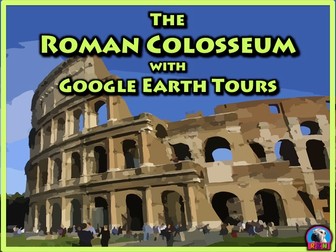
Tour the Roman Colosseum with Google Earth Tours Make a virtual field trip to the Roman Colosseum, one of the planet’s most famous landmarks. You will be using Google Earth to watch a pre-recorded tour of the ancient arena and it’s neighboring structures. Making cameo appearances on the trip are the Pantheon, the Roman Forum, the Vatican and the Spanish Steps, to name just a few. The product includes a document of about 25 interesting facts about the tourist attraction. The tour is also accompanied by a PDF file that describes what you are seeing based on the corresponding minutes in the video. This is so you can pause the tour at the given time stamp and let the class know what they are looking at. 1. For example the document says at, “1:05 – 1:18 – You are brought directly above the Colosseum. a. The area to the west of the Colosseum is the Roman Forum with Palatine Hill just south of the forum. i. The Roman Forum was the political and spiritual center of the ancient Roman Empire for centuries. Now it is an incredible archaeological site open to the public where you can see many ancient buildings, temples, basilicas, and more. ii. According to Roman legend, the sons of the god Mars, Romulus and Remus, were raised on Palatine Hill and founded Rome here.” The tour begins with a view of Europe from outer space. You are then zoomed in to the site’s location to see it from a variety of different viewpoints. The angles are chosen so the students can get a good idea of the structure’s location within Rome, as well as, its physical relationship to other famous landmarks in its vicinity. To watch, all you have to do is click on the file, Google Earth will open and the tour will start. Feel free to visit some other famous landmarks in the Americas. 1. The Golden Gate Bridge 2. Chichen Itza 3. Niagara Falls 4. Panama Canal 5. Statue of Liberty 6. Gateway Arch in St. Louis, Missouri 7. Mount Rushmore 8. Machu Picchu 9. Freedom Tower, aka One World Trade Center Here are some European landmarks. 1. Stonehenge 2. The Acropolis 3. The Colosseum 4. The Leaning Tower of Pisa 5. The Eiffel Tower 6. Big Ben 7. Notre Dame de Paris Tour some African sites. 1. The Egyptian Pyramids and the Great Sphinx of Giza The cover image is by Clker-Free-Vector-Images and has a CCO Creative Commons license. The image can be found on Pixabay @ https://pixabay.com/en/colosseum-coliseum-gladiators-rome-295080/ Map Data: Google, Image Landsat / Copernicus Data SIO, NOAA, U.S. Navy, NGA, GEBCO Image IBCAO Image U.S. Geological Survey Image © 2017 Digital Globe © 2017 Google
The Great Wall of China with Google Earth ToursQuick View
RyanNygrenRKN

The Great Wall of China with Google Earth Tours

(0)
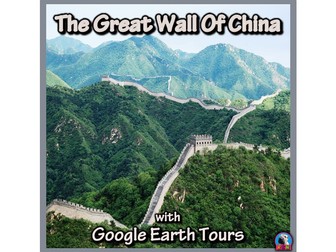
Tour The Great Wall of China with Google Earth Tours Make a virtual field trip to one of the world’s most famous landmarks; The Great Wall of China. You will be using Google Earth to watch a pre-recorded tour of the ancient wall located along a 13,000 mile stretch of northern China. Learn about its features, history, interesting facts, and much more. The product includes a document of about 25 talking points and interesting facts about the enormous wall. The tour is also accompanied by a PDF file that describes what you are seeing based on the corresponding minutes in the video. This is so you can pause the tour at the given time stamp and let the class know what they are looking at. For example the document says at, “2:10 – 2:23 – After bouncing away from the Forbidden City, the camera ends up in the mountains just beyond the northern edges of Beijing. It pauses to look down upon a section of the wall called the Metianyu Great Wall. a. The Metianyu Great Wall was built around 550 CE and is about 3.4 miles long. b. It’s one of the best known and well-maintained parts of the wall. c. It’s also famous for its 23 guard towers, which you’re about to see. d. This view shows the southern end of Metianyu Great Wall. The three guard towers leading up to the Big Corner Tower is actually a non-tourist area. The Big Corner Tower is a little off in the distance where three sections of the wall meet. It is our next stop.” The tour begins with a view of planet Earth from outer space. You are then brought in to various locations to see it from a variety of different viewpoints. The angles and sites are chosen so the students can get a good idea of the wall’s setting and it’s positioning in relation to China. Finally, you are taken back out to a long shot of China. Please feel free to email me directly at r_nyg@yahoo.com if you need any assistance. The cover photo is by panayota and is under a CC0 Creative Commons license. The photo can be found on Pixabay @ https://pixabay.com/en/the-great-wall-china-badaling-2190047/ Map Data: © 2018 Basarsoft © SKEnergy © Zenrin Image © 2018 CNES / Airbus Google, Image Landsat / Copernicus Data SIO, NOAA, U.S. Navy, NGA, GEBCO Image IBCAO Image U.S. Geological Survey Image © 2018 Digital Globe
Whales - Powerpoint & ActivitiesQuick View
RyanNygrenRKN

Whales - Powerpoint & Activities

(0)
Whales PPT: Interesting and fun facts all about whales. Learn about whales in this nonfiction resource for teachers, students, and parents! Challenge the kids with some higher level thinking activities designed to hone problem solving skills. This informative and dynamic PowerPoint presentation illustrates and explains the whales'... - 2 groupings - toothed whales and baleen whales - Cetacean family - Appearance - Habitats - Diet and Eating Habits - Communication - Sizes - Dangers and Threats - Life Cycle - Social Life - Various Species - A few fun facts - Much More - The presentation begins with a riddle and ends with a few higher level thinking activities. Please feel free to email me directly at r_nyg@yahoo.com if you need any assistance. This was created by Ryan Nygren. Photo credits are found at the end of the presentation. The cover photo's attribution link can be found by Aconcagua here - https://commons.wikimedia.org/wiki/File:Whale_tail_near_Juneau,_Alaska.jpg
Seals, Sea Lions, and Walruses: Pinnipeds Powerpoint & ActivitiesQuick View
RyanNygrenRKN

Seals, Sea Lions, and Walruses: Pinnipeds Powerpoint & Activities

(0)
Pinnipeds: Seals, Sea Lions, and Walruses PPT: Interesting and fun facts all about seals, sea lions and walruses. Learn about the pinnipeds in this nonfiction resource for teachers, students, and parents! Challenge the kids with some higher level thinking activities designed to hone problem solving skills. Thank you for taking a look at this informative and dynamic PowerPoint presentation which illustrates and explains the pinnipeds' - Three different families (eared seals, earless seals, and walruses) - Appearance - Habitats - Diet and eating habits - Breathing - Natural Predators - Dangers and threats - Life cycle - Social life - Reproduction behaviors - Whiskers and Tusks - Various species - A few fun facts - And much more. - The presentation begins with a riddle and ends with a couple of higher level thinking, writing activities. Please feel free to email me directly at r_nyg@yahoo.com if you need any assistance. This was created by Ryan Nygren. Photo credits are found at the end of the presentation. The cover photo's attribution link can be found here - https://en.wikipedia.org/wiki/Hawaiian_monk_seal#mediaviewer/File:Monachus_schauinslandi.jpg
Platypus - Powerpoint & ActivitiesQuick View
RyanNygrenRKN

Platypus - Powerpoint & Activities

(0)
Platypuses PPT: Interesting and fun facts all about platypuses. Learn about the platypus in this nonfiction resource for teachers, students, and parents! Challenge the kids with some higher level thinking activities designed to hone problem solving skills. This informative and dynamic PowerPoint presentation illustrates and explains the platypus'... * Appearance * Habitats * Diet and eating habits * Communication * Predators * Dangers and threats * Life cycle * Social life * Electromagnetic bill * Mating habits * Nesting rituals * Mobility * A few fun facts * A video clip of some Platypuses Diving and looking for food * And much more. * The presentation begins with a riddle and ends with a couple of higher level thinking writing activities. Please feel free to email me directly at r_nyg@yahoo.com if you need any assistance. This was created by Ryan Nygren. Photo credits are found at the end of the presentation. The cover photo by Welcome Images can be found here - https://commons.wikimedia.org/wiki/File:A_duck_billed_platypus_(watermole)._Colour_lithograph_after_Wellcome_V0021174ER.jpg
The Eiffel Tower with Google Earth ToursQuick View
RyanNygrenRKN

The Eiffel Tower with Google Earth Tours

(0)
Tour the Eiffel Tower with Google Earth (03:15) Make a virtual field trip to one of Europe’s most famous landmarks; the Eiffel Tower. You will be using Google Earth to watch an aerial tour of the iconic French structure. The product includes a document of 15 talking points and interesting facts about the famous tourist attraction. It provides a pdf that describes what you are seeing based on the corresponding minutes in the video. This is so you can pause the tour at the given time stamp and let the class know what they are looking at. For example the document says at, “2:36 – 2:49 – You are now looking directly at the monument from atop the Champ de Mars. You can see the tower’s three floors, which each house a restaurant. Believe it or not, a few pilots have actually flown planes through the lower arches. A famous WWII American pilot, named William Overstreet Jr., chased a Nazi pilot through the arches and shot him down as he was exiting the tower.” The tour begins with a view of Europe from outer space. You are then zoomed in to the the Iron Lady's location to see it from a few different viewpoints. The angles are chosen so the students can get a good idea of the Eiffel Tower’s placement in Paris and it’s physical relationship to other famous Parisian landmarks. Finally, you are taken back out to a shot of Europe. To watch, all you have to do is click on the file, Google Earth will open and you will be taken on a short trip to the World Heritage site. * Your computer must have Google Earth to watch these tours. Feel free to visit some other famous landmarks in North America. 1. The Golden Gate Bridge (3:29) 2. Chichen Itza (5:38) 3. Niagara Falls (2:10) 4. Panama Canal (3:02) 5. Statue of Liberty (2:07) 6. Gateway Arch in St. Louis, Missouri (1:06) Here are some European landmarks 1. Stonehenge (3:29) 2. The Acropolis 3. The Colosseum 4. The Leaning Tower of Pisa 5. The Eiffel Tower (3:15) by Ryan Nygren. The cover photo is by EdiNugraha and has a Creative Commons license. The photo can be found @ https://pixabay.com/en/the-eiffel-tower-french-eiffel-103417/ Google Earth Tour Map Attribution Map Data: Google, Image Landsat / Copernicus Data SIO, NOAA, U.S. Navy, NGA, GEBCO Image IBCAO Image U.S. Geological Survey US DEPT of State Geographer © 2016 Digital Globe
Shells and Mollusks - Powerpoint & ActivitiesQuick View
RyanNygrenRKN

Shells and Mollusks - Powerpoint & Activities

(0)
Shells and Mollusks PPT: Interesting and fun facts all about shells and mollusks. Learn about shells and mollusks in this nonfiction resource for teachers, students, and parents! Challenge the kids with some higher level thinking activities designed to hone problem solving skills. This informative and dynamic PowerPoint presentation illustrates and explains... - mollusks - bivalve and univalve mollusks - the two types of shells - habitat - diet - appearance and physical characteristics - unique adaptations for hunting and survival - invertebrate classification - and much more. It also includes a couple higher-level thinking writing activities. Please feel free to email me directly at r_nyg@yahoo.com if you need any assistance. This was created by Ryan Nygren. Photo credits are found at the end of the presentation. All my PowerPoints can be found on this Pinterest Page. The cover photo's attribution link can be found by Cj. Samson here - https://en.wikipedia.org/wiki/File:Samsoncj_snail_07.jpg
The Leaning Tower of Pisa with Google Earth ToursQuick View
RyanNygrenRKN

The Leaning Tower of Pisa with Google Earth Tours

(0)
Tour The Leaning Tower of Pisa and Cathedral Square with Google Earth Tours Make a virtual field trip to the Leaning Tower of Pisa, one of the world’s most famous landmarks. You will be using Google Earth to watch a pre-recorded tour of the famous tower located in the Square of Miracles. Learn all about the Leaning Tower of Pisa, Italy and its neighboring structures. Making cameo appearances on the trip are the Pisa Cathedral, the Old Cemetery, the Pisa Baptistery to name just a few. The product includes a document of about 20 interesting facts about the historic tourist attraction. The tour is also accompanied by a PDF file that describes what you are seeing based on the corresponding minutes in the video. This is so you can pause the tour at the given time stamp and let the class know what they are looking at. For example the document says at, “1:31 – 1:44 – 1. The camera slides over to face south. a. To the northeast (lower left) of the square you can see Arena Garibaldi, the home soccer (football) stadium for A.C. Pisa 1909. b. The stadium can hold about 25,000 people. The tour begins with a view of Europe from outer space. You are then zoomed in to the site’s location to see it from a variety of different viewpoints. The angles are chosen so the students can get a good idea of the structure’s location, as well as, its physical relationship to the other landmarks in its vicinity. Finally, you are taken back out to a long shot of Europe. To watch, all you have to do is click on the file, Google Earth will open and you will be taken on a short trip to the World Heritage site. Feel free to visit some other famous landmarks in North America. 1. The Golden Gate Bridge (3:29) 2. Chichen Itza (5:38) 3. Niagara Falls (2:10) 4. Panama Canal (3:02) 5. Statue of Liberty (2:07) 6. Gateway Arch in St. Louis, Missouri (1:06) Here are some European landmarks. 1. Stonehenge (3:29) 2. The Acropolis (5:38) 3. The Colosseum 4. The Leaning Tower of Pisa (3:28) 5. The Eiffel Tower (3:15) 6. Big Ben (5:12) Tour some African sites. 1. The Egyptian Pyramids and the Great Sphinx of Giza (3:15) Please feel free to email me directly at r_nyg@yahoo.com if you need any assistance. The cover photo is by davide ragusa and has a Creative Commons license. The photo can be found @ https://unsplash.com/photos/1PHDS-PFtcM Google Earth Tour Map Attribution Map Data: Google, Image Landsat / Copernicus Data SIO, NOAA, U.S. Navy, NGA, GEBCO Image IBCAO Image U.S. Geological Survey © 2009 GeoBasis – DE/BKG © 2016 Google
Hummingbirds - PowerPoint and ActivitiesQuick View
RyanNygrenRKN

Hummingbirds - PowerPoint and Activities

(0)
Hummingbirds PowerPoint and Activities: Learn all about hummingbirds in this PPT presentation. This nonfiction resource about hummingbirds is full of information, photos, illustrations, videos, and fun facts. It’s designed for teachers, students, and parents! When it's over, challenge the kids with some higher level thinking activities designed to hone problem solving skills. This informative and dynamic PowerPoint presentation illustrates and explains the hummingbirds'... * Classification * Appearance * Senses * Habitats * Diet * Predators * Unique Flying Abilities * Self Defense strategies * Life cycle * Mating and Reproduction * Nesting and eggs * Chicks * Physical Adaptations * Migration * 4 video clips of hummingbirds. A slow motion video of a hummingbird flying, two hummingbirds aggressively competing for food, a hummingbird moth, and a hummingbird eating. * Interesting facts And much more. The presentation begins with a riddle and ends with a few higher level thinking writing activities. Download my preview, and be sure to view it as a slide show to get the full effect (the slides are dynamic). * The preview is password protected to prevent editing. You will be prompted to put in a password. Just click on the “read only” option. The purchasable presentations are available to be edited. Please feel free to email me directly at r_nyg@yahoo.com if you need any assistance. This was created by Ryan Nygren. Photo credits are found at the end of the presentation. The cover photo's attribution link can be found here by IvaCastro - https://pixabay.com/en/users/IvaCastro-1208788/
Famous European Landmarks with Google Earth Tours (Bundle)Quick View
RyanNygrenRKN

Famous European Landmarks with Google Earth Tours (Bundle)

5 Resources
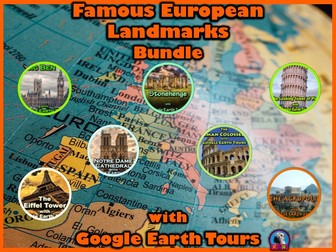
Don’t get left behind! Cross off all of these European destinations from your bucket list and virtually visit. Teachers, parents, and students all agree that these are the best ways to learn about and experience these exotic sites, if you can’t go there in person. Each product includes a document of talking points and another full of interesting facts about each site. The tours are also accompanied by PDF files that describe what you are seeing based on the corresponding minutes in the video. This is so you can pause the tour at the given time stamp and let the class know what they are looking at. For example, an excerpt from the Statue of Liberty tour says – "1:05 – 1:18 – The tour takes you down to the entrance of New York Harbor. a. The bridge in the middle of the screen is the Verrazano-Narrows Bridge and it connects Brooklyn and Staten Island over a straight of water called the Narrows. b. The Manhattan skyline is on the eastern side of the harbor and Jersey City’s skyline is on the western side. c. The Statue of Liberty is the teeny tiny green dot right in front of downtown Jersey City.” To watch, all you have to do is click on the file, Google Earth will open the tour will start. * Your computer must have Google Earth to watch these tours. The cover photo by Tom Grimbert on Unsplash is under a CC0 Creative Commons license; free for commercial use, no attribution required. The photo can be found on Unsplash @ https://unsplash.com/photos/1YYVS0e3jdg Map Data: Map Data: © 2018 Basarsoft © SKEnergy © Zenrin Image © 2018 CNES / Airbus Google, Image Landsat / Copernicus Data SIO, NOAA, U.S. Navy, NGA, GEBCO Image IBCAO Image U.S. Geological Survey Image © 2018 Digital Globe © Google US Department of State Geographer © 2009 GeoBasis – DE/BKG
Two Digit Subtraction Worksheets - Animal Themed - HorizontalQuick View
RyanNygrenRKN

Two Digit Subtraction Worksheets - Animal Themed - Horizontal

(0)
Animal Themed Two-Digit Subtraction Math Worksheets - 15 pages (Horizontal) This is a packet of 15 two-digit worksheets. They can be used as extra practice, homework, math sprints, or as basic assessments. They include... 3 pages without regrouping. 5 pages of regrouping the ones. 2 pages of regrouping with a zero in the ones place. 5 pages of a mix of all of the above. Includes answer keys. Check out the other two digit addition and subtraction worksheets with an animal theme. 15 pages of two digit addition written horizontally 15 pages of two digit addition written vertically 15 pages of two digit subtraction written horizontally 15 pages of two digit subtraction written vertically Here are some other two digit worksheets. Two Digit Addition and Subtraction Worksheet Bundle - Space (60 Pages) Two Digit Addition and Subtraction Worksheet Bundle - Halloween (60 Pages) Two Digit Addition and Subtraction Worksheet Bundle - Dinosaurs (60 Pages) Two Digit Addition and Subtraction Worksheet Bundle - Pirates (60 Pages) Two Digit Addition and Subtraction Worksheet Bundle - Christmas (60 Pages) Two Digit Addition and Subtraction Worksheet Bundle - Back to School (60 Pages) Two Digit Addition and Subtraction Worksheet Bundle - Valentine's Day (60 Pages) Two Digit Addition and Subtraction Worksheet Bundle - Ocean Themed (60 pages) Two Digit Addition and Subtraction Worksheet Bundle (60 pages) All my math worksheets can be found on this Pinterest Board. If you need any assistance, please email me at r_nyg@yahoo.com They were made by Ryan Nygren. Cover art by cocoparisienne @ https://pixabay.com/en/panda-bear-panda-animal-bamboo-1222462/ All of the clipart used in these worksheets are under a public domain license. They were all found on three separate websites that provide clipart for free and for commercial use. The three websites are, Pixabay WP Clipart Public Domain Clipart