Design Technology Cover Work/Worksheets - Design ConsiderationsQuick View
Made_for_teachers

Design Technology Cover Work/Worksheets - Design Considerations

7 Resources
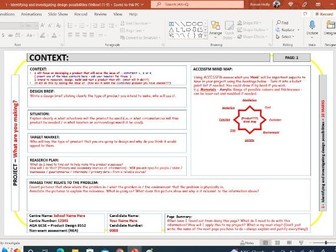
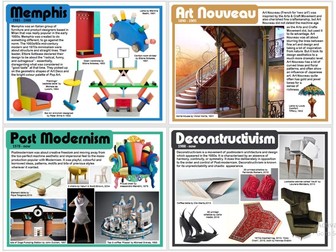
These DT Cover worksheets are suitable for year 9 and GCSE students. The first worksheet focuses on Mock Questions related to Usability. There are 7 questions (15 marks) in total. Students are provided with space to write their answers. Answers are provided for all of the questions; allowing self-marking time during the lesson. The second worksheet focuses on Design Considerations. It focuses on Usability and Colour Association. Students are provided with four tasks. The answers are provided for all tasks to allow for self-marking during the lesson. Teacher may consider providing this worksheet to lower years - such as year 8. The third resource encourages students to identify 8 design problems and write a design solution for each. This resource has also been presented to KS3 students as part of a cover lesson. The problem areas cover: Loose items in a large bag Messy eater - older children Children differentiating between the left and right trainer Getting down from a bunk bed safer and quicker Birds pecking at rubbish and making a mess on bin day Baby’s crawling on harder floors / discomfort to their knees Picking up a large number of nails that have dropped onto the floor The fourth worksheet focuses on Mock Questions related to Design Considerations. There are 7 questions (15 marks) in total. Students are provided with space to write their answers. Answers are provided for all of the questions; allowing self-marking time during the lesson. The fifth worksheet focuses on analysing a product & materials and components. Students are presented with four tasks in total. A handout has been provided to support them when analysing a product. Students are introduced to four design problems and asked to provide a solution for each. Please note that 3/4 of the problems on this worksheet also feature in handout three (listed above) and these are as follows: Loose items in a large bag Children differentiating between the left and right trainer Getting down from a bunk bed safer and quicker …the 4th problem is: * Some pre-school children are able to undo their seatbelt buckle. Students are tasked with four tasks. Tasks include complete the sentences using the missing words, match, cut and stick the design periods to the designer timeline, analyse two products and match them to their design inspiration and design an outfit inspired by a fashion trend. 7.Students are asked to complete sentences relating to branding and marketing. They are then asked to analyse an example app/app icon branding - along with answering two marketing question. Next students are provided with a well known drinks can and asked to sketch their own word/s using the iconic drink typography. Lastly students are tasked to brand a child’s banking app. You can find other Design Technology resources in my shop. Some useful links have been listed below: All DT resources DT Interactive Quiz Cover Lesson BUNDLE Understanding the Design Brief - Page Templates
AQA A-Level Product Design Designer ProfilesQuick View
GPTechnology

AQA A-Level Product Design Designer Profiles

(0)
This document includes profiles for all the required designers for the AQA A-Level Product Design Specification. Includes: James Dyson Philippe Starck Margaret Calvert Dieter Rams CHarles and Ray Eames Marianne Brandt Can be used as a revision resource.
Design Technology Mock Questions - Design ConsiderationsQuick View
Made_for_teachers

Design Technology Mock Questions - Design Considerations

(0)
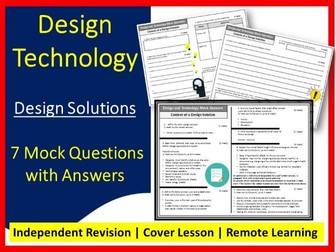
Revision, Cover Lesson and/or Remote Learning Design Technology Worksheets, suitable for KS3 and GCSE students. These sheets focus on Design Solutions and features 7 mock questions totaling to 15 Marks. This resource contains x3 sides of A4. This is divided into: Mock Questions spread over x2 sides Answer sheet Questions include: 1 mark - 4 mark answers. They ask students to define, state and explain 7 questions 15 marks These mock questions are tried and tested. Students can complete the questions independently, self mark using the answer sheet and then re-write any questions to improve them. This task is great for revision, as students are practising writing model answers and can keep their model answers for the revision period. You may also be interested in: DT Bundle - Quiz and Worksheets DT Project - 31 Template Pages - Understand the Design Process - DT KS3 Mini project - Waterproof Overall DT KS3 Mini Project - Collapsible Bin Store DT KS3 Mini Project - Seat Belt Protector DT KS3 Mini Project - Magnetic Wrist Band DT Lesson Bundle
Design your own logo Quick View
jaspreet14

Design your own logo

(2)
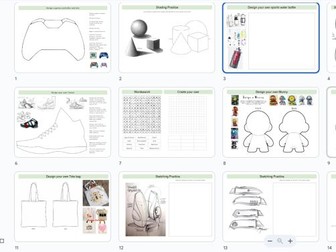
Double sided, A3 cover-work sheet, students have to work through a range of tasks to create their own logo. Feedback from cover-staff has been positive and ample work to cover more than one lesson.
Cover activities: Design ChallengesQuick View
thedtteacher

Cover activities: Design Challenges

(1)
A simple set of design and technology activities that could be used as emergency cover. 15 activities in total suitable for year 7 - year 10 I created these quickly as a teacher called in sick in the morning and needed some activities that students could work through independently without much instruction. They are not perfect and done in a rush but they did they job!
KS3 Design Technology DT - Cover Lesson - Alessi Designing ProductsQuick View
bexybexy

KS3 Design Technology DT - Cover Lesson - Alessi Designing Products

(0)
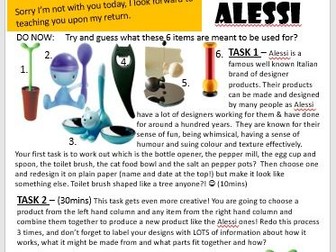
A stand alone lesson which is perfect for any KS3 or higher KS2 or lower KS4 Cover Lesson or the start of a new project. Based on the designer Alessi and designing new products for market, I based this one on unusual inspirations, but you can easily change the wording so that it mentions your own made up objects too. All you need to do is print one sheet per student (or 1 between 2) and the only other resources needed are plain paper and pencils/crayons whatever you would like them to draw with! My 2nd ever upload so I am hoping this is helpful to someone!
Design - Cover worksheet - Art DecoQuick View
superCd

Design - Cover worksheet - Art Deco

(0)
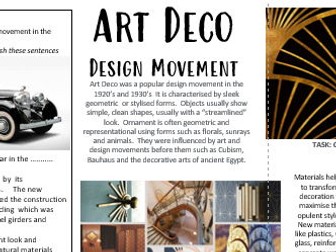
A3 Worksheet based on Art Deco design movement. Resource is useful for cover lesson in Art and Design or 3D design lesson. Range of tasks increases in difficulty. Starter and extension task provided. Reference made to design, history of art and design, design movements, variety of applications such as achitecture, interiors, product design and made relevant with links to products from home.
36 Great Designers - AQA list of designers - 36 x A4 postersQuick View
paulwalker2001

36 Great Designers - AQA list of designers - 36 x A4 posters

(0)
Want a great looking and informative display that makes your space look good AND kids actually want to look at?! Look no further! 36 x A4 posters These are actually the 36 designers and companies listed in the AQA syllabus - Harry Beck, Marcel Breuer, Coco Chanel, Norman Foster, Sir Alec Issigonis, William Morris, Alexander McQueen, Mary Quant, Louis Comfort Tiffany, Raymond Templer, Gerrit Reitveld, Charles Rennie Macintosh, Aldo Rossi, Ettore Sottsass, Philippe Starck, Vivienne Westwood, Braun, Dyson, Apple, Alessi, Under Armour, Zara, Gap, Primark, Joe Casely-Hayford, Rei Kawakubo, Pierre Davis, David Adjaye, Yinka Ilori, Zaha Hadid, Elsie Owusu, Karim Rashid, Kusheda Mensah, Aljoud Lootah, Morag Myerscough, The Singh Twins. (Quote: ‘Students should investigate the work of a minimum of two of the following’) IMPORTANT NOTE: This has been updated in readiness for the 2022-23 syllabus, it was 24 designers and companies but 12 were added by AQA for September 2022 (quote from AQA: ‘We’ve added 12 new, diverse designers to our GCSE Design and Technology (8552) specification ready for first teaching in September 2022.’) Just download, click, print, maybe laminate - done! Perfect for 11-18 year olds Tried and tested in my own classroom Impress SLT - tell them you made them yourself! You get the original Power Point file (should you want to edit) and a pdf (for a quick print) No annoying logos or footers etc
NEA Easy Marking Sheet for AQA Design and TechnologyQuick View
textilesjanet

NEA Easy Marking Sheet for AQA Design and Technology

(1)
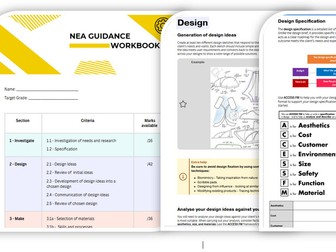
This resource can be used to ease marking of NEA for Design and Technology. The specific language is taken directly from the AQA mark scheme, but it has been put in chart form with areas identified, so that different mark bands can be easily seen for each section of the NEA. This is a new resource this year for my department, this type of format has helped a lot in Food for several years. It can also be shared with students so they can see how to progress to higher marks using simplified terms. Simply tick the box that you think the students work fits into for that section and the use that information to make your judgement about each section, information can then be transfered easily to the AQA official paperwork.
COVER WORK - App Design - DT-ART-ICTQuick View
AJBresources

COVER WORK - App Design - DT-ART-ICT

(1)
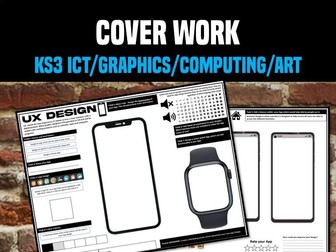
This Resource includes 2 different A3 worksheets in which students need to design an app based on a specified brief. Each sheet has several tasks and there is more than enough work for 2-3 lessons. An excellent extension for these tasks is to get students to create hi-fidelity mockups of their Apps on Microsoft Powerpoint. This worksheet works well for years 7-11 and can be used across DT, ICT, Art and Graphics.
Design Technology Theory Bundle - AQA Exam RevisionQuick View
hillr5

Design Technology Theory Bundle - AQA Exam Revision

15 Resources
D&T Theory AQA Lesson Bundle NOW INCLUDES : D&T Exam Revision & Task Booklet- AQA This bundle includes 14 engaging theory lessons linked to the Design Technology GCSE AQA Specification: ♦ Timbers and Metals ♦ Polymers ♦ Textiles & New Materials ♦ Research & Investigation ♦ Explore & Develop Ideas ♦ Design Strategies ♦ Eco, Environmental & Social ♦ Design Companies ♦ Work of Other Designers ♦ Electronic Systems ♦ Material Finishes ♦ Material Selection ♦ Mechanical Systems ♦ Standard Components These theory lessons do not require the use of specialist equipment or computers. Allowing the work to be set remotely or to be taught in non-specialist classrooms.
10.Graphic Design Render material textureQuick View
surfacedetail1

10.Graphic Design Render material texture

(1)
Power point: The high end, attractive and informative power point has detailed instructions and notes, step-by-step animations, with starter, main and plenary activities, as well as home learning included. A lesson plan is also included (MS Publisher file). Learning Outcomes: In this lesson, students will gain an understanding of: • Developing their drawing and visualising skills, increasing their ability to draw freehand more quickly and confidently. • 5 different major activities, including a Super challenge task. • The technique used for rendering a range of materials realistically, including; wood, concrete, metal, glass, rubber and plastic • In-depth knowledge of rendering wood, metal and glass, with step by step guidance on how to get a great outcome • How to create the illusion that an object is made from a particular material and describe how light falls on it. • Literacy: Students will also learn a wide range of subject specific key words Worksheets: The worksheets are differentiated into two categories: • ‘LA’ worksheets having additional support in terms of the outcomes as well as sentence stems, word banks, etc. • The second category of worksheet has differentiation in the form of more open ended tasks as well as ‘Super Challenges’.
Design Technology Cover work/worksheet - Design Considerations - Colour AssociationQuick View
Made_for_teachers

Design Technology Cover work/worksheet - Design Considerations - Colour Association

(0)
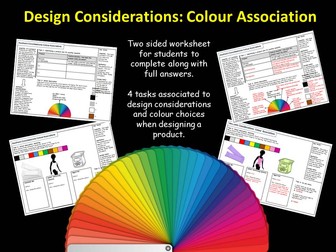
This double sized worksheet it suitable for Design Technology Cover lessons; or delivered by a specialist teacher. The worksheet focuses on Design consideration, providing information and tasks relating to usability, aesthetic considerations and colour association. The four tasks are clearly explained and answers are included for all questions. It has been used primarily for KS3, but could be delivered to KS4. An additional handout sheet is also provided to help with differentiation. This handout sheet provides a list of suggested colour meanings for students to use (if they wish) to help complete task 2. Other resources you may find useful: Design Technology Cover work
Generating Design IdeasQuick View
lsshales

Generating Design Ideas

(0)
A great resource to aid learners in generating design ideas with 4 different techniques. Includes everything needed for a full lesson including a lesson plan, learners booklets, image cards and shapes. Great as a one off lesson or as a start to a project. Allows learners to develop creativity in designing using a variety of techniques. Lesson include both individual and collaborative learning.
Logo DesignQuick View
Made_for_teachers

Logo Design

(0)
This Crisp Logo worksheet is suited for KS3 and KS4 students. This worksheet can be delivered by a specialist or non-specialist as part of a cover lesson. The tasks focus on exploring existing crisp logo designs by drawing them, then creating a logo of their own. The following tasks are included: Task 1: Replicate one of the three crisp logos in the blank box (Pringles, Walkers or Monster Munch) . Focus on the bold straight fonts or the curvature of the text used. Task 2: Create a new crisp logo using your own text and image. There are some examples below to inspire you. Think about your target audience: Children, Sharing bag Examples have been included for students to use as inspiration. You may also be interested in: Made for teachers Art Worksheets Bundle D&T Worksheets Bundle Food 100 Mark Mock Paper DT Lesson Bundle
Design and Technology Cover Lesson: Ṕaper, Woodwork, Product Design LessonQuick View
georgiahawker

Design and Technology Cover Lesson: Ṕaper, Woodwork, Product Design Lesson

(0)
This is a one of design cover lesson (could be two lessons depending on the length) that includes following the design process and create a 3D model at the end. This should take two lessons if correctly paced. Two worksheets and Design Net template - Powerpoint, PDF and JPEG It is recommended to print the worksheets in A3 to ensure students have enough space to fully explore and demonstrate their design ideas.
Embedding accessibility & usability:considerationsQuick View
AssocLearningTech

Embedding accessibility & usability:considerations

(0)
This paper makes the case that if e-learning research and development projects are to be successfully adopted in real-world teaching and learning contexts, then they must effectively address accessibility and usability issues; and that these need to be integrated throughout the project. As such, accessibility and usability issues need to be made explicit in project documentation, along with allocation of appropriate resources and time. We argue that accessibility and usability are intrinsically inter-linked.
FREE GCSE Design & Technology: Generating Electricity Lesson – Edexcel/AQA/OCRQuick View
Cloud-forge

FREE GCSE Design & Technology: Generating Electricity Lesson – Edexcel/AQA/OCR

(0)
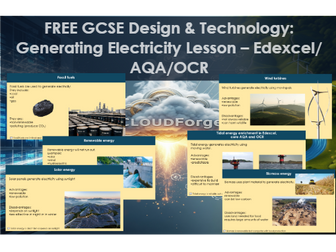
FREE GCSE Design & Technology – Generating Electricity Lesson Part of the CloudForge Systems & Energy Bundle A clear, structured lesson covering how electricity is generated from different energy sources for GCSE Design & Technology. This CloudForge resource helps students understand the difference between renewable and non-renewable energy, and how engineers choose suitable energy sources based on reliability, cost, and environmental impact. Students explore real-world examples including wind, solar, hydroelectric, tidal, and biomass energy, with a strong focus on evaluation and exam-style reasoning. Designed using the CloudForge approach, this lesson reduces cognitive load through clear explanations, dual-coded visuals, and targeted questioning to support both specialists and non-specialist teachers. Includes a GCSE-style exam question and self-mark activity to reinforce learning. This resource includes: • What electricity generation is • Renewable and non-renewable energy sources • Fossil fuels and environmental impact • Wind, solar, hydroelectric, tidal and biomass energy • Advantages and disadvantages of each energy source • Choosing suitable energy sources • GCSE-style exam question and model answer • Teacher notes with questioning and dual-coding guidance Perfect for: • Edexcel GCSE Design & Technology (9–1) • AQA & OCR D&T core content • KS4 revision, flipped learning, or cover lessons Why teachers love it: • Fully editable PowerPoint • Clear, high-contrast layout (24pt+ font) • Designed to reduce cognitive load • Strong focus on exam technique and evaluation This lesson is part of a wider CloudForge GCSE D&T series covering materials, mechanisms, electronics, and exam preparation. If you find this resource useful, please consider leaving a review — it really helps support the creation of more free content.
Generic Year 7 ProjectQuick View
robertbulmer

Generic Year 7 Project

(2)
This is the Year 7 'Bed Project' which we have used for the last two year in Design Technology. It is designed as a leveling tool and is taught by all DT staff to the Year 7 students at the start of the year. This is how we arrive at our student baselines!
Focus on Designer Design taskQuick View
thedtteacher

Focus on Designer Design task

(1)
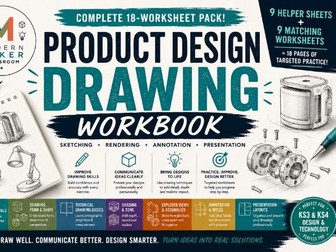
This lesson follows on from the revision of a designer lesson in my resources. The reasonong behind the lesson is to reiterate the work of the designer but to also focus on some sketching skills and design thinking. There are 3 tasks. 1 Practicing sketching - Straight lines, Curves, Ellipses, Perspective, Coverging lines 2. Practicing shading and contering (if you are not great at product design then I suggest you use this video from you tube https://www.youtube.com/watch?v=r-UqGtsjKiU ) 3. Design a clock using sketching skills in the style of Phillipe Stark There are some visual images that you can use for inspiration as well. Not my greatest resource but could come in handy