

 Quick View
KS3 Unit - Computer Hardware - What is a Computer?
This unit provides at least 6 hours of KS3 lessons on the use computer hardware components in a computer system. At the end of the units students are provided with an assessment to assess their progress.
This unit includes a:
PowerPoint presentation (56 Slides)
PDF teaching file
Unit Test (including mark scheme)
These resources can be used by a computing teacher or a non-specialist teacher to teach “What is a Computer?”. This unit can be taught in a classroom with no computers.
What will students learn?
ALL STUDENTS
• I can identify the main hardware components (CPU, RAM, Motherboard, HDD, SSD, PSU and GPU) and software components (operating system, application software) that make up a computer system.
• I understand that devices such as smart phones and tablets are computer systems
MOST STUDENTS
• I can explain the role the main hardware components (CPU, RAM, Motherboard, HDD, PSU and GPU) and software components (operating system, application software) that make up a computer system.
• I understand the role of input, output and storage devices.
SOME STUDENTS
• I can select the components of a computer system to ensure that they meet the needs of a user.
 Quick View
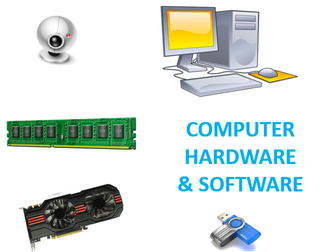
KS3 Hardware & Software SOW
5 part series of work for KS3 teaching about different Computer hardwares and softwares.
Lesson 1 - History of Computing research task
Lesson 2 - Hardware
Lesson 3 - Software
Lesson 4 - Data Storage
Lesson 5 - The CPU
 Quick View
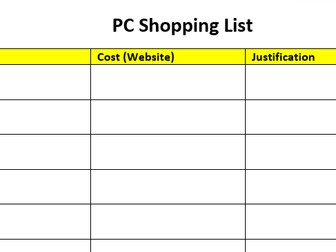
Cover Lesson - Build a PC - Hardware Research
This is a lesson which can be used by a teacher or as a cover lesson and can be extended out to two if you work it that way!
it can even be used for remote learning.
This a computer based lesson and requires the Internet to research components.
I use this with my Year 10 class as they begin to learn about the hardware components of a computer for their GCSE but it could equally be used for any class from Year 9 to 13.
The kids generally love this lesson and have great fun bragging about their creations!
 Quick View
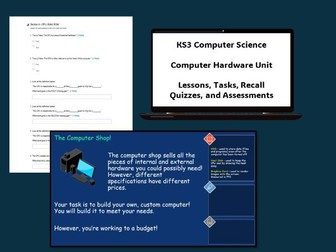
Computer Hardware (KS3)
A unit of work consisting of five lessons, which focus on internal and external hardware. Lessons are as follows:
Lesson 1 - Advancements in Technology
Lesson 2 - The CPU
Lesson 3 - RAM and ROM
Lesson 4 - Input and Output Devices
Lesson 5 - Additional Internal Hardware (Graphics Card, Heat Sink, HDD)
In lesson 5, students apply their learning of hardware to build their own virutal computer. A good link to numeracy here, as they have a budget to manage! They must justify why they are spending the money they are.
Also includes two assessments, a mid-point and a final.
 Quick View
Hardware & Software KS3 Computing
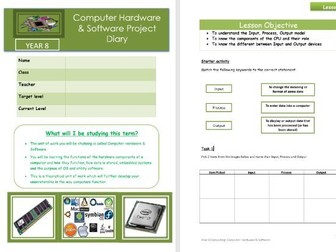
This resource contains 6 lessons on the functions of hardware components, input/output devices, how data is stored, embedded systems and application and system software including OS and utility. Lessons have been tailor made, focusing on engagement of pupils with maximum learning of keywords and components. Suitable for KS3 students leading into computer science topics for GCSE
undefined
 Quick View
Computer Hardware worksheet
Computer Hardware worksheet
Suitable for KS3 and KS4
Exam board
OCR
AQA
EDEXCEL
Get the bundle here: https://www.tes.com/teaching-resource/bundle-computer-hardware-worksheet-and-answer-sheet-13028133
 Quick View
Network Hardware Lesson
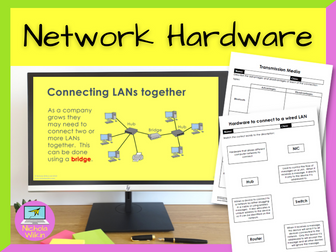
How can you teach your students about network hardware, in an engaging way? The key is to break up the theory into small manageable chunks and reinforce each section with a variety of activities. And that is exactly what this lesson does.
Why spend hours making your own resources when it is all done for you? Download this lesson today and save yourself all that preparation.
WHAT IS INCLUDED?
Suitable for GCSE Computer Science pupils following either OCR GCSE Computer Science (J277) or AQA GCSE Computer Science (8520) syllabuses.
This lesson includes:
an attractive dyslexia friendly PowerPoint presentation,
differentiated lesson objectives,
2 videos to change focus and break up the lesson,
loads of individual and group tasks and questions,
2 printable ready to use worksheets for classwork,
3 differentiated exam style questions which can be used either in the plenary or set for a homework task,
a comprehensive 3-page teacher’s lesson plan including ALL THE ANSWERS.
.
WHAT DOES IT COVER?
With virtually no preparation (apart from photocopying the worksheets and taboo cards) you will be ready to teach about your classes about:
Transmission media (Wi-Fi, Bluetooth, coper cables and fibre optic cables)
Routers
Switches
Hubs
Network Interface Cards (NIC)
Wireless Access Points
Bridges
Wi-Fi channels
.
Please note: network topologies and protocols are not covered in this lesson as that is covered in a separate lesson.
DURATION: 1 lesson
FREE BONUS PRODUCT INCLUDED
As a special thank you for purchasing this product I am pleased to be able to also include a surprise FREE bonus gift. This gift is one of our complete resources which we will usually charge full price for but is yours absolutely free when you purchase this product. Just our little way of saying thank you to our valued customers. I hope you enjoy it and get use out of it, with my compliments.
Check out these other great lesson by Nichola Wilkin (nwilkin):
What is the internet?
Network Topologies
 Quick View
Computer systems (hardware) workbook
This workbook can be used to assess a students knowledge of Input/Output devices, backing storage and memory. I have used this resource as part of our Computer Science course in KS3/4.
Introduction to Hardware
This is a powerpoint that introduces the concept of hardware to students. This task gets the students to recognize what pieces of hardware they know and gets them to think about the importance of each piece of hardware.
 Quick View
Computer Hardware
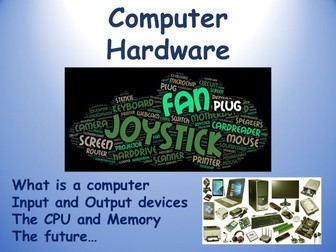
We all use computers, but how much do we really know about hardware and software? These lessons look specifically at hardware, introducing students to what computers are all about in an accessible way.
The course is delivered in 3 x 60-minute lessons, using stimulating PowerPoint presentations with embedded videos, and includes worksheets to accompany the lesson, plus a Kahoot quiz.
What is a computer
Input devices and Output devices
The CPU and storage
The future, and some fun tasks
Let me know if you have any questions or suggestions, and a BIG BIG thanks for looking (as a full time practising teacher, I KNOW how time consuming this process can be).
ALL my postings are FULLY “classroom-tested” - before I publish, my lessons are tested by both myself and colleagues, rigorously evaluated and discussed, and continually updated to maximise their effectiveness. But there is always the possibility of error and room for improvement, so do please provide constructive feedback.
Teacher/Author: Barrie James
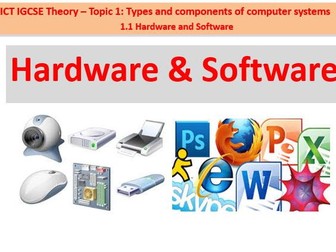
Hardware & Software
This Powerpoint explains hardware and software of a computer which could be used with a KS4 GCSE IT class because it explains what hardware is and gives you examples and it explains what software is and it gives you examples.
 Quick View
Hardware and Software
This presentation is designed according to the content below:
defne hardware as consisting of physical components of a computer system
• identify internal hardware devices (e.g. processor, motherboards, random access memory (RAM),
read-only memory (ROM), video cards, sound cards and internal hard disk drives)
• identify external hardware devices and peripherals (such as monitors, keyboards, mice,
keyboards, printers as input and output devices and external storage devices in general)
• defne software as programs for controlling the operation of a computer or processing of
electronic data
• identify the two types of software – applications software and system software
• defne applications software (e.g. word processing, spreadsheet, database management systems,
control software, measuring software, applets and apps, photo-editing software, video-editing
software, graphics manipulation software)
• defne system software (e.g. compilers, linkers, device drivers, operating systems and utilities)
 Quick View
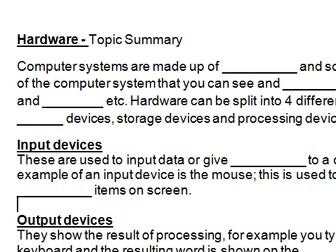
Hardware summary
Used as an end of topic summary - to assess students knowledge of computer hardware, and to ensure they have basic notes in their books!
Hardware Worksheet
This worksheet assesses students ability to identify by name and classification input, output and storage devices. It is very suitable for both worksheet and activity sheet. Suitable for KS3 as well as KS4.
Computer Hardware
An introduction to Computer Hardware. Consists of a simplistic PowerPoint and two matching activities.
 Quick View
 Quick View
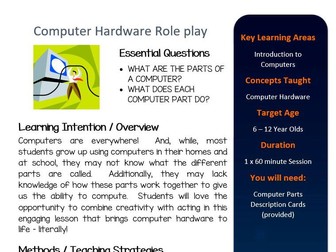
Computer Hardware Roleplay Activity
Computers are everywhere! And, while, most students grow up using computers in their homes and at school, they may not know what the different parts are called. Additionally, they may lack knowledge of how these parts work together to give us the ability to compute. Students will love the opportunity to combine creativity with acting in this engaging lesson that brings computer hardware to life – literally!
***************************************************************************
Other Popular Products From Innovative Teaching Ideas - Search for these items on TES
Year Long Visual Writing Prompts
Fable Power Pack
Teaching Digital Technologies and STEM
*****************************************************************************
YOUR REVIEWS ARE ESSENTIAL IN KEEPING OUR PRODUCTS LOW PRICED AND REGULARLY UPDATED!!! IT MAKES A HUGE DIFFERENCE TO US!!! PLEASE LEAVE A REVIEW
About Innovative Teaching Ideas
Terms
Copyright © Innovative Teaching Ideas. All rights reserved by author. This product is to be used by the original downloader only. Copying for more than one teacher, classroom, department, school, or school system is prohibited. This product may not be distributed or displayed digitally for public view. Failure to comply is a copyright infringement and a violation of the Digital Millennium Copyright Act (DMCA). Clipart and elements found in this PDF are copyrighted and cannot be extracted and used outside of this file without permission or license. Intended for classroom and personal use ONLY. See product file for clipart and font credits.
 Quick View
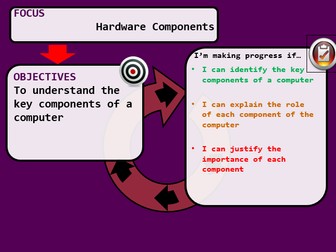
Hardware Components Lesson KS3
This PowerPoint can be used to show students the components that go inside a computer. I used a laptop disassembly to go along with this, but have left in slides including images of the different components so it can be used without.
Following this the students go online to look at important features of each component, and how they work to make the computer as a whole work.
This is the second lesson in the 'How a Computer Works' topic.