Power of a device - Physics GCSEQuick View
abehan

Power of a device - Physics GCSE

(0)
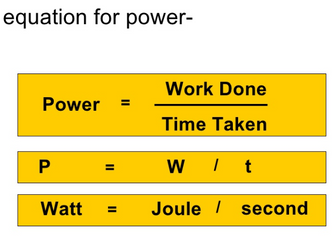
Lesson explaining and applying the equation P = W / t. Includes practise of using the kilo prefix. Includes Powerpoint and worksheets.
OCR A-level Physics Practical Skills LessonQuick View
srshaw89

OCR A-level Physics Practical Skills Lesson

(0)
Covers skills and information students need to know from the Practical Skills Handbook - Physics. This PowerPoint is a 100+ slide lesson included with student activities and animated answers to the questions. Hazards in a lab - biological, chemical, physical, and radiation hazards. Hazard pictograms Health and safety in the lab Risk assessments Reading a micometer Using significant figures Rounding Errors Scientific terminology - Accurate, Precision, Repeatable, Reproducible, Validity, Confidence level , Error, Anomaly, Resolution, Uncertainty. Uncertainty in measurements in analogue and digital devices Uncertainty in measurements with a stopwatch and ruler Absolute and percentage uncertainty Combining Uncertainties Percentage difference between your experimental result and an accepted reference value. Presentation of scientific data in tables Presentation of scientific data in graphs Logarithms in tables Referencing and plagiarism
A Level Physics (CIE)- 2025-2027 *COMPLETE POWERPOINTS for ALL A level Topics*Quick View
choonputter

A Level Physics (CIE)- 2025-2027 *COMPLETE POWERPOINTS for ALL A level Topics*

(1)
powerpoints for ALL topics for the A Level CIE syllabus The ppts serve as a guide to each topic introducing main concepts, formulas and derivations,Practicals, demos and a variety of questions and answers (past papers, coursebook and workbook and more). Where possible I have provided teachers notes explaining slides and derivations etc as well as providing answers to questions. I have also included many past paper exam questions and answers (inc. OXBRIDGE PAT & ENGAA questions for high Ability students) Hope these are of use to some of you! Please do rate or leave a comment if so or if you feel I missed something! All files are now PPTX format and should open on most devices. Though you can also easily use a free converter online if needed. Thanks for your support! Topics included 8. Planning, Analysis and evaluation 9. Circular Motion 10. Gravitational fields 11. Thermal Physics 12. Ideal gases 13. Simple Harmonic Motion 14. Electric fields 15. Capacitance 16. Magnetic fields & Electromagnetism 17. Quantum Physics 18. Nuclear Physics 19. Medical Physics 20. Astronomy & Cosmology
AS Physics (CIE)- 2025-2027 *COMPLETE POWERPOINTS for ALL Topics*Quick View
choonputter

AS Physics (CIE)- 2025-2027 *COMPLETE POWERPOINTS for ALL Topics*

(2)
powerpoints for ALL topics AS Level CIE syllabus 39 lessons Each lesson comes with: *lesson objectives *main concepts, formulas and derivations, *Practicals, demos (Where possible) *A variety of questions and answers (past papers, coursebook and workbook and more) I have also included many past paper exam questions and answers (inc. OXBRIDGE PAT & ENGAA questions for high Ability students). I have provided teachers notes on certain slides showing answers/derivations as well as some explanations of more advanced concepts. Hope these are of use to some of you! Please do rate and leave a comment if so or if you feel I missed something! All files are now PPTX format and should open on most devices. Though you can also easily use a free converter online if needed. Thanks for your support! Topics included 0. Practical skills Mechanics Density & Pressure Energy, Work and power Matter and materials Waves Electricity Particle physics
GCSE Physics P1 - Electromagnetic SpectrumQuick View
Nteach

GCSE Physics P1 - Electromagnetic Spectrum

(6)
Complete lesson on Electromagnetic Spectrum/Uses/Risks with key content from AQA Physics. This lesson covers the electromagnetic spectrum, waves uses, wave risk, order and size of waves and mobile risks. Starter uses a fun riddle challenge which pupils enjoyed doing in Generating Electricity and so asked for another. The lesson explores the spectrum by order of identities of waves, wavelength, frequency and energy. A quick task on multipliers, standard form and prefixes helps pupils understand the notation commonly seen on the EM spectrum and also as questioned in exams. A task gets pupils to explore different EM waves using information sheet for them to use to summarise key information. Then mobile phone risk is then discussed along with correlation and causation. Plenary quick quiz and some exam style questions which can be used as mini plenaries to link to exams. More lessons in same format for P1. https://www.tes.com/member/Nteach
Electricity GCSE Physics BundleQuick View
ychebbout

Electricity GCSE Physics Bundle

(0)
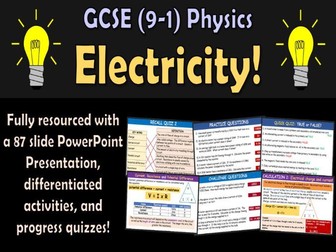
Perfect if you teach GCSE Physics Single or Combined Science, this fully differentiated and resourced topic bundle supports your students in learning about electricity, circuits, and static electricity. Students will: Recall the structure of the atom, limited to the position, mass and charge of protons, neutrons and electrons. Draw and use electric circuit diagrams, and describe the differences between series and parallel circuits. Explain how current and potential difference are measured in series and parallel circuits. Explain how changing the resistance in a circuit changes the current and how this can be achieved using a variable resistor. Recall and use the equation to calculate: energy transferred, charge, potential difference, current, resistance, and power. Explain how current varies with potential difference for the following devices and how this relates to resistance: filament lamps, diodes, fixed resistors. Describe how the resistance of a light-dependent resistor (LDR) varies with light intensity and describe how the resistance of a thermistor varies with change of temperature. Explain how the design and use of circuits can be used to explore the variation of resistance in the following devices: filament lamps, diodes, thermistors, LDRs. Explain energy transfer and ways of reducing unwanted energy transfer. Explain the difference between direct and alternating voltage. Explain the function of the earth, neutral and live wire. Explain how an insulator can be charged by friction, through the transfer of electrons. Explain some of the uses of electrostatic charges in everyday situations. Describe some of the dangers of sparking in everyday situations. Define an electric field and describe the shape and direction of the electric field. This resource includes a detailed and engaging 87 slide PowerPoint Presentation with differentiated activities, exam style questions and progress check questions for students to complete. This resource has been adapted to cover all exam boards. Enjoy and feel free to leave a review. Approx number of lessons: 5-6 INCLUDED IN BUNDLE: 87 slide PowerPoint Presentation with key points, progress checks and quizzes
Circuit DevicesQuick View
hbscienceresources

Circuit Devices

(0)
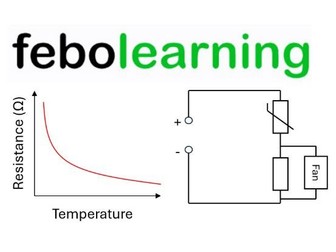
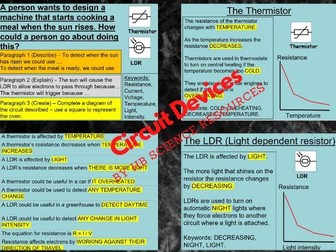
By the end of the lesson learners should be able to: Identify the circuit symbols for: a thermistor and a LDR. Describe how resistance changes in a thermistor and LDR. Explain why both LDRs and thermistors are used.
Semiconductor DevicesQuick View
iop

Semiconductor Devices

(0)
This resource offers the opportunity to take a look at semiconductor devices in general.
Choreographic Devices FlashcardsQuick View
libbyrandall26

Choreographic Devices Flashcards

(0)
Choreographic Devices flashcards suitable for KS3 or GCSE level students. Flashcards contain 8 Choreographic Devices and their definitions, and 12 Choreographic Tasks, with Challenge tasks integrated throughout. Flashcards can be used in two ways: Folded in half, with the Choreographic Device on one side and the definition on the other As one A4 sheet, with both the Choreographic Device and definition on the same side Clipped together, with the definition and tasks for each Choreographic Device in one mini ‘pack’ Useful for students developing choreography independently, or for students to be responsible for finding out definitions to challenging devices. Suitable for use with AQA GCSE Dance Specification.
Hydrogen DeviceQuick View
GreenTV

Hydrogen Device

(0)
Hydrogen device cuts fuel bills and emissions for larger vehicles. The bolt-on system produces small amounts of hydrogen which helps engines to burn conventional fuels more efficiently.
Efficiency of Devices  by SciencEdQuick View
scienced

Efficiency of Devices by SciencEd

(0)
Welcome to SciencEd: Science Resources for teachers! This resource is fully differentiated resource that includes answers for teaching students about the efficiency of devices. The lesson is split into 3 chunks to make sure that you meet the needs of your students when delivering the new GCSE Physics and Combined Science: Physics courses. Are your students aiming towards a grade 5? This resource aims to get your students to: *Identify the types of useful and waste energy in a system *Describe how to find the efficiency of a device Are your students aiming for a grade 5? Get your students to: *Explain, using calculation, which device is the most efficient Are your students aiming above a grade 5? Stretch them to: *Link ideas of specific heat capacity to work out the efficiency of a spirit burner. This resource includes little extras to help challenge all of your students. *On your toes boxes - Prepare students for feedback by putting their name into the orange boxes on screen. * Self assessment opportunities - Reduce your workload by getting students to self assess their work by using the green boxes and answers on screen. * Stretch your most able - Stretch yourself! opportunities placed throughout the lesson to get your most able to think about their answers and the applications of science.
Prosthetic devicesQuick View
IETEducation

Prosthetic devices

(0)
The development of new materials with incredible properties is changing the way we live. From LCD TVs to super light airliners, these materials have quickly found their way into pretty much all of the modern technology around us. One area where modern materials have made a huge impact is in the development of prosthetic devices. Some of these devices are beginning to outperform ‘natural’ body parts. Activity info,  teachers’ notes and curriculum links to KS3 science materials Using the short video ‘Bionic Limbs’, this activity is a quick, engaging introduction to a KS3 science materials lesson looking at the properties of modern materials. It encourages students to think about how technology is changing our society by generating their own ideas for prosthetic devices that they think will be realistic in the near future. There are takeaways for KS4 biology and KS3 product design. The activity sheet includes teachers’ notes, useful web links, and links (where appropriate) to the national curriculum in each of the four devolved UK nations; England, Northern Ireland, Scotland and Wales. Download the activity sheet and quiz for free! All activity sheets and supporting resources (including film clips!) are free to download, and all the documents are fully editable, so you can tailor them to your students’ and your schools’ needs. And please do share your classroom learning highlights with us @IETeducation.
GCSE Physics P1 - Energy and Power of Electrical DevicesQuick View
Nteach

GCSE Physics P1 - Energy and Power of Electrical Devices

(1)
Complete lesson on Energy and Power of Electrical Devices with key content from AQA Physics. Starter uses a discussion on pupils power is based on where they may have encountered it before. Main includes a clear description of what Power is in Physics and an explanation of the units. This lead onto clear example of using the equation and to a classroom activity looking at power rating of electrical devices and making energy transferred calculation from them. Included is a review of the power efficiency calculation with examples. Lesson concludes with task sheet with questions using lessons content. Worksheet includes 'Energy & Power' task to be printed on one A4 sheet to save on printing. Set-up to print '2 pages per sheet' to produce one worksheet. More lessons to in same format for P1. https://www.tes.com/member/Nteach
P15.3 Electromagnets in devicesQuick View
PhyscisCentre

P15.3 Electromagnets in devices

(0)
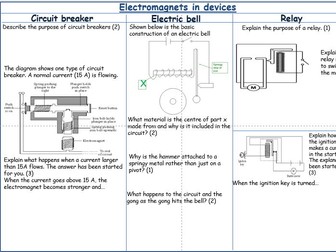
This lesson has been created specifically for the NEW AQA Trilogy Physics GCSE, with a focus on the ‘Electromagnets in devices’ Scheme of Work (SoW). The presentation includes the following elements: Lesson objective Success criteria Slides with relevant information Challenging activities Tasks to demonstrate understanding Lesson resources suitable for a class with a range of abilities, covering content 1-8 The lesson is available as a digital worksheet, and the resources have been designed to cater to the needs of a mixed ability class. If you need further assistance, please feel free to reach out to me at PhysicsCentre@gmail.com
Sound - Mosquito deviceQuick View
saira32

Sound - Mosquito device

(1)
A year 8 lesson on the topic of Sound. Can be used as a stand alone literacy lesson after delivery of sound content. Suitable for middle to lower ability students. Can add a starter on the structure of the ear. Either one of the articles can be used depending on ability.
Mechanical devices , motions, levers & linkagesQuick View
ekcochrane

Mechanical devices , motions, levers & linkages

(1)
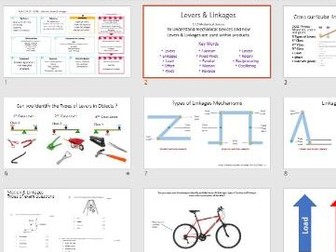
Lesson includes 5 min Lesson Plan Links to GCSE AQA Spec Key words starter activity Hands on levers task - (you will need to provide physical objects to show examples of lever ) Linkages task Higher ability - application task Exam questions
AQA GCSE Physics P15.03 Electromagnets in devicesQuick View
physhead

AQA GCSE Physics P15.03 Electromagnets in devices

(0)
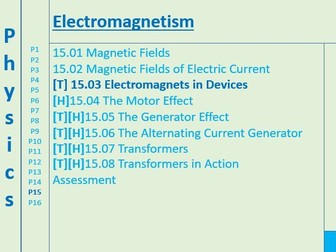
Electromagnets in devices lesson for AQA GCSE Physics. Designed to be the basis of a lesson, not a complete one. Reference may be made to worksheets by publishers that are not included or textbooks, but i have tried to avoid this wherever possible. Resources have been amassed over years of teaching, if i have used something you have created please let me know and i will remove it.
Energy transferred by a device or electrical appliancesQuick View
agchuks

Energy transferred by a device or electrical appliances

(0)
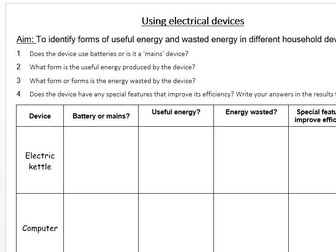
This stand alone lesson plan uses a TEEP model. Lesson objective: Calculate the energy transferred by a device Lesson outcomes Understand how various different appliances transfer energy Calculate the energy transferred by a device
An Inspector Calls audience and dramatic devicesQuick View
jennymarks58

An Inspector Calls audience and dramatic devices

(0)
This lesson concentrates on the power of dramatic devices in An Inspector Calls. The starter asks students to discuss the emotional impact of popular culture genres through the cinema or theatre. Students then relate this to Priestley’s intention in AIC. Students are then introduced to the concept of the ‘fourth wall’ and the power of the Inspector’s disruption. Students then make a poster of differing dramatic devices used in the play from the physical photograph of Eva to the setting, lighting and the use of dramatic irony.