The Big Enterprise Project!Quick View
TandLGuru

The Big Enterprise Project!

(0)
This engaging investigation activity allows students to use develop their innovation, creativity and collaboration skills to control the direction of their enterprise project. The resource set guides students through the entire project, from conception to evaluation, and includes resources/ guidance for the following activities: -Deciding upon different roles within their groups, in order to carry out multiple tasks effectively; -Designing a company name and appropriate logo and slogan; -Researching their product area, including competitors and USPs; -Conducting market research; -Budgeting; -Detailed product design; -Packaging design; -Creating instructions for users; -Formulating and presenting a persuasive pitch; -Surveying the target audience for their feedback; -Self-evaluating strengths and areas for development. A comprehensive PowerPoint presentation guides students through the project. There are at least a week’s worth of resources in here, enabling students to fully immerse themselves in the project. I orignally have used this with KS2 and KS3 students, but they could reasonably be adapted for students in KS4. All images have been cited at the end of the PowerPoint presentation and are licensed for commercial use.
Science Fair Project Quick View
Happyedugator

Science Fair Project

(2)
Science Fair Project Student Guide. Includes 100 science project ideas, directions for creating a science fair project, how to graph and record data, and how to make a display board with dimensions and helpfu hints for success. I have also added information on how to create a logbook with rubric, parent letter, parent tips, a list of helpful websites, and a volunteer form. 19 pages. Enjoy! - HappyEdugator
Excel Spreadsheet Skills Project WorkbookQuick View
MissJ0130

Excel Spreadsheet Skills Project Workbook

(2)
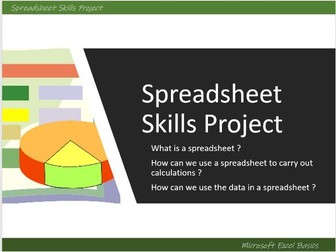
An Excel Basic Skills Project Workbook, remote learning or independent work,step- by- step instructions/ tasks with editable task sheets and powerpoint/ video , 6 tasks take students through : how to set up tables of data range of basic formula applying formatting spreadsheet vocabulary using data tables to create graphs Changing data to answer ‘What if … ?’ questions Used with Year 7 as a spreadsheet skills project but suitable for a range of ages. Can also be delivered lesson by lesson using teacher demo Excel files to support students in class ( I have used this both as a project and as tasks to support other in class Excel learning with Year 7 and 8 over 6 lessons or so ) Word document - can be printed as a booklet or as separate tasks, or uploaded online ( PDF version of full booklet also included) Suitable for homework, independent work or remote learning Powerpoint with video guides with tips for tasks included Answers to all tasks included in Excel file which includes full completed tasks formulae etc Interactive Word based Key Vocabulary quiz with answers ( can also be printed - included in booklet)
Art Cover work sheets BUNDLE (Animal Project)Quick View
chrisjdownes

Art Cover work sheets BUNDLE (Animal Project)

(0)
5 PDF double-sided cover work sheets on artists for a topic on Animals. Each double-sided work sheet focuses on a different artist. Each work sheet will last at least an hour. Artists included: Steven Brown Vincent Scarpace Brooke Connor Sarah Dodd Sharlena Wood A mixture of drawing and written tasks for students to complete. Worksheets have been tried and tested by my own KS3 students.
Banksy ProjectQuick View
Nicholmmartin

Banksy Project

(0)
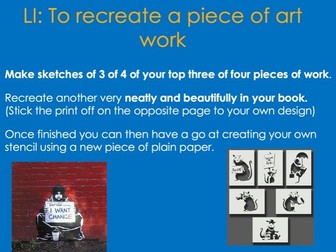
Three lessons of a Banksy Project. Resources for a Banksy art gallery including Banksy money to ‘buy’ a smaller version of their favourite for activity. Lesson 1 - Debate about vandalism/graffiti, introduction to history of graffiti and Banksy. Visit your Banksy ‘art gallery’. Activity: ‘Buy your favourite, answer the questions about the piece of art you have picked and recreate it in your books.’ Lesson 2 - Re-visiting the Banksy ‘art’ gallery and sketching. Creating your own stencil Lesson 3 - Creating your own piece of Banksy inspired art work, leading to a competition. Thinking about what message you want in the school. This project was a favourite of many at the end of the year. Covers art objectives:  to create sketch books to record their observations and use them to review and revisit ideas  to improve their mastery of art and design techniques, including drawing, painting and sculpture with a range of materials  learn about great artists, architects and designers in history. Covers art aims:  produce creative work, exploring their ideas and recording their experiences  become proficient in drawing, painting, sculpture and other art, craft and design techniques  evaluate and analyse creative works using the language of art, craft and design  know about great artists, craft makers and designers, and understand the historical and cultural development of their art forms.
Science Research Project on HabitatsQuick View
KaylaWilliams89

Science Research Project on Habitats

(1)
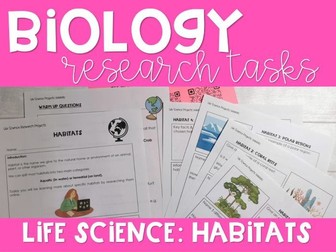
Do you need a science project for your KS3 Science class? This life science research project is focused on habitats. Students will research 3 given habitats along with one of their own choosing! Support is provided to help the students get stuck in, including QR codes for them to scan with their device taking them directly to quality sources of information. The research tasks themselves are designed to guide students through their research. There is also an additional warm up set of questions that should not require research, designed to build confidence and retrieve prior knowledge about habitats that students may not realise they have! Included in this research packet: Introduction to habitats and task instructions. Warm-up questions – simple and engaging to get the students started. Habitat 1 (rainforest) research questions with space to answer. Habitat 2 (coral reefs) research questions with space to answer. Habitat 3 (polar regions) research questions with space to answer. Template for students to complete their own research on their chosen habitat. Resources to help the students with their research (QR codes with links to helpful websites). This task could easily take an hour or more. Students will require access to the internet. If I had a class with access to devices in school, this could also be a perfect sub/cover lesson if you are not in school. Alternatively, this would make a fantastic homework research project set over a week or more. The opportunities are endless with this fun and engaging independent research task!
Making a purse D&T projectQuick View
emlouise_2000

Making a purse D&T project

(0)
Included is a design and technology booklet as well as a set of 6 lessons on a PowerPoint to research, disassemble, practice sewing techniques, design, make and evaluate a purse. The booklet is fully editable, to change the theme and any wording where necessary - this project is based around a Nordic (Viking) purse but it can be adapted to suit. The PowerPoint has YouTube links and embedded videos to some amazing sewing techniques to allow pupils to see and be able to refer to when practicing particular skills and stitches.
Madagascar ProjectQuick View
hannah_phelan2508

Madagascar Project

(0)
This resource looks at the island of Madagascar and covers a number of importance scientific and geographical topics e.g. habitats, adaptations and deforestation. This is an extremely colourful and interactive resource which includes a number of great activities for students to create a magnificent class display!
Graphic Design Project L2 Typography CommercialisationQuick View
DesignandEngineering

Graphic Design Project L2 Typography Commercialisation

(0)
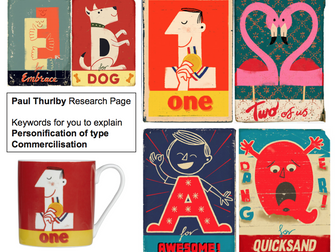
One of a series of Graphics Personification lessons, where students are introduced to graphic design, typography and advertising. In this second lesson, students are introduced to graphic design and typography through various questioning activities and videos. They are introduced to the illustrator (Paul Thurlby) and shown how he personifies type for commercial gain; through products and advertising. This then leads to students creating their own artist research page, demonstrating an understanding of the key words learnt; in a visual way. Also included is an instructional video to aid with delivery of content. If you enjoyed this lesson, please see the other lessons in my personification graphics scheme. This scheme was designed for KS3 but could also be used with KS4 students.
Geometry project - Making Straw PlanesQuick View
bdsouza1

Geometry project - Making Straw Planes

(1)
**Students will need around 5 plastic straws each, paper, sticky tape and scissors** A fully differentiated Geometry project on making optimum straw aeroplanes. Easy to carry it out in any way you wish. Can do it over 2 lessons or do it over 5. Three levels of difficulty are indicated by the colour of the straws in the slides. Different difficulties assume different understanding of various topics. Easy (green): Measurements, circumference (not calculating), area of rectangles, Mean Medium (yellow): above plus area of circles and area of triangles Hard (red): above plus volumes of cylinders and areas of trapeziums. Recommended for 11 to 14 year olds at the end of the year.
Design a destination shoe projectQuick View
rcteacherdt

Design a destination shoe project

(1)
Design a destination shoe project Students are to pick somewhere in the world and design a shoe based on it. They must research the different landmarks, colours and images first. This powerpoint guides students through the whole project including learning objectives, tasks, examples and some ‘just for fun’ quizzes. This will be fine to set as a home learning task / project.
Year 6 Anderson Shelter DT projectQuick View
gammack

Year 6 Anderson Shelter DT project

(0)
This is a full terms worth of lessons. Session 1 - Background on Anderson shelters. Session 2 - To practise making joints (using artstraws). Session 3 - Evaluate previous shelters and create a prototype. Session 4 - Start making an Anderson shelter - frame of the shelter. Session 5 - Carry on making an Anderson shelter - frame/ door. Session 6 - Put on final touches to the Anderson shelter - paper to cover the frame to represent turf - could add art straws to represent corrugated steel. Session 7 - Evaluate your shelter. There is one powerpoint that has all of the lessons on. There are you tube video links and step by step through each lesson
KS3 Art Project: Hybrid Creatures and Mythical AnimalsQuick View
tombannister5

KS3 Art Project: Hybrid Creatures and Mythical Animals

(0)
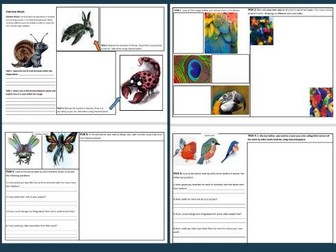
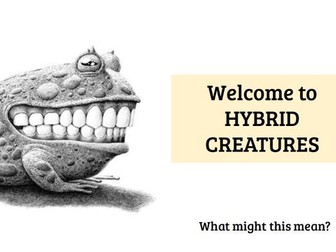
Exploring Art at KS3 Suitable for any KS3 year group, this versatile art project has primarily been delivered to Year 7 students and serves as an excellent foundation for future endeavors at GCSE level. Project Focus Students will embark on a journey exploring the theme of ‘Hybrid Creatures’ drawing inspiration from various examples of hybrid animals in popular culture. Skills Development During this project, students will hone their abilities in: Conceptualization and Ideation Imagination and Creativity: Designing hybrid creatures requires a high level of imagination. Students would practice combining different animal or human features to create entirely new beings, pushing the boundaries of their creative thinking. Narrative and Symbolism Hybrid creatures often carry symbolic meaning or tell a story. Students would develop the ability to infuse their designs with narrative elements, thinking conceptually about what their creatures represent. Collage Techniques for Design Visual Brainstorming: Collage serves as a powerful tool for ideation. Students would learn to use collage to experiment with different combinations of features, colors, and textures, which helps in visualizing their hybrid creatures. Translating 2D Designs into 3D Forms Spatial Thinking: One of the critical skills in this project is translating a two-dimensional collage design into a three-dimensional form. Students would develop their spatial awareness, learning how to interpret flat images as volumetric, sculptural forms. Wire Armature Construction Structural Design: Wire is used to create the armature or skeleton of the creature. Students would develop skills in building strong, stable frameworks that can support the paper pulp and maintain the desired form. Manipulation of Wire: Working with wire requires dexterity and control. Students would practice bending, twisting, and shaping wire to create the basic structure of their creatures, learning to work with this medium in a precise and controlled way. Sculpting with Paper Pulp Modeling and Shaping: Paper pulp can be molded and shaped to add volume and detail to the wire armature. Students would learn how to apply and manipulate the pulp to create textures, forms, and surface details that bring their creatures to life. Surface Texturing: Beyond basic sculpting, students would explore how to create various textures using paper pulp, whether it’s smooth surfaces, rough textures, or intricate patterns, enhancing the tactile quality of their models. Access a comprehensive slideshow featuring clear examples that cater to various skill levels and activities for each lesson. Project Duration Approximately 12 to 15 weeks, equivalent to one term.
Gymnastics Balances and Rolls Posters (A3) The PE ProjectQuick View
the_PE_Project

Gymnastics Balances and Rolls Posters (A3) The PE Project

(0)
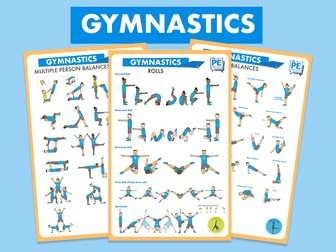
Help students learn and remember Gymnastics Rolls and Balances (individual & group) with our A3 posters. Great to use in class and will even brighten up your changing room or Gym walls! Simply download, print on A3 paper and laminate. Voila! This pack includes 3 posters: Individual Balances, Group Balances and Rolls.
The Barnabus Project- Non-Chronological ReportQuick View
Lisarathbone87

The Barnabus Project- Non-Chronological Report

(1)
7 lessons worth of non-fiction teaching and activities set for a Year Two class but could easily be adapted for any KS1 and LKS2. Activities look at descriptions using expanded noun phrases, features of non-chronological reports, planning and finally writing a report. Adaptable powerpoint and resources included. With thanks to Slidesgo for their colourful template.
KS2 Design a theme park project - ideal for after SATsQuick View
MissTem

KS2 Design a theme park project - ideal for after SATs

(1)
This booklet includes everything you need to immerse your pupils in a project that will encourage teamwork, creativity and perseverance. This is a perfect project for Year 6 after the SATS, to prepare for the transition to highschool and have some fun. Pupils work together to design a theme park, adhering to the costing limits, as well as creating designs and advertising campaigns that have links to maths, english, science, computing and DT. There are also opportunities to extend this project into different areas, depending on your pupils needs. This project can take as long or as little time as you want. Each team has a booklet and will come up with a name for their theme park. Groups will then assign each other a job role in their company so that some children can take a lead in designing, accounting, managing, and research. In this booklet, groups calculate the cost of their theme park for one day, the income made from admissions, and the total profit of the theme park. They will then do an advertising campaign, this could include a newspaper article, a poster, a radio advert or anything the children can come up with. There is also an opportunity to design a rollercoaster, and then build a prototype of this rollercoaster, using their knowledge from DT. At the end of the project, a company is chosen to build the theme park. This is based on a presentation of their ideas and the points gained throughout the project for teamwork, communication and perseverance. Included is an editable version of the booklet so you can adapt it to meet your class’ needs, as well as teaching slides that accompany the team booklet.
Project- Pay it ForwardQuick View
SquishyResources

Project- Pay it Forward

(0)
A great project that centres around the film Pay it Forward (not essential to watch, but makes for nice class discussions and gives them ideas). We usually do this around April to coincide with the global Pay it Forward Day. But can be done at any time of the year and would be particularly nice in the run up to Christmas. Leave a review, email misskwaddington@outlook.com and you can choose any single lesson to be emailed back to you for free!
Scratch Projects - a listing of all my projectsQuick View
bas0410

Scratch Projects - a listing of all my projects

(0)
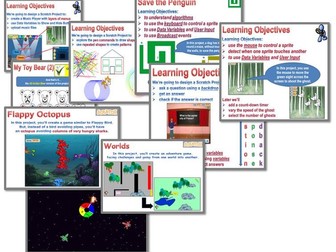
Lessons in this series so far (always more to follow): A series of lessons exploring Scratch 3 programming concepts. Scratch v3 Tutorials A FREE lesson explaining all about sprites, scripts, stages, etc… An introduction to Scratch A maze type project that adds multiple levels of complexity. Save the Penguin Students create a question and answer type quiz, adding a timer, scores and other enhancements. Design a Quiz Students create a game where they move a target with the mouse to shoot the ghosts. The time allowed and the speed and number of ghosts can be varied. Ghost Busting Students create a Music Player with layers of menus for different categories of music. Audio files can then be uploaded as the tracks for each category. Music Player Students create a simulation of a toy bear that responds to “touch pads”, speaks and talks. Interactive Toy Bear Students draw shapes and repeating patterns using the pen in Scratch. Drawing patterns and shapes Students create a space game with a scrolling backdrop (sprite) and alien spacecraft appearing from any edge attacking the base. Base Attack A game similar to Flappy Birds but moving an Octopus through a wall of hungry Sharks. Flappy Octopus Students must capture items in their journey through 2 worlds. Worlds Cost-effective Bundles: All NINE projects for the price of six Projects 1-3 Projects 4-6 Projects 7-9
SPongebob Handwriting Project BookQuick View
Mijimoos

SPongebob Handwriting Project Book

(14)
A pack to practise handwriting, with activities on the theme of Spongebob Squarepants to keep the children motivated. I've used CCW number 19 font and saved ti as a PDF so everyone can download it, but if you&'d rather havea Word version so that you can change the font, please get in touch. Thanks!