Properties of quadrilaterals, triangles and congruent shapes lesson (GCSE foundation)Quick View
MissEHoney

Properties of quadrilaterals, triangles and congruent shapes lesson (GCSE foundation)

(0)
Powerpoint lesson for Edexcel GCSE foundation unit 6 with a work booklet and lots of assessment for learning activities. Skills covered include – Identify and using angle, side and symmetry properties of simple quadrilaterals and triangles. Identifying congruent shapes. This lesson was specially made to cover the objectives of the Pearson textbook section 6.1 (apart from angles in quadrilaterals- this is a separate lesson) Time saving resource for busy teachers! You should be able to teach a lesson with hardly any preparation (mainly printing and maybe some cutting!). Fully differentiated objectives: Blue: Identify angle, side and symmetry properties of simple quadrilaterals and triangles Gold: Identify congruent shapes Red: Identify and begin to use angle, side and symmetry properties of quadrilaterals This resource includes: • A PowerPoint •A pdf of the power point slides with some notes included on how to use some of the resources. •Answers on the powerpoint and on a separate pdf file (print off to give to students that aren’t able to see the board as well, or use to mark as you go) • A differentiated Work booklet that includes self-assessment sections • A card sort for properties of shapes(this could be done alone or in pairs, or in groups!) •A properties of shape revision/foldable guide students can refer back to •An identifying congruent shapes treasure hunt The PowerPoint includes everything you need to teach right away. The lessons use the following format: •Starter • Objective and levels • A “how to teaching portion” with animated examples • An AfL miniwhiteboard quiz • Answers to all the booklet questions • Plenary (with answers) The powerpoint and booklet are currently set up for GCSE maths grades, however you can edit the grades to reflect KS3 or your own schools assessment criteria. In the word booklet if you change any grade (e.g the blue section) it should automatically change the rest of that colour into the same grade. This will take up a whole lesson. I also have other resources for this unit available here U6FE
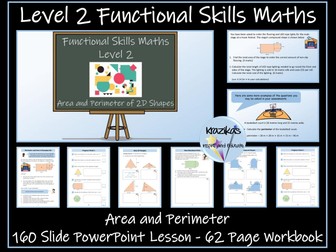
Functional Skills Maths - Level 2 - 2D Shapes - Perimeter and Area Workbook and PowerPoint LessonQuick View
Krazikas

Functional Skills Maths - Level 2 - 2D Shapes - Perimeter and Area Workbook and PowerPoint Lesson

2 Resources
This resource has been designed for students working towards Functional Skills Maths qualifications at Level 2 (Edexcel-Pearson, NCFE, City and Guilds, AQA, NOCN, Highfield Qualifications and Open Awards). It contains a 62-page workbook and a 160-slide PowerPoint lesson on the perimeter and area of 2D shapes. These resources will help pupils to achieve these outcomes: calculate the perimeter and area of 2D shapes including triangles, compound shapes and irregular shapes identify and use properties of circles to calculate the area and circumference of a circle, semi-circle and quadrant apply knowledge of 2D shapes and other mathematical skills to solve problems in real-life contexts that involve choosing the correct, multi-step solutions Workbook The 62-page workbook contains 20 explanation pages, 33 worksheets and 5 progress checks. The resource is provided in PDF format and an editable PowerPoint version. It can be used for classwork, homework, revision or as an independent learning pack. PowerPoint Lesson The editable, 160-slide PowerPoint lesson is ideal for introducing pupils to this component of the specification and for revision purposes. It also contains links to several short videos on calculating the perimeter and area of 2D shapes and the circumference of circles. It also gives examples of how perimeter and area are used in real-life contexts. If you buy this resource and are pleased with your purchase, I would be grateful if you could leave a review. In return, you can have a free resource up to the value of your purchased resource. Just email inspireandeducate@aol.co.uk with your user name, the resource you have reviewed and the resource you would like for free. More Functional Skills Maths Resources Level 1 - Numbers and The Number System Bundle Level 1 - Measures, Shape, Space Bundle Level 1 - Handling Information and Data Bundle Entry Level 3 Bundle Entry Level 2 Bundle Entry Level 1 Bundle Entry Level English Resources
Area of Triangles complete lesson (powerpoint slides, worksheet, and lesson plan) Y6Quick View
DejanT

Area of Triangles complete lesson (powerpoint slides, worksheet, and lesson plan) Y6

(0)
This pack contains all you need for a complete lesson to teach Y6 children how to find the area of right angled triangles in an engaging cross-curricular (World War 2) lesson. Features: - Detailed lesson plan with transparent learning objectives and clear instructions. - PowerPoint slides with contextualized learning, an engaging design, and resources to model the independent activity. - Independent worksheet activity for pupils to complete with differentiated outcomes to challenge pupils that are working above age expectations. - Cross curricular (history- world war 2) contextualized problems to solve This activity works best on a smart board with which you can write over the slides to model the activity with a similar problem before pupils are given independent work.
National 5 Maths Pythagoras, Angles, Triangles, Circles, Arcs, SectorsQuick View
biggles1230

National 5 Maths Pythagoras, Angles, Triangles, Circles, Arcs, Sectors

(0)
7 slide Powerpoint presentation National 5 Mathematics Pythagoras and Circles problem solving questions 77 slide Powerpoint presentation National 5 Mathematics circles and tangents problem solving questions 2 page summary notes and problem solving question homework sheets on areas and arc lengths of sectors. 19 slide Powerpoint presentation revising circle properties and theorems. 2 page worksheet on triangle sum of angles and exterior angles 41 slide Powerpoint presentation on alternate/interior/exterior angles etc of different types of triangles 5 slide Powerpoint presentation on finding the area of triangles (not just right-angled) 20 slide Powerpoint presentation on similar and congruent triangles
2D Shapes - PowerPointQuick View
Teach4Uresources

2D Shapes - PowerPoint

(0)
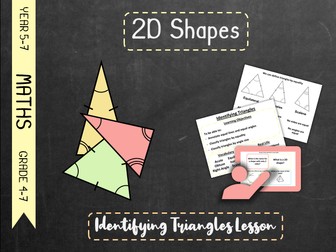
2D Shapes - PowerPoint 15 slides Fully editable Slide 3: Name the 3D Shape – Warm Up Activity Slide 4: Name the 2D Shape Slide 5: Straight-sided 2D Shapes Slide 6: Triangles Slide 7: Quadrilaterals
Properties of Triangles FRAZZLED Maths Game | No-Prep Year 7 Review ActivityQuick View
Cindysclassroom

Properties of Triangles FRAZZLED Maths Game | No-Prep Year 7 Review Activity

(0)
Win Big, then Lose Big, then Win Big Again. So Frustrating, and FUN! Frazzled is a no-prep maths game where teams earn an unknown amount of points for answering questions correctly! Be warned, get it wrong and your opponents get your points! Reveal a bomb and your points get reset to ZERO! The game is playable with the whole class together, or you can play it as small groups. All questions and answers are included. This version is Year 7 Maths, Properties of Triangles. It is a digital resource, no printouts required. How It Works The game runs entirely on PowerPoint and/or Google Slides, and you can edit the questions and answers if you like. Make 2 teams: Red & Blue. Alternate answering questions, checking them against the answers, which are provided. If the answer is correct, then tap to reveal your points and add them to your score. If the answer is incorrect, then the other team taps to add points to their score. If anyone reveals a bomb, their points get reset to zero! Keep score on the board. Questions vary in difficulty and the answer is provided after each question. Highest score wins!   You can watch a video on how to play Frazzled on my YouTube channel The game will run on iPads that run PowerPoint or Google Slides (free app) SMART Boards Projectors Desktops Laptops Any device that runs PowerPoint or Google Slides   This game can be played together as a class using a SMART Board/projector, or it can be played by individuals and small groups on iPads or computers that run PowerPoint or Google Slides. No additional licences required for the students in your class! All of the images and colours are included just as you see it. Each user needs to purchase their own licence, and the files may not be shared or sold to anyone, but you are free to make as many versions as you like for your own use. This review game was created for the US curriculum, and is suitable for the UK.
Notes - Shape & Space - 2. Polygons.Powerpoint.Quick View
MrBartonMaths

Notes - Shape & Space - 2. Polygons.Powerpoint.

(14)
A few years ago I wrote a set of notes for pupils and put them on my website. The notes were supposed to be written in a pupil-friendly way, and different to notes students might find in textbooks or elsewhere on the internet. I have converted the notes to PowerPoint slides so you can download them, adapt them if needed, use them in revision lessons or perhaps give your students a set to take home with them to help them prepare for exams. The chances are there will be a few mistakes here and there, so if you spot any please email me & I will correct them. Hope they are of use!
Powerpoint notes -Trigonometry- 2. Sin, Cos & TanQuick View
MrBartonMaths

Powerpoint notes -Trigonometry- 2. Sin, Cos & Tan

(13)
A few years ago I wrote a set of notes for pupils and put them on my website. The notes were supposed to be written in a pupil-friendly way, and different to notes students might find in textbooks or elsewhere on the internet. I have converted the notes to PowerPoint slides so you can download them, adapt them if needed, use them in revision lessons or perhaps give your students a set to take home with them to help them prepare for exams. The chances are there will be a few mistakes here and there, so if you spot any please email me & I will correct them. Hope they are of use!
apt4Maths: SHAPES - TERMINOLOGY, PROPERTIES PowerPoint (1 of 14 on Shapes, Angles & Constructions)Quick View
APTInitiatives

apt4Maths: SHAPES - TERMINOLOGY, PROPERTIES PowerPoint (1 of 14 on Shapes, Angles & Constructions)

(0)
PowerPoint Presentation on Shapes – Terminology and Properties (18 slides) for GCSE (and Key Stage 3) Maths: Defines key terms relating to shapes and angles and explains the types and properties of triangles and quadrilaterals. It has been written by a highly experienced teacher (of 25+ years), senior examiner and reviser for Maths and Stats examinations. It includes: Lesson objectives Step-by-step explanations of the subject matter Examples to aid understanding Questions to check understanding Answers to questions, with explanations Suggestions regarding which topic(s) should be moved on to next. It is 1 of a set of 14 PowerPoints on ‘Shapes, Angles & Constructions’ that APT Initiatives has published for GCSE (and Key Stage 3) Maths. The complete set of 14 PowerPoints (238 slides, excluding Title Pages) covers the following topics relating to ‘Shapes, Angles & Constructions’: 01 Shapes – Terminology and Properties (18 slides). 02 Angles – An Introduction (25 slides). 03 Angles – Simple Facts (20 slides). 04 Angles – Polygons (20 slides). 05 Angles – Parallels (23 slides). 06 Angles – Bearings (9 slides). 07 Circle Theorems (21 slides). 08 Basic Trigonometry (24 slides). 09 Sine Rule (14 slides). 10 Scale Drawings (11 slides). 11 Constructions (13 slides). 12 Bisectors (11 slides). 13 Locus (14 slides). 14 Views (15 slides). These PowerPoint Presentations are one of several sets of PowerPoint Presentations, which essentially relate to the ‘Geometry and Measures’ section of the Maths specifications. These other sets concern: Measures, Perimeter, Area & Volume Symmetry, Transformations & Vectors Note: Work on Pythagoras’ Theorem, the Cosine Rule, and the trigonometric formula for the area of a triangle, is included in APT’s set of PowerPoints on ‘Measures, Perimeter, Area & Volume’. The purchase of this resource comes with a licence to make the resource available in digital and / or in print form (including photocopying) to the staff and students attending the purchasing institution, ie the individual school / college on a single site. The resource may be distributed via a secure virtual learning environment. It must not be made available on any public or insecure website or other platform. The resource must not be distributed to other institutions that are members of the same academy chain or similar organisation; each individual institution must purchase their own copy of the resource.
The Great Maths Quest - Triangle Mystery - Trial VersionQuick View
davlae

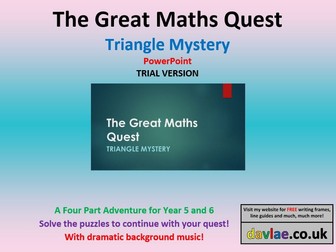
The Great Maths Quest - Triangle Mystery - Trial Version

(1)
This has a few of the slides from the full PowerPoint which is available via my shop. It is also available in printed form. Below is a description of the full version. Extract In your desperate attempt to escape the pack of ravenous dogs, you find yourself in a deep ravine. The rock face on both sides is almost vertical and you are far too tired, anyway, to even contemplate climbing your way out. To get as far away from the dogs as possible, you decide to go forwards – walking through the shallow water because you believe that it will help to disguise your scent should those animals return to hunt you down. This maths adventure comes in four parts. It could be completed over several lessons or given as homework over several weeks. The idea is that the children have to solve a maths problem before the teacher will progress to the next slide. This could be completed over several lessons. It was created using PowerPoint 2013. THIS RESOURCE IS ALSO AVAILABLE IN PRINTED FORM. For FREE writing frames and templates - please visit my website. You can find the address in my Tes shop.
Find Area of Polygons PowerPoint Presentation - 6.G.1Quick View
wheelsjr

Find Area of Polygons PowerPoint Presentation - 6.G.1

(0)
Interactive Powerpoint presentation leads students through finding area of rectangles, triangles and irregular quadrilaterals. Includes decomposing quadrilaterals to find total area. Editable version included. Presentation works without PowerPoint software. NO PREP. Use with smartboard, projector, computer, pad or as printables. Great lesson for cooperative learning. Objectives: Find the area of triangles and quadrilaterals Find the area of polygons by decomposing into triangles, rectangles and other shapes Use area methods to solve mathematical problems Includes 18 interactive slides Aligned with NCCS Math 6.G.1
PYTHAGOREAN THEOREM: POWERPOINT GAME - WIPEOUT! OR REVIEWQuick View
Marie2020

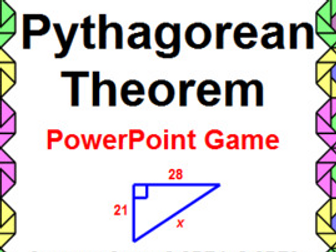
PYTHAGOREAN THEOREM: POWERPOINT GAME - WIPEOUT! OR REVIEW

(0)
This is a PowerPoint game on the Pythagorean Theorem and its Converse. Use as a game (22 problems) where students will lose points 2 times or use as a review (24 problems). I’ve included 32 problems to choose from. Some of the problems include simplifying a radical. If you don’t do that topic, you can easily change the slides to a different problem. There are 32 problems to pick from if you don’t like some of the 24 in the review or 22 in the wipeout game. The PREVIEW shows some of the problems. Determine if a set of 3 numbers forms an acute, right, or obtuse triangle. You can always add your own pictures of problems to this game.
Triangles by Angle & Side Type BUMP Maths Game | No-Prep Year 6 Review ActivityQuick View
Cindysclassroom

Triangles by Angle & Side Type BUMP Maths Game | No-Prep Year 6 Review Activity

(0)
Let’s BUMP the other teams to score points! BUMP is a no-prep maths game where students bump other teams off the platform to score points based on how quickly they answered the questions (must be correct)! The game is playable with the whole class together, or you can play it as small groups. All questions and answers are included. This version is Year 6 Maths, Triangles by Angle & Side Type. It is a digital resource, no printouts required. How It Works The game runs entirely on PowerPoint and/or Google Slides, and you can edit the questions and answers if you like. Make 3 teams, and set up platform (e.g. desk), and a shooting position about 1.5 metres away. The closest shooting position is worth 1 point, middle is 2 points, and the furthest away is 3. Start the first question. The teams race to answer the questions correctly on a piece of paper. When done, they hold up their answer. Yes, it is chaos, and so much fun! Once all teams have answered, tap the teams in order of completion to set the shooting order. Check the answer, which is provided. If correct, each team gets one shot to land their paper ball on the platform. Shots are taken in reverse order of completion, so the last team to finish goes first. Once shots are complete, teams receive 1 point if their paper is still on the platform, and they get 2 points for each of the other paper balls that they bump off the platform. Add up the points and keep score on the board. The team with the most points at the end is the winner. Questions vary in difficulty and the answer is provided after each question.   You can watch a video on how to play Bump on my YouTube channel The game will run on iPads that run PowerPoint or Google Slides (free app) SMART Boards Projectors Desktops Laptops Any device that runs PowerPoint or Google Slides   This game can be played together as a class using a SMART Board/projector, or it can be played by individuals and small groups on iPads or computers that run PowerPoint or Google Slides. No additional licences required for the students in your class! All of the images and colours are included just as you see it. Each user needs to purchase their own licence, and the files may not be shared or sold to anyone, but you are free to make as many versions as you like for your own use. This review game was created for the US curriculum, and is suitable for the UK.
Identify Obtuse Triangles BUMP Maths Game | No-Prep Year 6 Review ActivityQuick View
Cindysclassroom

Identify Obtuse Triangles BUMP Maths Game | No-Prep Year 6 Review Activity

(0)
Let’s BUMP the other teams to score points! BUMP is a no-prep maths game where students bump other teams off the platform to score points based on how quickly they answered the questions (must be correct)! The game is playable with the whole class together, or you can play it as small groups. All questions and answers are included. This version is Year 6 Maths, Identify Obtuse Triangles. It is a digital resource, no printouts required. How It Works The game runs entirely on PowerPoint and/or Google Slides, and you can edit the questions and answers if you like. Make 3 teams, and set up platform (e.g. desk), and a shooting position about 1.5 metres away. The closest shooting position is worth 1 point, middle is 2 points, and the furthest away is 3. Start the first question. The teams race to answer the questions correctly on a piece of paper. When done, they hold up their answer. Yes, it is chaos, and so much fun! Once all teams have answered, tap the teams in order of completion to set the shooting order. Check the answer, which is provided. If correct, each team gets one shot to land their paper ball on the platform. Shots are taken in reverse order of completion, so the last team to finish goes first. Once shots are complete, teams receive 1 point if their paper is still on the platform, and they get 2 points for each of the other paper balls that they bump off the platform. Add up the points and keep score on the board. The team with the most points at the end is the winner. Questions vary in difficulty and the answer is provided after each question.   You can watch a video on how to play Bump on my YouTube channel The game will run on iPads that run PowerPoint or Google Slides (free app) SMART Boards Projectors Desktops Laptops Any device that runs PowerPoint or Google Slides   This game can be played together as a class using a SMART Board/projector, or it can be played by individuals and small groups on iPads or computers that run PowerPoint or Google Slides. No additional licences required for the students in your class! All of the images and colours are included just as you see it. Each user needs to purchase their own licence, and the files may not be shared or sold to anyone, but you are free to make as many versions as you like for your own use. This review game was created for the US curriculum, and is suitable for the UK.
Identify Right Triangles BUMP Maths Game | No-Prep Year 6 Review ActivityQuick View
Cindysclassroom

Identify Right Triangles BUMP Maths Game | No-Prep Year 6 Review Activity

(0)
Let’s BUMP the other teams to score points! BUMP is a no-prep maths game where students bump other teams off the platform to score points based on how quickly they answered the questions (must be correct)! The game is playable with the whole class together, or you can play it as small groups. All questions and answers are included. This version is Year 6 Maths, Identify Right Triangles. It is a digital resource, no printouts required. How It Works The game runs entirely on PowerPoint and/or Google Slides, and you can edit the questions and answers if you like. Make 3 teams, and set up platform (e.g. desk), and a shooting position about 1.5 metres away. The closest shooting position is worth 1 point, middle is 2 points, and the furthest away is 3. Start the first question. The teams race to answer the questions correctly on a piece of paper. When done, they hold up their answer. Yes, it is chaos, and so much fun! Once all teams have answered, tap the teams in order of completion to set the shooting order. Check the answer, which is provided. If correct, each team gets one shot to land their paper ball on the platform. Shots are taken in reverse order of completion, so the last team to finish goes first. Once shots are complete, teams receive 1 point if their paper is still on the platform, and they get 2 points for each of the other paper balls that they bump off the platform. Add up the points and keep score on the board. The team with the most points at the end is the winner. Questions vary in difficulty and the answer is provided after each question.   You can watch a video on how to play Bump on my YouTube channel The game will run on iPads that run PowerPoint or Google Slides (free app) SMART Boards Projectors Desktops Laptops Any device that runs PowerPoint or Google Slides   This game can be played together as a class using a SMART Board/projector, or it can be played by individuals and small groups on iPads or computers that run PowerPoint or Google Slides. No additional licences required for the students in your class! All of the images and colours are included just as you see it. Each user needs to purchase their own licence, and the files may not be shared or sold to anyone, but you are free to make as many versions as you like for your own use. This review game was created for the US curriculum, and is suitable for the UK.
Identify Acute Triangles BUMP Maths Game | No-Prep Year 6 Review ActivityQuick View
Cindysclassroom

Identify Acute Triangles BUMP Maths Game | No-Prep Year 6 Review Activity

(0)
Let’s BUMP the other teams to score points! BUMP is a no-prep maths game where students bump other teams off the platform to score points based on how quickly they answered the questions (must be correct)! The game is playable with the whole class together, or you can play it as small groups. All questions and answers are included. This version is Year 6 Maths, Identify Acute Triangles. It is a digital resource, no printouts required. How It Works The game runs entirely on PowerPoint and/or Google Slides, and you can edit the questions and answers if you like. Make 3 teams, and set up platform (e.g. desk), and a shooting position about 1.5 metres away. The closest shooting position is worth 1 point, middle is 2 points, and the furthest away is 3. Start the first question. The teams race to answer the questions correctly on a piece of paper. When done, they hold up their answer. Yes, it is chaos, and so much fun! Once all teams have answered, tap the teams in order of completion to set the shooting order. Check the answer, which is provided. If correct, each team gets one shot to land their paper ball on the platform. Shots are taken in reverse order of completion, so the last team to finish goes first. Once shots are complete, teams receive 1 point if their paper is still on the platform, and they get 2 points for each of the other paper balls that they bump off the platform. Add up the points and keep score on the board. The team with the most points at the end is the winner. Questions vary in difficulty and the answer is provided after each question.   You can watch a video on how to play Bump on my YouTube channel The game will run on iPads that run PowerPoint or Google Slides (free app) SMART Boards Projectors Desktops Laptops Any device that runs PowerPoint or Google Slides   This game can be played together as a class using a SMART Board/projector, or it can be played by individuals and small groups on iPads or computers that run PowerPoint or Google Slides. No additional licences required for the students in your class! All of the images and colours are included just as you see it. Each user needs to purchase their own licence, and the files may not be shared or sold to anyone, but you are free to make as many versions as you like for your own use. This review game was created for the US curriculum, and is suitable for the UK.
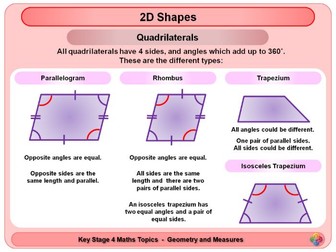
2D Shapes KS4Quick View
Magictrickster

2D Shapes KS4

(0)
A short Powerpoint looking at 2D Shapes. This powerpoint has 6 slides (Including one title and one end slide). Designed for KS4 / GCSE. This looks at: Triangles Quadrilaterals Other Polygons