Excel Spreadsheet Skills Project WorkbookQuick View
MissJ0130

Excel Spreadsheet Skills Project Workbook

(1)
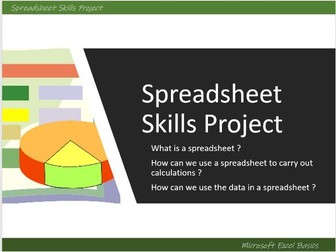
An Excel Basic Skills Project Workbook, remote learning or independent work,step- by- step instructions/ tasks with editable task sheets and powerpoint/ video , 6 tasks take students through : how to set up tables of data range of basic formula applying formatting spreadsheet vocabulary using data tables to create graphs Changing data to answer ‘What if … ?’ questions Used with Year 7 as a spreadsheet skills project but suitable for a range of ages. Can also be delivered lesson by lesson using teacher demo Excel files to support students in class ( I have used this both as a project and as tasks to support other in class Excel learning with Year 7 and 8 over 6 lessons or so ) Word document - can be printed as a booklet or as separate tasks, or uploaded online ( PDF version of full booklet also included) Suitable for homework, independent work or remote learning Powerpoint with video guides with tips for tasks included Answers to all tasks included in Excel file which includes full completed tasks formulae etc Interactive Word based Key Vocabulary quiz with answers ( can also be printed - included in booklet)
Spreadsheet BasicsQuick View
AndrewS1

Spreadsheet Basics

(2)
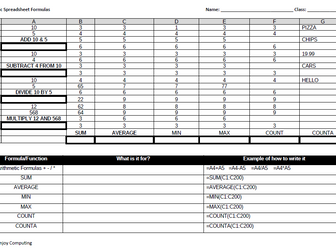
A quest for students to learn the basics of spreadsheets. Could cover two lessons. I use in conjunction with Doddle. Covers basic formulae and functions and spreadsheet layout. I print on A3, but could be used electronically.
Spreadsheets Basics Lesson 2Quick View
wsparrow

Spreadsheets Basics Lesson 2

(0)
Microsoft Excel Worksheet Exercise 2 These basic spreadsheet units are ideal for students, non-specialist computing teachers, NQTs and any person that would like to learn how to use Excel / spreadsheets. These worksheets cover the basics and are ideal for KS2 /3 This worksheet is designed for independent study by students. There are instructions for the students, a Microsoft Excel template for the students to work on, as well as a completed Excel document so that the teacher can show / compare what they have done. **Learning Objectives ** Understand how to enter text, numbers and formula Understand using an absolute cell reference Understand how to use the fill handle to replicate formula Understand the AutoSum feature Understand how to use currency formatting Understand how to put name and date in the footer Understand how to use page setup to properly format your work Understand how to show formulas in formula view Understand how to make a copy of a spread sheet Understand the term variable Understand how to model different outcomes by changing a variable in the spreadsheet Please have a look at https://www.tes.com/teaching-resources/shop/wsparrow to see other resources.
KS3 SpreadsheetQuick View
shaz2009

KS3 Spreadsheet

(0)
KS3 spreadsheet practical four-lesson resource on ideal for Y8 or Y9. This resource pack includes including basic formulas, functions, conditional formatting, and how to create graphs. Pack also includes homework exercises and either a spreadsheet assessment or a Excel assessment. Designed to save you time, ppts include retrieval, tasks and information. Spreadsheet designed for each lesson. These resources are available for you to use and have the potential to be further expanded and developed according to your needs.
Spreadsheets Basics Lesson 3Quick View
wsparrow

Spreadsheets Basics Lesson 3

(0)
Microsoft Excel Worksheet Exercise 3 These basic spreadsheet units are ideal for students, non-specialist computing teachers, NQTs and any person that would like to learn how to use Excel / spreadsheets. These worksheets cover the basics and are ideal for KS2 /3 This worksheet is designed for independent study by students. There are instructions for the students, a Microsoft Excel template for the students to work on, as well as a completed Excel document so that the teacher can show / compare what they have done. **Learning Objectives ** Enter text, numbers and formula Use several absolute cell references Use the fill handle to replicate formula Use the AutoSum feature Use currency formatting Include your name and date in the footer Use page setup to properly format your work Copy the spread sheet Show formulas in formula view Model different outcomes by changing several different variables in the spreadsheet Please have a look at https://www.tes.com/teaching-resources/shop/wsparrow to see other resources.
Self-marking Binary Conversion Spreadsheet-based activityQuick View
hbictteacher

Self-marking Binary Conversion Spreadsheet-based activity

(0)
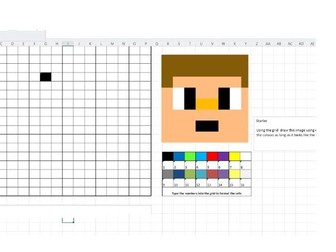
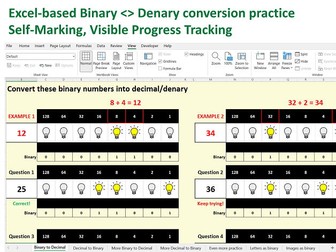
An Excel spreadsheet containing seven worksheets covering binary to denary and denary to binary conversions and representing images and letters using binary. First worksheet takes students through basic binary to denary conversion using the concept of bulbs being switched on and off to represent 1s and 0s. Students are shown worked examples and provided with four questions to answer. They are given feedback on their answers, and when they have answered all questions correctly on the worksheet, the tab will turn green. This allows teachers to see progress easily and where students have moved on before getting 100% success in the previous tab. It also encourages students to persevere and compete with neighbours to ‘go green’ first. Tab two introduces denary to binary conversion where students switch bulbs on and off to create the binary number for four denary numbers. Worked examples are provided and feedback given. Tab turns green when completed successfully. Tabs three and four provide more practice of conversion with 8 questions with feedback on each. No bulbs to prompt this time. Tab five provides more practice with another 11 questions, the last five without scaffolding. Tab six is an extension task for students to try converting denary into binary then finding the letter represented by the code to discover the password. Tab seven is an extension task where students can colour pixels using binary and then try creating their own image using binary. NOTE: The spreadsheet uses macros which must be enabled in order to activate the feedback and tab colouring on completion of tasks. Used successfully with GCSE Computer Science students and with Level 3 IT Year 12 students. Also available – Binary to Hexadecimal conversion and Binary Addition spreadsheet activities. Please provide feedback!
Spreadsheet Basics and ChartsQuick View
padrinobufalo

Spreadsheet Basics and Charts

(15)
Worksheets to cover basic manipulation of spreadsheets including formatting, basic calculations, charts, headers and footers, print preview, printing.
Spreadsheets Basics Lesson 1Quick View
wsparrow

Spreadsheets Basics Lesson 1

(1)
Microsoft Excel Worksheet Exercise 1 These basic spreadsheet units are ideal for students, non-specialist computing teachers, NQTs and any person that would like to learn how to use Excel / spreadsheets. These worksheets cover the basics and are ideal for KS2 /3 This worksheet is designed for independent study by students. There are instructions for the students, a Microsoft Excel template for the students to work on, as well as a completed Excel document so that the teacher can show / compare what they have done. **Learning Objectives ** Understand how to enter text, numbers and formula Understand how to use the fill handle to replicate formula Understand the AutoSum feature Understand how to use currency formatting Understand how to include your name and the date in the footer Understand how to use page setup to properly format your work Understand how to copy the spread sheet Understand how to show the formulas in formula view Please have a look at https://www.tes.com/teaching-resources/shop/wsparrow to see other resources.
Self-marking Binary Addition  Spreadsheet ActivityQuick View
hbictteacher

Self-marking Binary Addition Spreadsheet Activity

(1)
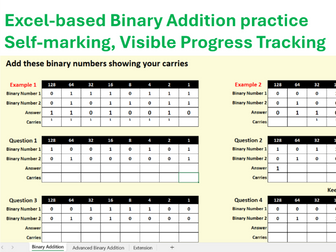
UPDATE - Please note that the issue stated in the 3 star review does not affect the use of this activity in Excel. Q1 works fine. This is an issue with using in Google Sheets. An Excel spreadsheet containing three worksheets covering binary addition. The first worksheet takes students through basic binary addition including how to carry from one column to the next. Students are shown worked examples and provided with four questions to answer. They must include their carries and are given feedback on their answers. When they have answered all questions correctly on the worksheet, the tab will turn green. This allows teachers to see progress easily and where students have moved on before getting 100% success. It also encourages students to persevere and compete with neighbours to ‘go green’ first. Tab two provides more advanced binary addition examples that include overflow errors. Students then work through four questions independently and receive feedback on their answers. Tab turns green when completed successfully. Tab three provides an extension task where students are asked to create their own binary addition sums. They can then complete the answers themselves or can swap seats with a neighbour to complete each other’s sums. The spreadsheet uses macros which must be enabled in order to activate the feedback and tab colouring on completion of tasks. Used successfully with GCSE Computer Science students and with Level 3 IT Year 12 students. Works well with my other number representation activity spreadsheets as a revision aid or as a task to be included in a lesson on binary addition. Also available – Binary conversion and Hexadecimal conversion spreadsheet activities. Please leave feedback!
Theme Park Tycoon Spreadsheet - Basic Spreadsheet IntroductionQuick View
andycawthray23

Theme Park Tycoon Spreadsheet - Basic Spreadsheet Introduction

(0)
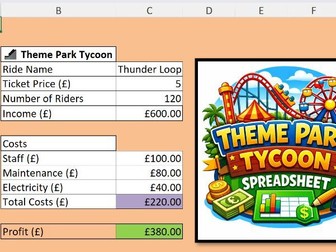
KS3 Spreadsheet Lesson – Theme Park Tycoon | Excel Project | Business Simulation Game This free KS3 spreadsheet resource is a fun and engaging Theme Park Tycoon Excel project where students design and manage their own theme park using spreadsheets. Ideal for KS3 Computing, ICT, or Business lessons, this resource helps students develop essential spreadsheet skills by setting ride prices, managing costs, tracking visitor numbers, and calculating profit. Students build confidence using formulas, cell references, financial modelling, and data analysis in a creative, real-world scenario. Perfect for mixed-ability classes and SEN learners, with a clear structure and motivating theme. What’s included: Fully working Excel spreadsheet (ready to use) Theme park layout with rides and pricing controls Built-in formulas for income, costs, and profit Student decision-making opportunities (pricing & strategy) Engaging, game-style learning experience Skills covered: Formulas (+, −, ×, totals) Cell referencing Financial awareness (profit, costs, revenue) Problem-solving and decision-making Great for 1–2 lessons or as part of a wider spreadsheets unit. Low-prep, high engagement, and classroom tested.
KS3 Spreadsheet Worksheet: Basic Formula and FunctionQuick View
ohiolei_sunlaw

KS3 Spreadsheet Worksheet: Basic Formula and Function

(0)
This worksheet assesses student’s ability on the use of spreadsheet. It covers the use of formula-SUM and AVERAGE, functions-MAX,MIN and COUNT; Data entry, inserting columns, merging cells, basic formatting, rounding off numbers, alignment and border. The worksheet has a mark scheme accompanying it and is suitable for grade 8 and 9.
Basic Excel Calculations for BeginnersQuick View
Resource_Creator

Basic Excel Calculations for Beginners

(0)
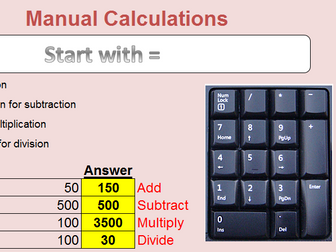
This resource is for those that are new to Microsoft Excel and want to quickly learn and practice using calculations in Excel. The spreadsheet has a number of different sheets within it that have clear instructions and practice exercises to use for yourself or your learners to quickly master basic concepts. I have used this to teach students and workplace learners with much success. Covers addition, subtraction, multiplication and division on sheet 1. Sheet 2 has Autosum and subsequent sheets practice using these with common spreadsheets such as invoices and profit and loss scenarios. Simply give learners a copy of this spreadsheet and work through together or let them try by themselves. ** Leave a review for this resource and receive one free resource of your choice from my shop. Communications, Workplace, ESOL and Computing Resources
Excel training - Basic to AdvancedQuick View
tpayne89

Excel training - Basic to Advanced

(0)
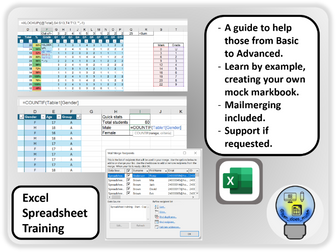
This is a complete guide that any teacher with access to Microsoft Excel can work through to improve their own spreadsheet skills. Users create a mock markbook, utilising every feature in Excel I can think would be useful for a teacher. You can go through from start to finish, or just pick out a key feature you want to work through. See below for a list of things covered, though this list is by no means exhaustive and there is a lot more detail. Equally, if you are a beginner most of it may make no sense. Rest assured there will be something in there that can speed up your life by making good use of a spreadsheet. Some of my favourites are being able to click a button to auto-generate an email to a specific student with parent CC’d in. Mail-merging reports to students and parents. Tracking attendance. Tracking test performance. Counting responses. Creating individual reports for students. Also note that you can always email me for more support. I am always looking for a new Excel challenge, so if there is something you want to achieve but you aren’t sure how, get in contact with me (I do not charge for that sort of support). Key features covered: Inserting a table Sorting data, grouping data Resizing columns, centering data, inserting borders & more style features. Conditional formatting Freezing panes Data validation Button click emails Named ranges Mailmerging Formulae: COUNT + COUNTIF + CONCATENATE + SUM + XLOOKUP + IFERROR + UNIQUE + AVERAGEIF + SUMPRODUCT + HYPERLINK + FILTER + TRANPOSE + INDIRECT + ROUND
Spreadsheet Modelling - What If PredictionsQuick View
AJH94

Spreadsheet Modelling - What If Predictions

(0)
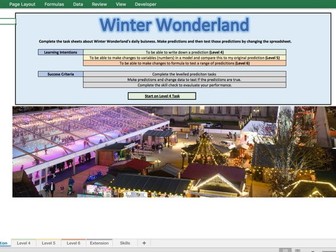
A Winter Wonderland themed spreadsheet activity. Learners will be able to consolidate basic knowledge of spreadsheet formatting and simple formula to complete a series of what if scenarios. Suitable for KS3 and KS4 - depending on previous experience with spreadsheet modelling. Tasks are differentiated and progressive, leading to level 6 and an extension which investigates What If analysis fuctionality. Instructions are provided on each task and learners should be able to work independently. Plenary Skill Check can be use over a series of lessons to track learner progress.
Excel Basic TrainingQuick View
diseno1977

Excel Basic Training

(0)
Starting at the beginning of the interface. Design a spreadsheet, Use Count, Sum, IF and a variety of different formulae to slowly build up the sheet
Parts of a SpreadsheetQuick View
14bensona

Parts of a Spreadsheet

(0)
This is a game to be completed as a plenary to check understanding of the basic concepts of a spreadsheet. Please leave feedback!