SEND strategies for teachers and teaching assistantsQuick View
GoingGreyTeacher

SEND strategies for teachers and teaching assistants

(0)
This resources provides you with other 60 strategies to support your learners with needs. Such as, autism, ADHD, behavioural needs and dyslexia. The resource is a helpful handout for staff that can be used during CPD training or during line management conversations to develop the inclusive teaching approach. It is also useful for inclusion departments to refer to when reflecting on the strategies they are using and if they can do more.
Role of the Teaching AssistantQuick View
sparkle1978

Role of the Teaching Assistant

(0)
This is a powerpoint for whole school training on the role of a teaching assistant. The training is delivered through a set of question that will support debate and discussion on the role of the TA. There are also links to the national standards for the TA and how teachers should support TAs. This powerpoint is a short presentation of about 25-30mins
Teaching Assistant Skills AuditQuick View
Honeyguide

Teaching Assistant Skills Audit

(0)
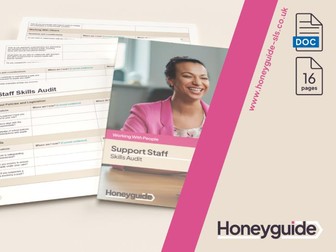
Use this Teaching Assistant (TA) skills audit as part of your appraisal and performance management process, or to identify training needs. This is also helpful for TAs to use to identify progression and next steps. For more resources, visit out website Honeyguide SLS. Our Skills Audit Bundle includes this and audits for a variety of other roles. Available on our website Honeyguide-SLS.uk Disclaimer: This resource is intended solely for informational purposes and should not be interpreted as professional advice. The information provided herein is not tailored to your specific circumstances therefore we can not guarantee the completeness, accuracy or appropriateness of the information presented. Any reliance you place on the information provided is strictly at your own risk.
Support Staff/Teaching Assistant  QuestionnaireQuick View
stew123

Support Staff/Teaching Assistant Questionnaire

(0)
An Extensive Questionnaire (22 Questions) that can be used for self evaluation within the LSA/TA Support teams or as part of wider school/staff evaluation that informs the school development plan or gives feedback to Senior/Middle Leadership.
National Teaching Assistants Day Assembly PPTQuick View
nikkij86

National Teaching Assistants Day Assembly PPT

(0)
Celebrate National Teaching Assistants’ Day in style with this ready-to-use Assembly PowerPoint, designed to be led by a teacher with no preparation needed. This 14 slide presentation highlights who teaching assistants are, why they are so important, and the many ways they support children and schools every single day. It encourages pupils to reflect on how TAs have helped them, includes discussion prompts and even has a thank-you activity to show appreciation. Schools may wish to personalise the presentation by replacing the images with photos of their own teaching assistants, but it can also be delivered exactly as it is. A meaningful, time-saving way to celebrate and say thank you to the wonderful teaching assistants who make such a difference every day!
Teaching Assistant Planner TemplateQuick View
explore_education

Teaching Assistant Planner Template

(0)
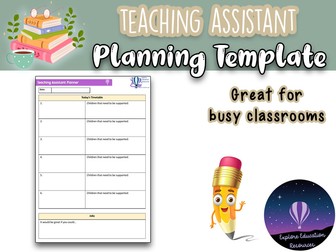
Our Teaching Assistant Planner Template is a straightforward resource designed to help teachers organise and communicate daily tasks for their teaching assistants. This one-page PDF features an easy-to-use layout with sections to note down the day’s timetable, specific students who need support, and any additional tasks that need to be completed. The template includes space for teachers to fill in details about each lesson and identify which children require focused attention. It also provides a section for listing other jobs, with a prompt to ensure all tasks are clearly communicated. Ideal for maintaining clarity and efficiency in the classroom, this planner template supports effective collaboration between teachers and teaching assistants, ensuring that every lesson runs smoothly and all pupils receive the support they need.
Use of Teaching assistants and SENDQuick View
sparkle1978

Use of Teaching assistants and SEND

(0)
A refresher training session for all teachers looking at: -the assess-plan-do-review model -the use of TAs in the classroom in relation to the DISS project A short presentation for teachers
Teaching Assistant Interview QuestionsQuick View
Honeyguide

Teaching Assistant Interview Questions

(0)
Example interview questions for teaching assistant TA and HLTA interviews, including tips on what to include in your response and answers to questions. Further resources can be found at honeyguide-sls
Working with teaching assistantsQuick View
inclusivesolutions

Working with teaching assistants

(1)
To make the most of paraprofessional support, teachers must change their role from gracious host to engaged teaching partner. Some radical new ideas from Mike Giangreco of Vermont University
KS1 and KS2 teaching assistant trainingQuick View
sparkle1978

KS1 and KS2 teaching assistant training

(0)
This is a powerpoint that can be used for the whole primary sector. The training focuses on the following: -the role of the teaching assistant - focus on how to show good modelling in the lessons for the children
Teaching assistant support sheetQuick View
gingerhils

Teaching assistant support sheet

(0)
Promotes active progress and communication between student, teaching assistant and teacher. This is a resource which can be used in secondary or primary. It enables the teaching assistant to support children more effectively and maintain communication between what is happening with the progress of the student and the teacher. This then helps the teacher to plan effectively for future lessons. It can be used for one lesson or episode or a series of episodes.
Teaching Assistant Communication SheetQuick View
abbyrodgers49

Teaching Assistant Communication Sheet

(0)
A brilliant resource to help communicate with your TA when you’re both mega busy! I made this in my training year to help communicate with my teaching assistant who had 1 million and 1 responsibilities and often didn’t have time for that sit down chat.
Teaching Assistant Interview PackQuick View
Honeyguide

Teaching Assistant Interview Pack

(0)
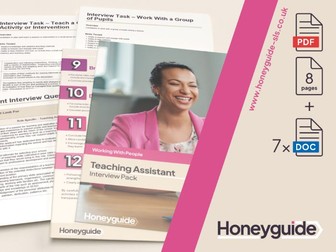
Looking to recruit a new member of support staff, such as a teaching assistant, HLTA, learning mentor or similar? If you’re considering what TA intereview questions you might ask to a prospective learning support assistant or what tasks might best work for your setting, this Teaching Assistant Interview Pack can support you create a successful interview day and recruit a new member of your support staff team. This pack is also ideal for anyone applying for the role and wanting to prepare for the interview experience. Included in this TA interview pack are four different editable interview tasks plus a wide variety of example interview questions so you can find a brilliant support staff member for your school. The job description and person specification for will also support you in advertising for a new TA or HLTA so you attract the right candidates. Use these, alongside the interview tasks and teaching assistant interview questions to create a recruitment package that’s tailored to exactly what your school is looking for in a new member of support staff. Further interview resources and supportive materials can be found on our website.
Lesson menu for teaching assistantsQuick View
rs007

Lesson menu for teaching assistants

(1)
This is a version of my teaching menu that I have modified for teaching assistants. It is most beneficial for independent learning and science practical lessons. The TA helps lower ability pupils earlier in lesson and higher ability pupils later in the lesson.
Eyes & Ears - Teaching Assistant AssessmentQuick View
Jords89

Eyes & Ears - Teaching Assistant Assessment

(0)
This FREE resource is a great idea for Teaching Assistants to use during carpet time. Fill in the children’s names, the date, the learning objective and then whilst the teacher does their input, the TA can watch the class to ensure children are engaged and understanding the task. They can then add any comments or use a ticking system on names for the children they were working with. Enjoy! Mr H