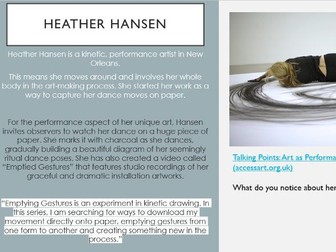
An Art unit based on the kinetic artist Heather Hansen. This unit of work explores the ways in which the artist creates art and the materials used. This unit allows students to explore space and media. There are 4 lessons in this unit.
Lesson objectives:
To explore the artist Heather Hansen.
To explore different media and spaces.
To be able to draw symmetrical shapes and lines.
To express myself through kinetic art.
Resources:
giant paper
sketch books
outdoor space
charcoal
graphite pencils
sand
chalk
wax crayons
ipads
Prepare for the new academic year with this document full of resources, activities and lesson plans aligned to each objective of the secondary art curriculum for 2014.
A book containing key concepts and some independent learning activities for WJEC AS Film Studies. I use this for section A of the exam, as I find writing lots of notes makes lessons boring. This is by no means the full content, but acts as a framework to build case studies around.
Note: I have a plan for 6 weeks but i created the powerpoints and completed it in 5 lessons.
What’s Included Over 5 Weeks:
Week 1 – Introduction to Pointillism and Artist Study:
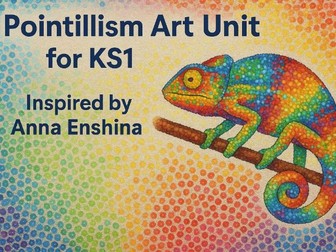
Children are introduced to the art technique of pointillism through the work of Georges Seurat and modern artist Anna Enshina. They learn how to use small, precise dots to build colour and shape, and explore why artists choose this method. Pupils experiment with dotting using cotton buds or fine brushes.
Week 2 – Artist Focus: Anna Enshina
This session dives deeper into the work of Anna Enshina. Children respond to her animal paintings, discussing the use of colour, texture, and dot patterns. They complete a two-page artist response spread, including observational drawing, colour analysis, and a reflection on their emotional response to the artwork.
Week 3 – Exploring Colour Mixing and Texture through Dots:
Children investigate how placing colours side by side can create new colours visually (optical mixing). They create a dot-based colour blending chart and apply this knowledge to a mini painting. Vocabulary includes subtle, vibrant, and optical mixing.
Week 4 – Sketching and Planning a Wildlife Dot Artwork:
Using wildlife photographs for inspiration, children sketch animals with a focus on texture and detail. They plan how to represent feathers, fur, or patterns using dots, experimenting with layout and colour choice. Sketching may be done on iPads or paper.
Week 5 – Creating the Final Piece:
Children bring together all the skills learned to produce a final A4 (or canvas) wildlife artwork using the pointillism technique. They work carefully to layer colours and include meaningful detail. Reflection tasks help pupils evaluate their progress and celebrate their finished piece.
This Winter Snowman Mask craft is a fun, hands-on activity that allows children to create their own wearable snowman mask using simple cut-and-make instructions. Perfect for winter units, Christmas themes or art and craft afternoons, this resource supports fine motor skills, creativity and imaginative play.
The worksheet features a large snowman mask outline that children can cut out, decorate and wear using ribbon or elastic string threaded through the side holes. The clear black-and-white design allows pupils to colour their masks first or leave them as a classic snowman style. The clean outline makes it suitable for younger learners who are still developing scissor control.
This craft works brilliantly in Nursery, Reception (EYFS) and Year 1 classrooms, and it’s also ideal for SEND learners who benefit from structured, visual craft templates. It can be completed independently or as a guided activity in a whole-class setting.
Teachers can use this mask for:
• Winter role-play and storytelling
• Christmas or seasonal celebrations
• Fine motor practice through cutting and decorating
• Display work, drama activities or festive performances
The printable design is low-prep and perfect for last-minute craft sessions. It also works well on iPad for digital colouring or as part of a Showbie assignment.
This game is VERY UNFAIR and the kids love it!
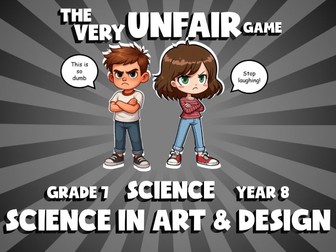
The Very Unfair Game is a no-prep science review game where students earn points for answering correctly, but the points can be positive or negative, and can be assigned to your team or your opponents’ team! And to make it the VERY Unfair Game, if you get the answer wrong, then the opposing team gets to assign the points to any team they choose. The goal is to have the score the closest to zero at the end of the game.
The game is playable with the whole class together, or you can play it as small groups. All questions and answers are included. This version is Year 8 Science, Science in Art & Design. It is a digital resource, no printouts required.
How It Works
The game runs entirely on PowerPoint and/or Google Slides, and you can edit the questions and answers if you like.
The goal is to finish the game closest to zero.
Make 2 teams and take turns answering questions.
Check the team’s response against the answer, which is provided after each question.
If the answer is correct, click or tap a letter to see the points (positive or negative).
Then choose which team to add the points to, your own or the other team.
If the answer is wrong, then the other team gets to click or tap a letter and assign the points to any team they choose.
Keep score on the board, and click or tap next to see the next question in the next round.
Closest to zero wins the game!
Questions vary in difficulty and the answer is provided after each question.
You can watch a video on how to play The Very Unfair Game on my YouTube channel
The game will run on
iPads that run PowerPoint or Google Slides (free app)
SMART Boards
Projectors
Desktops
Laptops
Any device that runs PowerPoint or Google Slides
This game can be played together as a class using a SMART Board/projector, or it can be played by individuals and small groups on iPads or computers that run PowerPoint or Google Slides.
No additional licences required for the students in your class!
All of the images and colours are included just as you see it. Each user needs to purchase their own licence, and the files may not be shared or sold to anyone, but you are free to make as many versions as you like for your own use.
This review game was created for the US curriculum, and is suitable for the UK.
Let’s score points with Trashketball!
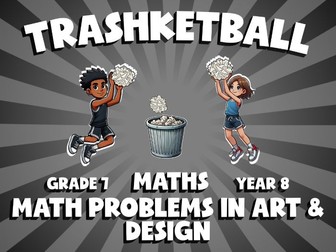
Trashketball is a no-prep maths game where students take shots to score points based on how quickly they answered the questions, but only if they are correct!
The game is playable with the whole class together, or you can play it as small groups. All questions and answers are included. This version is Year 8 Maths, Math Problems in Art & Design. It is a digital resource, no printouts required.
How It Works
The game runs entirely on PowerPoint and/or Google Slides, and you can edit the questions and answers if you like.
Make 3 teams, and set up a bin, and up to 3 shooting positions.
The closest shooting position is worth 1 point, middle is 2 points, and the furthest away is 3.
Start the first question.
The teams race to answer the questions correctly on a piece of paper. When done, they hold up their answer.
Yes, it is chaos, and so much fun!
Once all teams have answered, tap the teams in order of completion to set the shooting order.
Check the answer, which is provided.
If correct, the first team gets 3 shots, 2nd gets 2, and 3rd gets 1 shot, from any position they want.
Each shot that goes in is worth the points determined from that position.
Add up the points and keep score on the board.
The team with the most points at the end is the winner.
Questions vary in difficulty and the answer is provided after each question.
You can watch a video on how to play Trashketball on my YouTube channel
The game will run on
iPads that run PowerPoint or Google Slides (free app)
SMART Boards
Projectors
Desktops
Laptops
Any device that runs PowerPoint or Google Slides
This game can be played together as a class using a SMART Board/projector, or it can be played by individuals and small groups on iPads or computers that run PowerPoint or Google Slides.
No additional licences required for the students in your class!
All of the images and colours are included just as you see it. Each user needs to purchase their own licence, and the files may not be shared or sold to anyone, but you are free to make as many versions as you like for your own use.
This review game was created for the US curriculum, and is suitable for the UK.
Jarpz Custom Activity Pack: Designed for children, this pack is downloadable and ready to use on procreate for iPad or to print.
What’s included?
Design your own brand’ page: what is your brand name and what’s it all about? Space to think about your logo design and choose your colour palette.
Create your own moodboard: tips to create your own inspiration board of images, words and photos which will inspire your shoe design.
Colour-in shoe templates: simple outlines of 4 different types of shoes including space to add your design and create your own work of art! These can be printed and drawn by hand or uploaded onto Procreate and drawn digitally.
Rudy’s Pattern Play pages: fill-in-the-blank shoe panels with different design challenges.
Shoe themed word games and puzzles: shoe themed crossword & word search- just for fun!
I have used Stop Motion animation with my Kindergarten and 1st graders over the past few years in the Media Center.
In this presentation, you will find step-by-step directions on how to teach your students how to use an iPad and the iMotion HD app to create stop motion animation movies.
I share how to make this work and the tips I learned along the way - from planning to presenting so that you can hit the ground running.
15 slides
This is a Children's Theatre scheme of work I have put together for Yr9 Drama/Performing Arts Students. It includes a terms work on different production arts skills (inc. directing, costume etc). Then a second term on bringing all of these skills together and creating a small scale production company.
It is still a bit of a work in progress, so there may be gaps in places. It also doesn&'t have all the resources (such as a children&';s theatre performance video).
If nothing else I hope it provides others with a stepping stone.
Powerpoint to aid teaching about David Hockney including photos of some of his work.
Made personally, initially used with 9 year olds although could easily be adapted for older.
I have also included a Powerpoint with information about him.
NEW October, 2015
Due to the popularity of this resource I have included some additional work.
A weekly plan I made for use with these resources
A pdf. that can be printed out to make an enormous picture of his Artwork 'splash' on separate A4 pieces and put together like a jigsaw for display.
On the UK site this resource is rated extremely highly 4.7 / 5 with reviews from users.
I have included it at a lower price here for a short introductory period, enjoy!
Description
All lessons are based on The Call of the Wild Novel by Jack London
This is a fantastic resource. I have taught this book numerous times, created and collated the lessons I have found most useful. Any teacher can pick up the 14 lessons and teach them with very little other prep. The lessons do not need to be taught in chronological order either, but they do mostly follow the order of the book.
As it is a PPT, you can edit it to meet the needs of the students in your class. Some activities include differentiation.
Included:
185 slide ready made PPT (open and teach!)
Resources included:
Character outline of Buck
Chapter & Book reviews
Sledge Ordering Activity
Book Cover Template
Optional Reading Resource
Bonus:
Who Wants to be a Klondike Millionaire Game
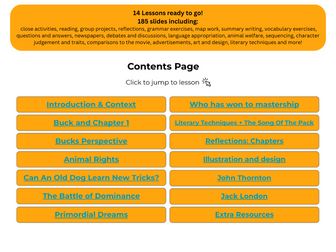
Tasks: There are many other tasks included in the PPT on slides which can be printed off or set on Ipads etc for the children to complete. 185 slides including close activities, reading, group projects, reflections, grammar exercises, map work, summary writing, vocabulary exercises, questions and answers, newspapers, debates and discussions, language appropriation, animal welfare, sequencing, character judgement and traits, comparisons to the movie, advertisements, art and design, literary techniques and more!
Resources mentioned on slides are ALL included and there is a vast amount of activities to do on the slides. The students will not get bored and nor will you teaching this!
So much work has gone into this Presentation of The Call of the Wild PPT and I hope it helps!
*Use PPT with Google Slides
A yearbook, or annual, is frequently used to record, commemorate, and highlight a school year. At most institutions, student teams publish yearbooks. Some countries and organisations also publish yearbooks as annual summary reports. In this project, students form teams to develop and create a yearbook. The students create templates of several double-page layouts and create reusable graphics and illustrations to implement thematic and design consistency throughout the yearbook.
This is a quick overview of the Easter story. It starts by looking at Palm Sunday, using a PPT with cheerful illustrations which is then contrasted with the Jan Pienkowski Easter story (silhouettes). All the links are embedded in the notebook file (click on the pointer and then hover over pictures to locate the links) I used ipads for the children to follow the Jan Pienkowski story, as it is a free online story on her website-ideal. I have used this with all KS2, with one class going on to recreate the pictures for a display (statements to decorate and accompany included)
used with year 1/2 medium term full lesson plans for foundation subjects - science, music, pe, re, pshe, geography, history, art/design. Hope it saves someone some time! Please feel free to leave a comment.
Resources created to use with 2013 Creative Digital Media spec. Unit is actually split in two, and should be taught alongside Unit 3, Planning and Pitching.
I have found that my elementary students need a little bit of structure and accountability during their Makerspace time in our Media Center. Thus, this kit addresses that need by giving them a structure via a Mission sheet that they guides them, gives them time limits (set by you), and assesses their group work with a rubric. They still have all the Creativity that is the cornerstone of Makerspace, but with some accountability!
This Makerspace Bundle has the printables you need for a Construction Makerspace Center in which students build a structure of their choice. In a nutshell, students use the Mission Log sheet to plan and build. Then, they incorporate technology by taking and printing a picture of their creation. The student instruction handouts help them to figure out and do this independently without you needing to hold their hand. Finally, they write a review statement about their creation and post their items on the Makerspace Sharing Board or publish it in the class Makerspace Book.
You will need to provide building materials whether they be commercial block kits or recycled materials.
***A lot of the printables come in an editable format so that you can make them your own depending on your environment and needs.
1. Building Center Materials list
2. Building Mission Log - This is a Step-by-Step Instruction Sheet for the students to follow at the center. It follows the Plan, Do, Review format. There are two versions that differ in the type of Review you'd like to have your students do. I've included both as a PDF and as Editable Excel documents should you need to make changes to fit your situation.
3. Information on Sharing and Publishing
4. A Class Makerspace Notebook Cover
5. I Can Statements Poster
6. Idea Starter Poster
7. iPad Printing Instruction Handout (PDF & editable versions)
8. Makerspace Rubric (PDF & editable versions) I created this rubric as a way to hold students accountable for their time. It includes the goals of: staying on task, being responsible, producing quality work, working cooperatively, and cleaning up. Again, I've included an editable Excel file should you wish to make changes.
Make a giant class ‘fractal’ tetrahedron with balloons.
Work out how many balloons you need to make this tetrahedron.
Work out which of the Platonic solids can be made with a single balloon!
Use fractions and ratio and proportion to decide the proportions of a balloon dog.
File contains links to IWB file for Promethean and Smart.
My aim in designing this comic book is to create a visual setting for the narrative of 'The Raven' that will help the student come to a better understanding of the story line by supplementing the literary devices and symbols that Poe used when writing his famous poem. It can be printed for easy distribution, displayed as a slide show on a computer or used on an e.book reader, iPad or other tablet.
This is a useful resource for classes studying the Gothic Horror genre. It also makes a great addition to classes during the Halloween season!
49 pages
This product includes;
1. A twenty one page color version of the comic with an explanation of the story and hints on how to use it. There are PDF and EPUB versions for use on computers or tablets.
2. The same twenty one page comic in black and white for easy printing. (There are two BW versions. Version 2 has no background which makes it easier to print)
3. A two page work sheet that can be used by students to record new words and expressions, make notes on their understanding of each stanza, and write an analysis based on their studies.
4. Five pages of teacher notes containing suggestions on the use of the comic with students, along with web links to other useful resources.
You can find my other resources, including more comic books and multi-media resources here;
https://www.tes.com/teaching-resources-shop/kibishipaul
Other Edgar Allan Poe resources in my store;
https://www.tes.com/teaching-resource/the-tell-tale-heart-by-edgar-allan-poe-comic-book-11123649


 Quick View