




Flag persistent absence, deterioration and intervention priorities with an automated Excel attendance dashboard, action log and pupil priority list.
Turn attendance percentages into clear intervention priorities instead of managing another static spreadsheet. This automated Excel tracker helps pastoral and attendance staff identify persistent absence, severe absence, deteriorating attendance and pupils whose combination of attendance, lateness and unauthorised absence needs attention first.
WHAT IS INCLUDED
• Editable pupil setup for up to 100 pupils.
• Current and previous attendance snapshots.
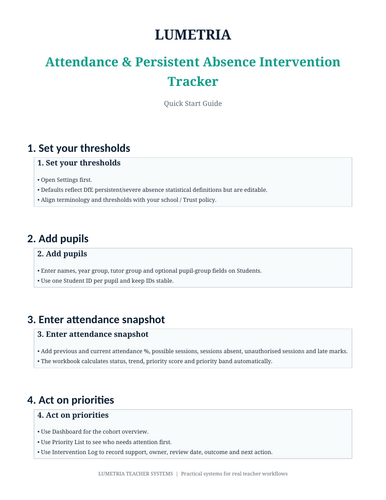
• Automatic attendance status classification.
• Improving / stable / deteriorating trend flag.
• Editable priority score combining attendance severity, trend, unauthorised absence, lateness and open intervention.
• Priority List showing the highest-priority pupils.
• Intervention Log with owner, start date, review date, outcome, status and next action.
• Cohort Dashboard.
• One-pupil Student Report.
• Editable Settings and Sources sheets.
DEFAULT ATTENDANCE DEFINITIONS
The workbook uses current DfE statistical definitions as editable defaults: persistent absence means 10% or more possible sessions missed; severe absence means 50% or more possible sessions missed. Schools should confirm their own policy and terminology before use.
WHO IS IT FOR?
Attendance leads, Heads of Year, pastoral leaders, form tutors, SLT, behaviour/pastoral teams and school staff who need a practical attendance follow-up workflow.
TECHNICAL INFORMATION
Microsoft Excel recommended. No macros are required. Formulas, conditional formatting and drop-down fields drive the automated outputs.
FILES INCLUDED
Automated XLSX workbook, Quick Start PDF, 800×600 cover, TES upload text and licence/readme.
Something went wrong, please try again later.
This resource hasn't been reviewed yet
To ensure quality for our reviews, only customers who have purchased this resource can review it
Report this resourceto let us know if it violates our terms and conditions.
Our customer service team will review your report and will be in touch.
$3.00