


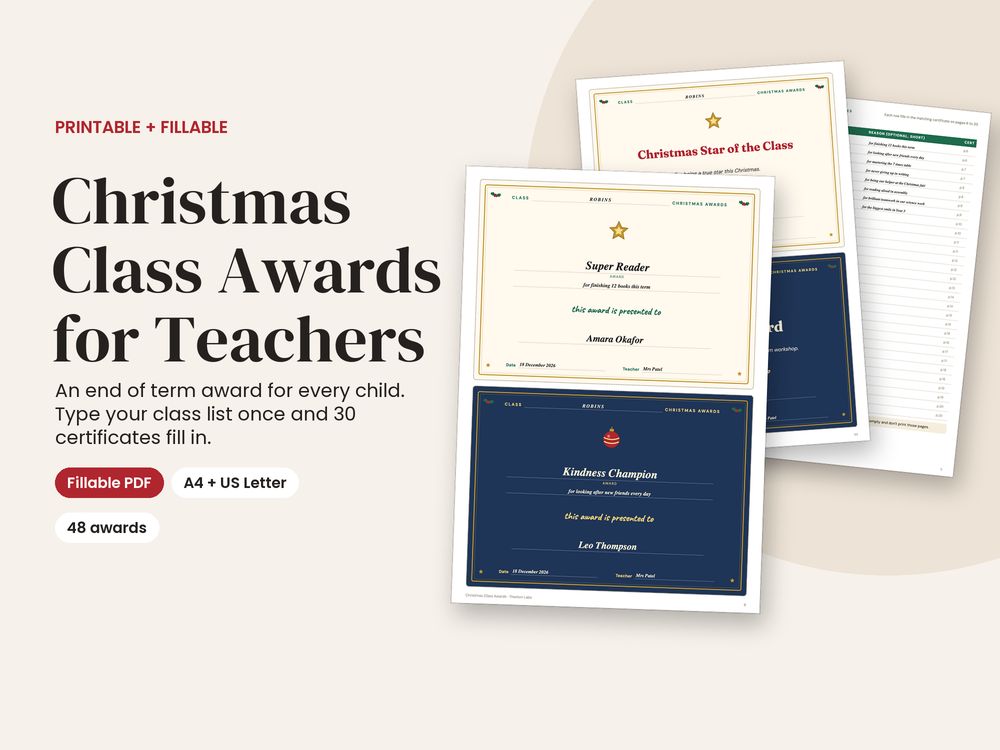
Give every child in your class a Christmas award at the end of term. Type your class list once and 30 certificates fill in with each child’s name, award and reason. Or choose from 48 ready-made Christmas award certificates and just add a name.
What makes it different: most class award printables make you type every certificate one at a time. Here you fill in one class list page and all 30 class-set certificates fill in together, with your class name, your name and the date shared across every page. The awards are kind by design: 24 learning and character awards and 24 festive fun ones, none of them a ranking, so every child can win something. You also get a presentation script, praise postcards home, reading bookmarks and reward badges.
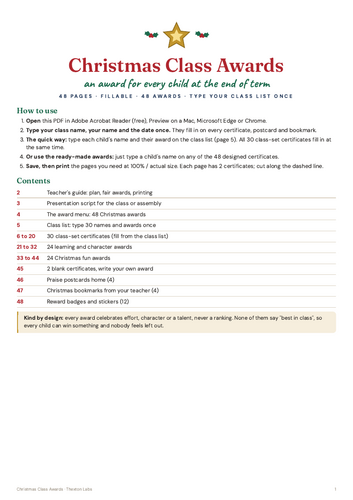
WHAT’S INSIDE (48 pages)
- Teacher’s guide: a 2-week plan, making the awards fair for every child, ways to present them and printing tips
- Presentation script with fill-in lines, for the classroom or a Christmas assembly
- Award menu: all 48 awards with what each one is for and the page number of its certificate
- Class list: type up to 30 names, awards and short reasons once
- 30 class-set certificates that fill in from the class list
- 24 learning and character certificates, including Shining Star, Kindness Champion, Brilliant Effort, Super Reader and Marvellous Mathematician
- 24 Christmas fun certificates, including Head Elf Award, Christmas Cracker, Golden Bauble, Gingerbread Genius and Festive Jumper Champion
- 2 blank certificates to type your own award
- Praise postcards home (4 per page) for a personal message to each family
- Christmas bookmarks from you, with a reading challenge and holiday reading tracker (4 per page)
- 12 reward badges and stickers
- Two certificate designs: cream and gold, and navy and gold, 2 per page (A5 size when cut)
WHAT YOU GET
- Christmas Class Awards, A4, fillable PDF (48 pages)
- Christmas Class Awards, US Letter, fillable PDF (48 pages, with US spelling)
HOW IT WORKS
- Open the PDF in Adobe Acrobat Reader (free), Preview on a Mac, Microsoft Edge or Chrome
- Type your class name, your name and the date once, then fill the class list
- Save, then print the pages you need at 100 percent / actual size, ideally on thin card, and cut each page in half
- Prefer pens? Every page also works printed blank and filled in by hand
- The lines and boxes are fillable; the award titles and designs on the 48 ready-made certificates are fixed.
- Some phone viewers don’t support fillable fields. Adobe Acrobat Reader (free) works on every device.
- Colours may look slightly different on your printer.
Something went wrong, please try again later.
This resource hasn't been reviewed yet
To ensure quality for our reviews, only customers who have purchased this resource can review it
Report this resourceto let us know if it violates our terms and conditions.
Our customer service team will review your report and will be in touch.
£3.99