


Transform Your Morning Routine with One Powerful Tool
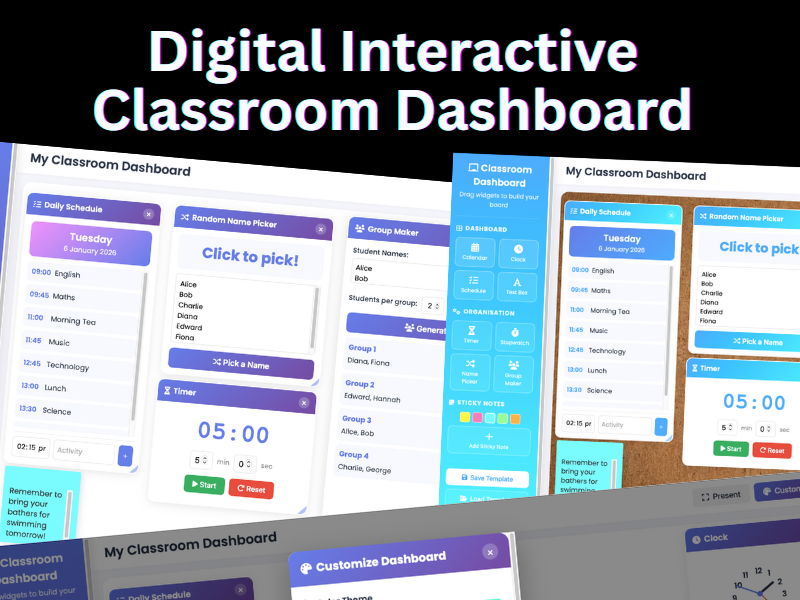
Say goodbye to juggling multiple tabs, apps, and websites during your morning routine. This Digital Classroom Dashboard gives you everything you need to start each day organized and prepared, displayed beautifully on your interactive whiteboard or classroom screen.
What Makes This Dashboard DifferentUnlike subscription-based tools that lock you into monthly payments, this is a one-time purchase that you own forever. It runs directly in your web browser with no internet connection required after download, no accounts to create, and no student data collected.
Dashboard Widgets-
Calendar
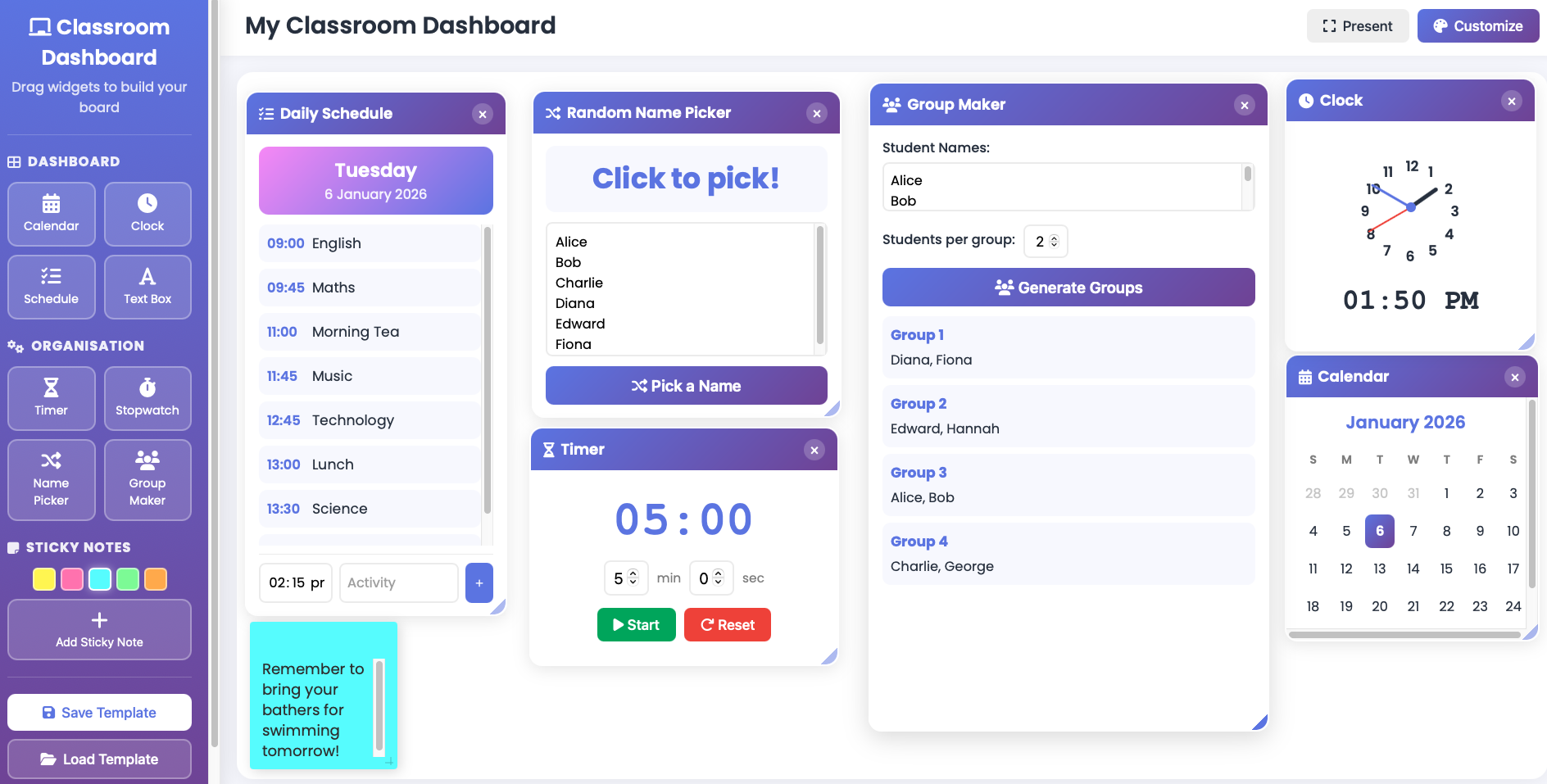
Display the current month with today’s date highlighted. Perfect for calendar math and date discussions. -
Analog and Digital Clock
Large, easy-to-read clock with numbers 1–12 clearly displayed on the clock face. Ideal for teaching time to young learners. -
Daily Schedule
Create and display your class timetable. Add activities with times, and the schedule automatically sorts chronologically. Edit it each day in seconds. -
Text Box
Add custom messages, learning intentions, reminders, or welcome notes. Fully editable with drag-and-drop functionality.
-
Countdown Timer
Set visual timers for activities, transitions, or tests. Includes an alarm sound when time is up. -
Stopwatch
Track elapsed time for activities, races, or timed challenges. -
Random Name Picker
Enter your class list once, then randomly select students for questions, tasks, or prizes. Includes animation for added excitement. -
Group Maker
Instantly generate random groups. Simply enter student names and specify how many students per group. -
Sticky Notes
Add colorful, draggable sticky notes anywhere on your dashboard. Available in five colors. Perfect for reminders, vocabulary words, or daily goals.
-
Save Multiple Templates
Create different dashboard layouts for each day of the week or different subjects. Save as Monday, Tuesday, Maths Day, Library Day, or any name you choose. -
Color Themes
Choose from 8 beautiful color palettes to match your classroom decor or school colors. -
Font Options
Select from multiple font styles, including a handwriting font suitable for primary students. -
Background Images
Upload your own background image to personalize your dashboard.
- File Type: Single HTML file
- Compatibility: Works in Chrome, Firefox, Safari, and Edge
- Internet Required: Only for initial download
- Data Storage: Dashboard templates save locally in your browser and remain unless the browser cache is cleared
- Device Support: Desktop, laptop, and tablet compatible
Something went wrong, please try again later.
This resource hasn't been reviewed yet
To ensure quality for our reviews, only customers who have purchased this resource can review it
Report this resourceto let us know if it violates our terms and conditions.
Our customer service team will review your report and will be in touch.
£2.00