


Bespoke, fully editable lesson for Pearson Edexcel International GCSE (9–1) Computer Science (4CP0): ED2.19 Trace tables for programs. Slides, worksheet and full answers.
Written for Topic 2 Programming (spec 2.1.6). Everything is editable, so you can adapt it to your class.
What’s included- PowerPoint lesson (14 slides) with teacher notes on every slide
- Student worksheet (Word), ready to print or edit
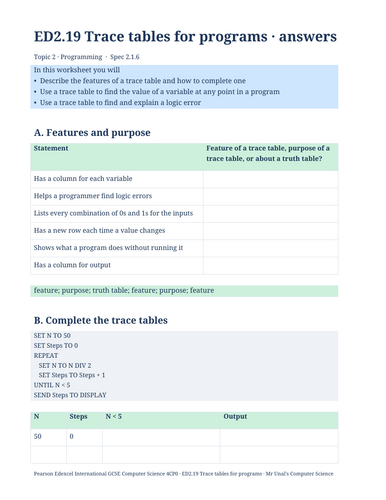
- Answer sheet (Word) with mark-scheme style answers for every question
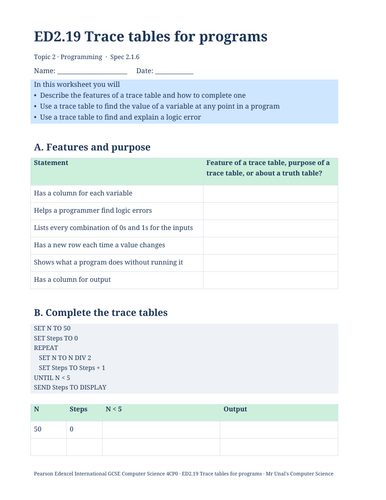
By the end of the lesson students can:
- Describe the features of a trace table and how to complete one
- Use a trace table to find the value of a variable at any point in a program
- Use a trace table to find and explain a logic error
Worksheet sections: A. Features and purpose; B. Complete the trace tables; C. Find the logic error; D. Exam-style questions; E. Challenge
Every lesson includes- Learning goals and a starter question
- Clear explanations, diagrams and worked examples (Python 3 throughout, with Pearson pseudocode alongside)
- A quick check and a “your turn” task linked to the worksheet
- Exam-style questions with marks, and an exit ticket
- PowerPoint (.pptx) and Word (.docx), fully editable
- Works in PowerPoint and Google Slides
- Bright, clear GCSE design, consistent across the whole course
These are independent resources written for the Pearson Edexcel International GCSE (9–1) Computer Science specification (4CP0, Issue 1). They are not produced or endorsed by Pearson. Spec point numbers are Pearson’s, with a letter added where we split a statement across lessons.
Something went wrong, please try again later.
This resource hasn't been reviewed yet
To ensure quality for our reviews, only customers who have purchased this resource can review it
Report this resourceto let us know if it violates our terms and conditions.
Our customer service team will review your report and will be in touch.
£4.99